

HTML5 App with MVVM and Knockout Study(3)
Study (3) Templates, Control of Flow, and Containerless Bindings
- Named Templates in Script Tags
Encapsulate a template for re-use

Demo:
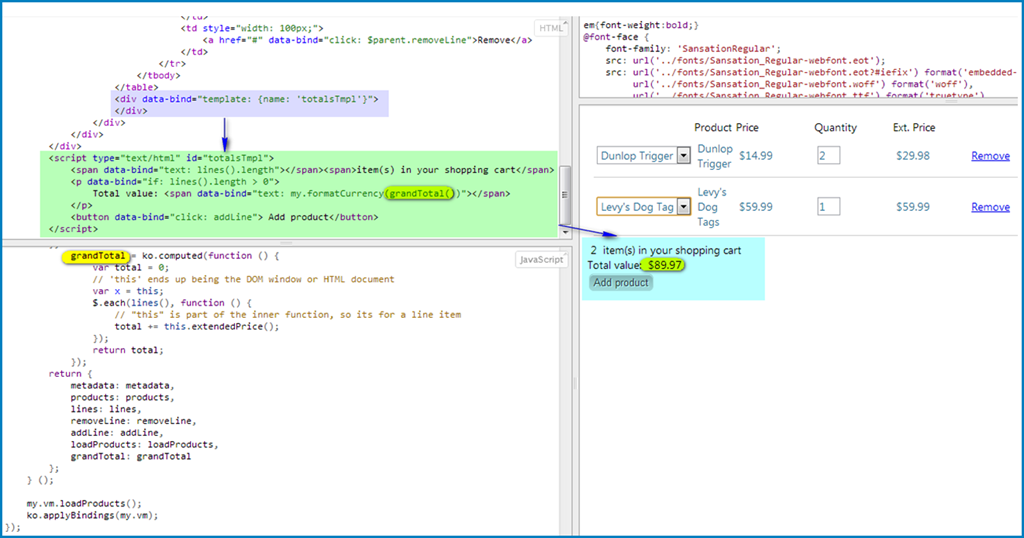
run the code in jsFiddle
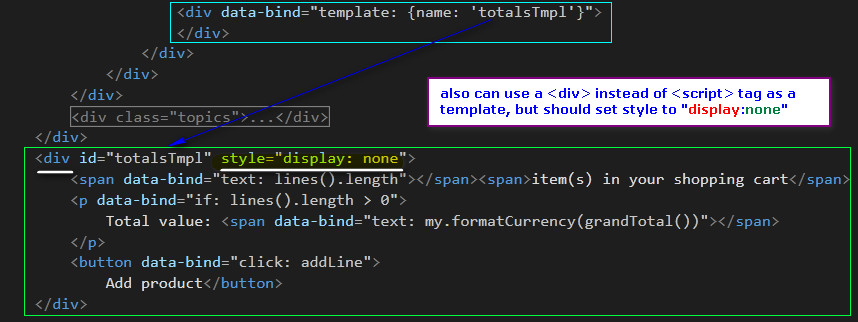
Actually we can use <div> or <ul>, instead of <script> tag to define a template like this:
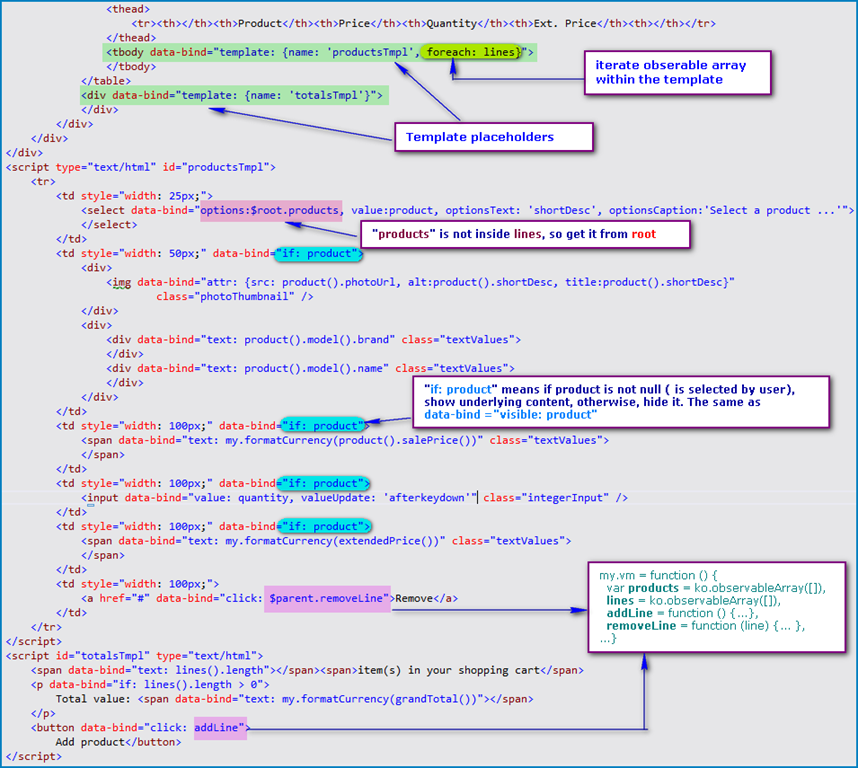
- Control of Flow

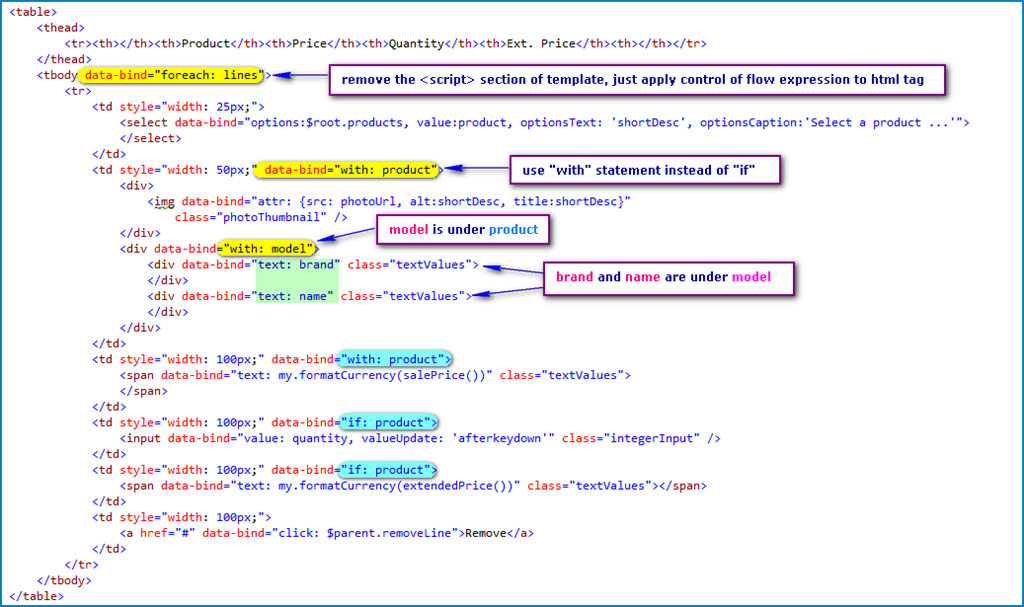
- Anonymous-Inline Templates (cannot be re-used)
Optimize the previous code with Anonymous-Inline Templates
- Dynamically assigning templates
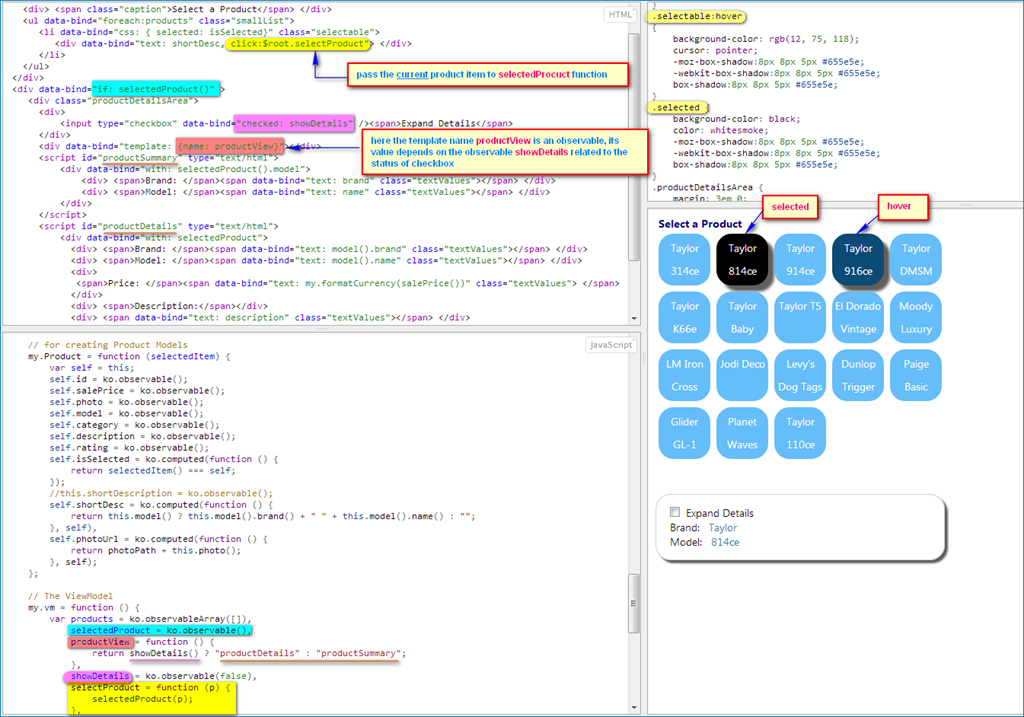
run the code in jsFiddle
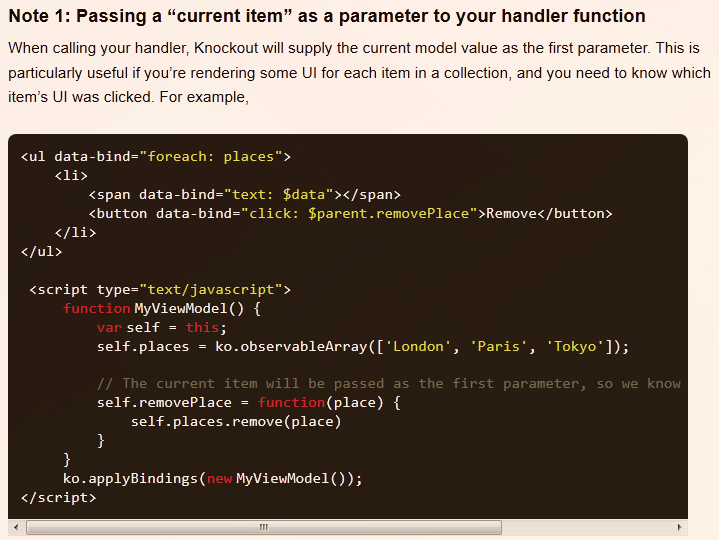
Here the click binding passes the current product item within the products observable array. Read this article for more.
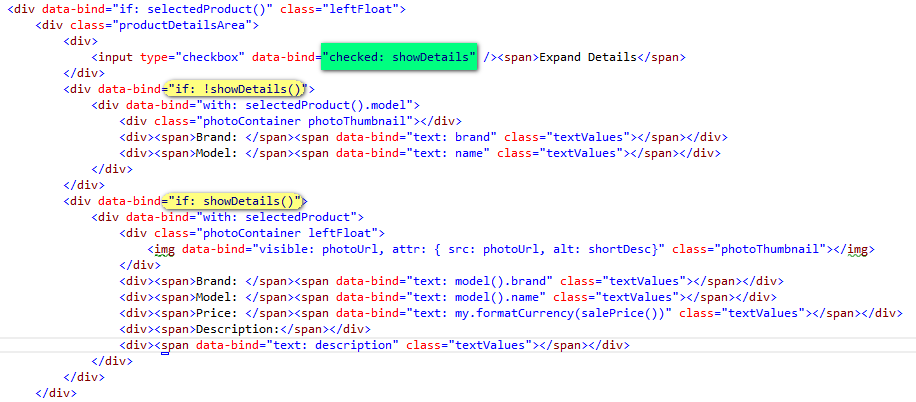
- Use Control of Flow to toggle templates
using if / ifnot to implement previous code
- Template Binding Parameters and Array Filtering
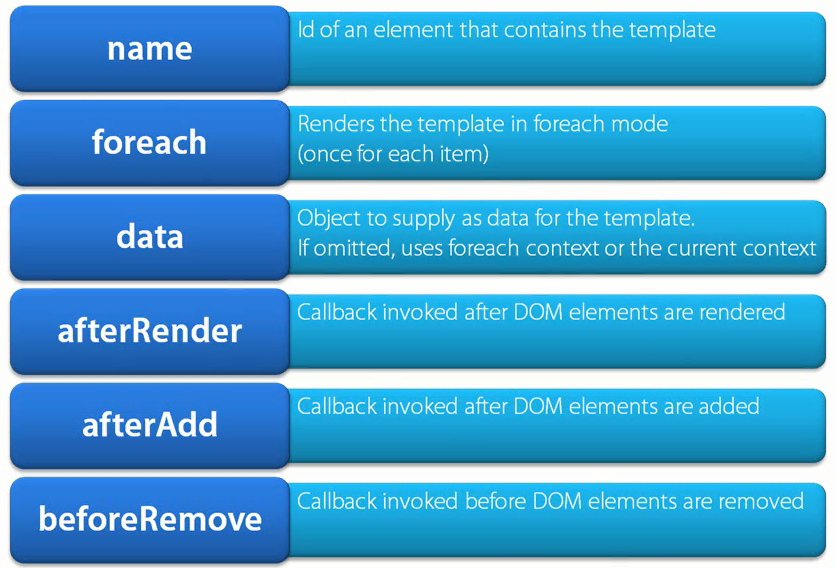
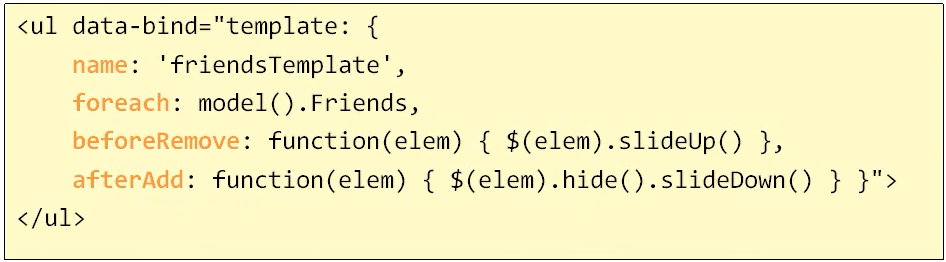
the syntax of adding parameters to a template:
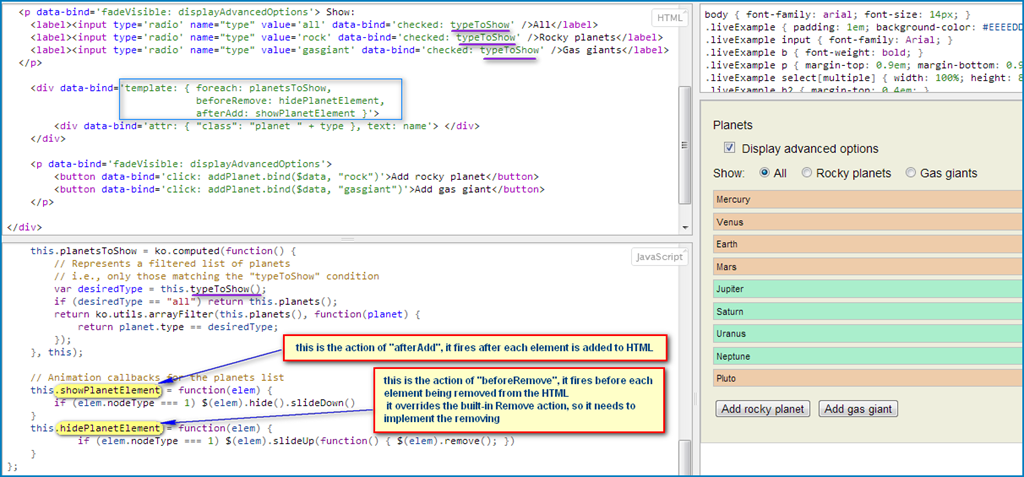
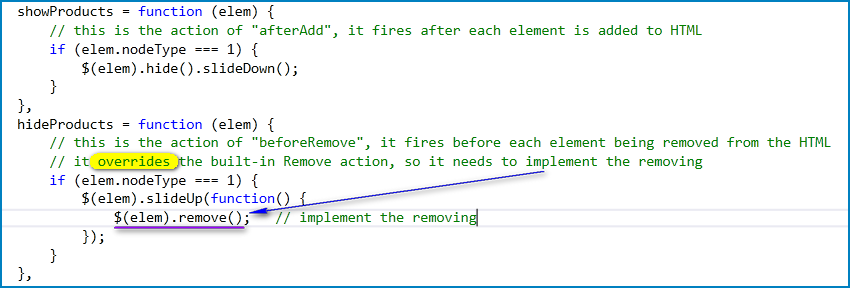
Run the code in jsFiddle
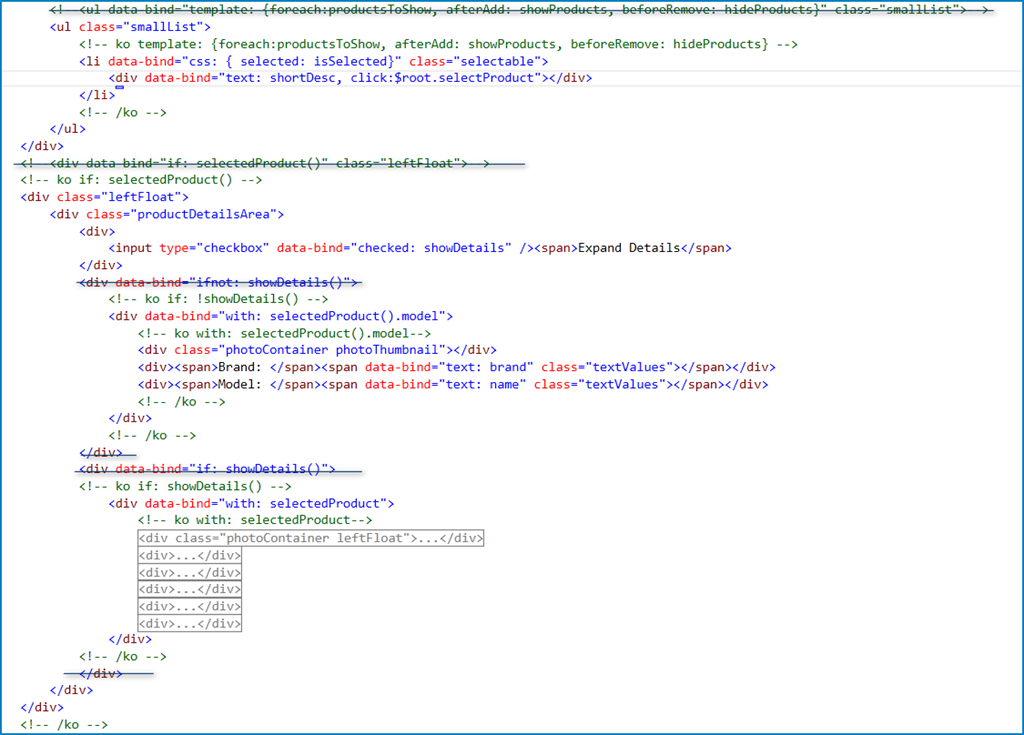
- Containerless Bindings for Control of Flow
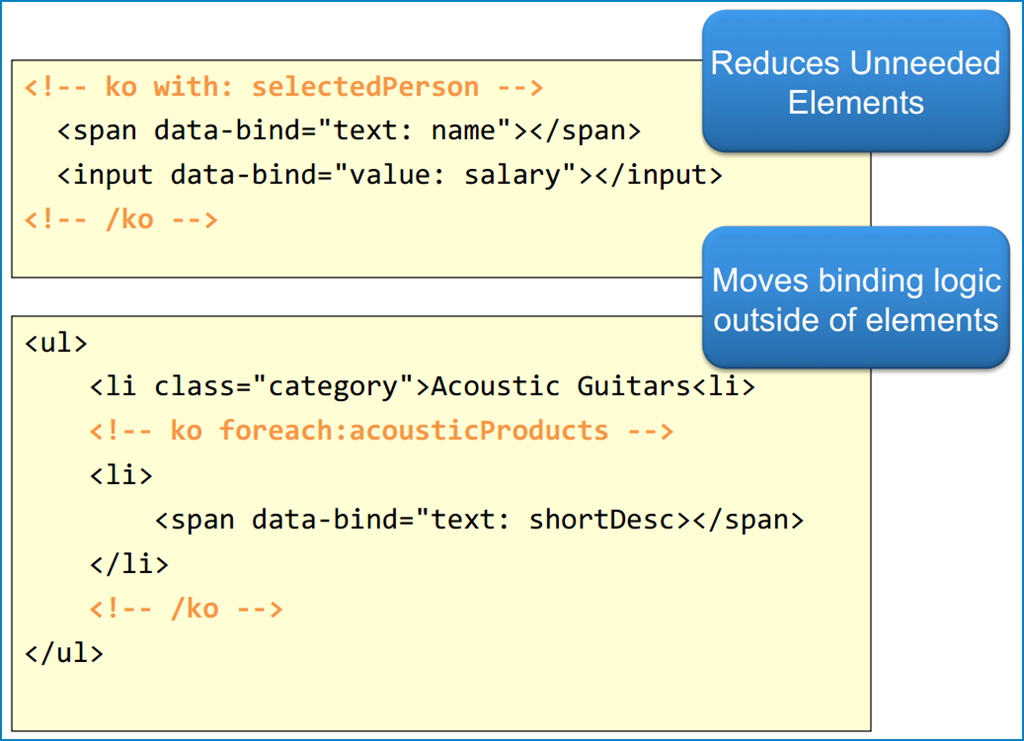
Contianerless bindings separate the markup and the binding logic, making the code cleaner and easier to maintain
Comment based control flow syntax:
- if
- ifnot
- foreach
- with
- template
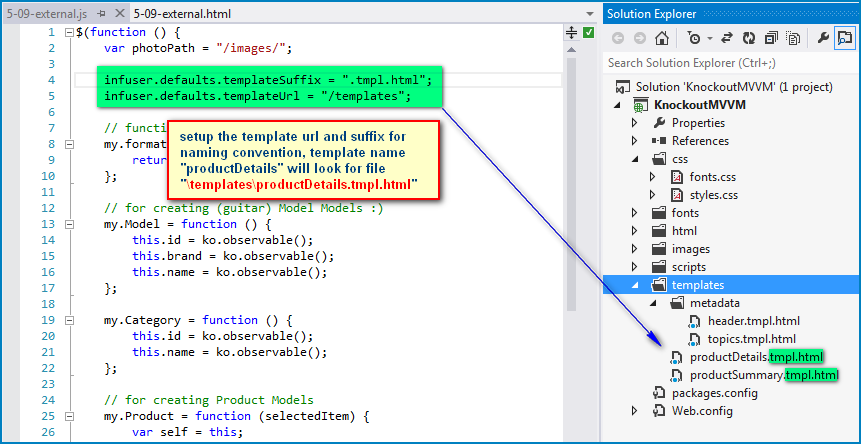
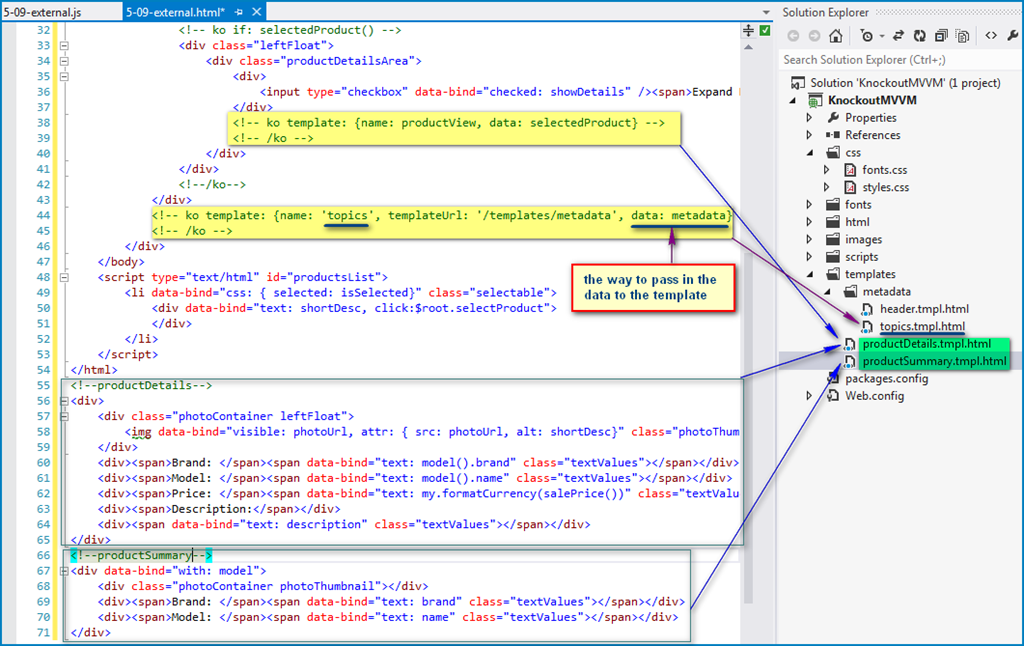
- External templates
Download the KnockoutJs External Template Engine from HERE and include in the page

 浙公网安备 33010602011771号