

Android Menu 回调
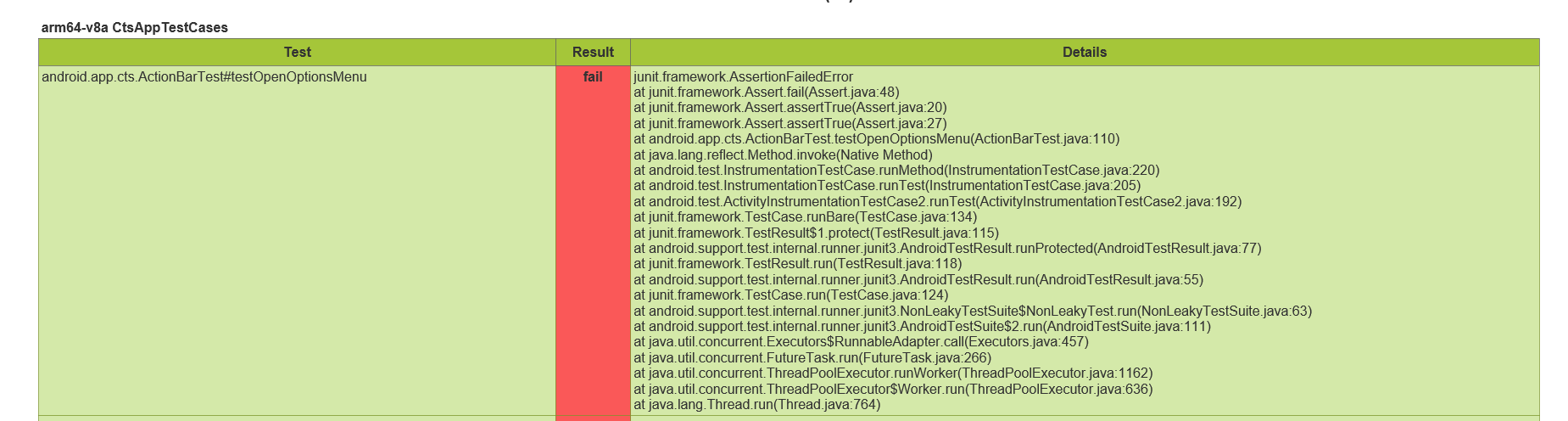
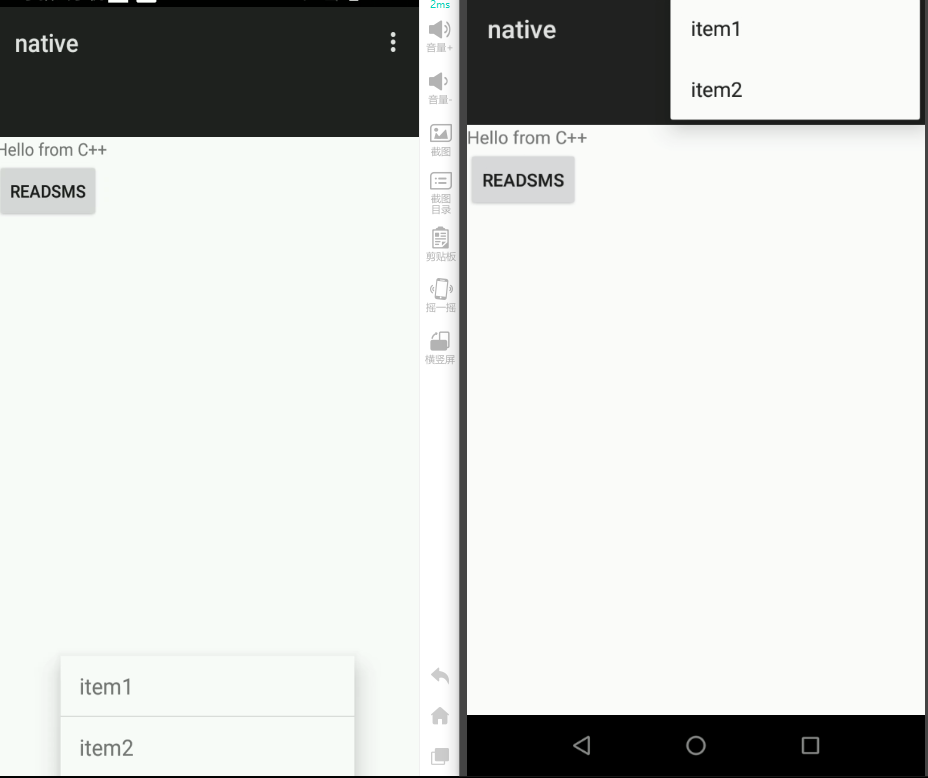
先看错错误,使用openOptionsMenu() 的时候onMenuVisibilityChanged 没有回调 , 到真机跑了跑确是有回调的
取了下小米的堆栈信息
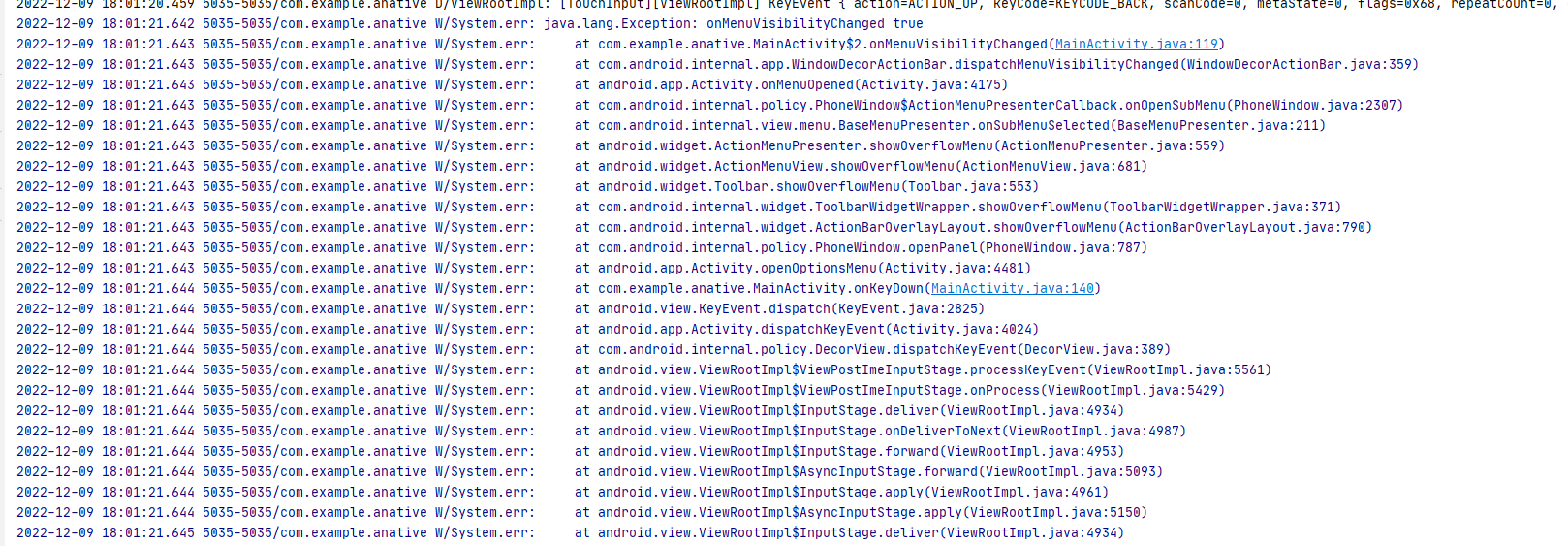
这里先贴下调用流程:
Activity.openOptionsMenu() -- >  mWindow.openPanel(Window.FEATURE_OPTIONS_PANEL, null)

Activity.onMenuOpened() -->  ActionBar.dispatchMenuVisibilityChanged(true) --> onMenuVisibilityChanged(true)
发现小米走的是函数showOverflowMenu()
at com.android.internal.widget.ActionBarOverlayLayout.showOverflowMenu(ActionBarOverlayLayout.java:790)
at com.android.internal.policy.PhoneWindow.openPanel(PhoneWindow.java:787)
    @Override
    public final void openPanel(int featureId, KeyEvent event) {
        if (featureId == FEATURE_OPTIONS_PANEL && mDecorContentParent != null &&
                mDecorContentParent.canShowOverflowMenu() &&
                !ViewConfiguration.get(getContext()).hasPermanentMenuKey()) {
            // 没有hasPermanentMenuKey() 即没有永久菜单按键,物理按键
            mDecorContentParent.showOverflowMenu();   //很明显小米走这里了
        } else {
            openPanel(getPanelState(featureId, true), event);
        }
    }
而我的设备走的openPanel(), 虽然openPanel里也有 onMenuOpened 回调
不过featureid不对,我们穿入的是 FEATURE_OPTIONS_PANEL ,onMenuOpened只有当是FEATURE_ACTION_BAR才会处理
    //
    private void openPanel(final PanelFeatureState st, KeyEvent event) {
        ...
        Callback cb = getCallback();
        if ((cb != null) && (!cb.onMenuOpened(st.featureId, st.menu))) {
            // Callback doesn't want the menu to open, reset any state
            closePanel(st, true);
            return;
        }
    }

    //frameworks/base/core/java/android/app/Activity.java
    public boolean onMenuOpened(int featureId, Menu menu) {
        if (featureId == Window.FEATURE_ACTION_BAR) {
            initWindowDecorActionBar();
            if (mActionBar != null) {
                mActionBar.dispatchMenuVisibilityChanged(true);
            } else {
                Log.e(TAG, "Tried to open action bar menu with no action bar");
            }
        }
        return true;
    }
回到主题,最后发现是hasPermanentMenuKey()函数返回了true导致
public boolean hasPermanentMenuKey() {
    return sHasPermanentMenuKey;
}

// android.view.ViewConfiguration
private ViewConfiguration(Context context) {
       ...
       if (!sHasPermanentMenuKeySet) { // 只执行一次
            // 配置在frameworks/base/core/res/res/values/config.xml
            final int configVal = res.getInteger(
                    com.android.internal.R.integer.config_overrideHasPermanentMenuKey);

            switch (configVal) {
                default:
                case HAS_PERMANENT_MENU_KEY_AUTODETECT: { //没有特殊配置,默认走这
                    IWindowManager wm = WindowManagerGlobal.getWindowManagerService();
                    try {
                        //这赋值
                        sHasPermanentMenuKey = !wm.hasNavigationBar(context.getDisplayId());
                        sHasPermanentMenuKeySet = true;
                    } catch (RemoteException ex) {
                        sHasPermanentMenuKey = false;
                    }
                }
                break;
                case HAS_PERMANENT_MENU_KEY_TRUE:
                    sHasPermanentMenuKey = true;
                    sHasPermanentMenuKeySet = true;
                    break;

                case HAS_PERMANENT_MENU_KEY_FALSE:
                    sHasPermanentMenuKey = false;
                    sHasPermanentMenuKeySet = true;
                    break;
            }
        }
}
PhoneWindowManager.hasNavigationBar() 读取了属性配置config_showNavigationBar 和qemu.hw.mainkeys 属性 ,
总结:
如果qemu.hw.mainkeys=1,则 mHasNavigationBar=false sHasPermanentMenuKey=true
如果qemu.hw.mainkeys=0,则 mHasNavigationBar=true sHasPermanentMenuKey=false
如果qemu.hw.mainkeys=null,则 mHasNavigationBar=config_showNavigationBar sHasPermanentMenuKey=!config_showNavigationBar
// frameworks/base/services/core/java/com/android/server/policy/PhoneWindowManager.java
    @Override
    public void setInitialDisplaySize(Display display, int width, int height, int density) {
        ...
        // <bool name="config_showNavigationBar">false</bool> 我的设备是false
        mHasNavigationBar = res.getBoolean(com.android.internal.R.bool.config_showNavigationBar);

        // Allow a system property to override this. Used by the emulator.
        // See also hasNavigationBar().
        String navBarOverride = SystemProperties.get("qemu.hw.mainkeys");
        if ("1".equals(navBarOverride)) {
            mHasNavigationBar = false;
        } else if ("0".equals(navBarOverride)) {
            mHasNavigationBar = true;
        }
        ...
}
我的设备qemu.hw.mainkeys为null ,配置为0后 ,恢复正常 如果不想显示NavigationBar,把config_showNavigationBar设置成2

 浙公网安备 33010602011771号