module 'tensorrt' has no attribute 'Logger'
2024-06-05 19:01 kowme 阅读(389) 评论(0) 收藏 举报问题:docker 中 TRT_LOGGER = trt.Logger(trt.Logger.INFO)
AttributeError: module 'tensorrt' has no attribute 'Logger'
其他机器在执行对应程序时,无该问题。
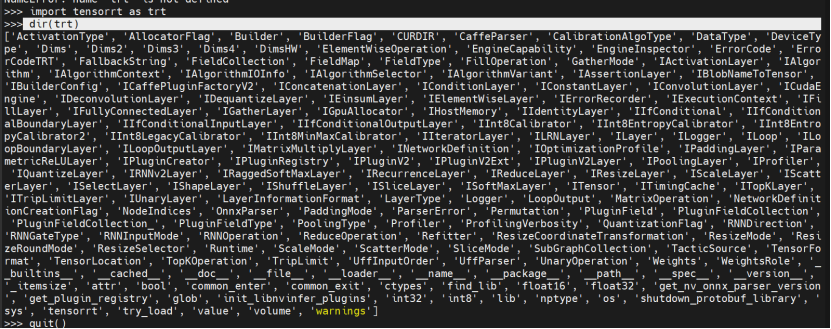
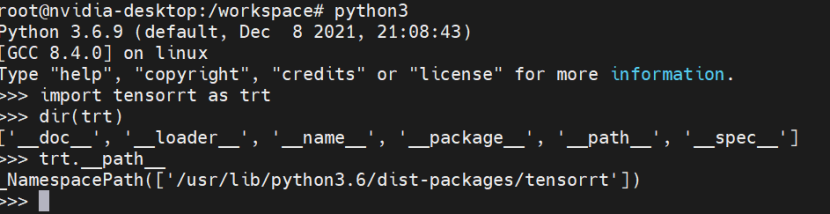
对比:
正常的
出现问题的:
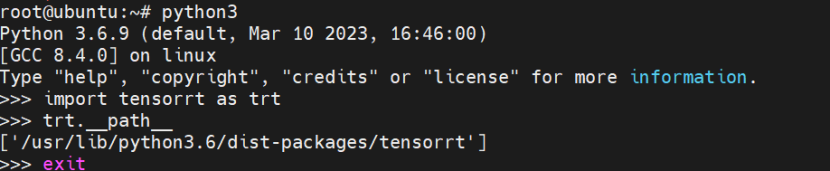
解决办法:
1、找到tensorrt 包的目录
2、打包egg
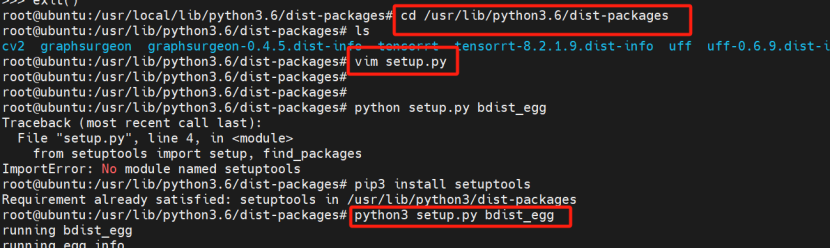
root@ubuntu:~# cat /usr/lib/python3.6/dist-packages/setup.py
#!/usr/bin/env python
#-*- coding:utf-8 -*-

from setuptools import setup, find_packages

setup(
        name = "tensorrt",
        version="8.2.1.9",
        packages = find_packages(),
        zip_safe = False,

        description = "为tensorrt制作egg文件",
        long_description = "为flask制作egg文件",
        author = "123",
        author_email = "123@outlook.com",

        license = "GPL",
        keywords = ("test", "egg"),
        platforms = "Independant",
        url = "",
        )
2、copy tensorrt-8.2.1.9-py3.6.egg、tensorrt.so 到出现问题的机器上去。
3、安装tensorrt
easy_install tensorrt-8.2.1.9-py3.6.egg

安装完成后,发现安装完成的目录下没有so文件

Copy so文件到对应的目录下
root@nvidia-desktop:/home/nvidia# cp tensorrt.so /usr/local/lib/python3.6/dist-packages/tensorrt-8.2.1.9-py3.6.egg/tensorrt/
5、解决了主机上AttributeError: module 'tensorrt' has no attribute 'Logger'
6、删除旧的容器,创建新的容器。
发现容器中仍然存在AttributeError: module 'tensorrt' has no attribute 'Logger'
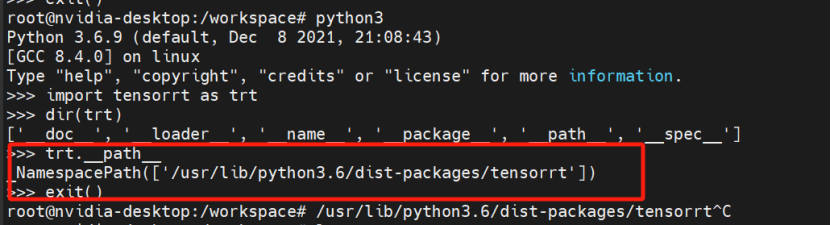
原因:主机目录下没有tensorrt文件夹。

解决办法:cp一份过去
删除重建容器,容器没有AttributeError: module 'tensorrt' has no attribute 'Logger'这个报错了,fixed。

 浙公网安备 33010602011771号