
supermall项目
项目地址:https://github.com/T-1201/supermall
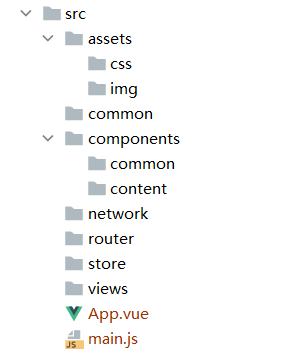
1、初步划分目录结构
2、引入css文件
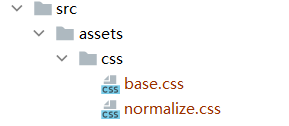
3、vue.config.js和.editorconfig
创建vue.config.js文件,给项目目录起别名,便于开发
module.exports = {
    configureWebpack: {
        resolve: {
            alias: {
                'assets': '@/assets',
                'common': '@/common',
                'components': '@/components',
                'network': '@/network',
                'views': '@/views'
            }
        }
    }
}
.editorconfig
root = true

[*]
charset = utf-8
indent_style = space
indent_size = 2
end_of_line = lf
insert_final_newline = true
trim_trailing_whitespace = true
4、项目的模块划分:tabbar -> 路由映射关系
5、小图标的修改及路径问题
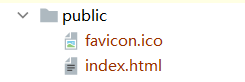
将public中的favicon.ico换成我们项目的图标,只需将这里的图标替换就行
注意:index.html引入这个图标的方式
<!DOCTYPE html>
<html lang="">
  <head>
    <meta charset="utf-8">
    <meta http-equiv="X-UA-Compatible" content="IE=edge">
    <meta name="viewport" content="width=device-width,initial-scale=1.0">
    <link rel="icon" href="<%= BASE_URL %>favicon.ico">    //在这里引入图标
    <title><%= htmlWebpackPlugin.options.title %></title>
  </head>
  <body>
    <noscript>
      <strong>We're sorry but <%= htmlWebpackPlugin.options.title %> doesn't work properly without JavaScript enabled. Please enable it to continue.</strong>
    </noscript>
    <div id="app"></div>
    <!-- built files will be auto injected -->
  </body>
</html>
执行npm run build后,dist中的index.html内部显示为:


 浙公网安备 33010602011771号