

分布式文件系统FastDFS 安装,部署
- 目录
(1) FastDFS介绍
(2)FastDFS安装
(3)FastDFS配置
一、 FastDFS 介绍
Copyright (C) 2008 Happy Fish / YuQing
FastDFS may be copied only under the terms of the GNU General Public License V3, which may be found in the FastDFS source kit. Please visit the FastDFS Home Page for more detail. English language: http://english.csource.org/ Chinese language: http://www.csource.org/
FastDFS is an open source high performance distributed file system. It's major functions include: file storing, file syncing and file accessing (file uploading and file downloading), and it can resolve the high capacity and load balancing problem. FastDFS should meet the requirement of the website whose service based on files such as photo sharing site and video sharing site.
FastDFS has two roles: tracker and storage. The tracker takes charge of scheduling and load balancing for file access. The storage store files and it's function is file management including: file storing, file syncing, providing file access interface. It also manage the meta data which are attributes representing as key value pair of the file. For example: width=1024, the key is "width" and the value is "1024".
The tracker and storage contain one or more servers. The servers in the tracker or storage cluster can be added to or removed from the cluster by any time without affecting the online services. The servers in the tracker cluster are peer to peer.
The storarge servers organizing by the file volume/group to obtain high capacity. The storage system contains one or more volumes whose files are independent among these volumes. The capacity of the whole storage system equals to the sum of all volumes' capacity. A file volume contains one or more storage servers whose files are same among these servers. The servers in a file volume backup each other, and all these servers are load balancing. When adding a storage server to a volume, files already existing in this volume are replicated to this new server automatically, and when this replication done, system will switch this server online to providing storage services.
When the whole storage capacity is insufficiency, you can add one or more volumes to expand the storage capacity. To do this, you need to add one or more storage servers.
The identification of a file is composed of two parts: the volume name and the file name.
Client test code use client library please refer to the directory: client/test.
FastDFS系统结构如下图所示:

上传文件交互过程:
1. client询问tracker上传到的storage,不需要附加参数;
2. tracker返回一台可用的storage;
3. client直接和storage通讯完成文件上传。

FastDFS file download
下载文件交互过程:
1. client询问tracker下载文件的storage,参数为文件标识(卷名和文件名);
2. tracker返回一台可用的storage;
3. client直接和storage通讯完成文件下载。

二、 FastDFS 安装
(1) 安装tracker
1.在/usr/local下面创建一个fastdfs目录,存放安装文件

2.下载安装 libfastcommon
wget https://github.com/happyfish100/libfastcommon/archive/V1.0.7.tar.gz

解压 libfastcommon,命令:
tar -zxvf V1.0.7.tar.gz

编译,进入libfastcommon-1.0.7目录,命令:
cd libfastcommon-1.0.7
./make.sh
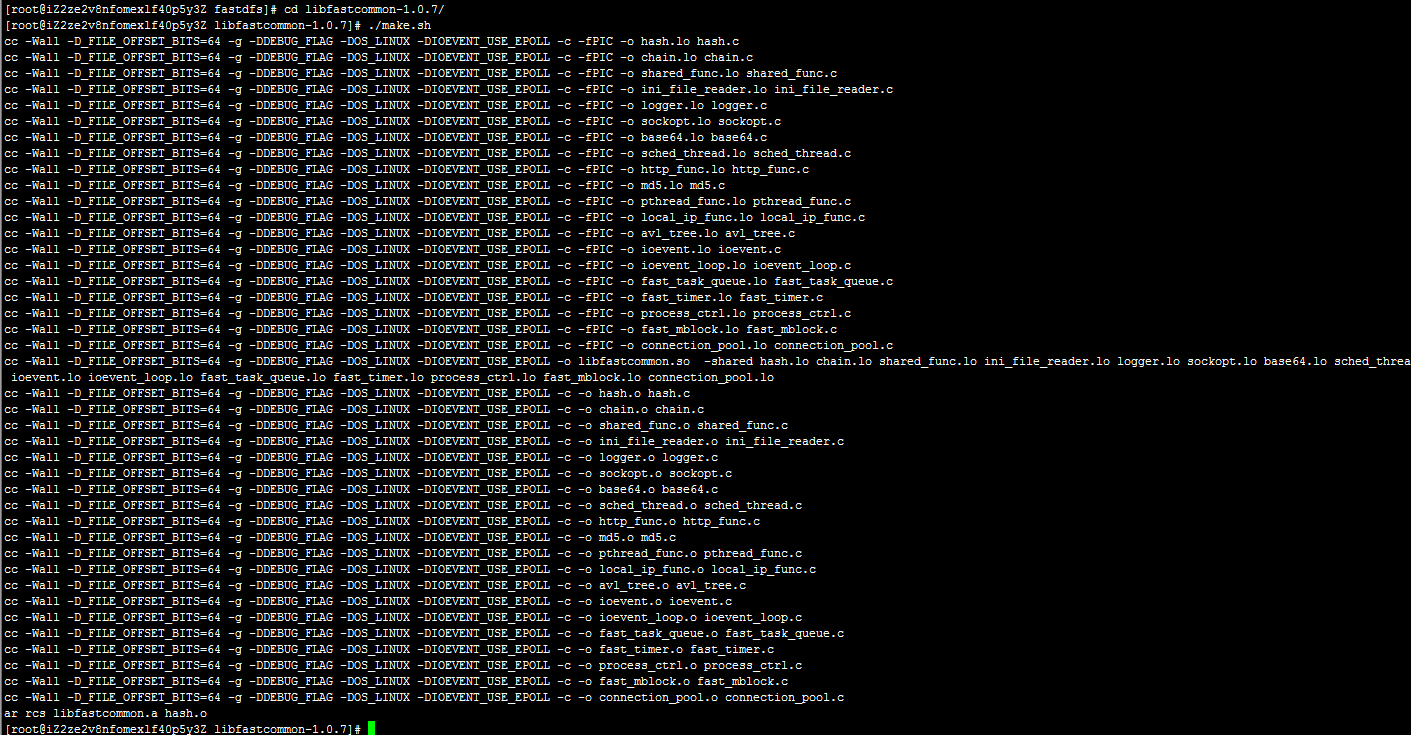
安装,命令:
./make.sh install

显示这样的画面,就是安装 libfastcommon 成功啦。
下载安装 FastDFS
wget https://github.com/happyfish100/fastdfs/archive/V5.05.tar.gz

解压 FastDFS ,命令:
tar -zxvf V5.05.tar.gz

编译,进入fastfds-5.05目录,命令:
cd fastdfs-5.05
./make.sh

安装,命令:
./make.sh install

显示这样的画面,就是安装 FastDFS 成功啦。
(2)配置 Tracker 服务
上述安装成功后,在/etc/目录下会有一个fdfs的目录,进入它。会看到三个.sample后缀的文件,这是作者给我们的示例文件,我们需要把其中的tracker.conf.sample文件改为tracker.conf配置文件并修改它。看命令:
cp tracker.conf.sample tracker.conf
vim tracker.conf

打开tracker.conf文件,只需要找到你只需要该这两个参数就可以了。
# the base path to store data and log files
base_path=/data/fastdfs
# HTTP port on this tracker server
http.server_port=80
当然前提是你要有或先创建了/data/fastdfs目录。port=22122这个端口参数不建议修改,除非你已经占用它了。
修改完成保存并退出 vim ,这时候我们可以使用/usr/bin/fdfs_trackerd /etc/fdfs/tracker.conf start来启动 Tracker服务,但是这个命令不够优雅,怎么做呢?使用ln -s 建立软链接:
ln -s /usr/bin/fdfs_trackerd /usr/local/bin
ln -s /usr/bin/stop.sh /usr/local/bin
ln -s /usr/bin/restart.sh /usr/local/bin

这时候我们就可以使用service fdfs_trackerd start来优雅地启动 Tracker服务了,是不是比刚才带目录的命令好记太多了(懒是社会生产力)。你也可以启动过服务看一下端口是否在监听,命令:
启动服务:service fdfs_trackerd start
查看监听:netstat -unltp|grep fdfs

看到22122端口正常被监听后,这时候就算 Tracker服务安装成功啦!

 浙公网安备 33010602011771号