
2021年2月21日 HTML&CSS学习笔记 定位标签
绝对定位
position 位置属性放在css语言style标签里面
absolute 绝对定位属性值,给多少值就是多少,值分上下左右
top上 right右 bottom下 left左
主要数值,上下左右可能互相会冲突。
如果绝对定位属性值生效,下方的div就会默认变成第一个位置。
<html>
	<head>
		<meta charset="UTF-8">
		<title></title>
		<style type="text/css">
			.d1{
				width: 200px;
				height: 200px;
				background: yellow;
				position: absolute;
				top: 300px;
				bottom: 0px;
				left: 100px;
				right: 0px;
			}
			.d2{
				width: 200px;
				height: 200px;
				background: blue;
			}
		</style>
	</head>
	<body>
		<div class="d1">1</div>
		<div class="d2">2</div>
	</body>
</html>

相对定位
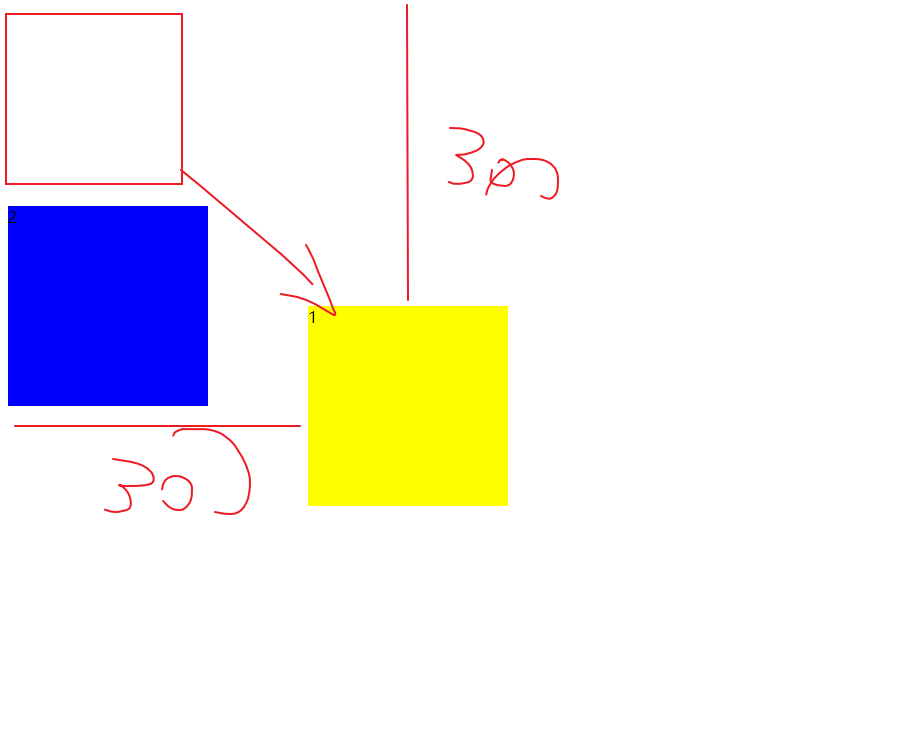
relative相对定位属性值
相对于原标签自身的位置改变定位。
相对定位后,原来的位置其他div也无法移动到相对定位后的位置。
也就是2无法在默认移动到1的原来位置。
<html>
	<head>
		<meta charset="UTF-8">
		<title></title>
		<style type="text/css">
			.d1{
				width: 200px;
				height: 200px;
				background: yellow;
				position: relative;
				top: 300px;
				bottom: 0px;
				left: 300px;
				right: 0px;
			}
			.d2{
				width: 200px;
				height: 200px;
				background: blue;

			}
		</style>
	</head>
	<body>
		<div class="d1">1</div>
		<div class="d2">2</div>
	</body>
</html>
相对浏览器窗口定位
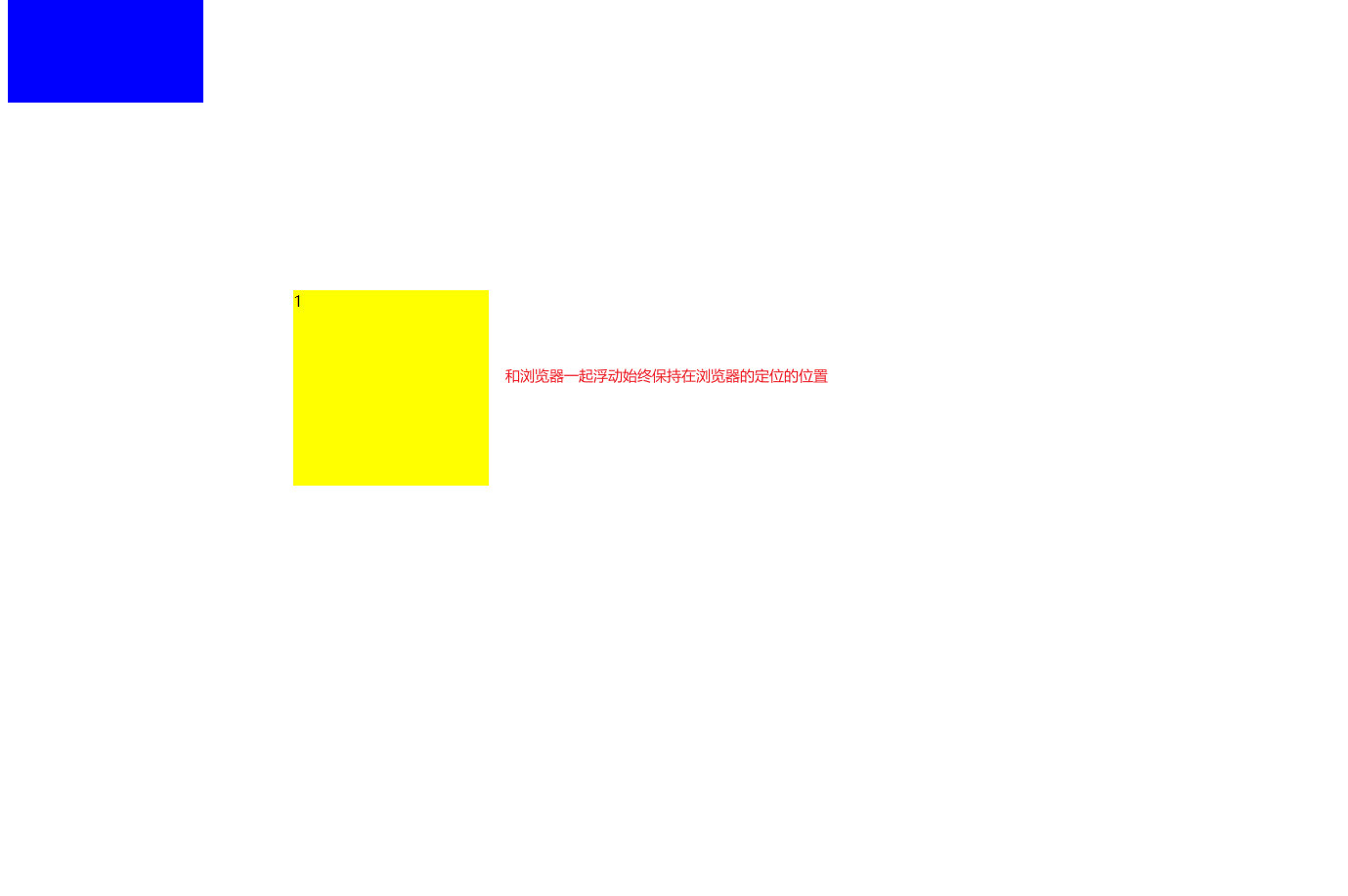
fixed 相对浏览器窗口定位属性值。
可以理解为在浏览器定位好的位置一直浮动。
<html>
	<head>
		<meta charset="UTF-8">
		<title></title>
		<style type="text/css">
			.d1{
				width: 200px;
				height: 200px;
				background: yellow;
				position: fixed;
				top: 300px;
				bottom: 0px;
				left: 300px;
				right: 0px;
			}
			.d2{
				width: 200px;
				height: 200px;
				background: blue;

			}
		</style>
	</head>
	<body>
		<div class="d1">1</div>
		<div class="d2">2</div>
		<br />
		<br />
		<br />
		<br />
		<br />
		<br />
		<br />
		<br />
		<br />
		<br />
		<br />
		<br />
		<br />
		<br />
		<br />
		<br />
		<br />
		<br />
		<br />
		<br />
		<br />
		<br />
		<br />
		<br />
		<br />
		<br />
		<br />
		<br />
		<br />
		<br />
		<br />
		<br />
		<br />
		<br />
		<br />
		<br />
		<br />
		<br />
		<br />
		<br />
		<br />
		<br />
		<br />
		<br />
		<br />
		<br />
		<br />
		<br />
		<br />
		<br />
		<br />
		<br />
		<br />
		<br />
		<br />
		<br />
		<br />
		<br />
		<br />
		<br />
		<br />
		<br />
		<br />
		<br />
		<br />
		<br />
		<br />
		<br />
		<br />
		<br />
	</body>
</html>


 浙公网安备 33010602011771号