
c#预处理指令
原文链接:C#预处理指令_孤夜的博客-CSDN博客_不能在文件的第一个标记之后
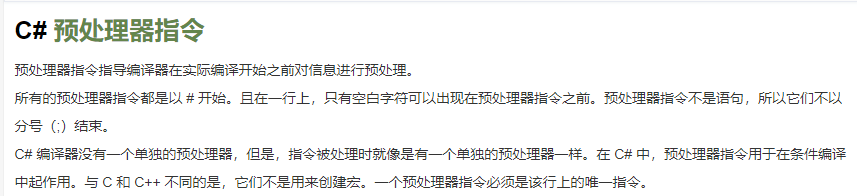
一:C# 预处理器指令
二:C# 预处理器指令列表
| 预处理器指令 | 描述 |
|---|---|
| #define | 它用于定义一系列成为符号的字符。 |
| #undef | 它用于取消定义符号。 |
| #if | 它用于测试符号是否为真 |
| #else | 它用于创建复合条件指令,与 #if 一起使用。 |
| #elif | 它用于创建复合条件指令。 |
| #endif | 指定一个条件指令的结束。 |
| #line | 它可以让您修改编译器的行数以及(可选地)输出错误和警告的文件名。 |
| #error | 它允许从代码的指定位置生成一个错误。 |
| #warning | 它允许从代码的指定位置生成一级警告。 |
| #region | 它可以让您在使用 Visual Studio Code Editor 的大纲特性时,指定一个可展开或折叠的代码块。 |
| #endregion | 它标识着 #region 块的结束。 |
三:练习
1: #define指令
①:定义
#define 预处理器指令创建符号常量。
#define 允许您定义一个符号,这样,通过使用符号作为传递给 #if 指令的表达式,表达式将返回 true。
②:例:
 1 #define PI
 2 using System;
 3 /*
 4   预处理命名
 5 */
 6 namespace PreprocessorDirectives
 7 {
 8     class Program
 9     {
10
11         static void Main(string[] args)
12         {
13             //【1】#define    它用于定义一系列成为符号的字符。
14             #if (PI)
15             Console.WriteLine("PI is defined");
16             #else
17             Console.WriteLine("PI is not defined");
18             #endif
19             Console.ReadLine();
20         }
21     }
22 }
运行结果: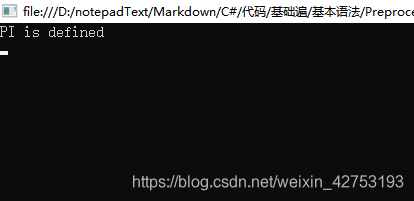
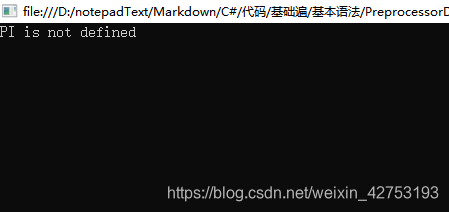
补充:将#if(PI)改为#if(!PI)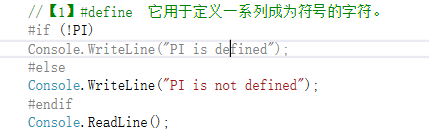
运行效果:
③:注意:不能在文件的第一个标记之后定义或取消定义预处理器符号
不能在文件的第一个标记之后定义预处理器符号
不能在文件的第一个标记之后取消定义预处理器符号
备注:#define指令常和#if条件语句结合使用,单独使用无意义,#define与#undef声明必须放在C#源文件的开头位置,即程序集的引用的上方,不然将报错,错误信息请看上方注意部分。
2:undef指令
①:定义
undef取消定义符号,使在它前面定义的预处理指令不起作用。
②:例
 1 #define BUG
 2 #undef BUG
 3 using System;
 4 /*
 5   预处理命名
 6 */
 7
 8 namespace PreprocessorDirectives
 9 {
10     class Program
11     {
12         static void Main(string[] args)
13         {
14             //【2】#undef    它用于取消定义符号。
15              #if (BUG)
16              Console.WriteLine("这个BUG预处理命令未被取消!");
17              #else
18             Console.WriteLine("这个BUG预处理命令已经被取消啦!");
19               #endif
20             Console.ReadLine();
21         }
22     }
23 }
运行效果: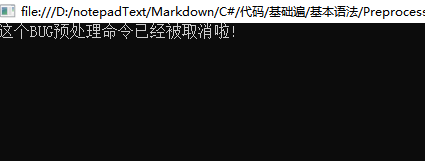
注意:undef是使在它前面定义的预处理指令不起作用
将上面#define BUG和#undef BUG的顺序交换一下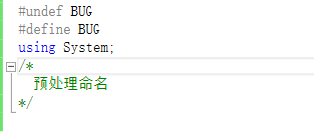
运行效果: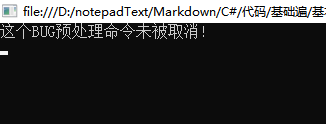
3:预处理条件语句(#if #else #elif #endif )
①:例
 1 #define BUG1
 2 #define BUG2
 3 #define BUG3
 4 using System;
 5 /*
 6   预处理命名
 7 */
 8 namespace PreprocessorDirectives
 9 {
10     class Program
11     {
12         static void Main(string[] args)
13         {
14             //【3】条件语句
15             #if (BUG1)
16             Console.WriteLine("BUG1");
17             #elif (BUG2)
18              Console.WriteLine("BUG2");
19             #elif (BUG3)
20             Console.WriteLine("BUG3");
21             #endif
22             Console.ReadLine();
23         }
24     }
25 }
运行效果: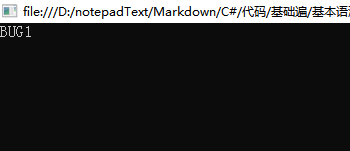
把#define BUG1去掉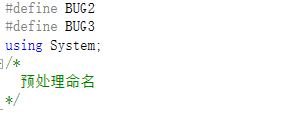
运行效果: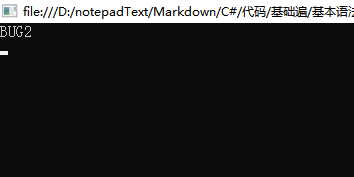
②:注意:
预处理条件语句和程序基本语法里的条件语句是差不多的但是预处理的#if不能单独用
如下: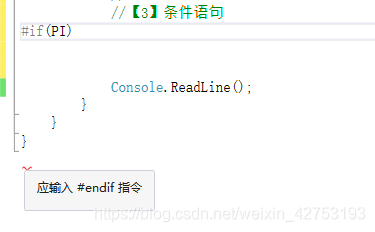
预处理#endif和语法里的条件语句else意义是不同的
在#endif后加入一条打印语句 Console.WriteLine(“条件都不满足!”);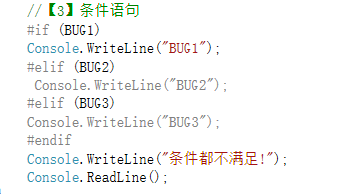
运行效果:
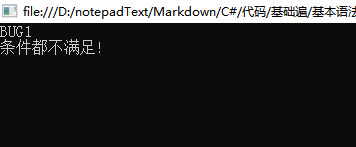
③:预处理条件语句还支持一组(逻辑运算符!=,==,!=和||
将#if(BUG) 改为 #if (BUG1&&BUG2&&BUG3)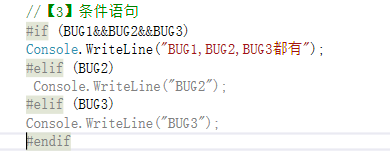
运行效果: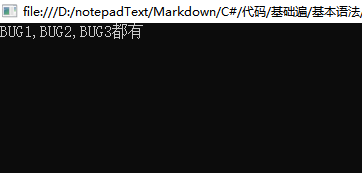
4:#line指令(基本上很少用到)

5:#error和#warning指令
①:定义
#error它允许从代码的指定位置生成一个错误。
#warning 它允许从代码的指定位置生成一级警告。
②:例
#error:这个只能在调试种使用
 1 // preprocessor_error.cs
 2 // CS1029 expected
 3 #define DEBUG
 4 class MainClass
 5 {
 6     static void Main()
 7     {
 8 #if DEBUG
 9 #error DEBUG is defined
10 #endif
11     }
12 }
#warning:表示警告!
 1 #define BUG1
 2 #define BUG2
 3 #define BUG3
 4 using System;
 5 /*
 6   预处理命名
 7 */
 8
 9 namespace PreprocessorDirectives
10 {
11     class Program
12     {
13         static void Main(string[] args)
14         {
15             //【5】#error它允许从代码的指定位置生成一个错误。#warning    它允许从代码的指定位置生成一级警告。
16             //int LeftNum=25, RightNum=0,divNum;
17             //divNum = LeftNum / RightNum;
18 #if   (BUG1||BUG1||BUG2)
19 #warning  DEBUG is warning
20 #endif
21             Console.ReadLine();
22         }
23     }
6:#region 和#endregion指令
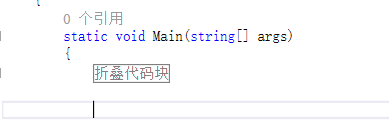
#region它可以让您在使用 Visual Studio Code Editor 的大纲特性时,指定一个可展开或折叠的代码块。
#endregion 它标识着 #region 块的结束。
 1 namespace PreprocessorDirectives
 2 {
 3     class Program
 4     {
 5         static void Main(string[] args)
 6         {
 7             #region 折叠代码块
 8             Console.WriteLine("折叠代码块");
 9             #endregion
10         }
11     }
12 }

 浙公网安备 33010602011771号