小白做小程序记录小技巧[持续更新]
授权
授权是最基本的需求,也是大部分小程序第一件要干的事
官方获取用户信息接口调整,相信大部分玩家跟我一样不看文档。。。
下面来详细说一下获取用户信息方面
1.使用 button 组件,并将 open-type 指定为 getUserInfo 类型,获取用户基本信息
html:
<button open-type="getUserInfo">授权</button>
这样效果是获得一个授权的弹窗,但是和之前的是大不一样
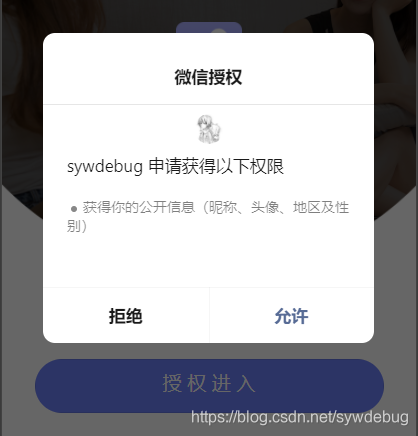
回调的依然是 wx.getUserInfo
js:
wx.getUserInfo({
	success: (res) => {
		console.log("成功",res);
	},
	fail:res=>{
		console.log("失败",res)
	}
});
效果


至于 wx.authorize,我是这样写的,致死也没有触发
if (res.authSetting["scope.userInfo"] == undefined) {
	wx.authorize({
		scope: "scope.userInfo",
		success: (res) => {
			console.log("首次授权成功", res);
		},
		fail:res=>{
			console.log("首次授权失败",res)
		}
	});
}
啊不对,是致死也没有成功触发,失败是这样

至于为什么写 ==undefined,是因为在一次都没有授权的情况下是这样的,很干净,此时是 undefined
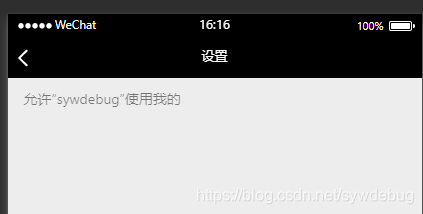
而授权过但是后来关闭了是这样的,这时是有授权信息的,只是关闭了,此时是 false
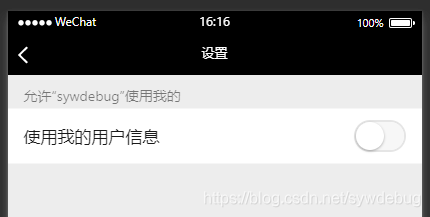
授权这方面除了用 button,也可以使用 wx.openSetting(),打开小程序授权页面,让用户自行打开授权信息,我这里是这样写的,但是出 bug 了,不会打开还授权失败,这里就没图了。。。
wx.openSetting({
	success: (res) => {
		console.log("授权成功");
	},
	fail: (res) => {
		console.log("授权失败");
	},
});
动画
和 H5 有点差距
第一种:官方文档
wxml:
直接在元素上加上 animation="{{动画名}}"
例如
<view animation="{{GoTop}}"></view>
js:
data:{
	GoTop:“”
}
this.GoTop = wx.createAnimation({ //创建动画
	duration: 1000, //动画持续时长
}).translateY(-1000).step() //动画
this.setData({
	GoTop: this.GoTop.export()
})
第二种:官方文档
获取当天日期
var util = require("../../utils/utils");
var TIME = util.formatTime(new Date());
console.log(TIME)
绑定的事件带有传递参数
wxml:
<view bindtap="test" data-name="{{666}}">点击</view>
js:
test:function(event){
	console.log(event)
}
输出结果里有currentTarget里有dataset里有name:"666"可使用
当然也可以传递动态参数
wxml:
<view bindtap="test" data-name="{{arr}}">点击</view>
js:
data:{
	arr=[1,2,3,4,5,6]
}
test:function(event){
	console.log(event)
}
输出结果里有currentTarget里有dataset里有name:[1,2,3,4,5,6]可使用
按钮功能阻止冒泡
wxml:
<button  catchtap="click1"></button>
catch 用来阻止冒泡,bind不可阻止冒泡
使用动画 更多属性看官网
wxml:
<view animation=" animation">
js:
data:{
	animation:""
}
this.animation = wx.createAnimation({
	duration: 1000,//持续时间
	delay:100//延时
}).translate(100).step()
获取元素信息
js:
wx.createSelectorQuery().select(".||#||标签").boundingClientRect(res =>
	console.log(res)
).exec();

 浙公网安备 33010602011771号