
unity开发——打飞碟小游戏
项目地址
https://github.com/goodhuahua/unity-game/tree/master/飞碟游戏
游戏规则及要求
规则
正常模式共有五轮飞碟,飞碟数列遵循斐波那契数列,当所有飞碟发射完毕时游戏结束。
无限模式拥有无限轮数
红色飞碟为4分,黄色飞碟为3分,绿色飞碟为2分,蓝色飞碟为1分。
物理学模式下飞碟会互相碰撞
要求
使用带缓存的工厂模式管理不同飞碟的生产与回收,该工厂必须是场景单实例的!具体实现见参考资源 Singleton 模板类
近可能使用前面 MVC 结构实现人机交互与游戏模型分离
设计模式讲解
这次开发我们继续沿用原来使用过的设计模式,并在原设计模式基础上添加新的设计模式
首先我们回顾下原来的设计模式UML图:
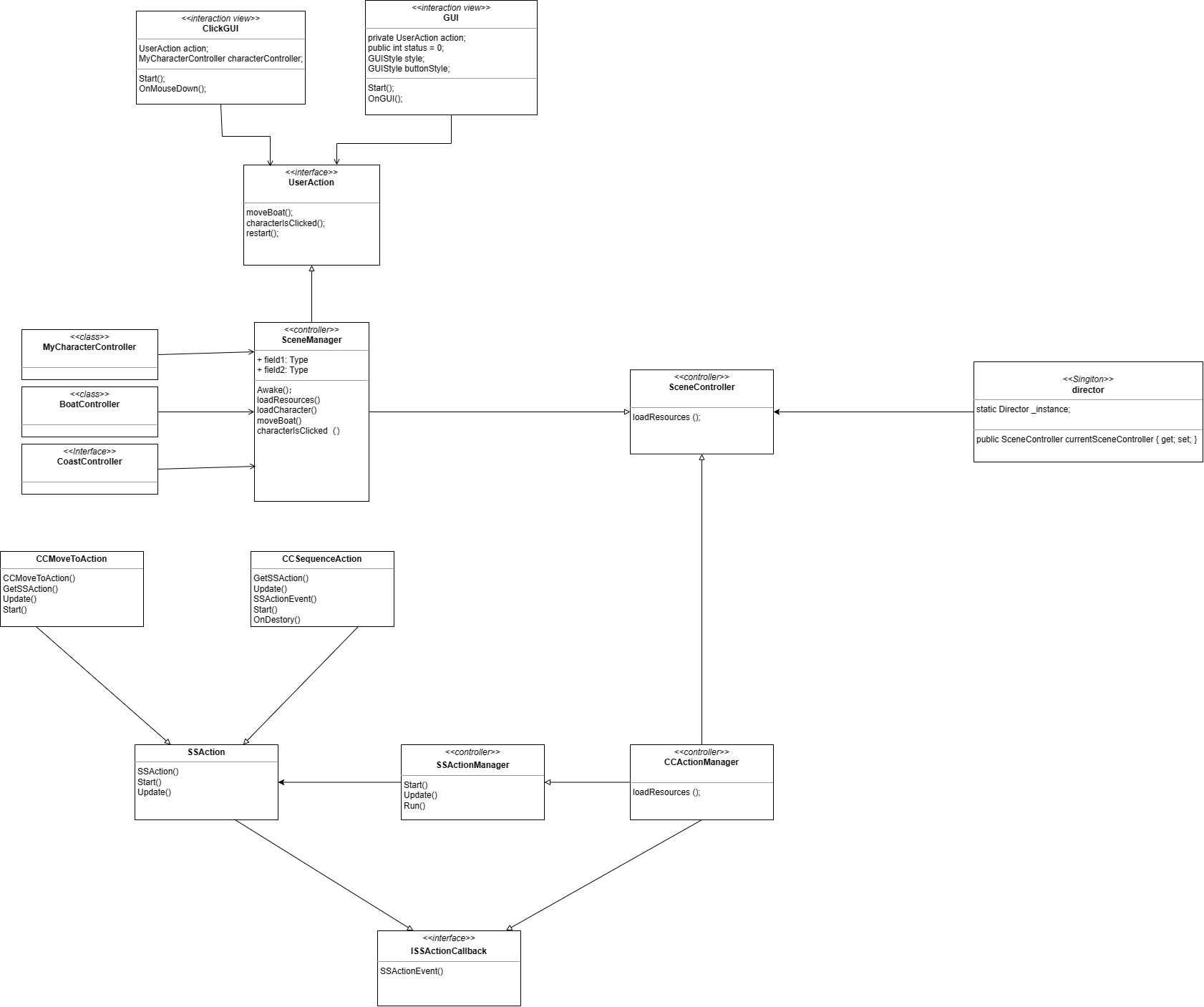
对象池:
- DiskFactory 类是一个单实例类,用前面场景单实例创建
- DiskFactory 类有工厂方法 GetDisk 产生飞碟,有回收方法 Free(Disk)
- DiskFactory 使用模板模式根据预制和规则制作飞碟
- 对象模板包括飞碟对象与飞碟数据
在原来的基础上,我们这次的游戏引入了场景单实例和飞碟工厂类,最后新的UML图大致如下:
代码剖析
复用的框架代码不再重复讲解,只针对本游戏的核心代码进行讲解。
伪代码
getDisk(ruler)
BEGIN
	IF (free list has disk) THEN
	a_disk = remove one from list
	ELSE
	a_disk = clone from Prefabs
	ENDIF
	Set DiskData of a_disk with the ruler
	Add a_disk to used list
	Return a_disk
END
FreeDisk(disk)
BEGIN
	Find disk in used list
	IF (not found) THEN THROW exception
	Move disk from used to free list
END
Disk
完成飞碟对象的创建
public class Disk : MonoBehaviour
{
    public GameObject disk;
    //public DiskData data;
    public Disk(string name){//四种飞碟
        if(name == "disk1"){
                disk = GameObject.Instantiate(Resources.Load<GameObject>("disk1"), Vector3.zero, Quaternion.identity) as GameObject;
                disk.AddComponent<DiskData>();
                //data=disk.GetComponent<DiskData>();
                disk.GetComponent<DiskData>().points=1;
                disk.GetComponent<DiskData>().direction=new Vector3(UnityEngine.Random.Range(-1f, 1f) > 0 ? 2 : -2, 1, 0);
                disk.GetComponent<DiskData>().speed=1.0f;
            }
            else if(name == "disk2"){
                disk = GameObject.Instantiate(Resources.Load<GameObject>("disk2"), Vector3.zero, Quaternion.identity) as GameObject;
                disk.AddComponent<DiskData>();
                //data=disk.GetComponent<DiskData>();
                disk.GetComponent<DiskData>().points=2;
                disk.GetComponent<DiskData>().direction=new Vector3(UnityEngine.Random.Range(-1f, 1f) > 0 ? 2 : -2, 1, 0);
                disk.GetComponent<DiskData>().speed=2.0f;
            }
            else if(name == "disk3"){
                disk = GameObject.Instantiate(Resources.Load<GameObject>("disk3"), Vector3.zero, Quaternion.identity) as GameObject;
                disk.AddComponent<DiskData>();
                //data=disk.GetComponent<DiskData>();
                disk.GetComponent<DiskData>().points=3;
                disk.GetComponent<DiskData>().direction=new Vector3(UnityEngine.Random.Range(-1f, 1f) > 0 ? 2 : -2, 1, 0);
                disk.GetComponent<DiskData>().speed=3.0f;
            }
            else if(name == "disk4"){
                disk = GameObject.Instantiate(Resources.Load<GameObject>("disk4"), Vector3.zero, Quaternion.identity) as GameObject;
                disk.AddComponent<DiskData>();
                disk.GetComponent<DiskData>().points=4;
                disk.GetComponent<DiskData>().direction=new Vector3(UnityEngine.Random.Range(-1f, 1f) > 0 ? 2 : -2, 1, 0);
                disk.GetComponent<DiskData>().speed=4.0f;
            }
            //return disk;
        }
    public GameObject getGameObject(){return disk;}
}
DiskData
飞碟的数据,携带飞碟的飞行速度、得分、以及飞行方向。
public class DiskData: MonoBehaviour
{
    public float speed;//飞行速度
    public Vector3 direction;//初始飞行方向
    public int points;//得分
}
DiskFactory
负责生产和释放飞碟

public class DiskFactory : MonoBehaviour
{
    // Start is called before the first frame update
    List<DiskData> used;
    List<DiskData> free;
    public void Start(){
        used = new List<DiskData>();
        free = new List<DiskData>();
    }
    public GameObject GetDisk(){
        Debug.Log("get...\n");
        Disk disk=null;
        GameObject d;
        int rand=Random.Range(0,99);//生成一个随机数
        if(free.Count>0){//若还有空闲的飞碟,就将其加入
            Debug.Log("free...\n");
            d=free[0].gameObject;
            //disk.getGameObject().SetActive(true);
            free.Remove(free[0]);
        }
        else{
            Debug.Log("new...\n");
            if(rand%4==0){
                disk=new Disk("disk1");
            }
            else if(rand%4==1){
                disk=new Disk("disk2");
            }
            else if(rand%4==2){
                disk=new Disk("disk3");
            }
            else{
                disk=new Disk("disk4");
            }
            d=disk.getGameObject();
        }
        used.Add(d.GetComponent<DiskData>());
        return d;
    }
    public void FreeDisk(GameObject disk){
        for(int i=0;i<used.Count;i++){
            if(disk.GetInstanceID() == used[i].gameObject.GetInstanceID()){
                //used[i].getGameObject().SetActive(false);
                disk.SetActive(false);
                used.Remove(used[i]);
                free.Add(used[i]);
                break;
            }
        }
    }
}
IUserAction
包含对运动学和物理学的飞行模式的切换,是否将游戏设置为无穷模式,控制飞碟的点击得分。
public interface IUserAction
{
	void setFlyMode(bool isPhysis);//设置飞行模式
    void Hit(Vector3 position);//点击
    void Restart();//重置
    void SetMode(bool isInfinite);//选择模式
    bool Check();
    int GetPoints();
}
FirstController
对接口的函数的实现

using System.Collections;
using System.Collections.Generic;
using UnityEngine;

public class FirstController : MonoBehaviour, ISceneController, IUserAction {
DiskFactory diskFactory;
RoundController roundController;
//UserGUI userGUI;
public IActionManager actionManager;
public int points;
void Awake () {
SSDirector director = SSDirector.getInstance ();
director.setFPS (60);
points=0;
director.currentSceneController = this;
LoadResources ();
}
// loading resources for first scence
public void LoadResources () {
UnityEngine.Debug.Log("load...\n");
//获得对象
diskFactory=Singleton
roundController=Singleton
}
public void Pause ()
{
throw new System.NotImplementedException ();
}
public void Resume ()
{
throw new System.NotImplementedException ();
}
public void FreeDisk(GameObject disk){
diskFactory.FreeDisk(disk);
}
region IUserAction implementation
public bool Check(){//检查比赛是否结束
return roundController.isEnd;
}
public void Hit(Vector3 position){//光标拾取多个物体
Camera ca = Camera.main;;
Ray ray = ca.ScreenPointToRay(position);
//将飞碟移至底端,触发动作回调
//移动位置
//积分
//更新GUI数据,更新得分
RaycastHit hit;
if (Physics.Raycast(ray, out hit)) {
print (hit.transform.gameObject.name);
if (hit.collider.gameObject.GetComponent
Debug.Log ("hit " + hit.collider.gameObject.name +"!" );
//将飞碟移至底端,触发动作回调
//移动位置
hit.collider.gameObject.transform.position=new Vector3(0,-7,0);
//积分
roundController.Record(hit.collider.gameObject.GetComponent
points=roundController.GetPoints();
}
}
}
public int GetPoints(){
return points;
}
public void Restart()//游戏重新开始
{
//userGUI.SetMessage(" ");
//清零得分
//userGUI.SetPoints(0);
roundController.Reset();
points=0;
}
public void SetMode(bool isInfinite){
roundController.SetMode(isInfinite);
}
public void setFlyMode(bool isPhysis){
roundController.setFlyMode(isPhysis);
}
#endregion
void Update(){
}
}
IActionManager
对飞行动作的实现
public interface IActionManager
{
    void Fly(GameObject disk,float speed,Vector3 direction);
}
CCFlyAction
运动学的飞行动作

public class CCFlyAction : SSAction
{
	public Vector3 direction;
	public float speed;
	float gravity;
	float time;
    //public FirstController sceneController;
public static CCFlyAction GetSSAction(Vector3 direction,float speed){
CCFlyAction action = ScriptableObject.CreateInstance
action.direction=direction;
action.speed=speed;
action.gravity=9.8f;
action.time=0;
return action;
}
public override void Update ()
{
//获取上一帧渲染所消耗的时间
time+=Time.deltaTime;
//使物体沿着重力方向下落
transform.Translate(Vector3.downgravitytimeTime.deltaTime);
//在每一帧更新物体的位置,使运动与帧率无关
transform.Translate(directionspeed*Time.deltaTime);
// this.transform.position = Vector3.MoveTowards (this.transform.position, target, speed * Time.deltaTime);
if (this.transform.position.y < -10) {//如果飞碟到达底部,则动作结束,回调
//waiting for destroy
this.enable=false;
this.destory = true;
this.callback.SSActionEvent (this);
}
}
public override void Start () {
//将对象设为刚体
gameobject.GetComponent
}
}
CCActionManager
对运动学飞行动作的实现和控制
public class CCActionManager : SSActionManager, ISSActionCallback, IActionManager{
private FirstController sceneController;
public CCFlyAction flyAction;
protected new void Start() {
sceneController = (FirstController)SSDirector.getInstance ().currentSceneController;
sceneController.actionManager=this;
}
// Update is called once per frame
public void Fly(GameObject disk,float speed,Vector3 direction){//实现飞行动作
flyAction=CCFlyAction.GetSSAction(direction,speed);
RunAction(disk,flyAction,this);
}
region ISSActionCallback implementation
public void SSActionEvent (SSAction source, SSActionEventType events = SSActionEventType.Competeted, int intParam = 0, string strParam = null, Object objectParam = null)
{
//飞碟结束飞行后回收飞碟
sceneController.FreeDisk(source.gameobject);
}
#endregion
}
PhysisFlyAction
对物理学飞行动作的实现
public class PhysisFlyAction : SSAction
{//实现物体的物理学飞行,增加一个水平初速度即可
    float speed;//水平速度
    Vector3 direction;//飞行方向
    public static PhysisFlyAction GetSSAction(Vector3 direction,float speed){
		PhysisFlyAction action = ScriptableObject.CreateInstance<PhysisFlyAction> ();
		action.direction=direction;
		action.speed=speed;
		return action;
	}
    // Start is called before the first frame update
    public override void Start()
    {
        //增加一个水平初速度
        gameobject.GetComponent<Rigidbody>().velocity=speed*direction;
    }
// Update is called once per frame
public override void Update()
{
if (this.transform.position.y < -10) {//如果飞碟到达底部,则动作结束,回调
//waiting for destroy
this.enable=false;
this.destory = true;
this.callback.SSActionEvent (this);
}
}
}
PhysisActionManager
对物理学飞行动作的控制
public class PhysisActionManager : SSActionManager, ISSActionCallback, IActionManager{
private FirstController sceneController;
public PhysisFlyAction flyAction;
protected new void Start() {
sceneController = (FirstController)SSDirector.getInstance ().currentSceneController;
sceneController.actionManager=this;
}
// Update is called once per frame
public void Fly(GameObject disk,float speed,Vector3 direction){//实现飞行动作
disk.GetComponent
disk.GetComponent
flyAction=PhysisFlyAction.GetSSAction(direction,speed);
RunAction(disk,flyAction,this);
}
region ISSActionCallback implementation
public void SSActionEvent (SSAction source, SSActionEventType events = SSActionEventType.Competeted, int intParam = 0, string strParam = null, Object objectParam = null)
{
//飞碟结束飞行后回收飞碟
sceneController.FreeDisk(source.gameobject);
}
#endregion
}
ScoreRecorder
对得分的控制
public class ScoreRecorder
{
    static int points=0;//记录游戏当前比分
    public ScoreRecorder(){
        points=0;
    }
    public void Record(DiskData disk){
        //Debug.Log("1\n");
        points +=disk.points;
    }
    public int GetPoints(){
        return points;
    }
    public void Reset(){
        points=0;
    }
}
RoundController
对每回合的释放的飞碟数的控制

public class RoundController : MonoBehaviour
{
    IActionManager actionManager;
    DiskFactory diskFactory;
    ScoreRecorder scoreRecorder;
    int[] roundDisks;//对应回合的飞碟数
    bool isInfinite;//游戏当前模式
    int round;//游戏当前轮次
    int sendCnt;//当前已发送飞碟
    float sendTime;//发送时间
    public bool isEnd;//游戏是否结束
    // Start is called before the first frame update
    void Start()
    {
        actionManager=Singleton<CCActionManager>.Instance;
        diskFactory=Singleton<DiskFactory>.Instance;
        Debug.Log("diskFactory...\n");
        scoreRecorder=new ScoreRecorder();
        sendCnt=0;
        round=0;
        sendTime=0;
        isInfinite=false;
        isEnd=false;
        roundDisks=new int[]{3,5,8,13,21};
    }
public void Reset()
{
sendCnt=0;
round=0;
sendTime=0;
isEnd=false;
scoreRecorder.Reset();
//userGUI.SetMessage("");
}
public void Record(DiskData disk){
scoreRecorder.Record(disk);
}
public int GetPoints(){
return scoreRecorder.GetPoints();
}
public void SetMode(bool isInfinite){
this.isInfinite=isInfinite;
}
public void setFlyMode(bool isPhysis){
actionManager=isPhysis? Singleton
}
public void SendDisk(){//发送飞碟
//从工厂生成一个飞碟
GameObject disk=diskFactory.GetDisk();
Debug.Log("getdisk...\n");
//设置随机位置
disk.transform.position=new Vector3(-disk.GetComponent
disk.SetActive(true);
actionManager.Fly(disk,disk.GetComponent
}
// Update is called once per frame
void Update()
{
sendTime+=Time.deltaTime;
//每隔1s发送一次飞碟
if(sendTime>1)
{
sendTime=0;
//每次最多发送3个飞碟
for(int i=0;i<2&&sendCnt<roundDisks[round];i++)
{
sendCnt++;
this.SendDisk();
}
}
//判断是否需要重置轮次
if(sendCnt>=roundDisks[round]&&round==(roundDisks.Length-1))
{//最后一轮结束
if(isInfinite){
round=0;
sendCnt=0;
isEnd=false;
}
else{
isEnd=true;
}
}
//更新轮次
if(sendCnt>=roundDisks[round]&&round<(roundDisks.Length-1))
{
sendCnt=0;
round++;
}
}
}
UserGUI
用户界面与游戏的对接,包括游戏界面的呈现

public class UserGUI : MonoBehaviour
{
    IUserAction action;
    public string gameMessage ;
    int points;
void Start()
{
Debug.Log("UserGUI...\n");
points=0;
gameMessage=" ";
action=SSDirector.getInstance().currentSceneController as IUserAction;
}
public void SetMessage(string gameMessage)
{
this.gameMessage=gameMessage;
}
public void SetPoints(int points)
{
this.points=points;
}
private void OnGUI()
{
//小字体
GUIStyle fontStyle = new GUIStyle();
fontStyle.fontSize = 30;
fontStyle.normal.textColor = Color.white;
//大字体
GUIStyle bigStyle = new GUIStyle();
bigStyle.fontSize = 50;
bigStyle.normal.textColor = Color.white;
if(action.Check()){
SetMessage("GameOver!");
}
else{
SetMessage("");
}
SetPoints(action.GetPoints());
if (GUI.Button(new Rect(20, 50, 100, 40), "Restart"))
{
SetMessage("");
//清零得分
SetPoints(0);
action.Restart();
}
if (GUI.Button(new Rect(20, 100, 100, 40), "Normal Mode"))
{
action.SetMode(false);
}
if (GUI.Button(new Rect(20, 150, 100, 40), "Infinite Mode"))
{
action.SetMode(true);
}
if (GUI.Button(new Rect(20, 200, 100, 40), "Kinematics"))
{
action.setFlyMode(false);
}
if (GUI.Button(new Rect(20, 250, 100, 40), "Physis"))
{
action.setFlyMode(true);
}
//返回鼠标点击的位置
if(Input.GetButtonDown("Fire1"))//获取鼠标点击
{
Debug.Log ("Fired Pressed");
action.Hit(Input.mousePosition);
}
GUI.Label(new Rect(300,30,50,200),"Hit UFO",bigStyle);
GUI.Label(new Rect(20,0,100,50),"Points: "+points,fontStyle);
Debug.Log("points:"+points+"\n");
Debug.Log("message:"+gameMessage+"\n");
GUI.Label(new Rect(310, 100, 50, 200), gameMessage, fontStyle);
}
 posted on

 浙公网安备 33010602011771号