

31_RHEL8随堂学习笔记和课后笔记20210709
今天学习掌握了内容
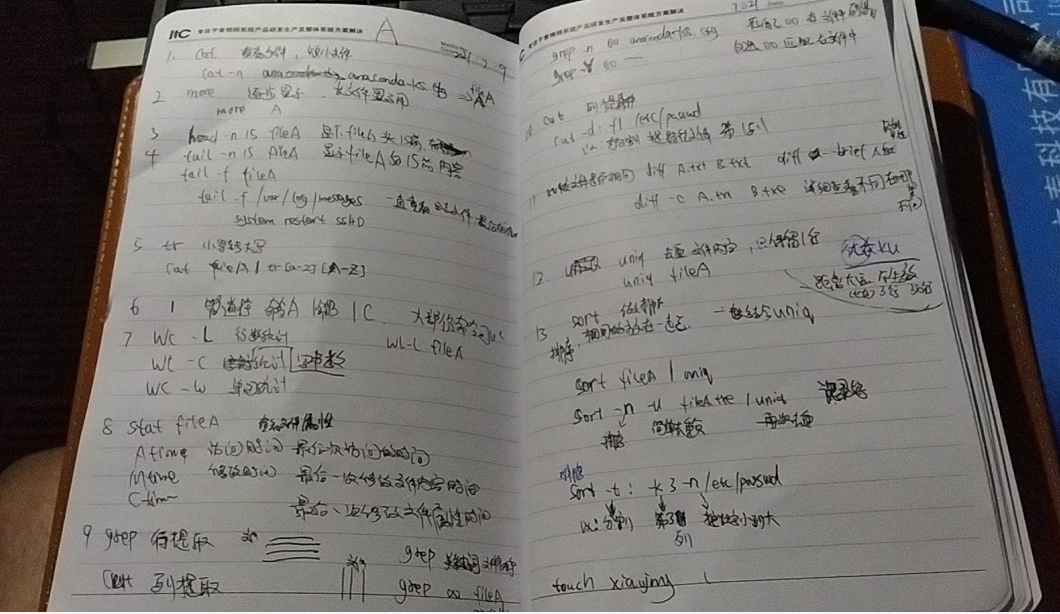
1 差看文件内容想信息
cat 查看小文件,单屏可以阅读完 -n 查看文件时带行标数字
cat -n filea.txt cat -n file.cfg cat -n file.sh
more 查看大文件 单屏一次性不可以看完,分开看, space 下一行, 阅读%比
more filea.txt
head -n 查看文件头几行 head -n 10 filea.txt
tail -n 查看为念尾几行 tail -n filea.txt
tail -f /var/log/message 一直参看最后信息,比如系统日志信息
5 tr 小写转大写 file1 = anaconda-ks.cfg ( tab键位补全,这个文件太难打,打了几次都记不住。唉.笔记就简写来)
cat file1 | tr [a-z] [A-Z] 将文件file1 中小写字符转成大写 ,原来大写内容不变
6 | 管道符, 不解释,用了就知道 A命令|B命令 或A命令|B命令|C命令|....,理论都没有问题 (|的两边可以不用加空格,测试过几个命令)
7 wc -l 统计行数 wc -l filea
wc -c 统计字符数 wc -c filea
wc -w 统计单词数 wc -w filea
8 stat filea 查看filea文件属性
Atime 文件访问最后一次的时间
Mtime 文件内容最后一次修改时间
Ctime 文件属性最后一次修改时间
touch -d "19:08" filea /会同事修改Atime ,Mtime
9 grep 行匹配内容 ,一般|连接使用,单独用也行
grep 关键字 文件名
grep -n oo anaconda-ks.cfg 在文件ana** 中,按行输出匹配oo的行数, -n 代表输出第几行
grep -V oo anaconda-ks.cfg 在文件ana** 中,按行输出不匹配oo的行数
10 cut 列匹配,列提取
cut -d : f 1 /etc/passwd / -d : 以冒号 分隔, f 1 第一列 输出
-d : f1 第一列, f2 第二列
11 diff 对比文件内容是否一样
diff a.txt b.txt
diff --brief a.txt b.txt /简易对比a.txt b.txt 内容,直接输出结果,没有过程
diff -c a.txt b.txt 详细查看a.txt b.txt 文件的不同
12 uniq 简易文件去重复 (注意 文件中3 行和3万行是不可以去重复,间隔太远了,所以用一般用sort + uniq)
uniq a.txt
a.txt 内容如下
-----------------------------------------------------
1 linhaha is good man
2 linhaha is good man
3 linhaha is good man
4 linhaha is good man
5 linhaha is good superman
6 linhaha is good man
7 linhaha is good flash
-----------------------------------------------------
uniq file 结果类似如下 重复只保留一份
1 linhaha is good man
5 linhaha is good superman
7 linhaha is good flash
------------------------------------------------------------------------------------------------
13 sort 排序
sort filea | uniq /简单在filea 排序再去掉重复,源文件内容不变
sort -n -u filea | uniq
-n 按数值排序 -u 简答去重复
sort -t : -k 3 -n /etc/passwd /etc/passwd 保存用户信息用的
-t 以:分割(间隔符) -k 3 截取第三列 -n 按数字排序
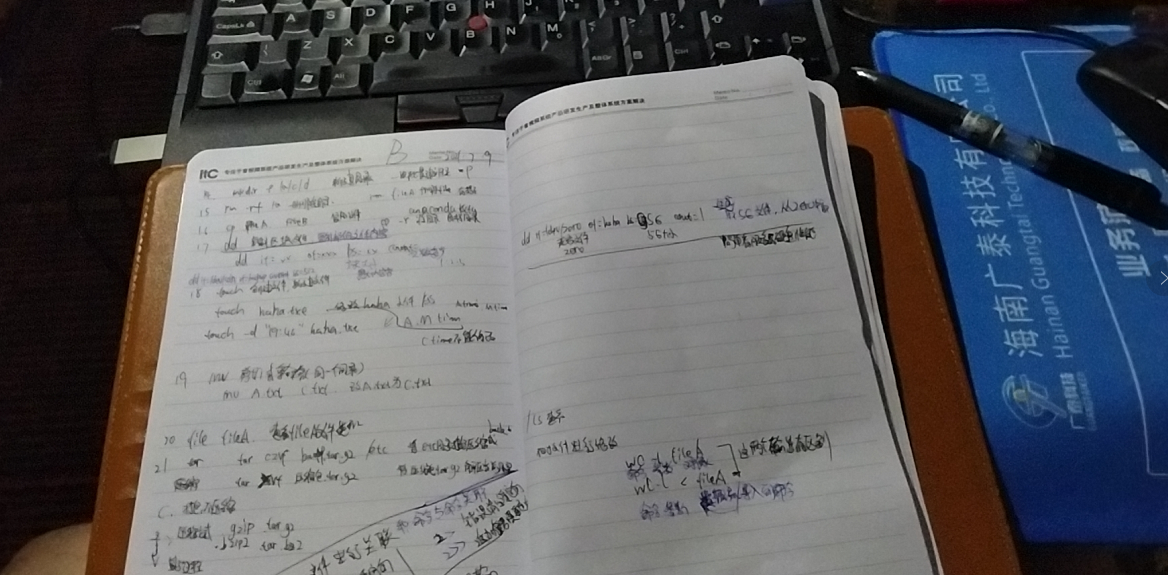
14 mkdir -p /a/b/c/d 创建目录 -p 一次性创建目录
15 rm -f file 强制删除file,不提示
rm -rf A目录 强制删除A目录,不提示
rm file 删除file 有提示
16 cp A.TXT B.TXT 复制文件
cp a.txt /etc/a.txt
cp -r A目录 /etc/B目录 复制文件夹 -r 表示文件夹
17 dd 区块复制
dd if=/dev/zero of=a.txt bs=100 count=1 复制一个100字节文件 ,bs 默认字节
dd if=/dev/sab of=mbr bs=512 count=1 一个扇区512字节 mbr , 复制sab硬盘mbr
dd if=/dev/zero of=lhh bs=5G count=1 从zero(无穷大文件)中提取5G文件命名为lhh
if 源文件 of 目标文件 bs 块大小 count 几块大小
18 touch
touch file 创建file文件
touch -d "19:46" file 修改文件file Atime,Mtime 信息
19 mv 移动(不同目录)或者重命名(同一目录)
mv a.txt b.txt
mv /root/a.txt /etc/a.txt 需要有路径才能实现
mv a.txt /etc/b.txt 这个也是可行
20 file a.txt /file b 查看文件a.txt ...的类型
21 tar 打包
c 创建
x 解压
z 压缩 ( .gzip tar.gzip)
j 压缩 ( .bzip2 tar.bz2)
v 显示过程(文件太大,有个过程可以防死机
f 输出路径
tar czvf a.tar.gz /etc 将/etc下文件打包,压缩,保存a.tar.gz
tar xvf a.tar.gz 解压a.tar.gz
22 管道符
| 关联文件与命令 ,命令与命令 建立关系
> 标准清空输出 2> 错误清空输出
>> 标准追加结尾输出 2>> 错误追加结尾输出
&> 不管标准,错误都输出
------------------------------------------------------------------
echo "sylin is good man " >sylin.txt
echo "sylin is good man " >sylin.txt
echo "sylin is good man " >sylin.txt
----------------------------------------------------
cat sylin.txt 只有一行
sylin is good man
-----------------------------------------------------------
------------------------------------------------------------------
echo "sylin is good man " >sylin.txt
echo "sylin is good man " >>sylin.txt
echo "sylin is good man " >>sylin.txt
----------------------------------------------------
cat sylin.txt 有3行
sylin is good man
sylin is good man
sylin is good man
-----------------------------------------------------------
23 wc -l file.txt
命令 wc 参数 -l 对象 file.txt
wc -l < file.txt
命 命令 wc 参数 -l 数据流 < file.txt 将数据导入到命令wc
附上笔记 自己看的懂

 浙公网安备 33010602011771号