实验五
#include<iostream>
#include<string>
using namespace std;
class Info{

	public:
		Info(string name,string phone,string place,string number){
			nickname = name;
			contact = phone;
			city = place;
			n = number;
		}
		void print();
	private:
		string nickname;
		string contact;
		string city;
		string n;
};
void Info::print(){
	std::cout<<"称呼:\t\t\t"<<nickname<<endl;
	std::cout<<"联系方式:\t\t"<<contact<<endl;
	std::cout<<"所在城市:\t\t"<<city<<endl;
	std::cout<<"预定人数:\t\t"<<n<<endl;
}
#include<iostream>
#include<vector>
#include<string>
#include "Info.hpp"
using namespace std;
const int capacity = 100;//场地容量
int main(){
	cout<<"录入信息:\n\n";
	cout<<"称呼/昵称,联系方式(邮箱/手机号),所在城市,预定参加人数\n";
	vector<Info> list;
	string s1[4];//保存一个用户的四个输入
	int number = 0;//记录人数
	string s;
	while(cin>>s1[0]>>s1[1]>>s1[2]>>s1[3]){
/*使用getline获取每一行拆解的写法:
//		int xb = 0;//用于指示字符串位置
//		while(s[xb]==' '||s[xb]=='\t'){//防止用户在第一次输入时使用空格或制表符
//			xb++;
//		}
//		for(int j=0;j<4;j++){
//			if(xb>=s.length()) break;
//			while(s[xb]!=' ' && s[xb]!='\t' && xb<s.length()){
//				s1[j].push_back(s[xb]);
//				xb++;
//			}
//			if(j==3) break;//收集到四个字符串时即可退出
//			while(s[xb] ==' ' || s[xb] =='\t'){//过滤中间的空格和制表符
//				xb++;
//			}
//		}
*/
		int yuding = 0;
		for(int i=0;i<s1[3].length();i++){
			yuding = yuding*10 + s1[3][i]-'0';
		}
		number += yuding;
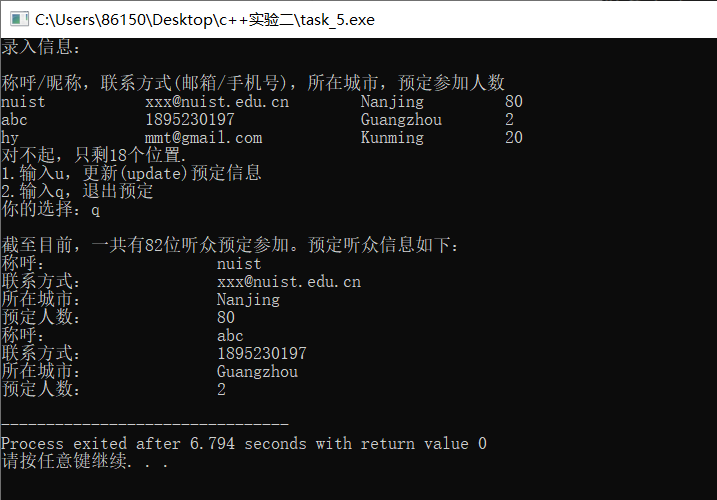
		if(number > capacity){//人数判断
			number -= yuding;
			cout<<"对不起,只剩"<<capacity-number<<"个位置.\n";
			cout<<"1.输入u,更新(update)预定信息\n";
			cout<<"2.输入q,退出预定\n";
			cout<<"你的选择:";
			char option;
			cin>>option;
		//	getchar();//使用getline时要用getchar读取多余的回车
			if(option == 'q'){
				break;
			}
			else if(option !='u'){//防止用户输入其他字符
				break;
			}
		}
		else{
			list.push_back(Info(s1[0],s1[1],s1[2],s1[3]));
		}


		for(int i=0;i<4;i++){
			s1[i].clear();//清空string的内容
		}

	}
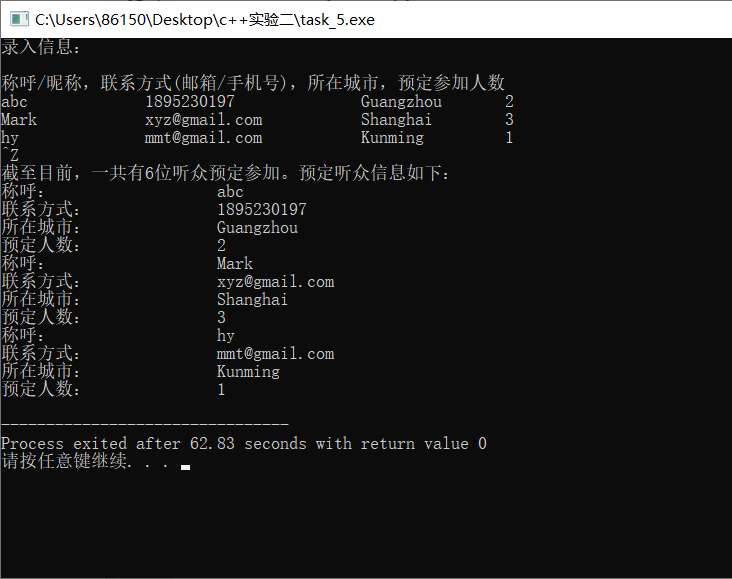
	cout<<"\n截至目前,一共有"<<number<<"位听众预定参加。预定听众信息如下:\n";
	for(auto user:list){
		user.print();
	}

	return 0;
}
实验六
#include<iostream>
#include<string>
using namespace std;
class TextCoder{
	public:
		TextCoder(){}
		TextCoder(string s){
			text = s;
		}
		string encoder();
		string decoder();
	private:
		string text;
};
string TextCoder::encoder(){
	string s1;
	for(int i=0;i<text.length();i++){
		if(text[i]>='a' && text[i]<='z')
			s1.push_back( (text[i]-'a'+5)%26 +'a' );
		else if(text[i]>='A' && text[i]<='Z')
			s1.push_back( (text[i]-'A'+5)%26 +'A' );
		else
			s1.push_back(text[i]);
	}
	return s1;
}
string TextCoder::decoder(){
	string s2;
	for(int i=0;i<text.length();i++){
		if(text[i]>='a' && text[i]<='z')
			s2.push_back( (text[i]-'a'+26-5)%26+'a' );
		else if(text[i]>='A' && text[i]<='Z')
			s2.push_back( (text[i]-'A'+26-5)%26+'A' );
		else
			s2.push_back(text[i]);
	}
	return s2;
}
#include "TextCoder.hpp"
#include <iostream>
#include <string>

int main()
{
	using namespace std;

	string text, encoded_text, decoded_text;
	cout << "输入英文文本: ";
	while (getline(cin, text))
	{
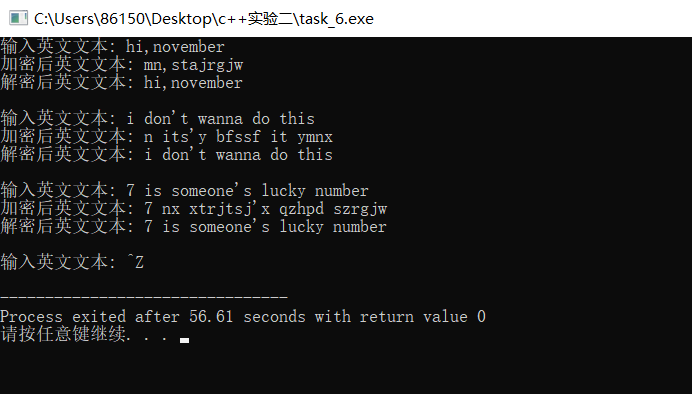
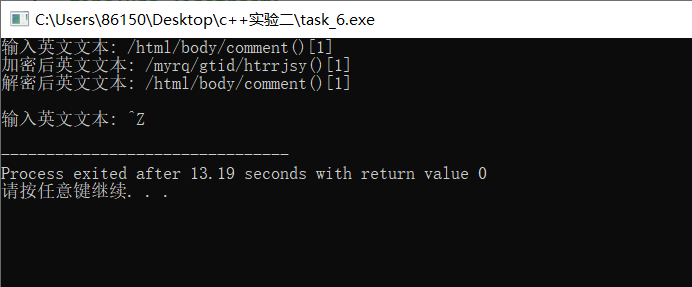
		encoded_text = TextCoder(text).encoder(); // 这里使用的是临时无名对象
		cout << "加密后英文文本:\t" << encoded_text << endl;

		decoded_text = TextCoder(encoded_text).decoder(); // 这里使用的是临时无名对象
		cout << "解密后英文文本:\t" << decoded_text << endl;
		cout << "\n输入英文文本: ";
	}
}
实验总结
1、使用getline函数循环读取每一行string时,当循环过程中还需要使用scanf或cin标准输入时,应该在输入函数后用getchar函数读取输入终止时的回车键,防止被getline错误读取;
2、在头文件中编写类时,除了cin和cout开头需要加上命名空间std,还有STL中的vector,string等。最省事方法是直接在全局使用:using namespace std;
3、在循环利用同一string暂存不同内容时,要注意使用后使用clear方法清除该string或给该string赋空串。


 浙公网安备 33010602011771号