
CausalDotProduct.dot[device.type](TypeError: ‘NoneType‘ object is not callable和No module named ‘fast
CausalDotProduct.dot[device.type](TypeError: 'NoneType' object is not callable
ModuleNotFoundError: No module named 'fast_transformers.causal_product.causal_product_cuda'
等报错的解决方法
首先可以写个测试脚本:
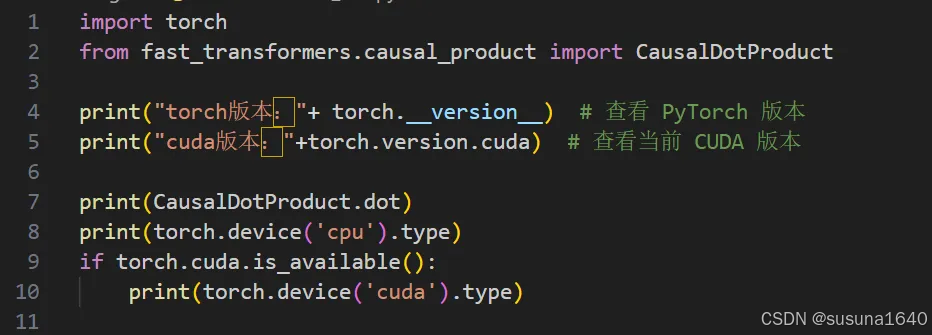
运行结果是:

那问题主要就是出在cuda:none这里
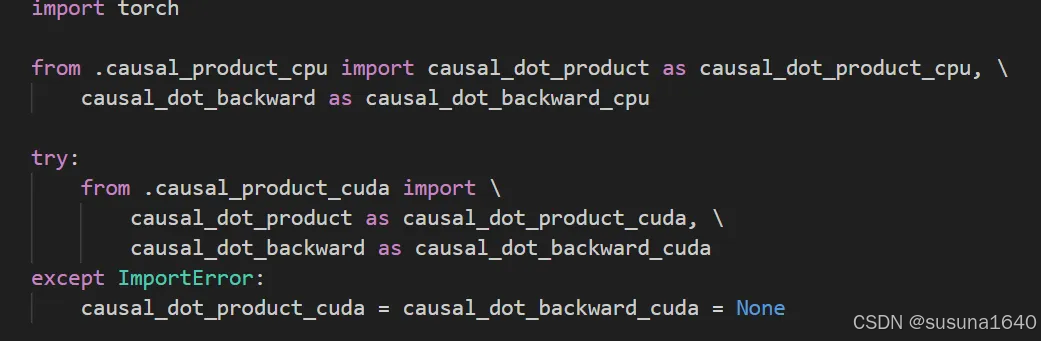
大概率是根本没有causal_product.causal_product_cuda这个文件,
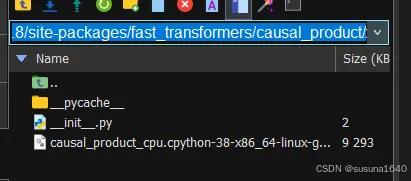
这主要还是pytorch-fast-transformers的问题,因为尚未编译CUDA运算符。
解决方法:
1.在nvidia官网安装cuda工具包,需要选择合适的版本(与pytorch对应的cuda版本)
https://developer.nvidia.com/cuda-toolkit-archive
安装类型用runfile(local)
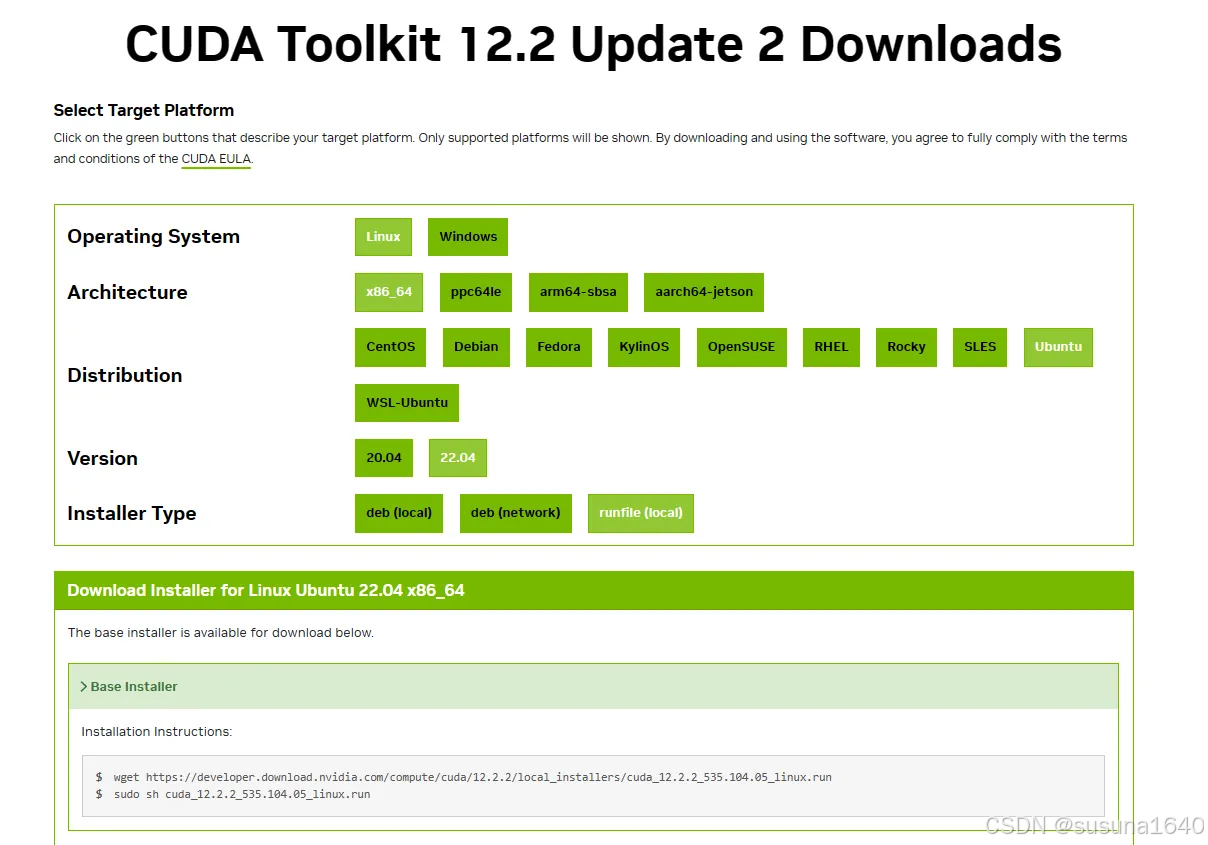
2.在终端运行那两句代码
第二句就是普通的界面安装,continue->accept->然后只选工具包就行
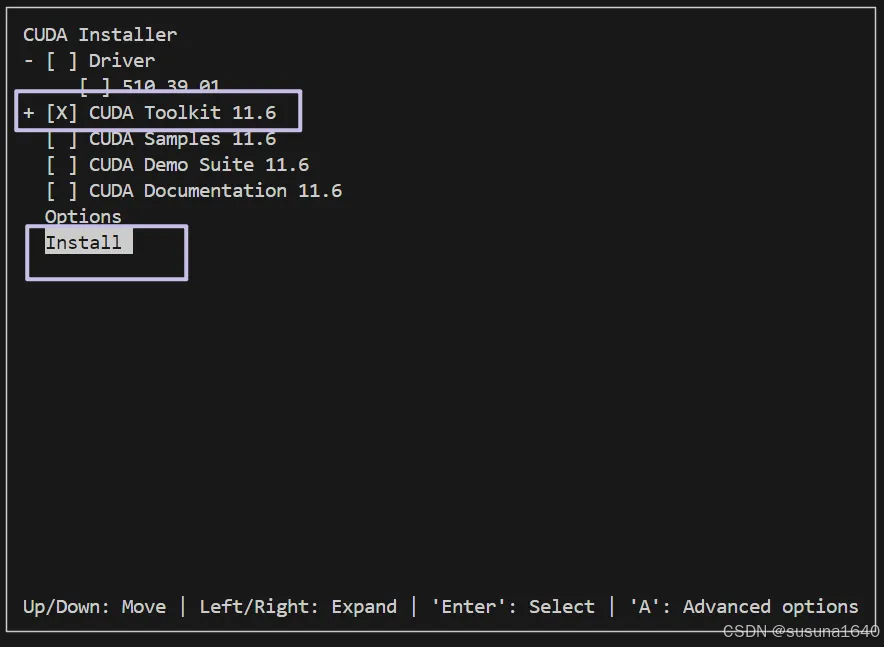
3.保存路径
CUDA Toolkit 安装后,要确保 PATH 和 LD_LIBRARY_PATH 已正确配置。(把路径换成自己的版本)
export PATH=/usr/local/cuda-11.6/bin:$PATH
export LD_LIBRARY_PATH=/usr/local/cuda-11.6/lib64:$LD_LIBRARY_PATH
source ~/.bashrc
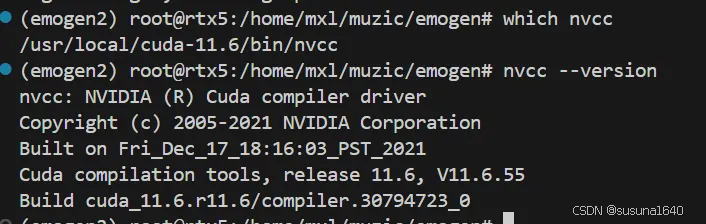
4.检测
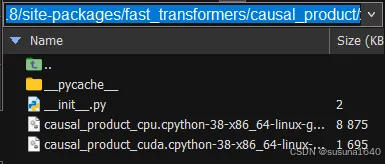
然后可以看到已经有causal_product.causal_product_cuda文件了
再次运行之前的测试脚本,成功!

参考文档:
https://github.com/microsoft/muzic/issues/185
https://cookie-box.hatenablog.com/entry/2022/05/01/233928
https://github.com/NVIDIA/apex/issues/368
https://github.com/NVIDIA/nvidia-docker/issues/1160

 浙公网安备 33010602011771号