
IDEA运行新项目时报 Error running ‘XXApplication‘: Command line is too long. Shorten command line for…… 错误
IDEA导入spring boot 新项目后,启动时总是报“Error running 'XXApplication': Command line is too long. Shorten command line for XXApplication or also for Spring Boot default configuration.”的错误,如图:
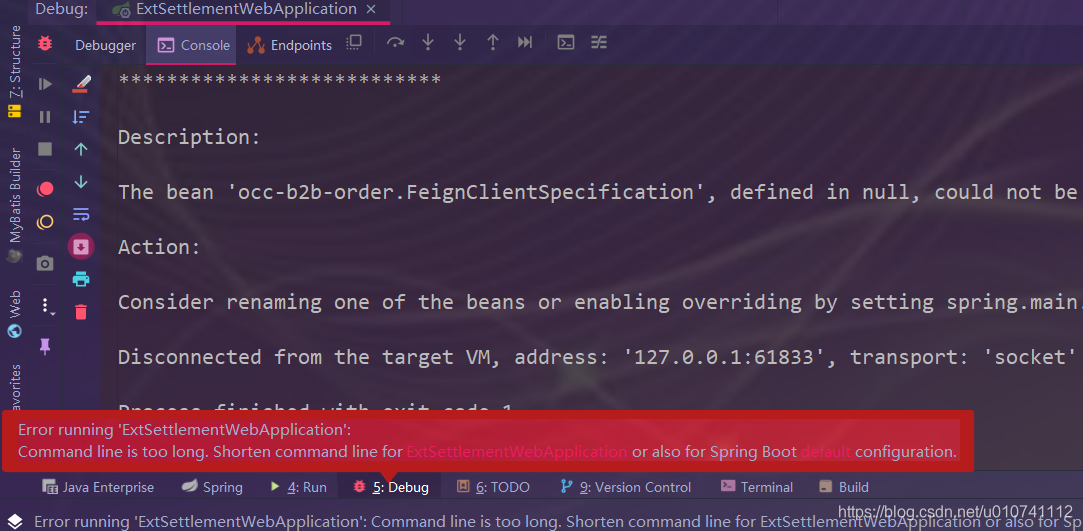
那么出现此错误时,该如何解决呢??
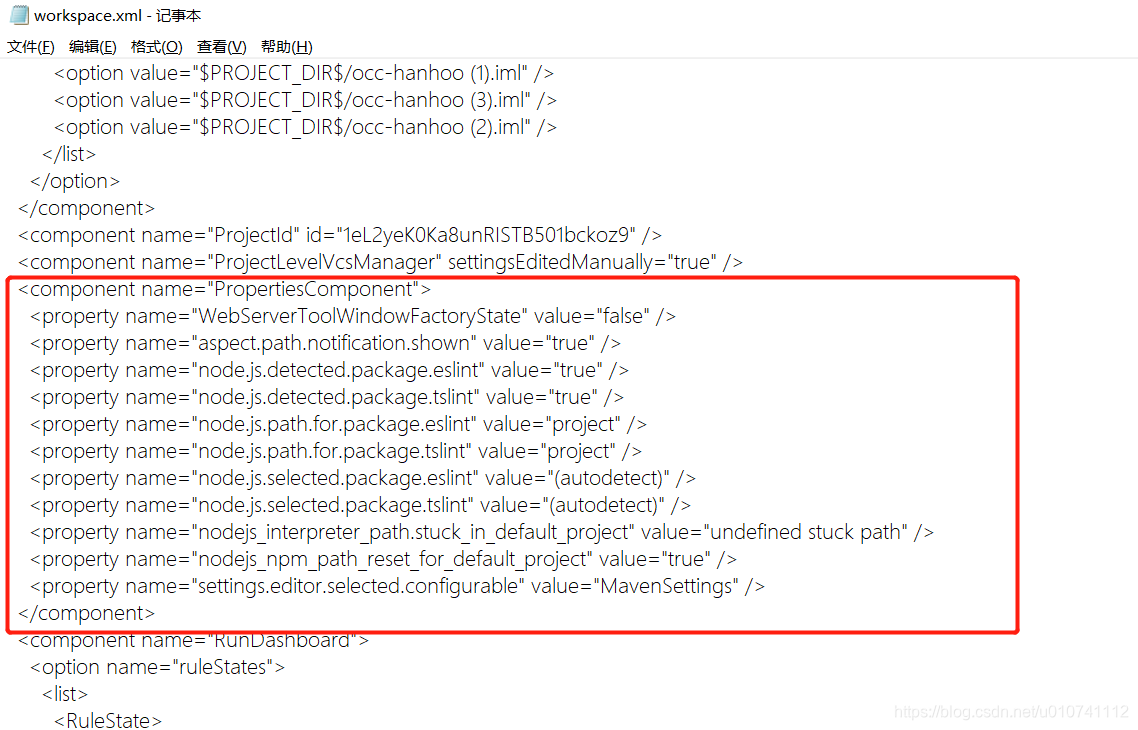
其实也不难,首先找到项目工程里面的.idea/workspace.xml文件,然后再找到<component name="PropertiesComponent"></component>标签,标签如图所示:
然后再在component 标签中添加一行 <property name="dynamic.classpath" value="true" />,如图:
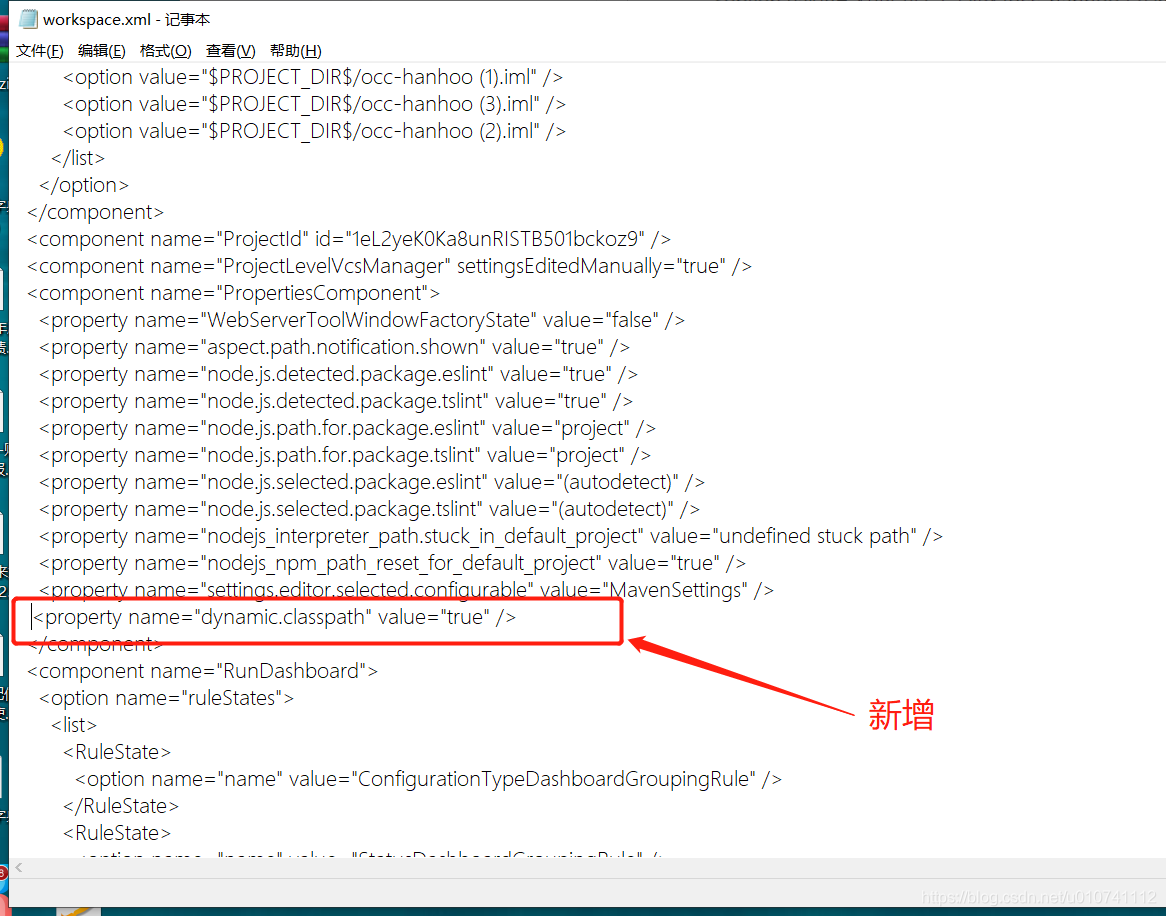
保存后,再次启动项目即可成功运行了。
原创地址:https://blog.csdn.net/u010741112/article/details/107181834/

 浙公网安备 33010602011771号