ios 自动化
mac的基本操作
1. command + control + shift + 4 复制到剪切板
2. command + v 粘贴
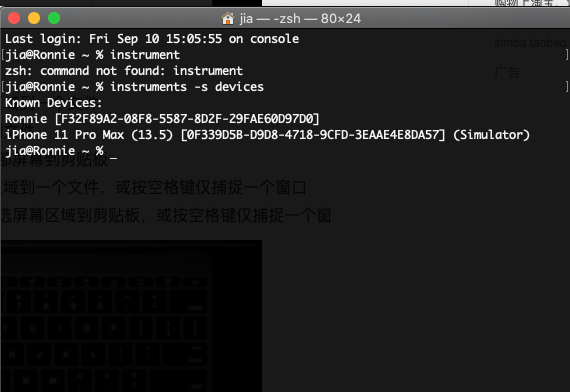
1. 获取设备列表 insturments -s device
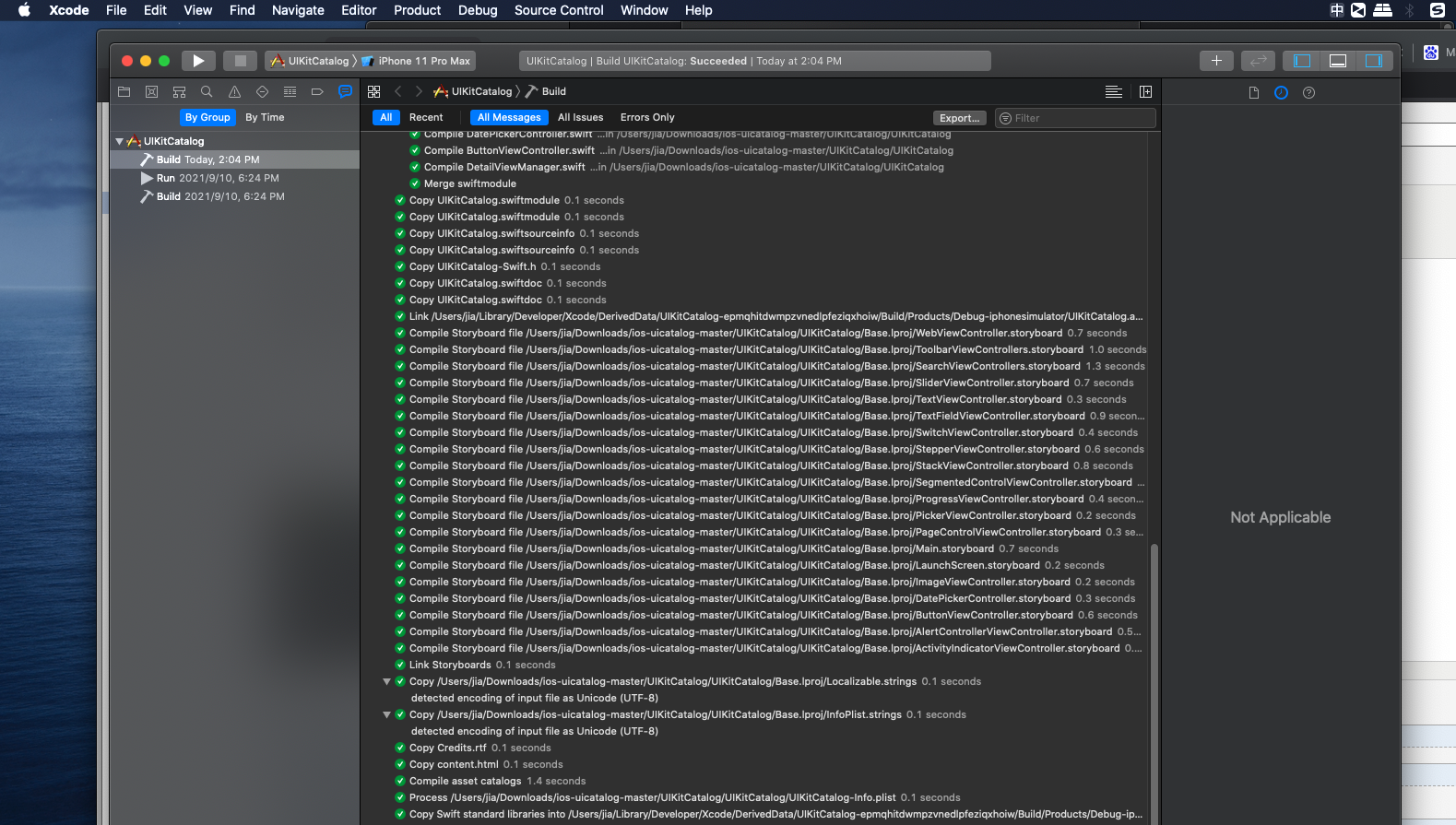
1. appium github 中找uicatlog源码
2. 用xcode编译, 在整个窗口的最上层有个product-- >build , 选中左面导航栏中的最右面的 show the report navagiator,就能看到编译的步骤了
product-》run 允许模拟器
自动化测试
ios提供的测试工具是XCTest WebDriverAgent是基于XCTest, Appium是基于WebDrivetAgent的
mac appium 安装
1. appium 官网,按照appium server版本方法是使用npm
npm install -g
appium $ appium
2. npm在node中,安装node, node安装需要homebrew
brew install node
3. 安装 homebrew
官网给出的安装方法是。/bin/bash -c "$(curl -fsSL https://raw.githubusercontent.com/Homebrew/install/HEAD/install.sh)"
但是会安装失败
fatal: unable to access 'https://github.com/Homebrew/brew/': LibreSSL SSL_connect: SSL_ERROR_SYSCALL in connection to github.com:443
Failed during: git fetch --force origin
网上搜的修改镜像下载方法
/bin/bash -c "$(curl -fsSL https://cdn.jsdelivr.net/gh/ineo6/homebrew-install/install.sh)"
如果安装失败,提示修改权限,则按照提示的就可以了(
sudo chown -R $(whoami) /usr/local/var/homebrew
)
因为brew是管理下载软件的,修改镜像
替换brew.git
git -C "$(brew --repo)" remote set-url origin https://mirrors.ustc.edu.cn/brew.git
替换 homebrew-core.git
git -C "$(brew --repo homebrew/core)" remote set-url origin https://mirrors.ustc.edu.cn/homebrew-core.git
使用brew
brew config。查看homebrew信息
brew search 软件名。查询
brew install 软件名。安装
brew uninstall 软件名。卸载
brew install node。安装node。 安装失败了。用的官网包安装的
配置npm的淘宝镜像, 以后安装的时候使用cnpm就好了
sudo cnpm install appium
sudo cnpm install appium-doctor。 检查appium是否全面
\
appium自动化
1. 从苹果官网查找xctest。查看相关文档https://developer.apple.com/documentation/xctest/user_interface_tests
2 所有的都是从xctest继承来的。webdriveragent 是fackbook开源的。appium集成了webdriveragent
3. ios自动化需要的工具。libimobiledevice
brew install libimobiledevice 进行安装
libimobiledevice是一个工具 可以使用idevice 查看提供的命令
安装 ios-deploy. ios-deploy也是一个终端安装和调试iPhone应用的是第三方开源库
查看设备。 insturment -s device
安装 ios-deploy -i demo.app
命令行编译
xcodebuild -scheme UICatelog -target iOS clean build
xcodebuild -scheme UICatelog -target iOS archive
测试框架
1. XCTest 适合工程师
2. WebDriverAgent 是fackbook开源的。简称WDA
3. appium基于WDA
WebDriverAgent
appium 模拟器自动化
1. desired capability指明deviceName (通过 instruments -s devices获取)
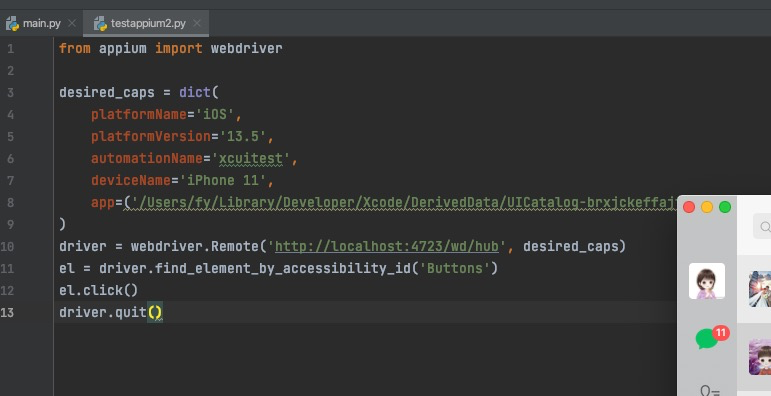
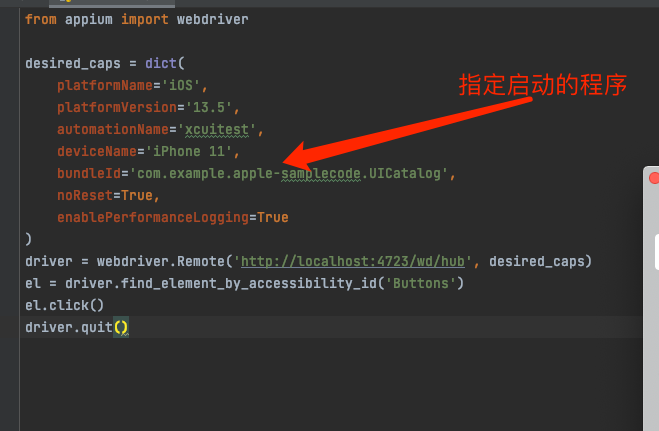
app指名路径,每次运行的时候会卸载然后安装指定的包
真机需要bundleId
日期处理https://github.com/appium/appium-xcuitest-driver#mobile-selectpickerwheelvalue-1
1。 datepicker 处理
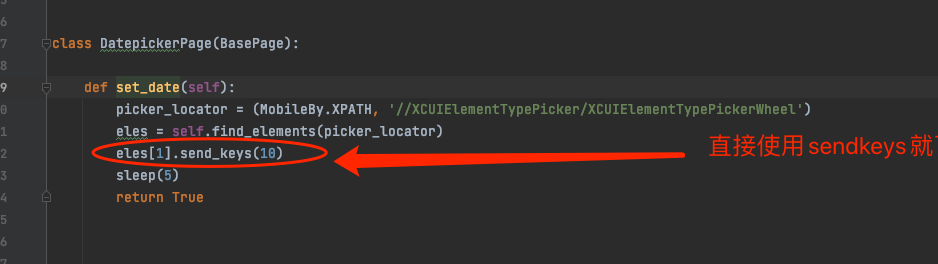
2 通过执行脚本, mobile: selectPickerWheelValue. 是appium-xcuitest-driver的扩展,不是w3c api
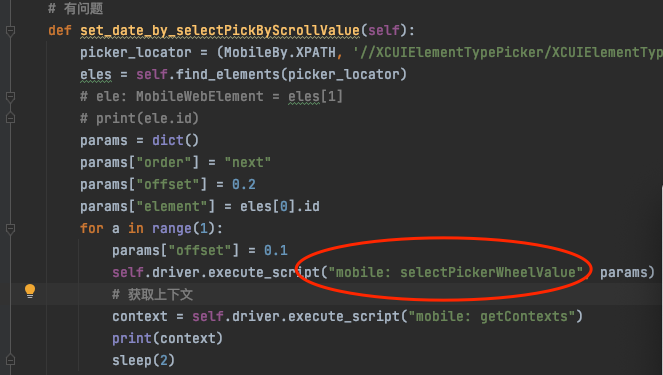
ios自动化测试自己看文档总结(待验证对错)
1. appium-xcuitest-driver. :
appium-xcuitest-driver是一个集合。包含了苹果的XCTest框架和 fackbook的 WebDriverAgent 服务
web view通讯是通过Webkit remote debugger protocol
真机是通过appium-ios-device库
模拟器是通过appium-ios-simulator库
本地driver通过使用WebDriver W3C 协议,web view只支持 JWP 协议
appium server 启动格式。
appium --driver-args='{"xcuitest": {[argName]: [argValue]}}'
argName:
"webkitDebugProxyPort" 与ios-webkit-debug-proxy通讯的本地端口号
"wdaLocalPort"。与 ios-web-driver-agent通讯的本地端口号
WebDriverAgent
WebDriverAgent 是一个 webdriver server实现for ios ,它用于原创控制ios设备。
appium-remite-debugger
a node.js for 远程debugger协议 为了连接ios webview和safari
appium-ios-simulator
appium api 用于处理ios 模拟器,允许用户查找定位信息,设置权限为了从模拟器中读写,并且允许控制启动和终止模拟器
WebDriver W3C protocol:
WebDriver 是一个远程控制接口,它可以检测和控制用户代理,它提供了一个与平台和 语言无关的wire 协议,为了远程控制浏览器的行为

 浙公网安备 33010602011771号