
trae,qcode,phpstorm开启调式运行xdebug
1,window开启phpstudy的xdebug扩展,mac自行安装xdebug扩展
2,检查端口
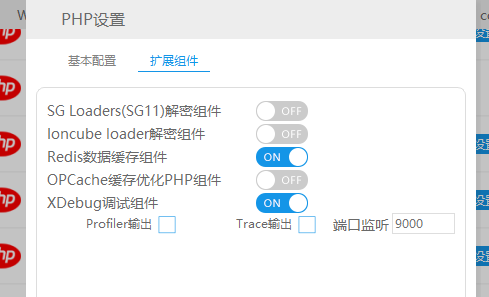
3,配置文件
[Xdebug]
zend_extension=D:/phpstudy_pro/Extensions/php/php7.3.9nts/ext/php_xdebug.dll
xdebug.collect_params=1
xdebug.collect_return=1
xdebug.auto_trace=On
xdebug.trace_output_dir=D:/phpstudy_pro/Extensions/php_log/php7.3.9nts.xdebug.trace
xdebug.profiler_enable=On
xdebug.profiler_output_dir=D:/phpstudy_pro/Extensions/php_log/php7.3.9nts.xdebug.profiler
xdebug.remote_enable=On
xdebug.remote_autostart=1
xdebug.remote_host=192.168.1.20
xdebug.remote_port=9000
xdebug.remote_handler=dbgp
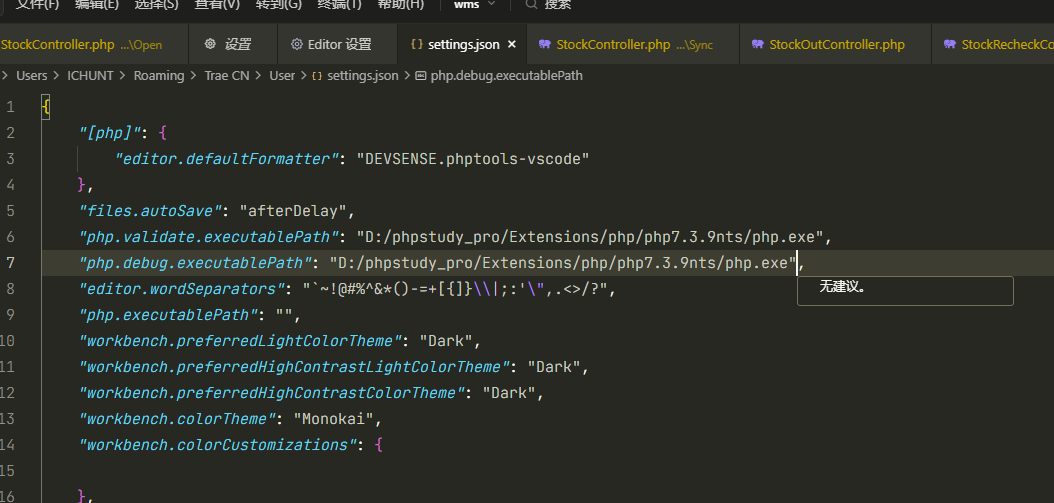
4,编辑器配置
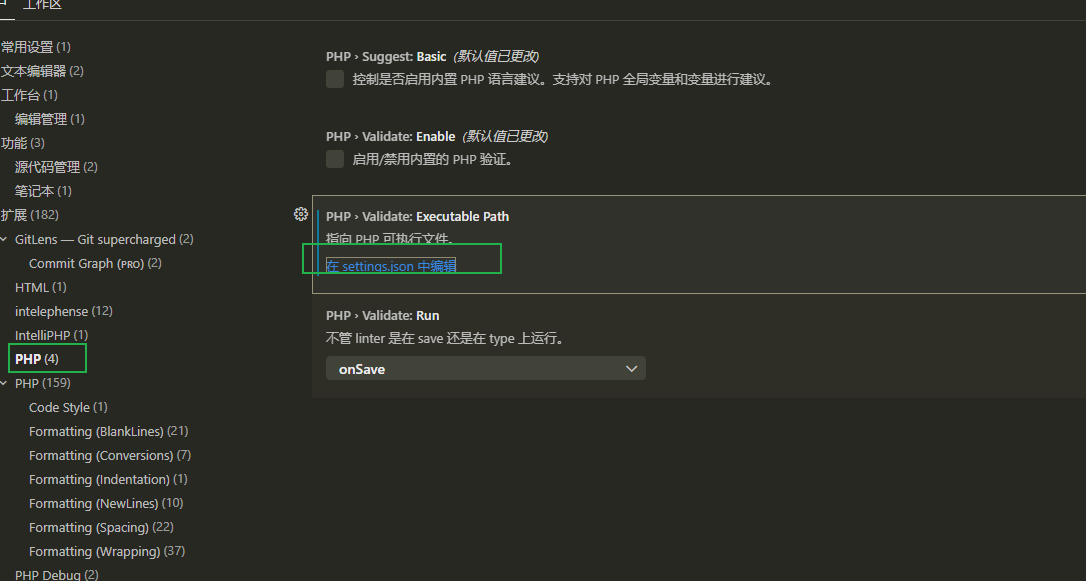
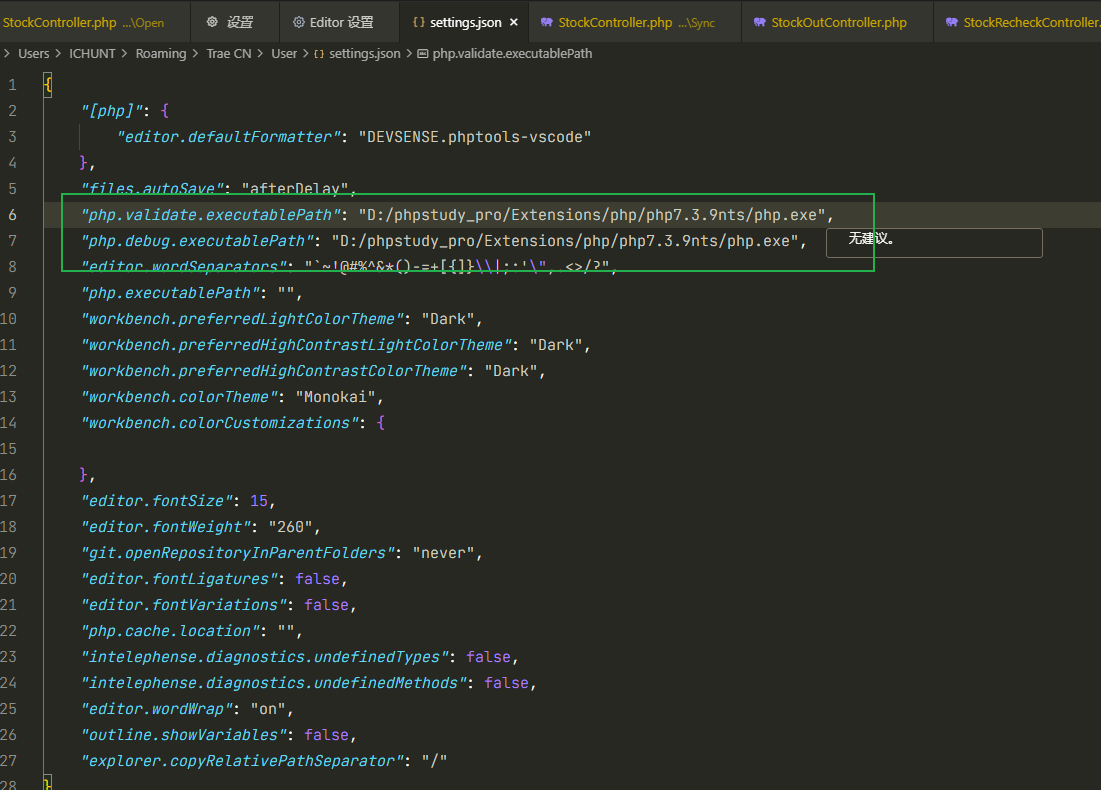
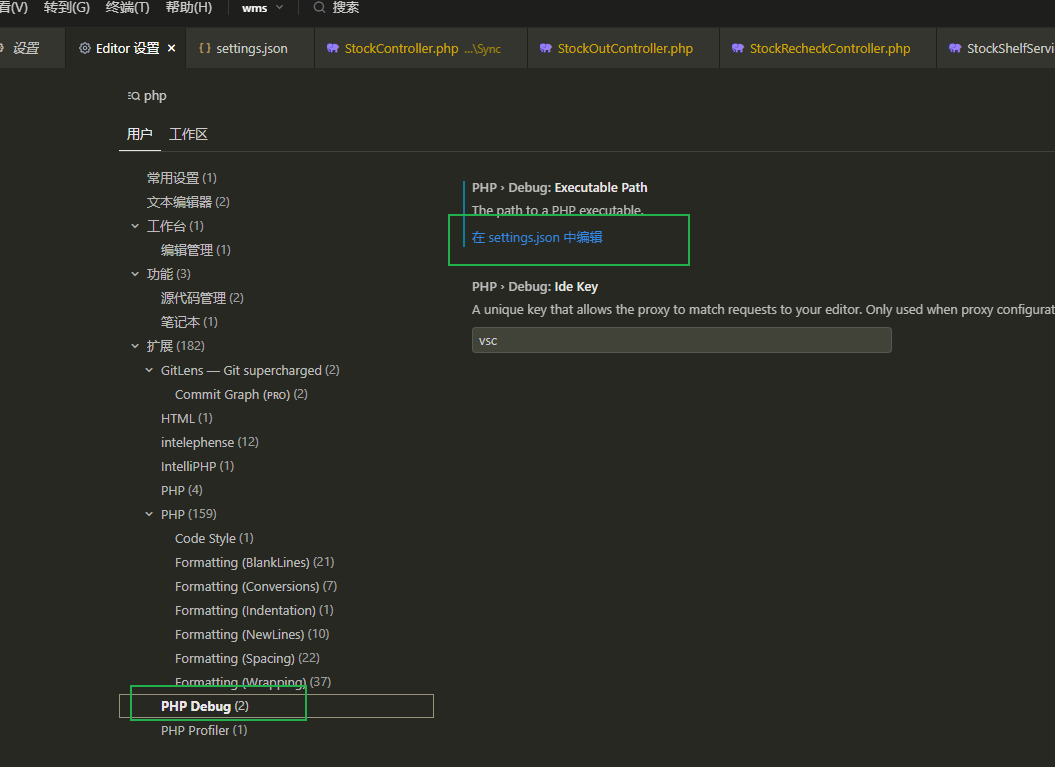
本文来自博客园,作者:孙龙-程序员,转载请注明原文链接:https://www.cnblogs.com/sunlong88/p/19310934

 浙公网安备 33010602011771号