
GitLab Runner
一、下载安装,官方安装文档:https://docs.gitlab.com/runner/install/linux-manually.html
1、添加yum源
1 # For Debian/Ubuntu/Mint
2  curl -L https://packages.gitlab.com/install/repositories/runner/gitlab-runner/script.deb.sh | sudo bash
3
4  # For RHEL/CentOS/Fedora
5  curl -L https://packages.gitlab.com/install/repositories/runner/gitlab-runner/script.rpm.sh | sudo bash
2、删除 gitlab-runner
1 sudo gitlab-runner uninstall
3、安装 gitlab-runner
1 # MacOS
2 sudo brew install gitlab-runner
3 4 # Debian/Ubuntu/Mint
5  sudo apt-get install gitlab-runner
6
7 # RHEL/CentOS/Fedora
8  sudo yum install gitlab-runner
4、注册gitlab-runner
1 sudo gitlab-runner register
向GitLab-CI注册一个Runner需要两样东西:GitLab-CI的url和注册token。
其中,token是为了确定你这个Runner是所有工程都能够使用的Shared Runner还是具体某一个工程才能使用的Specific Runner。
如果要注册Shared Runner,你需要到管理界面的Runners页面里面去找注册token。如下图所示:
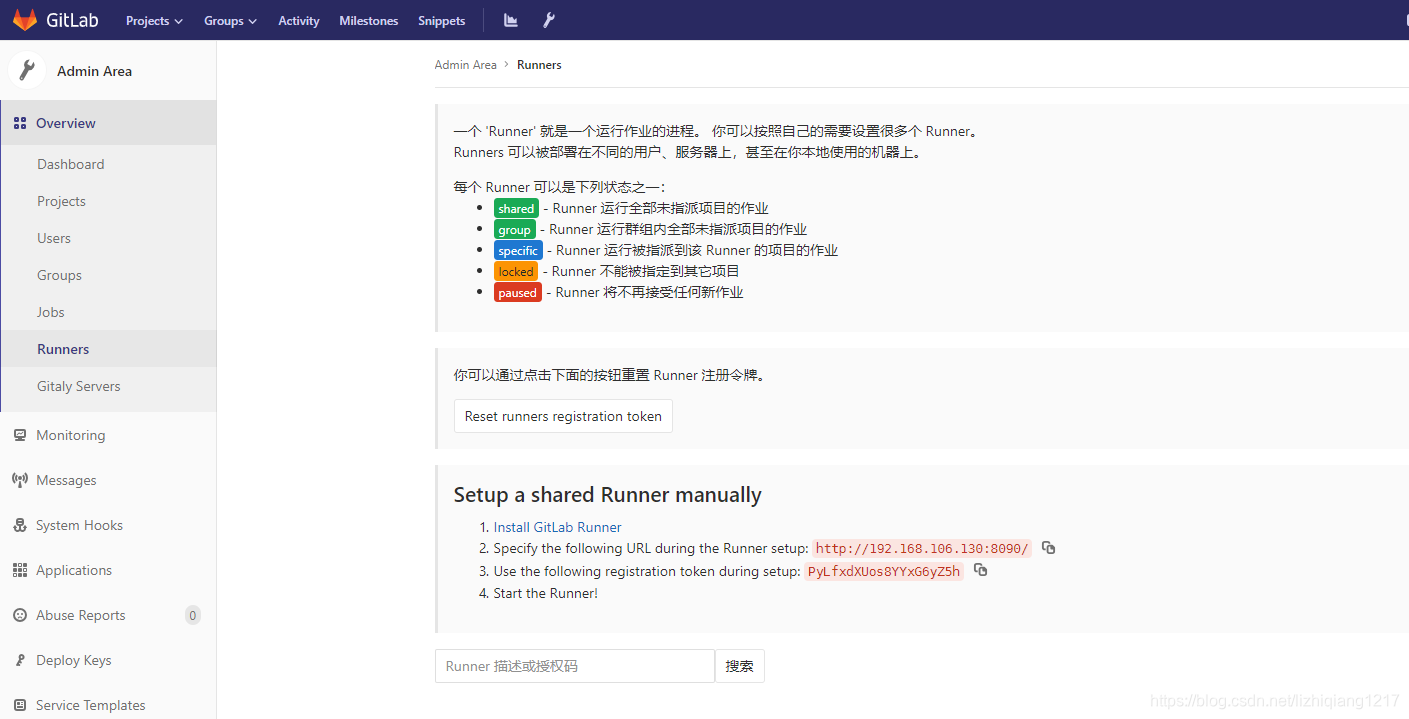
注册完成之后,GitLab-CI就会多出一条Runner记录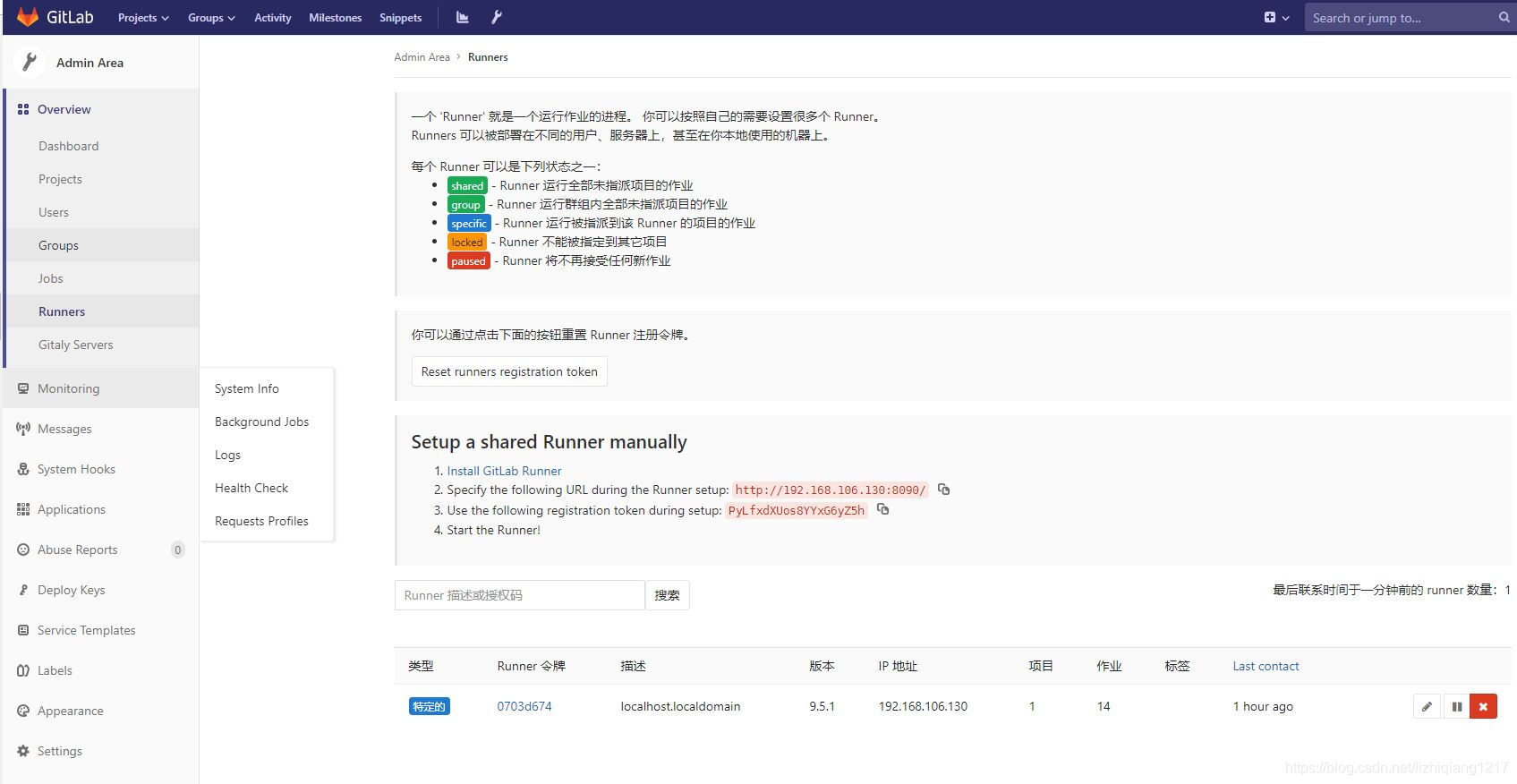
执行用户问题:
1 $ ps aux | grep gitlab
2
3 /usr/bin/gitlab-ci-multi-runner run --working-directory /home/gitlab-runner --config /etc/gitlab-runner/config.toml --service gitlab-runner --syslog --user gitlab-runner
文章中包括 gitlab-runner 服务启动在内的,所有操作都是使用 sudo。这也是为什么,文章中,将 gitlab-runner 免密使用sudo命令,并在脚本的命令前加上 sudo 的要求。
 1 # 切换到root账号下
 2 $ su
 3 # 添加sudo文件的写权限
 4 $ chmod u+w /etc/sudoers
 5 # 编辑sudoers文件
 6 $ vi /etc/sudoers
 7 # 添加如下内容 允许用户gitlab-runner执行sudo命令,并且在执行的时候不输入密码
 8 gitlab-runner ALL=(ALL) NOPASSWD: ALL
 9 # 撤销sudo文件写权限
10 $ chmod u-w /etc/sudoers
| arameter | Default | Description |
|---|---|---|
| –service | gitlab-runner | Specify service name to use |
| –config | See the configuration file | Specify a custom configuration file to use |
| –syslog | true | Specify if the service should integrate with system logging service |
| –working-directory | the current directory | Specify the root directory where all data will be stored when builds will be run with the shell executor |
| –user | root | Specify the user which will be used to execute builds |
| –password | none | Specify the password for the user that will be used to execute the builds |
遇到的问题:job is stuck,check runner, Job的状态一直是pending
首先检查是否有多个job正在排队
每个仓库的setting>CI/CD>Runners 里面是否可以看到能运行的Runner,如果没有可能是运行中的runner该项目执行不了,需要重新注册个Share Runnr

 浙公网安备 33010602011771号