
【linux命令】基于httpd搭建局域网yum源
搭建局域网yum源
需要在局域网访问,首先需要一个web服务器,比如apache httpd或者nginx均可以,centos默认是安装了httpd的,我们就用这个了。并且服务器的根目录在/var/www/html下,可以解析静态页面以及显示目录列表了。
安装httpd:
yum install httpd安装完成后,查看版本信息,如果能够看到输出的版本信息,则说明安装成功:
httpd -versionapache httpd的默认端口是80,如果被占用要改端口,去/etc/httpd/conf/httpd.conf中修改Listen即可,另外服务目录、文件目录等都在里面配置,修改完后需要重启systemctl restart httpd.service。
启动http服务:
systemctl start httpd.service查询httpd运行状态:
systemctl status httpd.service输出:
[root@stor01 demo]# systemctl status httpd
● httpd.service - The Apache HTTP Server
   Loaded: loaded (/usr/lib/systemd/system/httpd.service; disabled; vendor preset: disabled)
   Active: active (running) since Wed 2024-03-13 20:38:39 CST; 7s ago
     Docs: man:httpd(8)
           man:apachectl(8)
 Main PID: 123711 (httpd)
   Status: "Processing requests..."
    Tasks: 8
   CGroup: /system.slice/httpd.service
           ├─123711 /usr/sbin/httpd -DFOREGROUND
           ├─123712 /usr/libexec/nss_pcache 4 off
           ├─123715 /usr/sbin/httpd -DFOREGROUND
           ├─123716 /usr/sbin/httpd -DFOREGROUND
           ├─123717 /usr/sbin/httpd -DFOREGROUND
           ├─123718 /usr/sbin/httpd -DFOREGROUND
           └─123719 /usr/sbin/httpd -DFOREGROUND

Mar 13 20:38:38 stor01 systemd[1]: Starting The Apache HTTP Server...
Mar 13 20:38:38 stor01 httpd[123711]: AH00558: httpd: Could not reliably determine the server's fully qualified domain name, using fe... message
Mar 13 20:38:39 stor01 systemd[1]: Started The Apache HTTP Server.
Hint: Some lines were ellipsized, use -l to show in full.httpd所有配置文件都位于 /etc/httpd/conf和 /etc/httpd/conf.d。网站的默认数据位于/var/www/html。
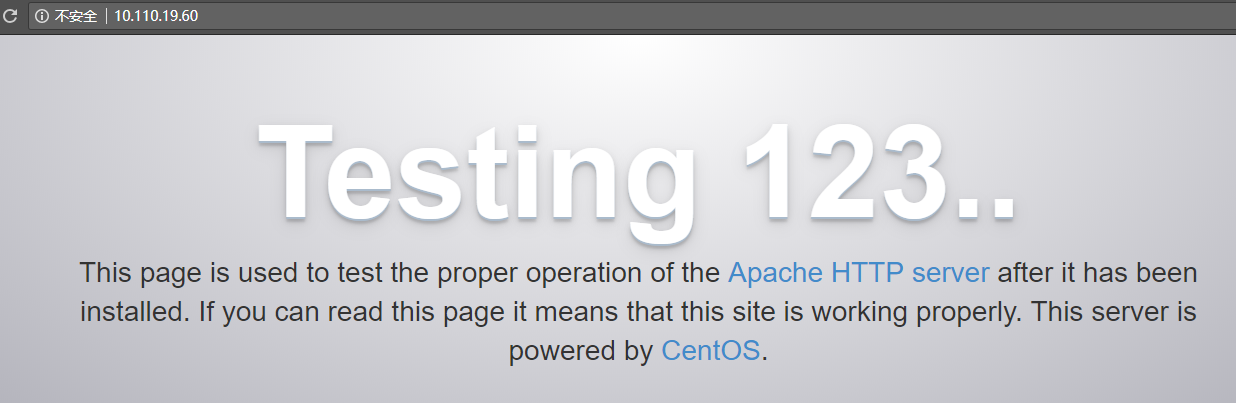
selinux的问题:
修改根目录为:/data/www/html。
#chcon -R -t httpd_sys_content_t /data
#chcon -R -t httpd_sys_content_t /data/www
#chcon -R -t httpd_sys_content_t /data/www/html
2、创建目录mkdir -p /var/www/html/yum-custom,将自己的rpm包放到这个目录下面。重建索引文件,如果有repodata文件夹先删除,然后执行yum -y install createrepo; 安装完后重建索引createrepo .
3、备份其他repo文件,cd /etc/yum.repos.d/; tar -zcvf repo-bk.tar.gz CentOS-* ; 然后将这些repo删除 rm -rf CentOS-*新增自定义的repo文件,vi yum-custom.repo,添加下面的内容
[yum-custom]
name=yum-custom
baseurl=http://10.110.19.60/yum-custom/
#baseurl=file:///var/www/html/yum-custom
enable=1
gpgcheck=04、刷新yum clean all; 之后可以通过yum repolist查看最新的yum源信息,到这里本地yum源就配置好了,其他机器只要设置好repo文件,就可以直接使用yum命令安装自定义源中的软件了。可以建立缓存,提高使用和查yum makecache;
更新本地yum源
当前用的本地yum源中缺少需要的包,需要手动添加, 步骤如下:
1. 确定yum源的位置,例如在,目录/var/www/html/yum/centos/7中,查看文件列表可以看到有rpm包和文件夹repodata,repodata中的repomd.xml记录yum源文件依赖关系,新增yum源主要工
做就是更新依赖关系。
1. 找到yum原的具体位置,例如我的在/var/www/html/yum/centos/7目录下,查看文件列表可以看到各个rpm包和一个repodata文件夹,这个文件夹中的文件repomd.xml就是记录yum源文
件依赖关系的,新增yum源的主要工作就是更新依赖关系。
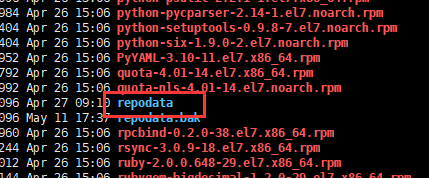
2、删除repodata文件夹,rm -rf repodata; 然后将自己需要添加的rpm包上传到yum源的目录下面。
3、创建新的repodata文件夹,createrepo . 如果提示命令不存在,先安装yum -y install createrepo
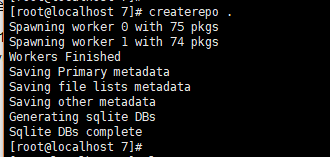
4、最后刷新yum clean all; 新的rpm包就可以在本地yum源中生效了。

参考资料
3. [apache httpd服务器403 forbidden的问题](https://developer.aliyun.com/article/49807)
| repo | rpm包文件数量 |
| epel | 13768 |
| centos-base | 15513 |

 浙公网安备 33010602011771号