
Codecommit is a way to create code repository and commit code
like github
The steps to create a CodeCommit
1. Create respository in Code commit service
2. Create IAM user(why should create IAM user? Becasue can't use root user to connect to code repository by ssh and https is not commended by root user)
1) Create an IAM user
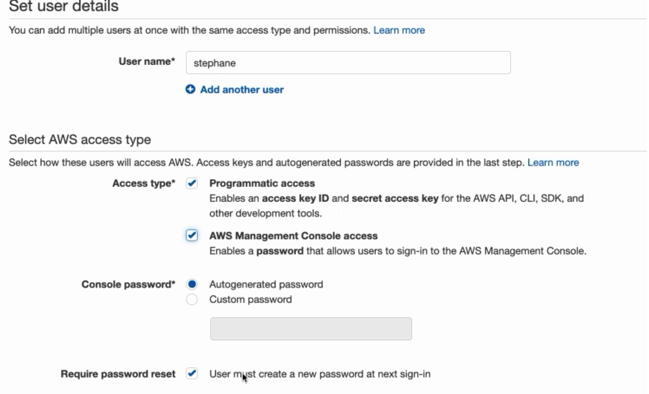
2) Create group
3) Download cvs
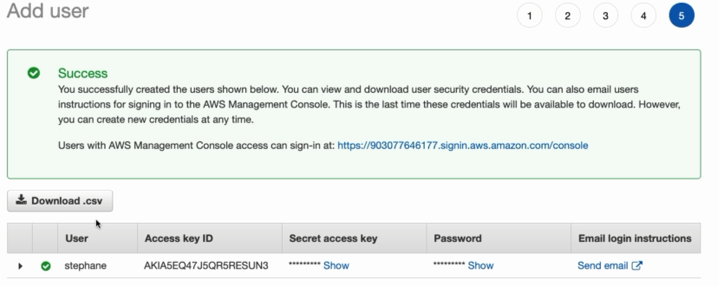
3.For the IAM user, there are 2 ways to connect to code repository, one is HTTPS, the other is SSH. Using the https as the sample
1) Click the User, click Security Credentials
2) Click Https credentials for AWS codecommit
3) Click generate to create an https IAM account
4) Save the HTTPS IAM username and password
5) Click clone URL to save the https URL
6) In local machine IDE console, use the command: git clone https_URL which is saved in step 5)
7) Input the username and passworkd which is saved in step 4)

 浙公网安备 33010602011771号