
开发发布npm module包
开发发布npm module包
问题
在项目开发过程中,每当进入一个新的业务项目,从零开始搭建一套前端项目结构是一件让人头疼的事情,就要重新复制一个上一个项目的前端框架和组件代码库。其中很多功能的模块组件都要重复拷贝,可以统一将这些组件类的模块统一打包上传至npm,以后每次都只需要install一下就可以了。
前期准备工作
- 安装nodejs
- github上新建一个repository用于托管组件代码
- 新建一个npm账户用于发布包
这里以工具组件库中的时间格式转换工具为例,主要用于对Date时间进行不同格式转换。
1,创建组件
新建一个用于放置时间格式转换npm包的文件夹
mkdir timeFormat
初始化配置包json文件package.json
npm init
$ npm init
This utility will walk you through creating a package.json file.
It only covers the most common items, and tries to guess sane defaults.
See npm help json for definitive documentation on these fields
and exactly what they do.
Use npm install <pkg> --save afterwards to install a package and
save it as a dependency in the package.json file.
Press ^C at any time to quit.
name: (node) timeForamt
version: (0.0.0) 0.0.1
description: An easy mongodb client for node.js based on native mongodb driver.
entry point: (index.js)
test command: make test
git repository: https://github.com/summer7310/timeformat.git
keywords: timeformat
author: summer7310
license: (BSD-2-Clause) MIT
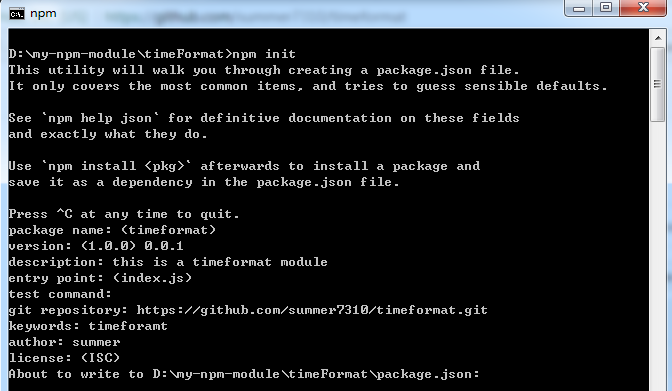
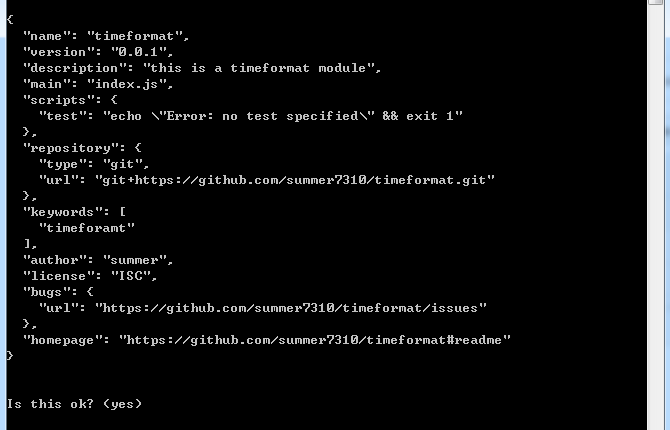
package.json文件主要用来表述项目信息的,包括名称,版本,依赖,版权,git地址。
在文件夹下新建时间格式转化功能脚本入口文件index.js
具体代码内容:
index.js
// 月(M)、日(d)、小时(h)、分(m)、秒(s)、季度(q) 可以用 1-2 个占位符,
// 年(y)可以用 1-4 个占位符,毫秒(S)只能用 1 个占位符(是 1-3 位的数字)
function timeFormat(date, fmt) {
var o = {
"M+": date.getMonth() + 1, //月份
"d+": date.getDate(), //日
"h+": date.getHours(), //小时
"m+": date.getMinutes(), //分
"s+": date.getSeconds(), //秒
"q+": Math.floor((date.getMonth() + 3) / 3), //季度
"S": date.getMilliseconds() //毫秒
};
if (/(y+)/.test(fmt)) fmt = fmt.replace(RegExp.$1, (date.getFullYear() + "").substr(4 - RegExp.$1.length));
for (var k in o)
if (new RegExp("(" + k + ")").test(fmt)) fmt = fmt.replace(RegExp.$1, (RegExp.$1.length == 1) ? (o[k]) : (("00" + o[k]).substr(("" + o[k]).length)));
return fmt;
}
exports.timeFormat = timeFormat;
每个组件包需要配一个测试文件用于测试,新建test.js
test.js
var fn = require('./index.js');
var time = fn.timeFormat(new Date(), "yyyy-MM-dd");
console.log(time);
执行test
node test.js
输出:
D:\npm_test\test>node test.js
2017-12-04

表示成功
2,发布包至npm
在npm官网注册账号,https://www.npmjs.com
添加用户,输入完用户名,密码,邮箱后没有错误信息就完成了。
$ npm adduser
Username: your name
Password: your password
Email: (this IS public) your email
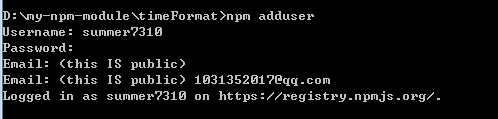
查看当前用户:
$npm whoami
显示当前用户名
发布包
$ npm publish
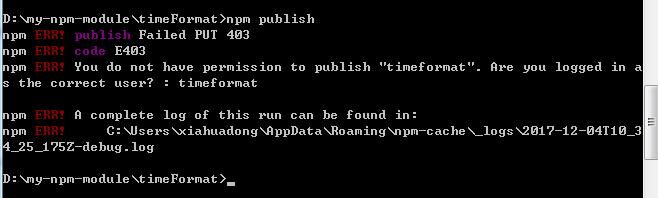
发现报错,用户没有权限发布该包,这时候去npm官网查一下,发现已经存在该名字的npm包,解决方法就是重命名我们的组件名字,改名为timeFormatUtil
再次发布,成功后我们去npm官网就能搜到该组件了

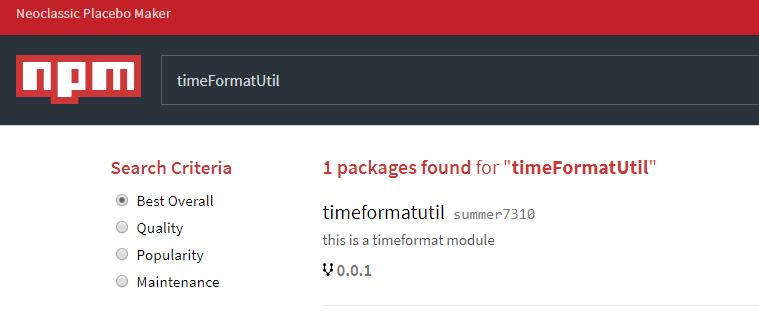
这里大概再罗列一下发布过程中可能遇到的问题和解决方法。
Q1:
npm ERR! no_perms Private mode enable, only admin can publish this module:
这里注意的是因为国内网络问题,许多小伙伴把npm的镜像代理到淘宝或者别的地方了,这里要设置回原来的镜像。
npm config set registry=http://registry.npmjs.org
Q2:
npm ERR! you do not have permission to publish "your module name". Are you logged in as the correct user?
提示没有权限,其实就是你的module名在npm上已经被占用啦,这时候你就去需要去npm搜索你的模块名称,如果搜索不到,就可以用,并且把package.json里的name修改过来,重新npm publish。
注意
每次修改组件需要重新发布都必须修改当前版本号,要不然npm会认为冲突。
3,下载使用组件
在项目中执行
npm install timeformatutil --save
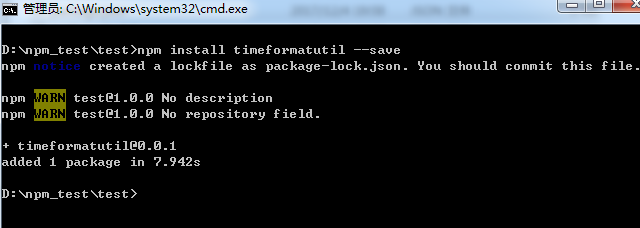
执行测试文件
const fn = require('timeformatutil');
let time = fn.timeFormat(new Date(), "yyyy-MM-dd");
console.log(time);
成功。

 浙公网安备 33010602011771号