

Linux中级のAnsible流程控制
playbook条件语句
不管是 shell 还是各大编程语言中,流程控制,条件判断这些都是必不可少的,在我们使用Ansible的过程中,条件判断的使用频率极其高。
例如:
1.我们使用不同的系统的时候,可以通过判断系统来对软件包进行安装。
2.在 nfs 和 rsync 安装过程中,客户端服务器不需要推送配置文件,之前我们都是写多个play,会影响效率。
3.我们在源码安装nginx的时候,执行第二遍就无法执行了,此时我们就可以进行判断是否安装过。
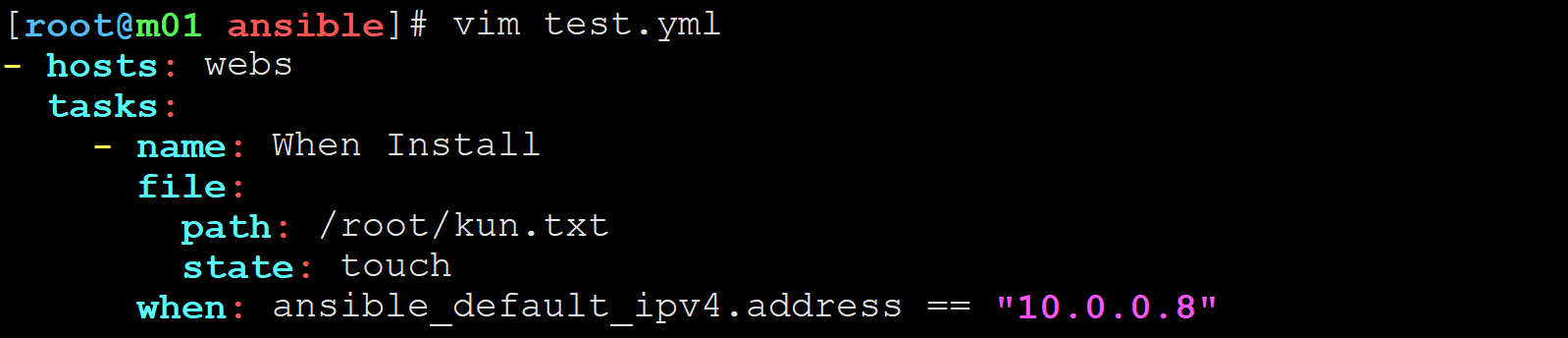
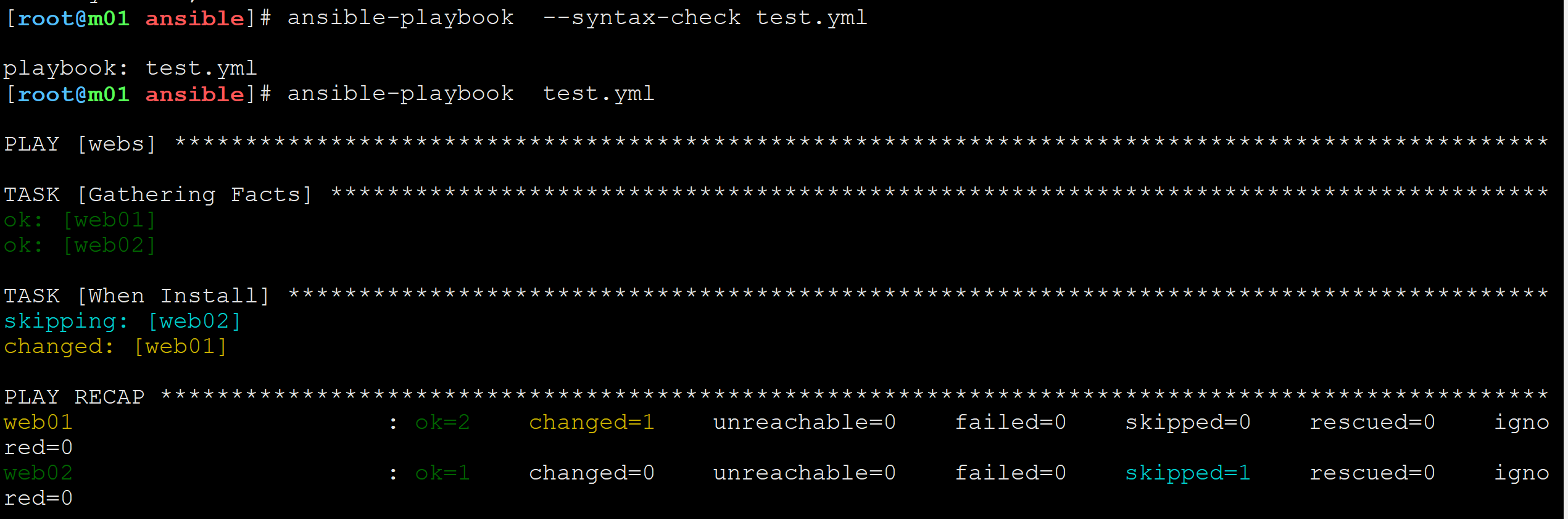
【1.使用条件判断编写Ansible脚本,在webs中只给web02安装kun.txt文件】
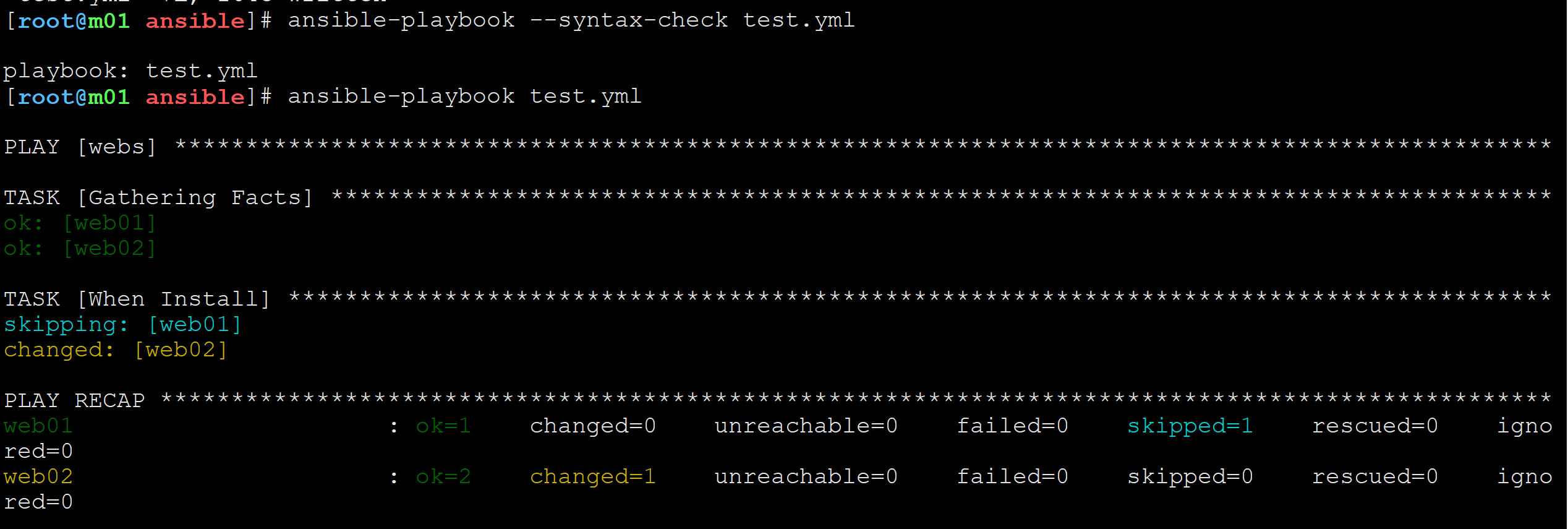
【2.语法检测并运行】
【3.在web01查看结果】
【4.在web02查看结果】


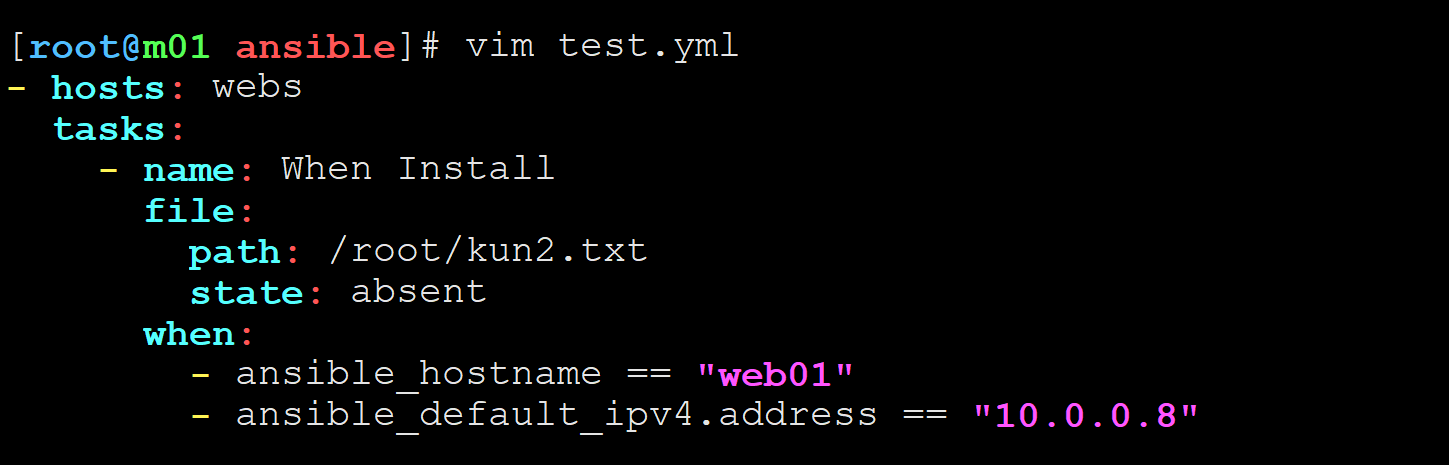
1.使用when时候用 and
【1.编写脚本】
【2.检查语法并运行】
【3.结果】:web01和web02都跳过运行




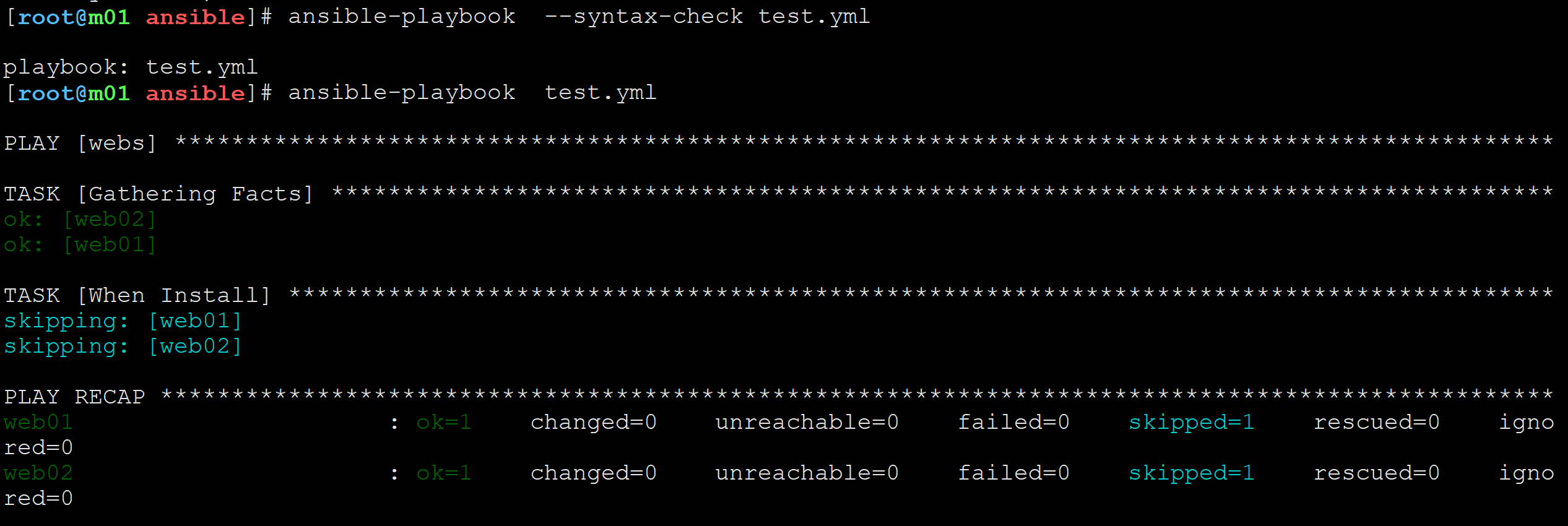
2.使用when时候用 or
【1.修改编写脚本】
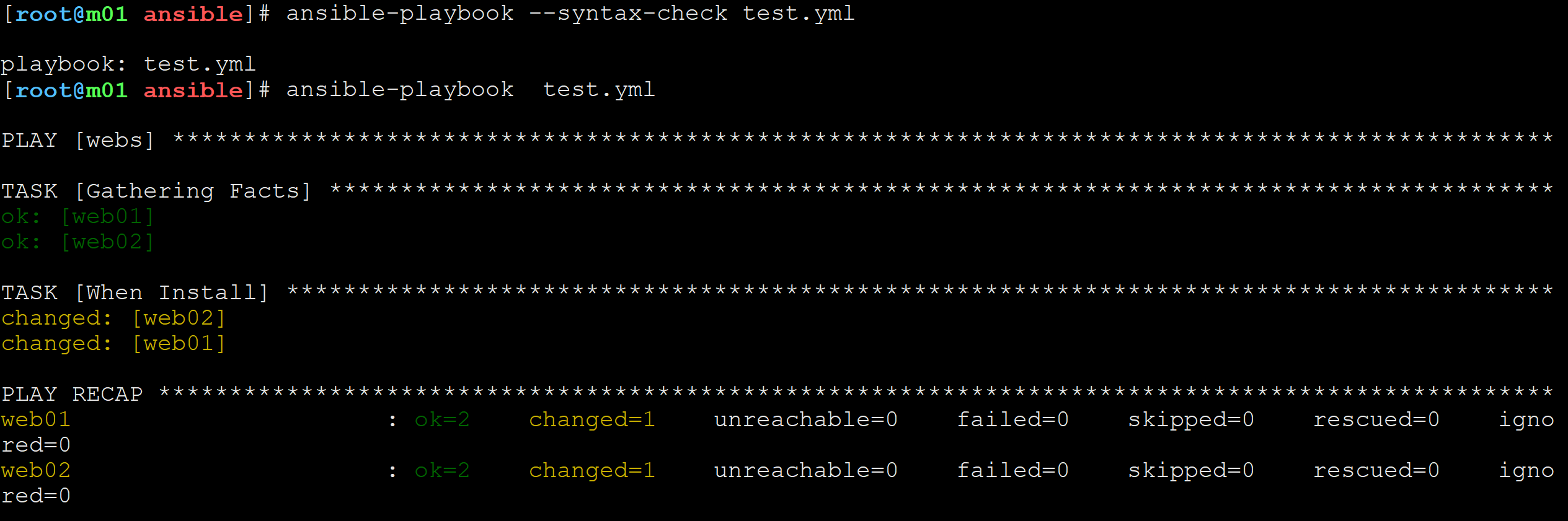
【2.检查语法并运行】
【3.结果】:web01和web02都成功创建了kun2.txt文件



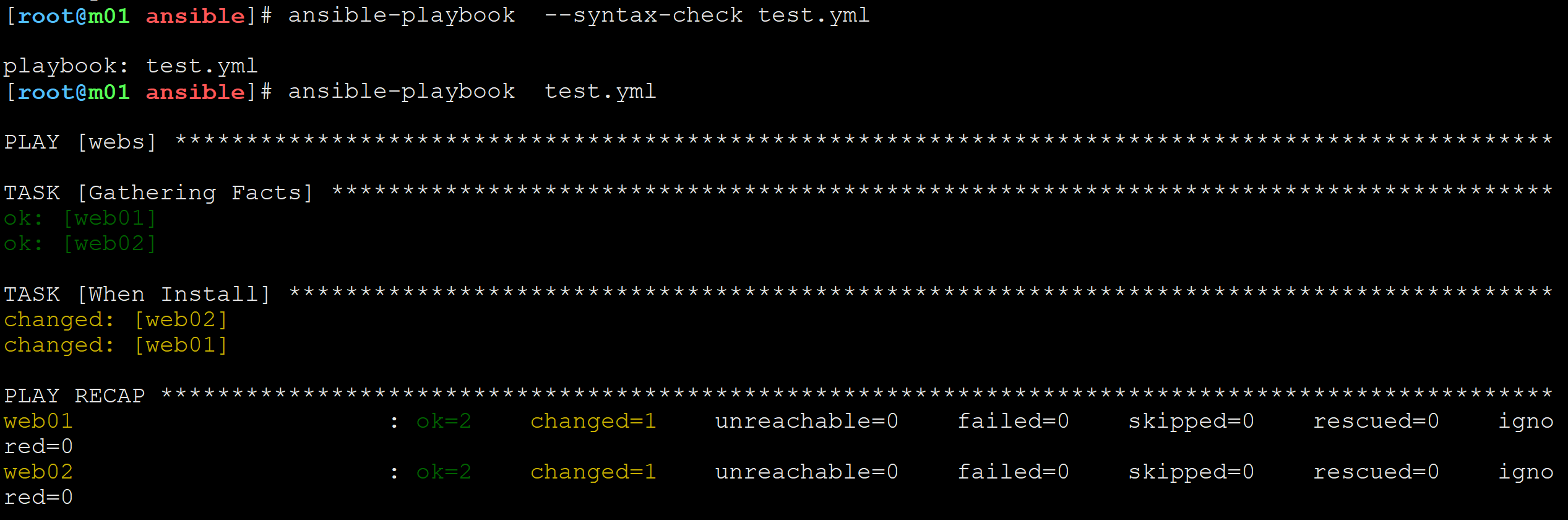
3.使用列表方式
【1.修改match删除web02上的kun.txt文件】(用列表的方法表示 and)
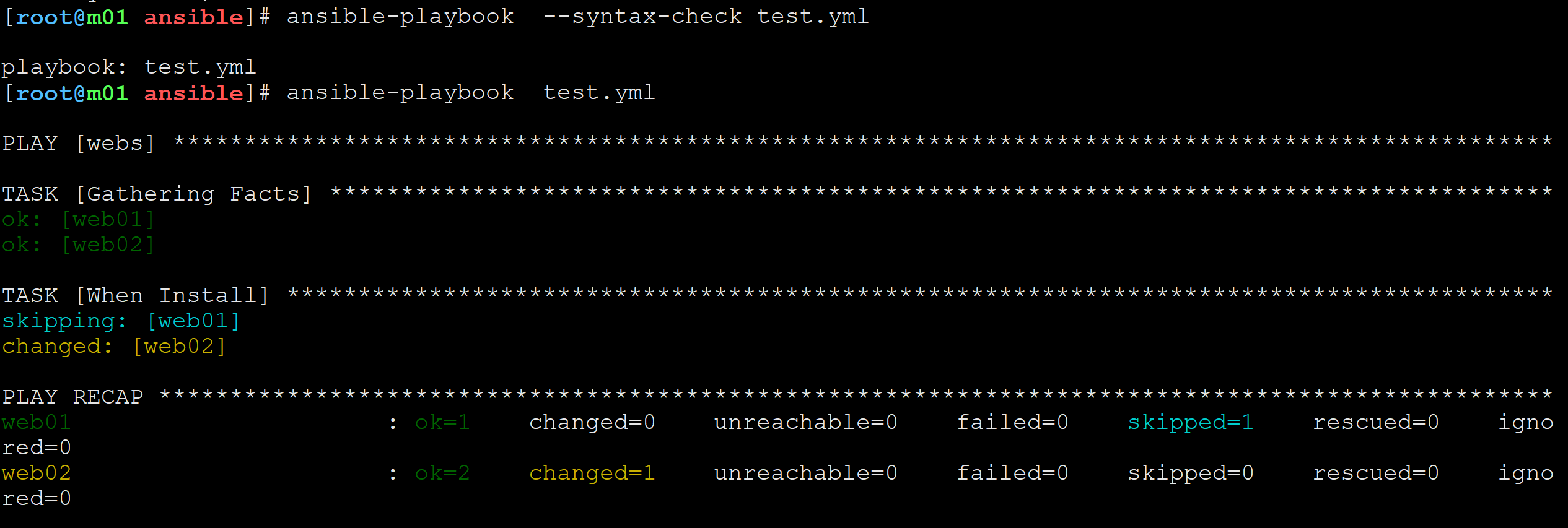
【2.检测语法并运行】
【3.在web02查看结果】
【4.修改ansible的列表中的web02改为web01,查看两台主机是否删除kun2.txt文件】
【5.检测语法并运行】:web01和web02都跳过执行过程
【6.查看web01和web02上kun2.txt是否存在】:都存在




4.使用match匹配服务器(建议使用search,与 match 用法相同)
【1.编写脚本使用match匹配判断】
【2.检测语法并运行】
【3.match匹配到了web将web01和web02的kun2.txt都删除了】
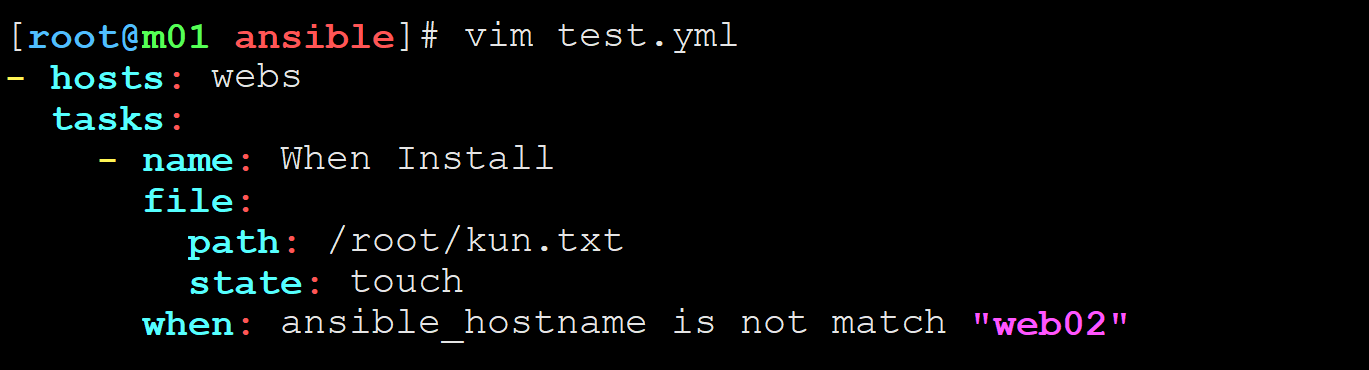
【4.使用 not match给webs组中除web02的服务器创建kun.txt】
【5.检测语法并运行】
【6.在web01和web02分别查看结果】:web01创建,web02没有





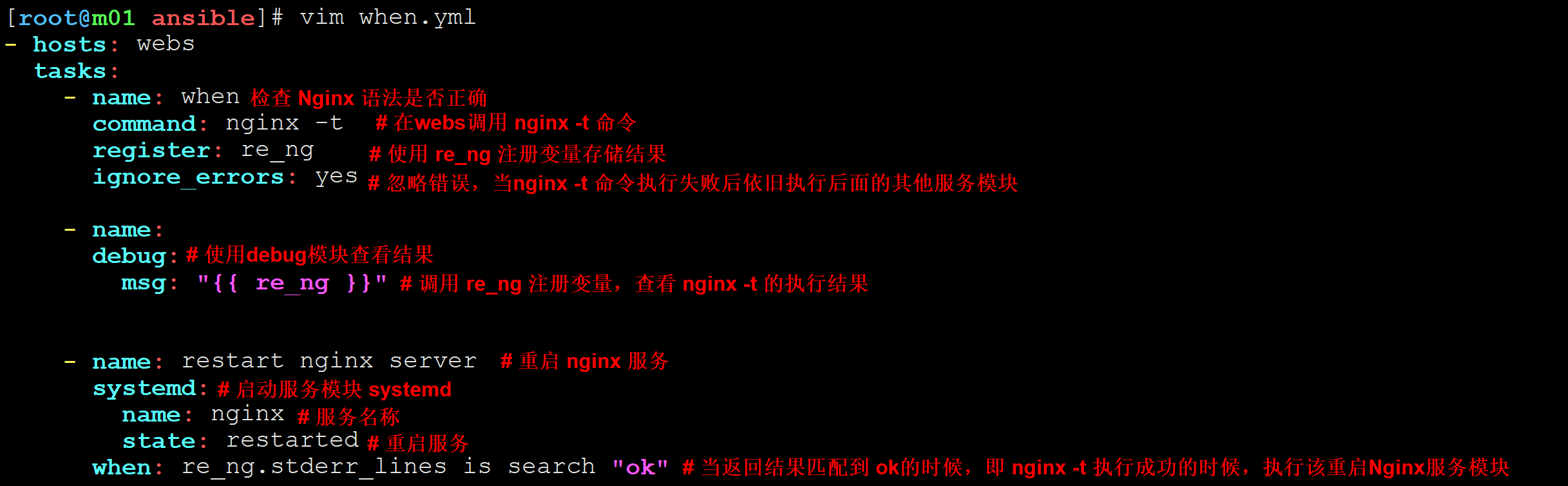
对Nginx的返回结果进行判断
【1.编写ansible脚本】
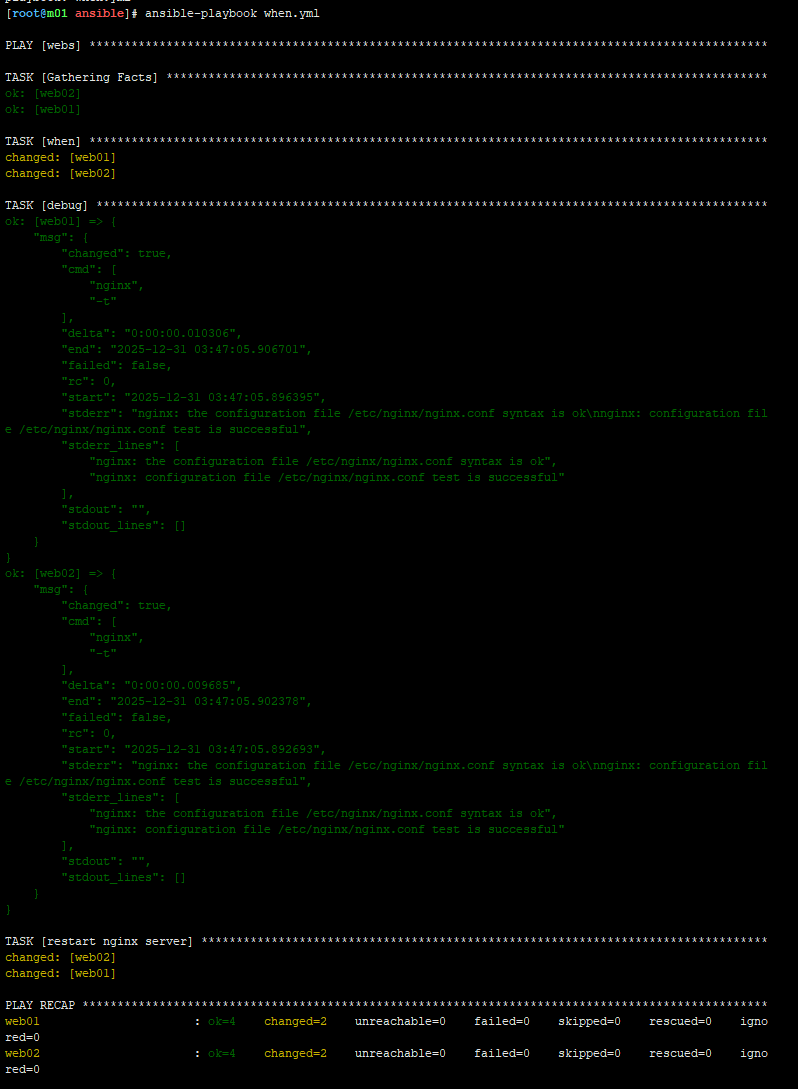
【2.检查语法并运行查看结果】:webs服务器组语法检查成功,并成功重启nginx服务
循环语句
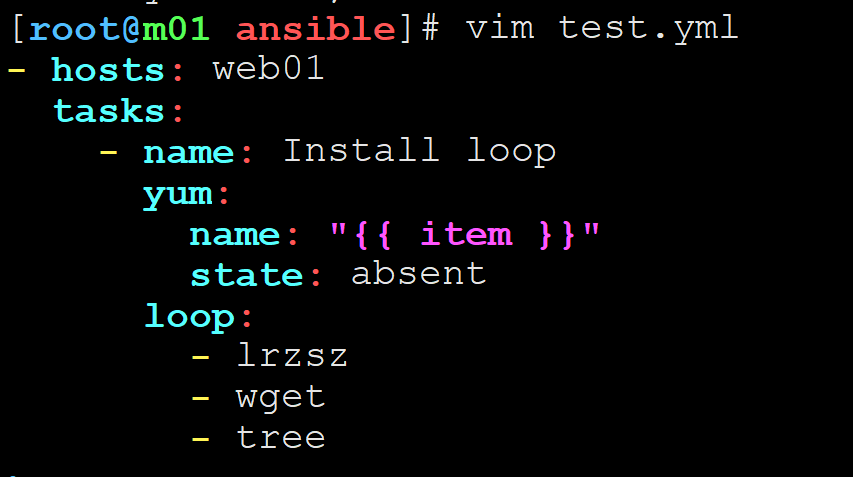
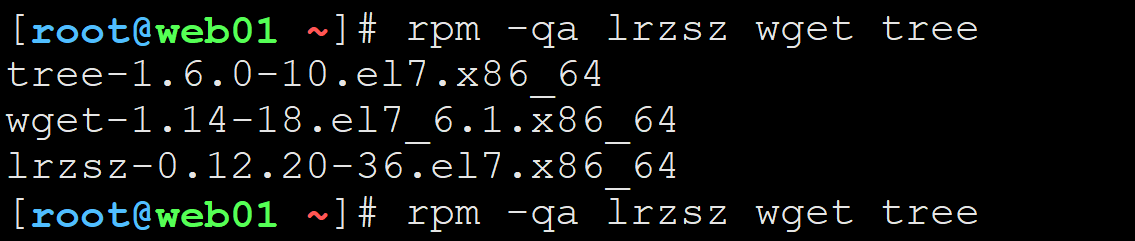
【1.使用loop循环删除lrzsz、wget、tree】:循环固定使用item变量
【2.检测语法并运行】
【3.在web01查看结果】

使用循环语句创建多个文件
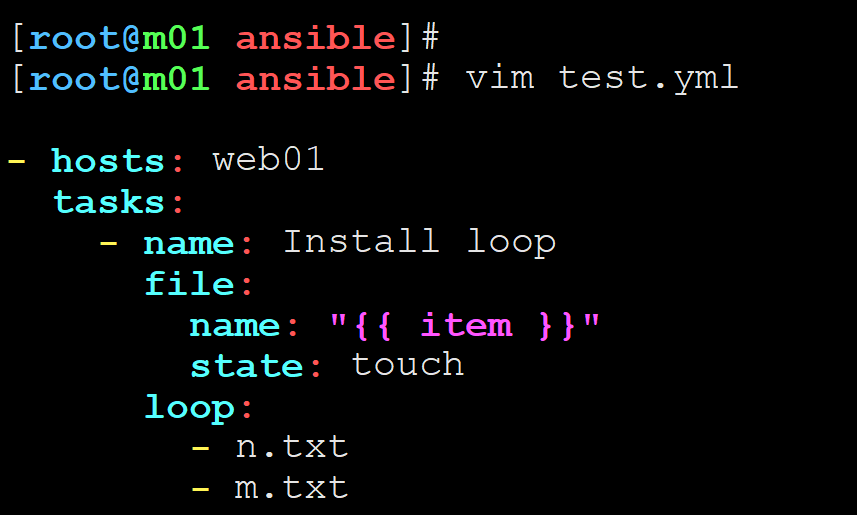
【1.使用循环语句给web01创建n.txt和m.txt文件】
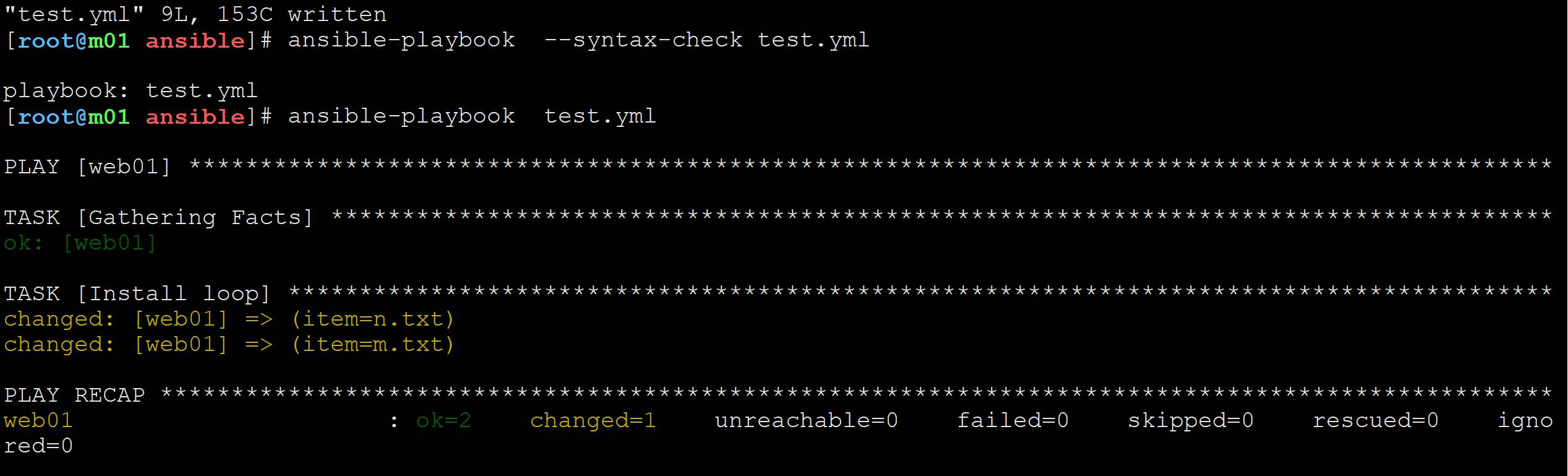
【2.检查语法并运行】
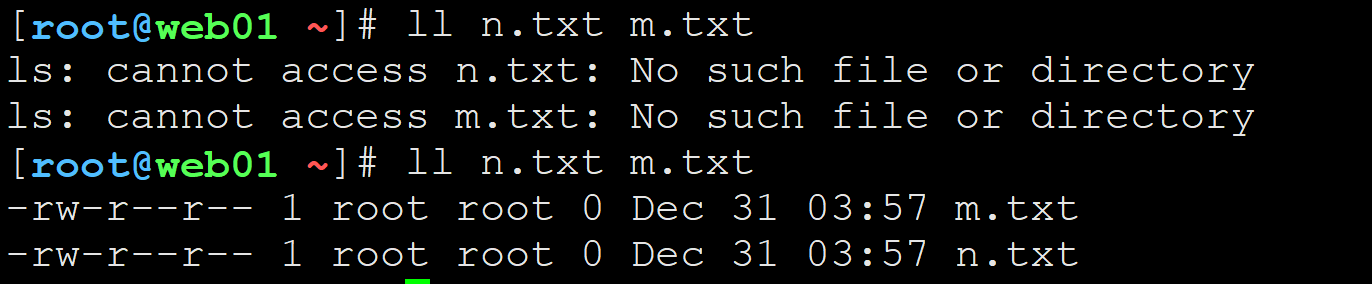
【3.在web01查看结果成功创建n.txt和m.txt】
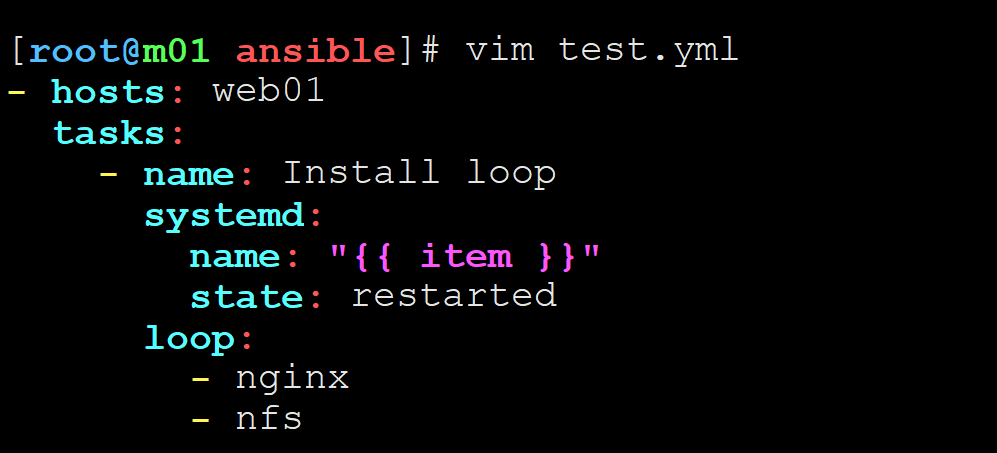
使用循环语句启动多个服务
【1.首先关闭web01的nfs服务和nginx服务】
【2.编写ansible脚本同时启动nfs和nginx服务】
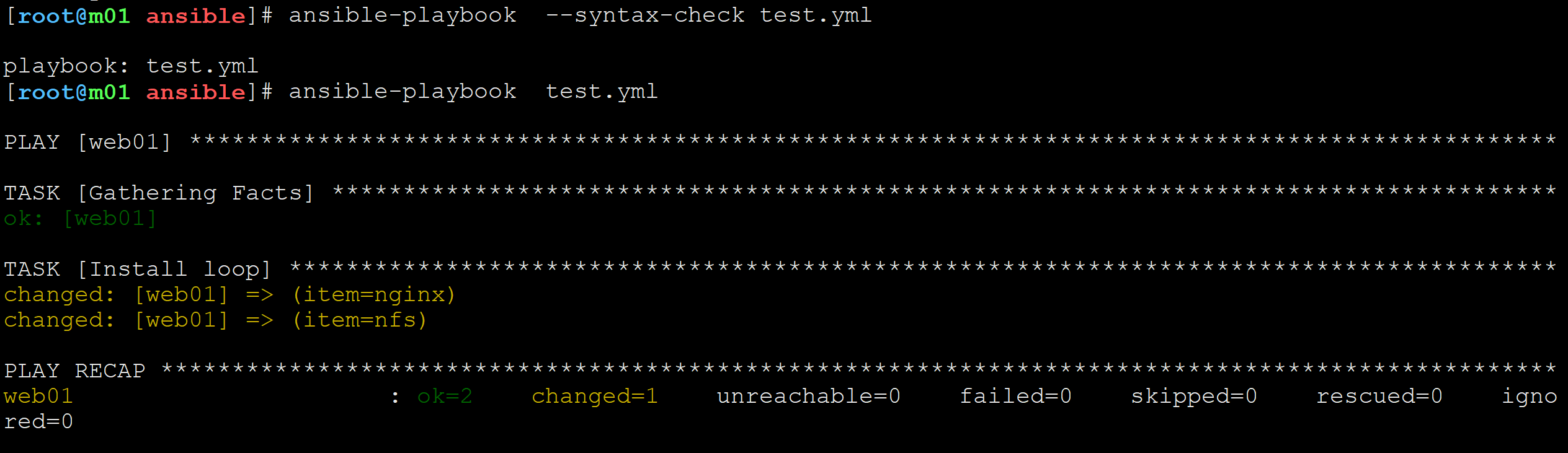
【3.检测语法并运行】
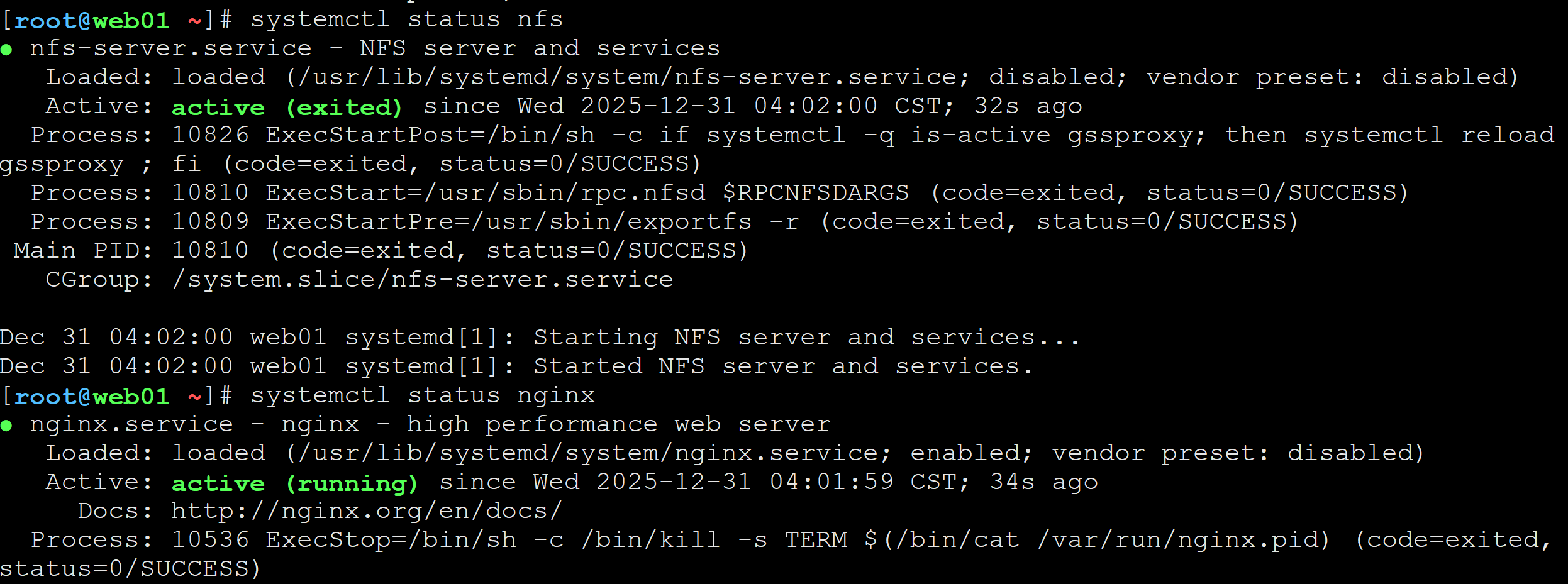
【4.在web01查看结果】nfs和nginx服务成功启动

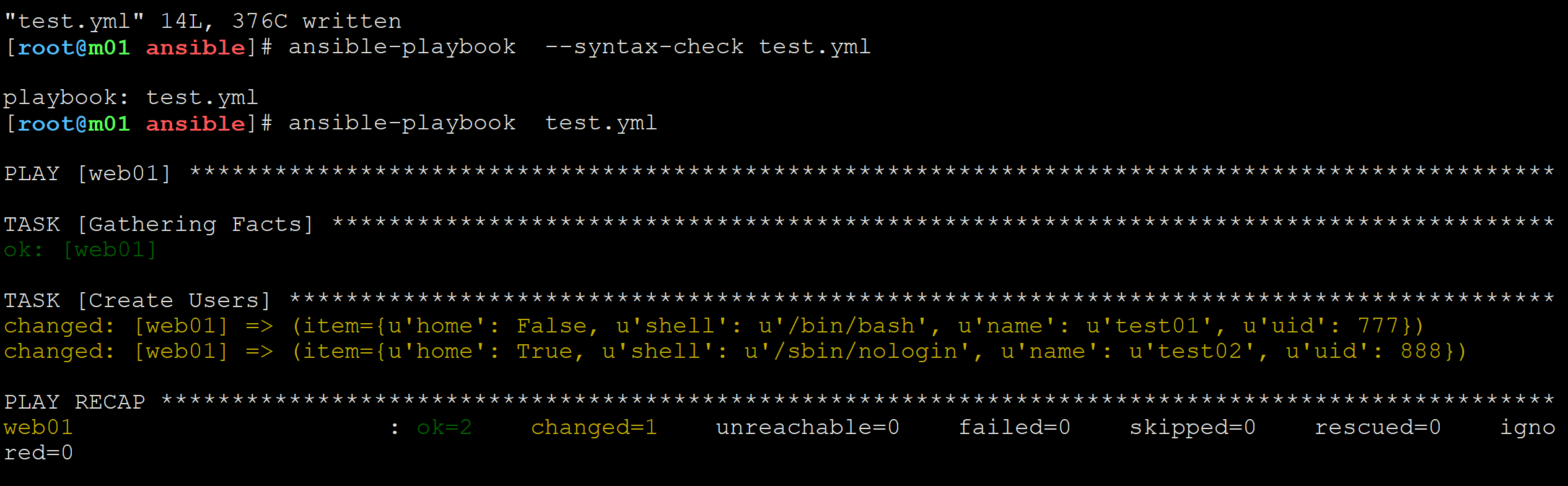
使用循环语句创建用户
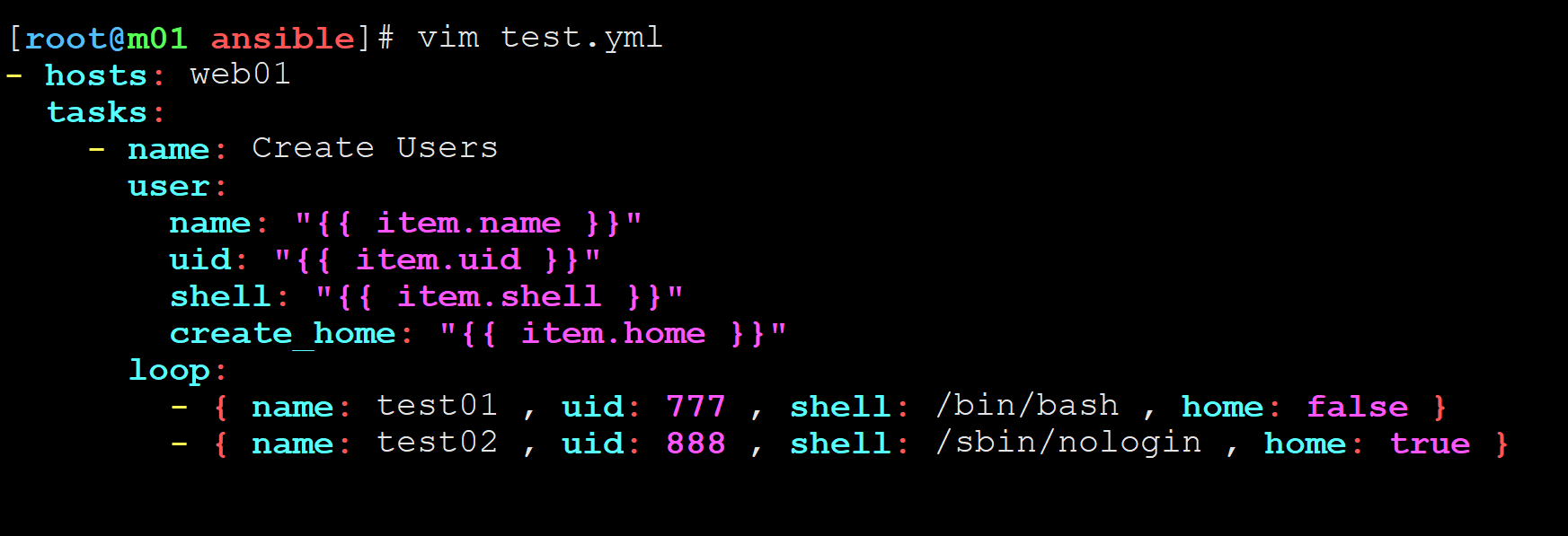
test01 uid 777 允许登录 创建家目录
test02 uid 888 不允许登录 不创建家目录c
【1.ansible编写脚本】
【2.检测语法并运行】
【3.查看结果】

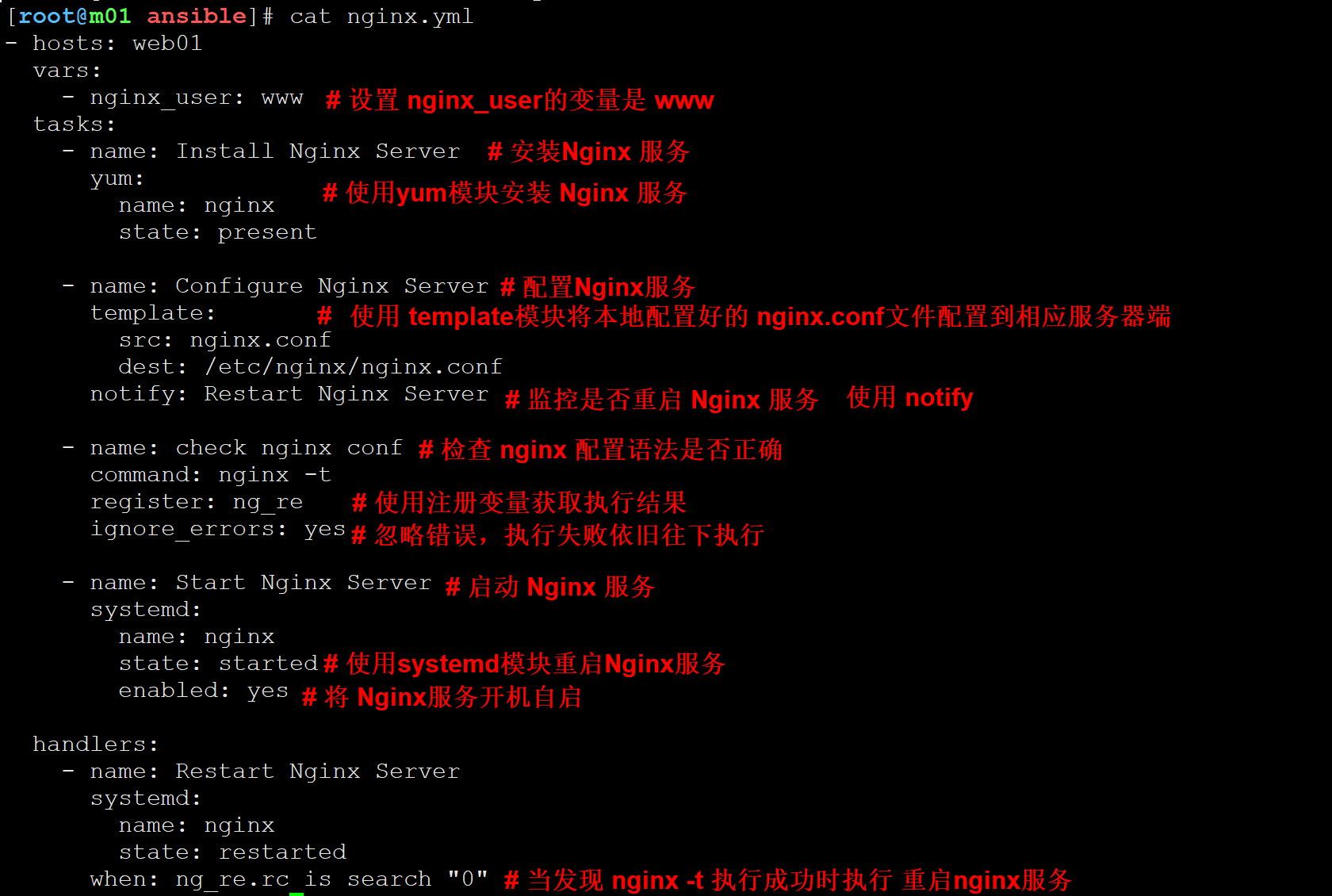
handlers监控
以下是Nginx安装配置监控,需要本地拷贝一份 nginx.conf
并需要修改 user 为 user  {{ nginx_user }};

 浙公网安备 33010602011771号