
netcore 使用apollo
一、创建配置应用
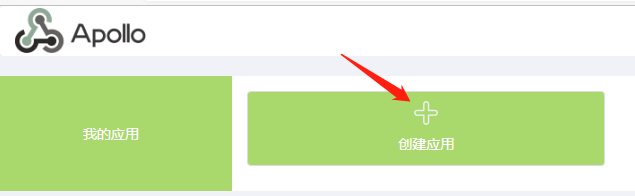
①、创建应用
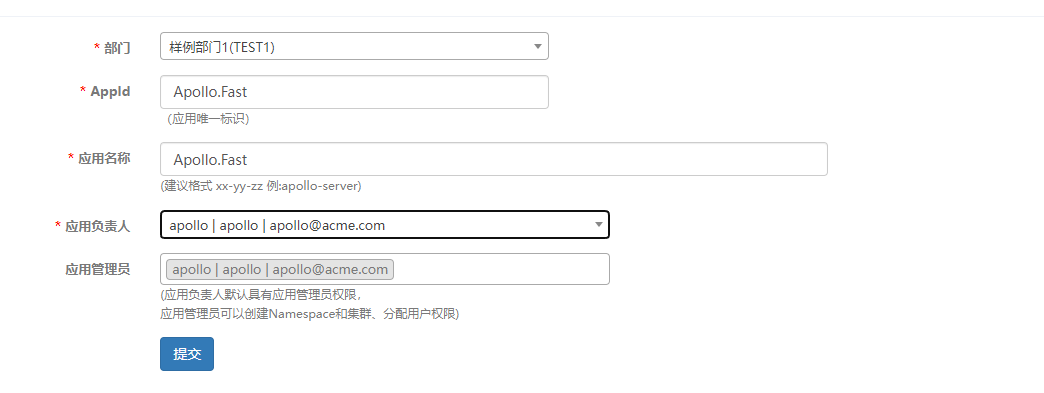
②、填写应用信息
③、删除默认命名空间

④、新增命名空间
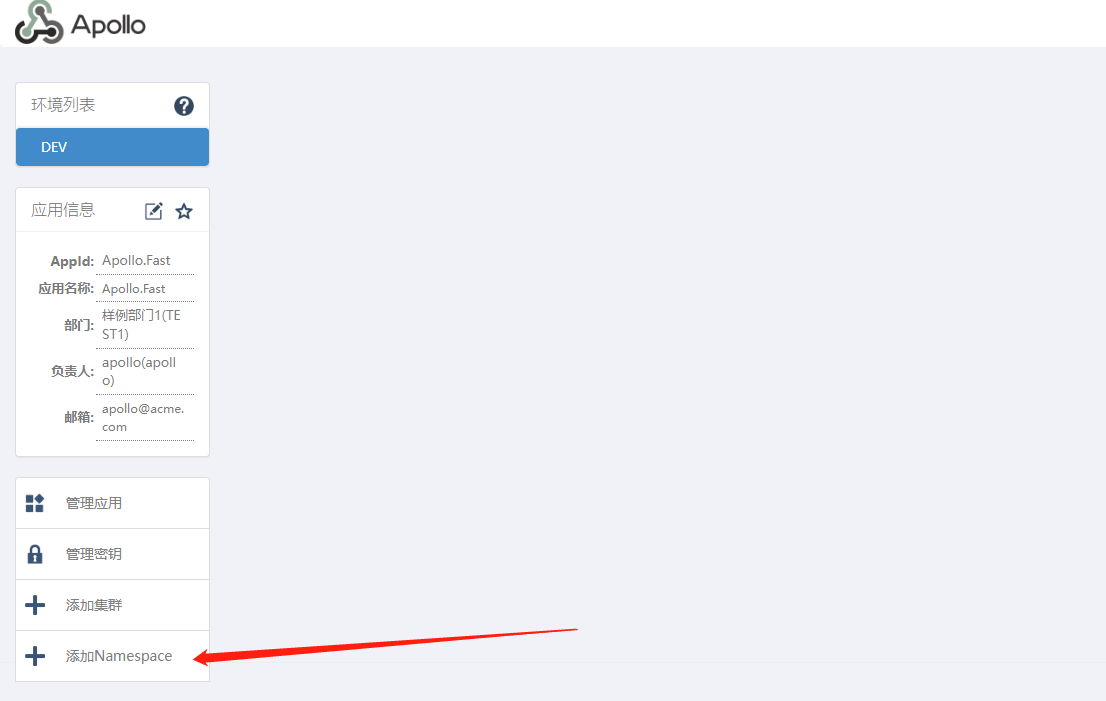
1、选择创建命名空间

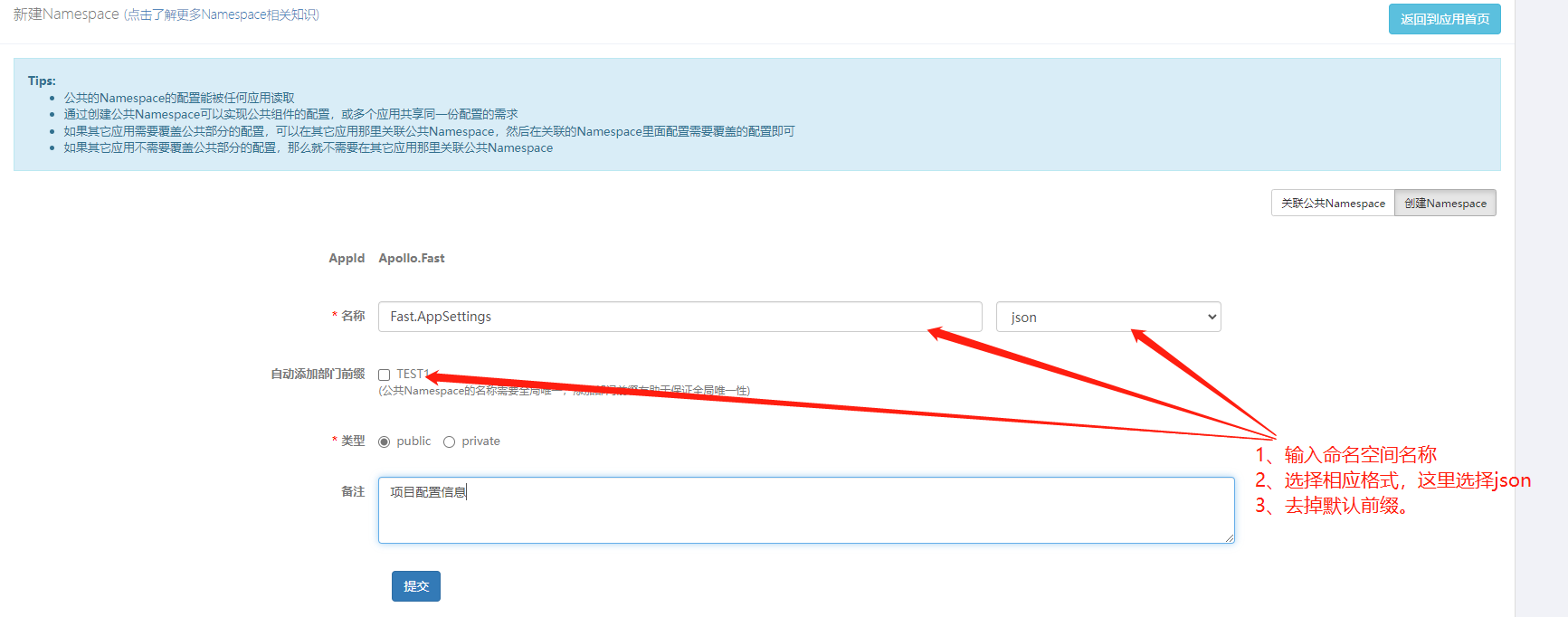
1、填写配置信息
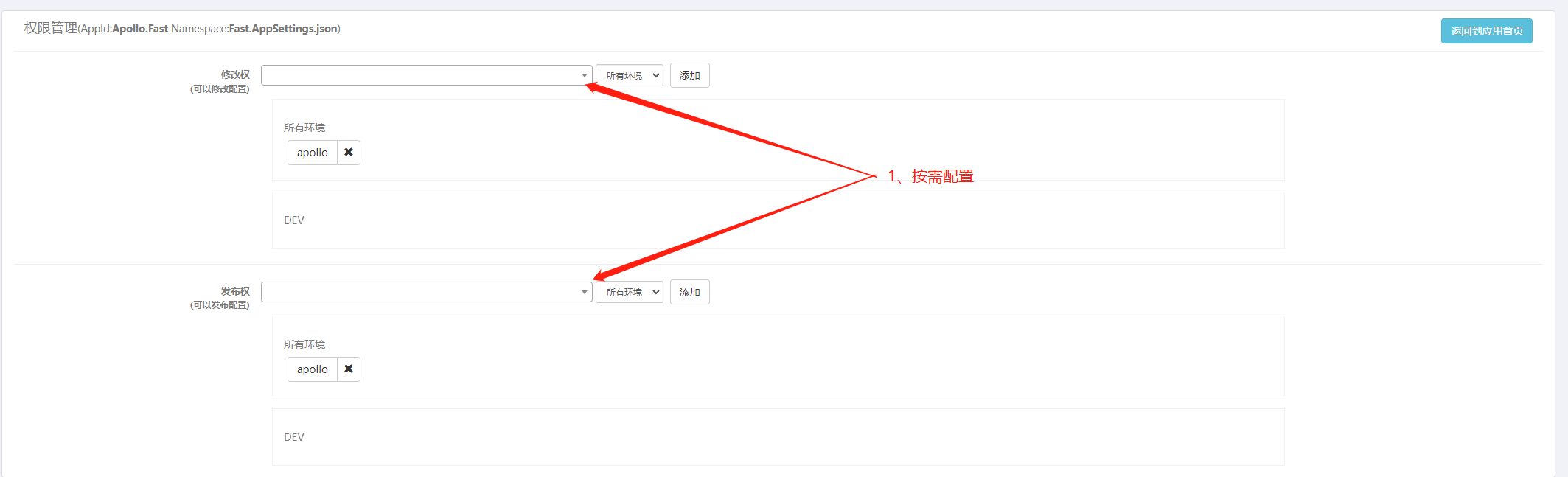
1、按需添加权限
⑤、添加配置

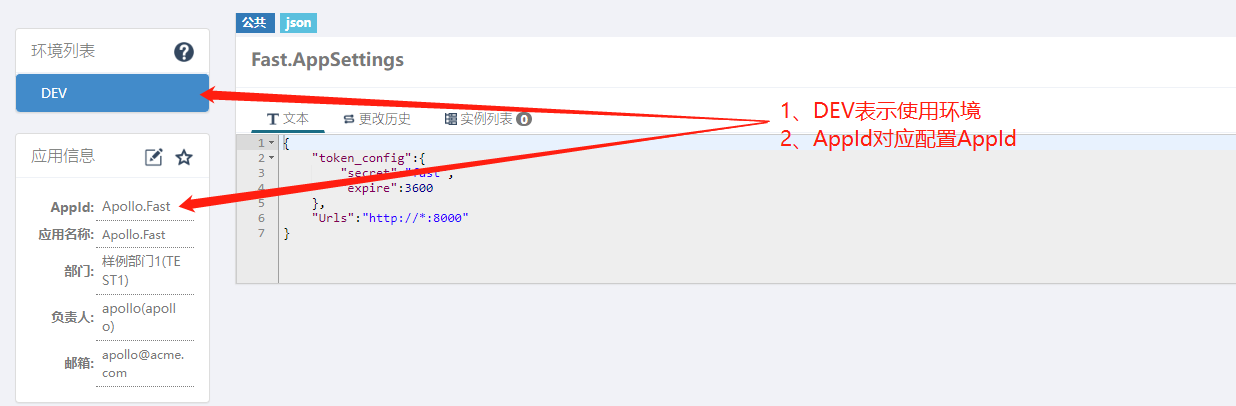
1、修改保存配置

二、netcore 程序使用apollo配置
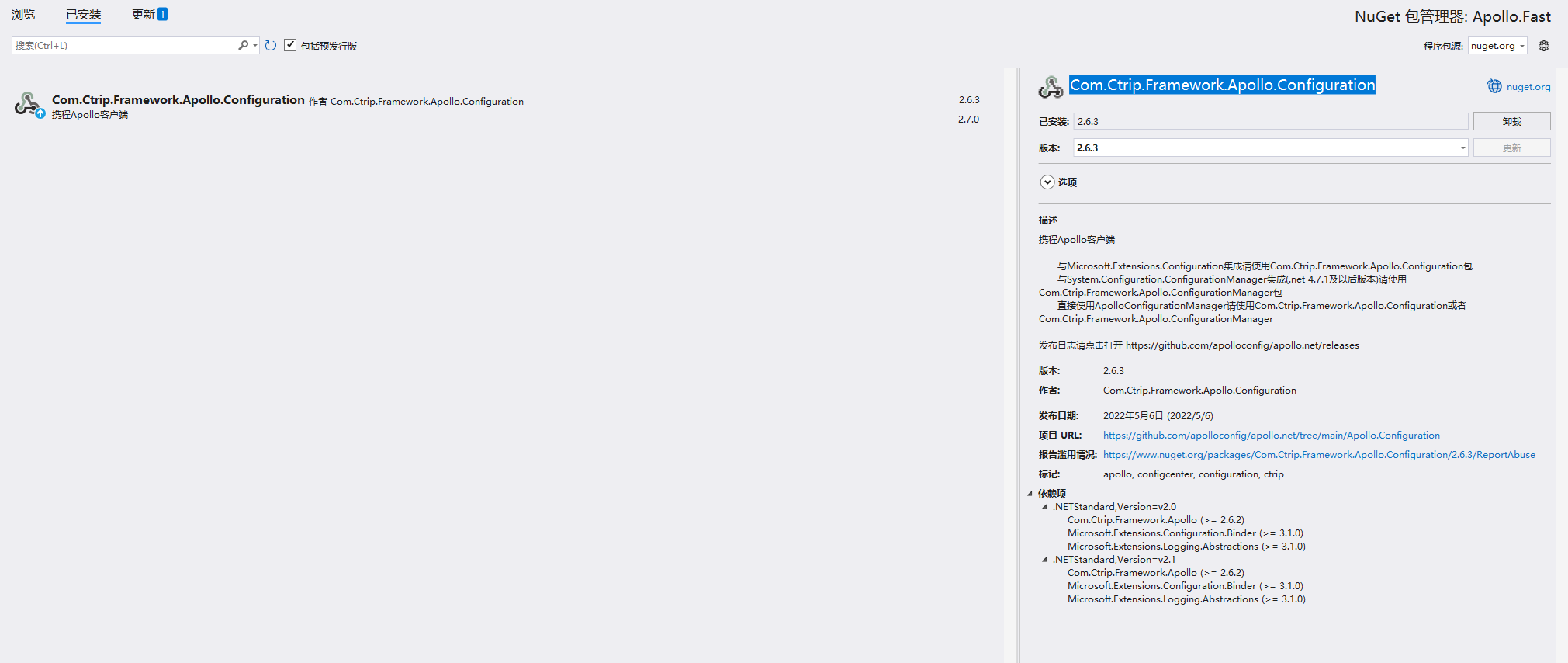
①、安装apollo包【Com.Ctrip.Framework.Apollo.Configuration】
②、添加apollo相关配置
{
  "Logging": {
    "LogLevel": {
      "Default": "Information",
      "Microsoft.AspNetCore": "Warning"
    }
  },
  "AllowedHosts": "*",
  "Apollo": {
    "AppId": "Apollo.Fast",
    "Env": "DEV",
    "MetaServer": "http://IP:8001", //配置服务地址【configService Address】
    "ConfigServer": [ "http://IP:8001" ] //配置服务地址【configService Address】
  }
}
③、注册apollo服务及配置
using Com.Ctrip.Framework.Apollo;
using Com.Ctrip.Framework.Apollo.Enums;

var builder = WebApplication.CreateBuilder(args);
builder.Configuration
    .AddApollo(builder.Configuration.GetSection("Apollo"))
    .AddDefault()
    .AddNamespace("Fast.AppSettings", ConfigFileFormat.Json);

var app = builder.Build();


app.MapDefaultControllerRoute();
await app.RunAsync();
④、读取配置
namespace Apollo.Fast.Controllers
{
    [Route("api/[controller]/[action]")]
    [ApiController]
    public class HomeController : ControllerBase
    {
        IConfiguration _configuration;

        /// <summary>
        /// apollo配置
        /// </summary>
        IOptions<ApolloSetting> _apolloSetting;

        public HomeController(IConfiguration configuration,IOptions<ApolloSetting> apolloSetting)
        {
            _configuration = configuration;
            _apolloSetting = apolloSetting;
        }

        [HttpGet]
        public IActionResult GetApolloConfig()
        {
            var expire = _configuration.GetSection("token_config:expire").Get<int>();
            var secret = _configuration.GetSection("token_config:secret").Get<string>();
            var urls = _configuration.GetSection("urls").Get<string>();
            return Ok(new { expire,secret,urls });
        }
    }
}
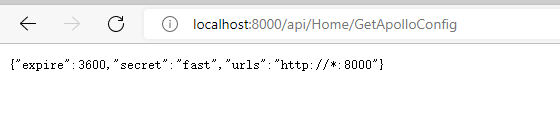
1、读取结果
如有帮助,欢迎转载,转载请注明原文链接:https://www.cnblogs.com/study10000/p/16386391.html

 浙公网安备 33010602011771号