
net创建netcore 、framework等多库使用
一、创建项目
①、创建类库项目
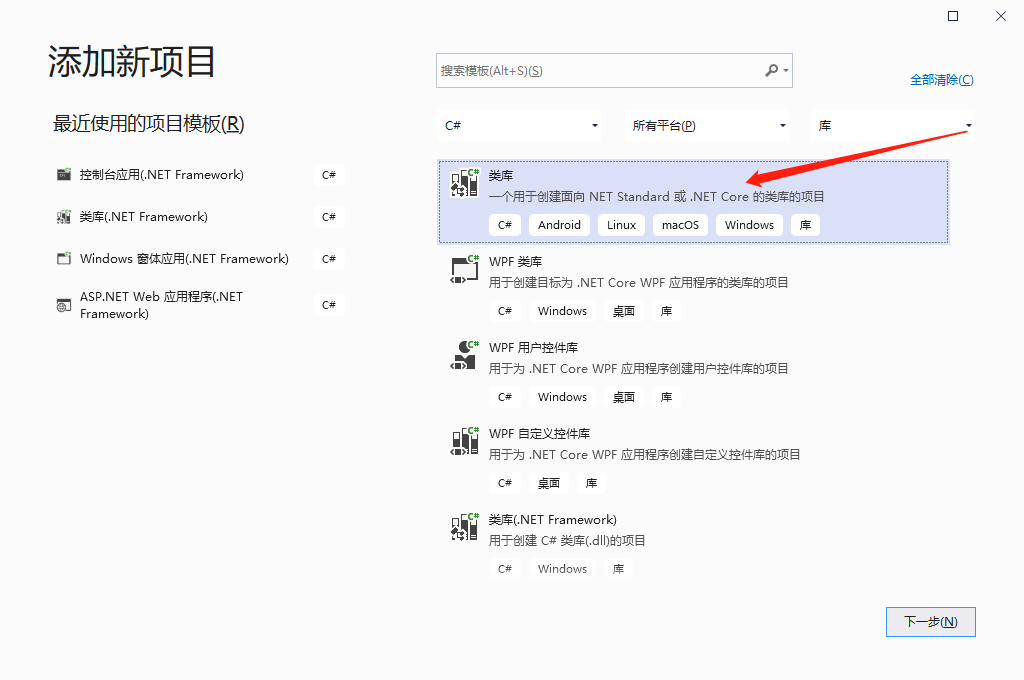
②、修改类库csproj文件
<Project Sdk="Microsoft.NET.Sdk">

  <PropertyGroup>
    <TargetFrameworks>NET47;netcoreapp3.1</TargetFrameworks>
  </PropertyGroup>

</Project>
③、保存重新加载项目
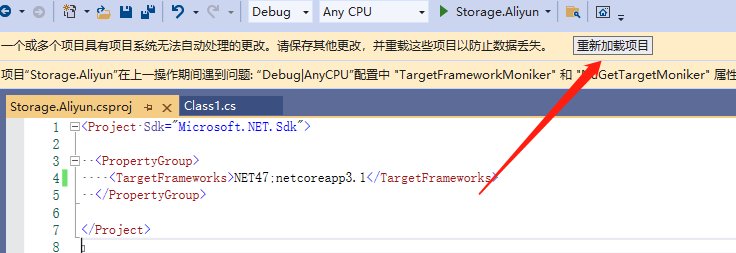
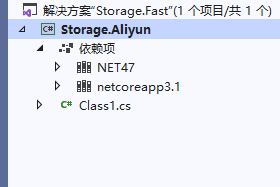
④、安装阿里云包【官方:Aliyun.OSS.SDK.NetCore,不支持Framework】
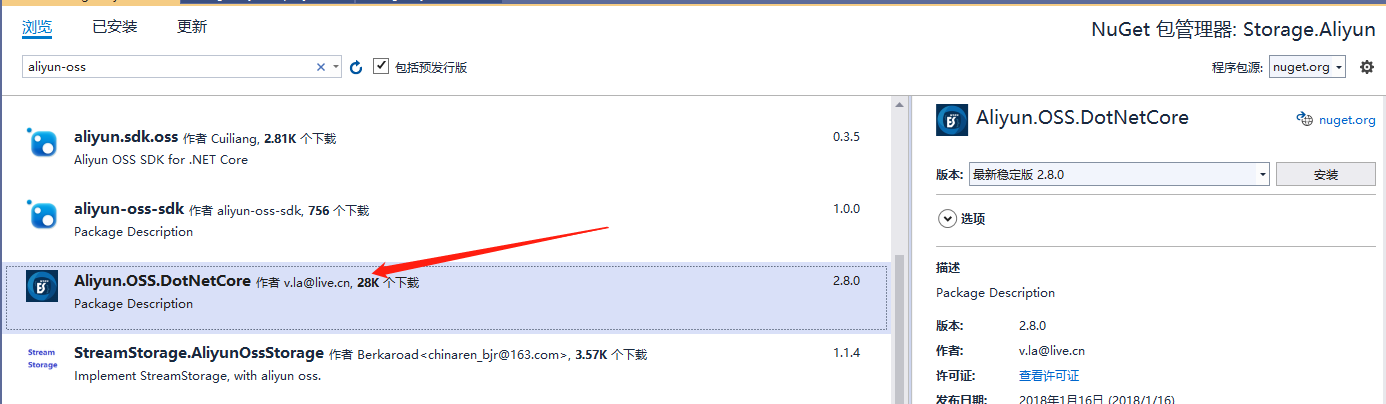
⑤、实现功能【直接从阿里云粘贴复制过来】
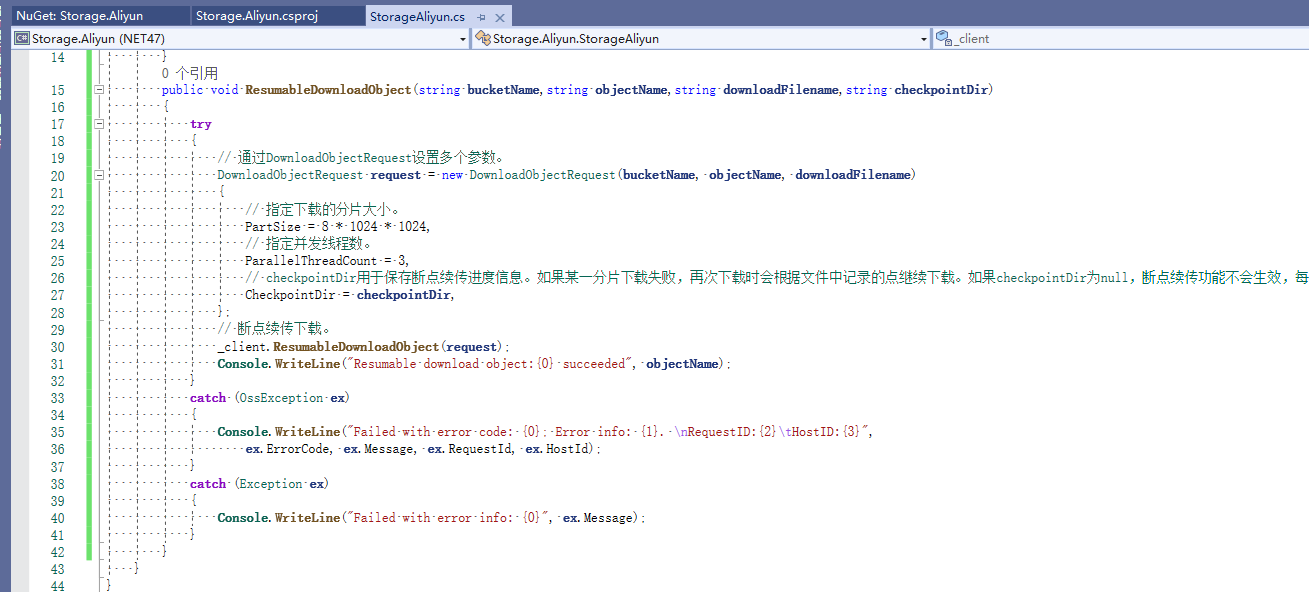
二、不同库、版本库存在问题
①、使用HttpUtility【仅支持Framework引用】
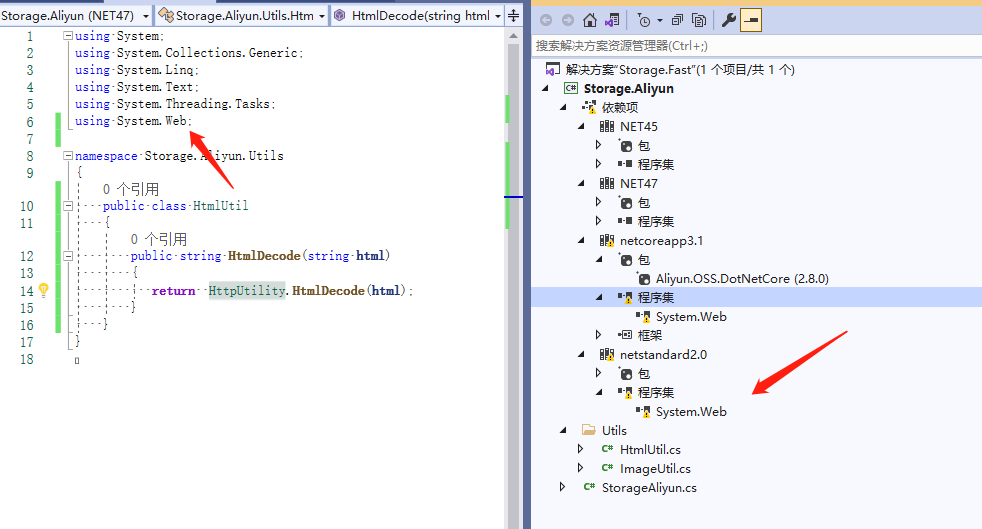
解决:
 <!--仅Net45、NET47引用该库-->
 <ItemGroup Condition=" '$(TargetFramework)' == 'net45' Or '$(TargetFramework)'== 'net47' ">
    <Reference Include="System.Web" />
  </ItemGroup>
②、使用Bitmap
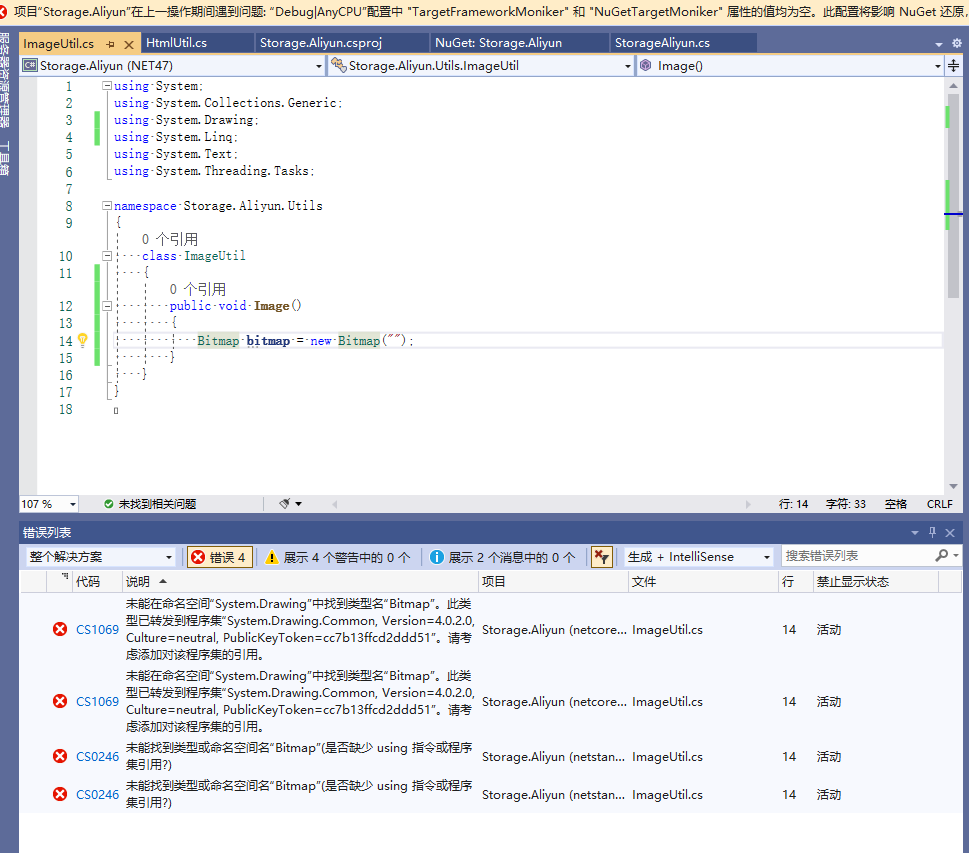
解决:
查看引用,是默认使用4.7的库,netstandard、netcore不支持
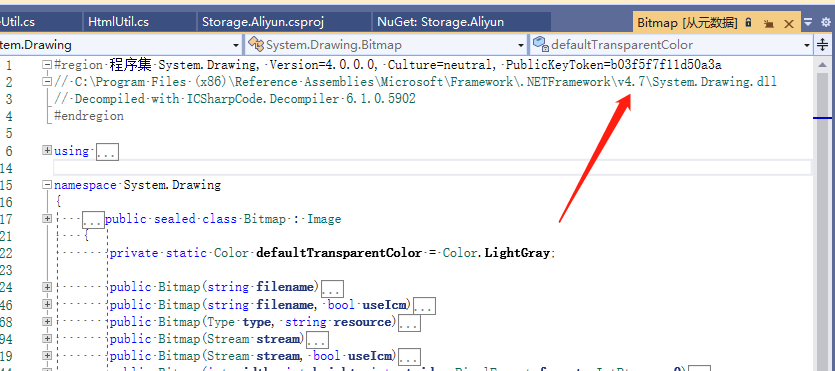
找到库NuGet,当前版本支持netcore、netstandard

修改csproj添加引用
 <!--netcore、netstandard指定引用版本-->
 <ItemGroup  Condition=" '$(TargetFramework)' == 'netstandard2.0' Or '$(TargetFramework)'== 'netcoreapp3.1' ">
    <PackageReference Include="System.Drawing.Common" Version="5.0.2" />
  </ItemGroup>

已经生成不同版本的库

三、使用生成库
①、创建framework、netcore项目
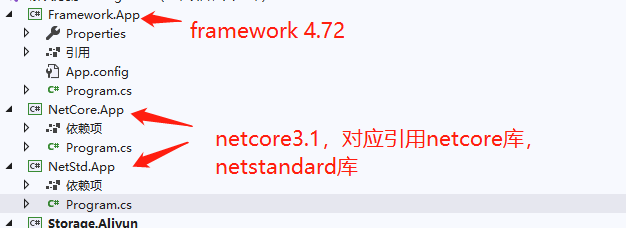
②、引用对应库【netcore:netstandard、netcore,framework:对应版本】
framework版本

netcore版本

netstandard 版本

将3个项目写入相同代码【不同版本保存文件名不同】:
        static void Main(string[] args)
        {
            StorageAliyun storage = new StorageAliyun();
             //framework
            storage.ResumableDownloadObject("bucket", "电脑信息.txt", @"E:\StorageObject\framework_电脑信息.txt", @"E:\StorageObject\framework_电脑信息.txt");
             //netcore
             storage.ResumableDownloadObject("bucket", "电脑信息.txt", @"E:\StorageObject\netcore_电脑信息.txt", @"E:\StorageObject\netcore_电脑信息.txt");
             //netstandard
             storage.ResumableDownloadObject("bucket", "电脑信息.txt", @"E:\StorageObject\netstd_电脑信息.txt", @"E:\StorageObject\netstd_电脑信息.txt");
        }
③、下载文件【我将阿里云文件下到本地】
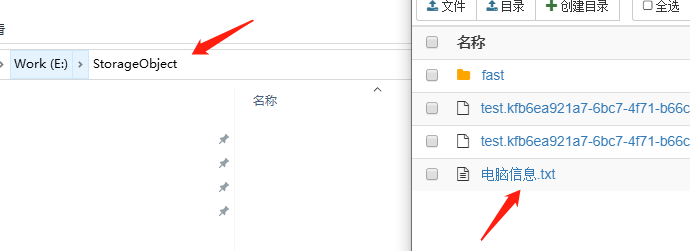
将3个项目设置成同时启动
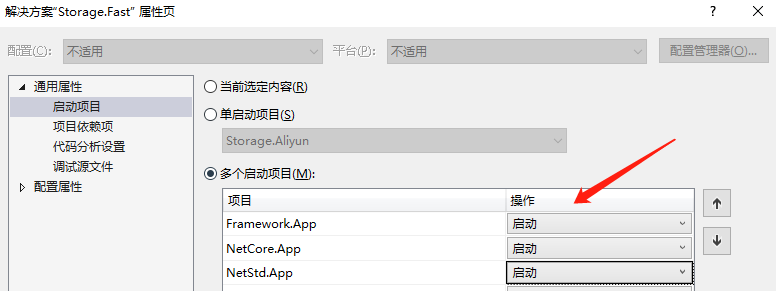
启动项目:

下载结果:
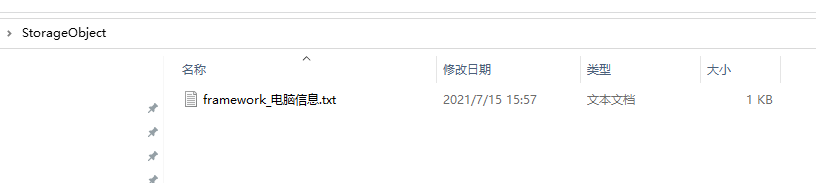
解决netcore、netstandard缺少库问题【确实没有生成】:
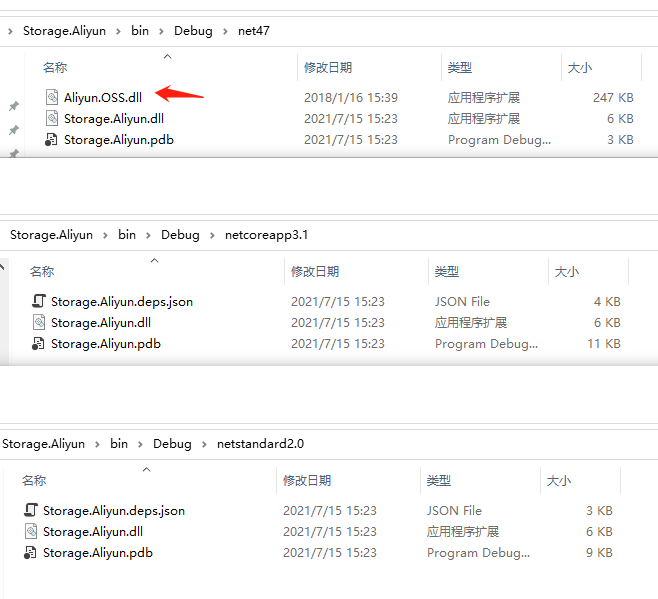
打开csproj添加如下配置:
<PropertyGroup Condition="'$(Configuration)|$(Platform)'=='Debug|AnyCPU'">
    <CopyLocalLockFileAssemblies>true</CopyLocalLockFileAssemblies>
  </PropertyGroup>

重新生成:
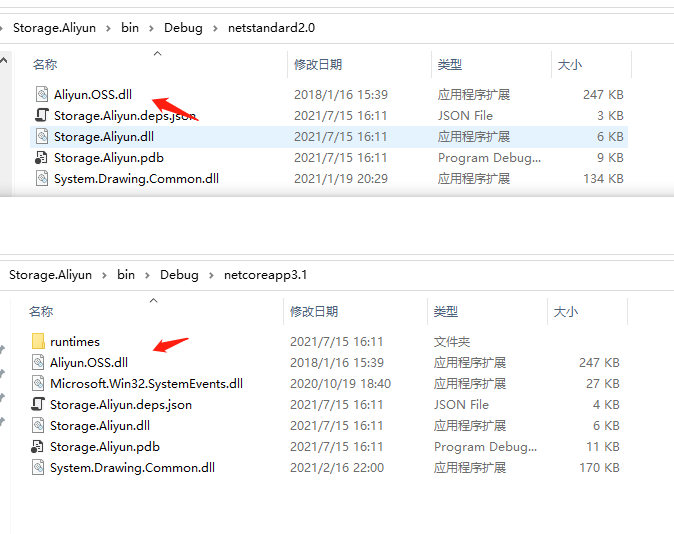
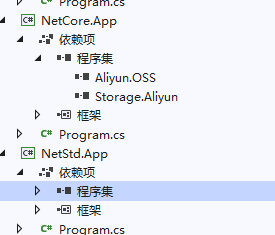
把netcore、netstandard项目,添加Aliyun.OSS引用:
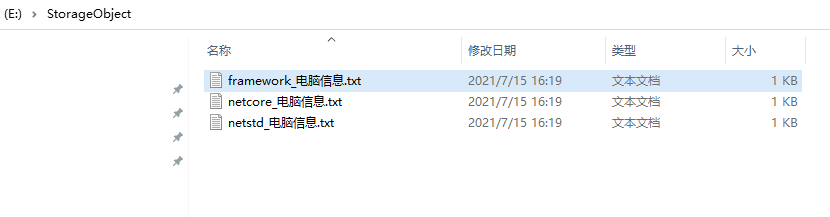
下载结果:
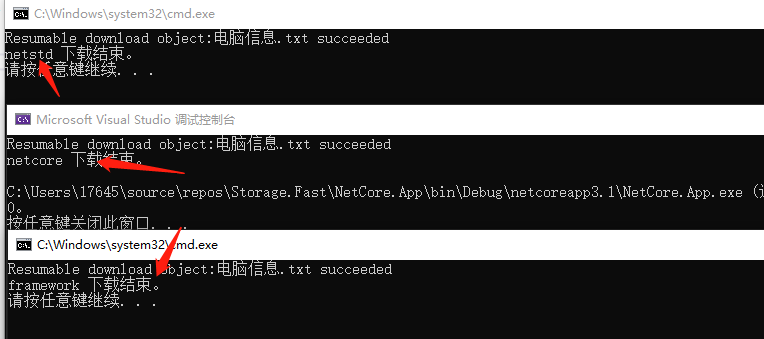
查看下载文件:
四、项目引用(nuget)
①、编辑项目文件(*.csproj)
<!--添加以下配置-->

<ItemGroup>
  <!--输出引用项目程序集、引用包标识-->
  <ProjectReference Include="..\Apricot.Http.Net\Apricot.Http.Net.csproj">
    <ReferenceOutputAssembly>true</ReferenceOutputAssembly>
    <IncludeAssets>Apricot.Http.Net.dll</IncludeAssets>
  </ProjectReference>
  <ProjectReference Include="..\Apricot.Infrastructure\Apricot.Infrastructure.csproj">
    <ReferenceOutputAssembly>true</ReferenceOutputAssembly>
    <IncludeAssets>Apricot.Infrastructure.dll</IncludeAssets>
  </ProjectReference>
</ItemGroup>
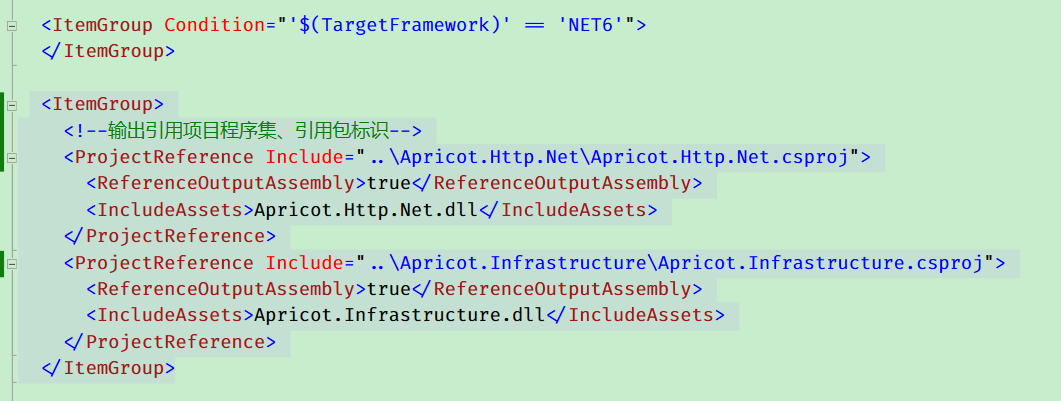
1、配置截图
②、打包
#dotnet pack
E:\Code\Apricot\Apricot.Netease> dotnet pack -c Release -o E:\localhost.nuget.org
如有帮助,欢迎转载,转载请注明原文链接:https://www.cnblogs.com/study10000/p/15016020.html

 浙公网安备 33010602011771号