修改cursor编码方式
打开stm32项目时注释出现乱码,需要修改cursor编码方式为GBK
1、打开设置

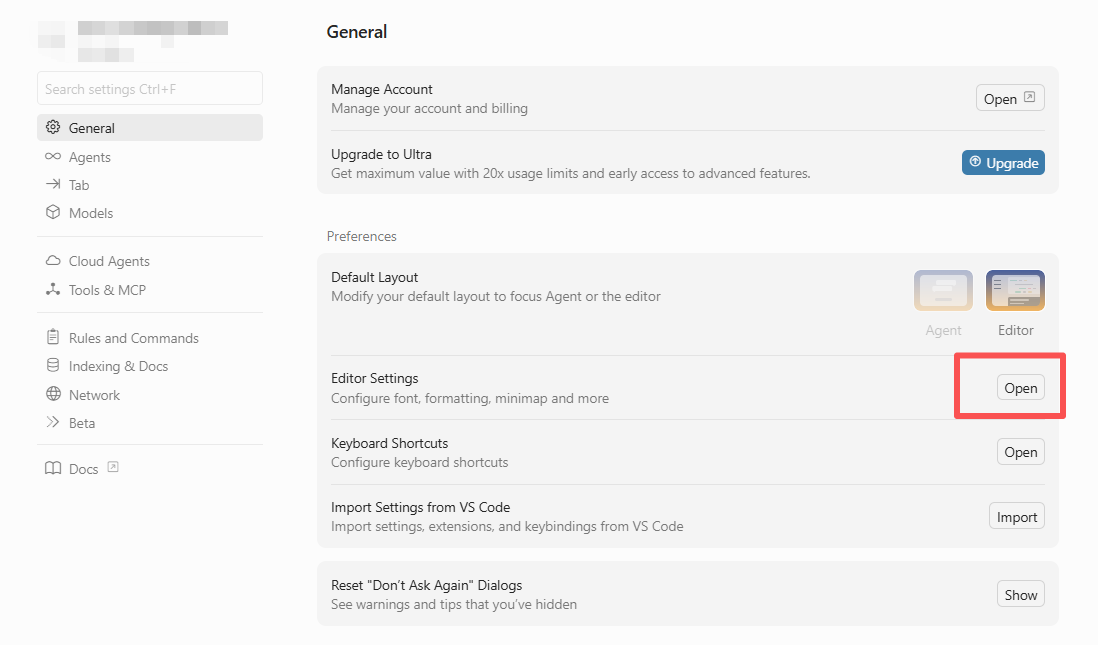
2、打开Editor Settings
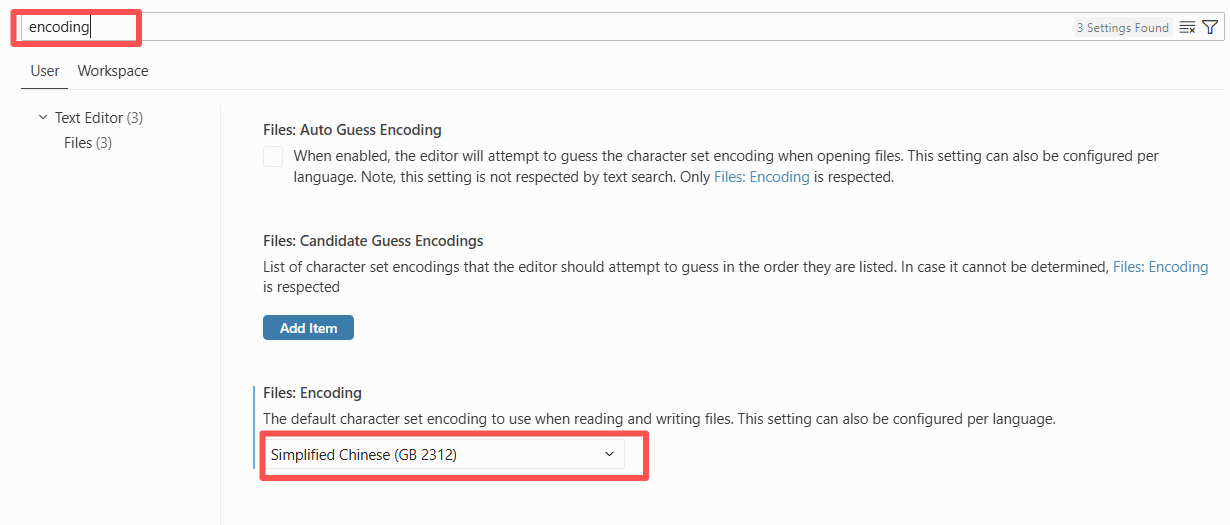
3、输入框搜索 'encoding',将编码方式改为 'GB 2312'

打开stm32项目时注释出现乱码,需要修改cursor编码方式为GBK
1、打开设置
2、打开Editor Settings
3、输入框搜索 'encoding',将编码方式改为 'GB 2312'

 浙公网安备 33010602011771号