
python学习笔记-rabbitMQ
一、安装rabbitMQ
准备:
下载erlang
https://www.erlang.org/downloads
下载RabbitMQ
https://github.com/rabbitmq/rabbitmq-server/releases/tag/v3.11.18
1、RabbitMQ 它依赖于Erlang,需要先安装Erlang (不要安装在有中文和空格的目录下)
版本要匹配,本次使用如下:

输入rabbitmqctl status检查是否安装成功
2、进入rabbitMQ目录的sbin目录,输入cmd输入命令,(安装网页插件)
rabbitmq-plugins enable rabbitmq_management
3、重启服务,双击rabbitmq-server.bat
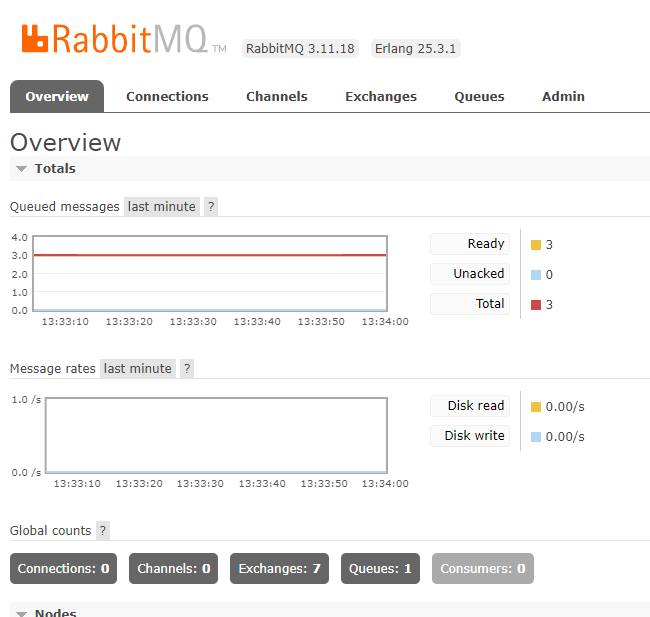
打开浏览器,地址栏输入http://localhost:15672,进入管理界面的登录页
输入用户名和密码guest进入主界面
4、测试一下
安装python client:使用pip install pika,如遇以下报错,修改lib下sysconfig.py后成功安装

发送方:


import pika

#连接队列服务器
connection = pika.BlockingConnection(pika.ConnectionParameters(host='localhost'))
channel = connection.channel()

#创建队列。有就不管,没有就自动创建
channel.queue_declare(queue='hello')

#使用默认的交换机发送消息。exchange为空就使用默认的
channel.basic_publish(exchange='', routing_key='hello', body='Hello my World!')
print(" [x] Sent 'Hello World!'")
connection.close()
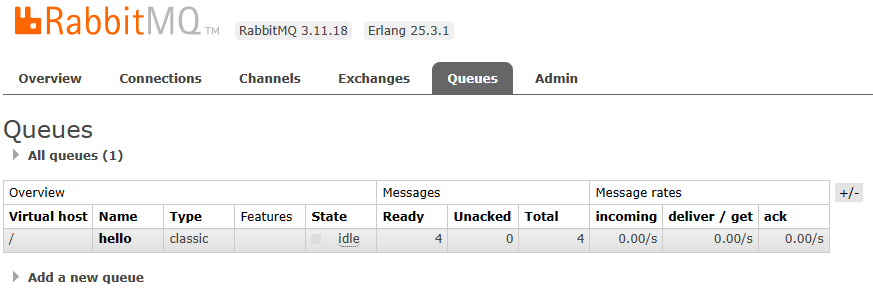
服务器收到消息
接收方:
import pika

#连接队列服务器
connection = pika.BlockingConnection(pika.ConnectionParameters(host='localhost'))
channel = connection.channel()

#创建队列。有就不管,没有就自动创建
channel.queue_declare(queue='hello')

#使用默认的交换机发送消息。exchange为空就使用默认的
channel.basic_publish(exchange='', routing_key='hello', body='Hello my World!')
print(" [x] Sent 'Hello World!'")
connection.close()
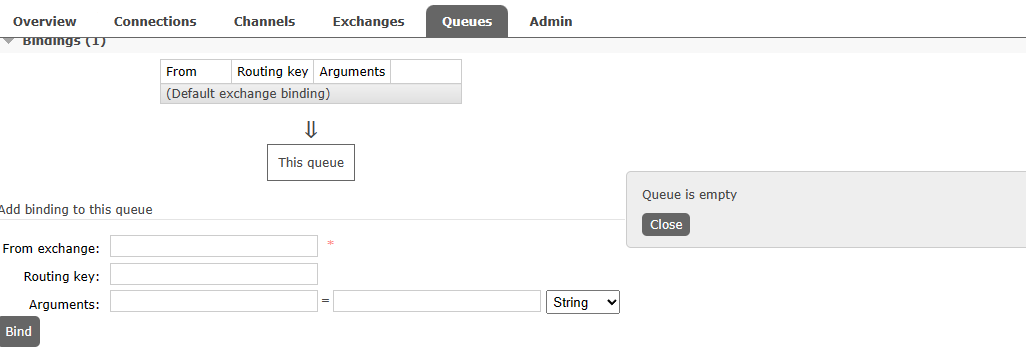
收到消息:

看服务器,消息被消费后,对象就相应地移除
二、rabbiitMQ,多个接收端消费消息
循环分发:
启动一个发送端往队列发消息,此时启动多个接收端。发送的消息会对接收端一个一个挨着发送消息。
默认情况下,多个接收端轮流消费消息。消费者收到消息后,正常处理完成,此时才通知队列可以自由删除。那么问题又来了,消费者挂掉了连确认消息都发不出,该怎么办?
还有就是server挂掉了怎么办?
注意: durable=True。这个就是当server挂了队列还存在。delivery_mode=2:server挂了消息还存在。若是保证消息不丢,这两个参数都要设置。
发送端:
import pika
import sys

connection = pika.BlockingConnection(pika.ConnectionParameters(host='localhost'))
channel = connection.channel()

# durable:server挂了队列仍然存在
channel.queue_declare(queue='task_queue', durable=True)

# 使用默认的交换机发送消息。exchange为空就使用默认的。delivery_mode=2:使消息持久化。和队列名称绑定routing_key
message = ' '.join(sys.argv[1:]) or "Hello World!"
channel.basic_publish(exchange='',
routing_key='task_queue',
body=message,
properties=pika.BasicProperties(
delivery_mode=2,
))
print(" [x] Sent %r" % message)
connection.close()
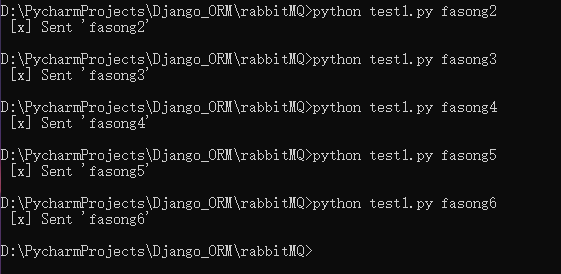
运行并发消息
接收端:
import pika
import time

connection = pika.BlockingConnection(pika.ConnectionParameters(host='localhost'))
channel = connection.channel()

channel.queue_declare(queue='task_queue', durable=True)
print(' [*] Waiting for messages. To exit press CTRL+C')


def callback(ch, method, properties, body):
    print(" [x] Received %r" % body)
    time.sleep(body.count(b'.'))
    print(" [x] Done")
    # 手动对消息进行确认
    ch.basic_ack(delivery_tag=method.delivery_tag)


channel.basic_qos(prefetch_count=1)


# basic_consume:这个函数有no_ack参数。该参数默认为false。表示:需要对message进行确认。怎么理解:no设置成false,表示要确认
channel.basic_consume(queue='task_queue',on_message_callback=callback)
channel.start_consuming()
收到的消息
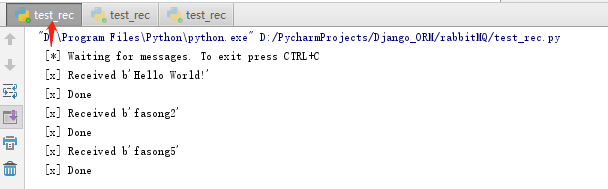
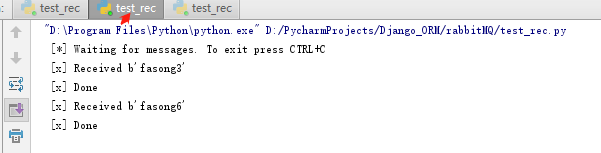
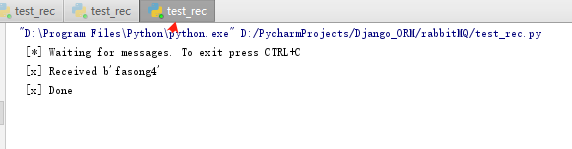
公平派遣:
我们已经知道如何保证消息不丢,那么问题又来了。有的消费干得快,有的干得慢。这样分发消息,有的累死有的没事干。这个问题如何解决?
在上面的接收端的
channel.basic_consume(callback, queue='task_queue')
代码前加:
channel.basic_qos(prefetch_count=1)
即可
三、rabbitMQ,发布订阅模式
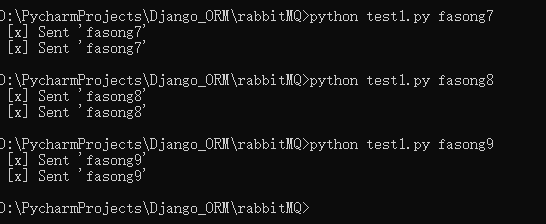
将同一个消息发给多个客户端。这就是发布订阅模式
发送端:
import pika
import sys

connection = pika.BlockingConnection(pika.ConnectionParameters(host='localhost'))
channel = connection.channel()

'''
原则上,消息,只能有交换机传到队列。就像我们家里面的交换机道理一样。
有多个设备连接到交换机,那么,这个交换机把消息发给那个设备呢,就是根据交换机的类型来定。类型有:direct\topic\headers\fanout
fanout:这个就是,所有的设备都能收到消息,就是广播。
此处定义一个名称为'logs'的'fanout'类型的exchange
'''

channel.exchange_declare(exchange='logs',
exchange_type='fanout')

# 将消息发送到名为log的exchange中
# 因为是fanout类型的exchange,所以无需指定routing_key

message = ' '.join(sys.argv[1:]) or "info: Hello World!"
channel.basic_publish(exchange='logs',routing_key='',body=message)
print(" [x] Sent %r" % message)
connection.close()
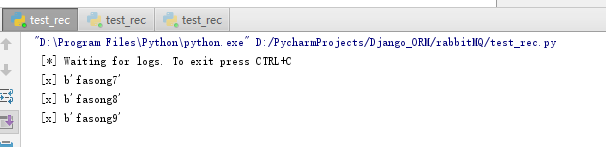
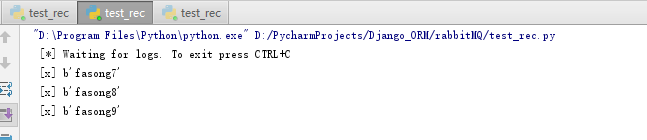
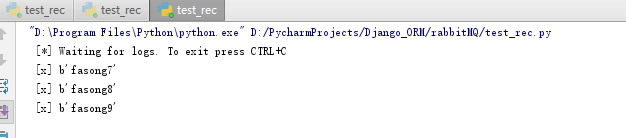
接收端:
import pika

connection = pika.BlockingConnection(pika.ConnectionParameters(host='localhost'))
channel = connection.channel()

# 这里需要和发送端保持一致(习惯和要求)
channel.exchange_declare(exchange='logs',exchange_type='fanout')

'''
类似的,比如log,我们其实最想看的,当连接上的时刻到消费者退出,这段时间的日志有些消息,过期了的对我们并没有什么用
并且,一个终端,我们要收到队列的所有消息,比如:这个队列收到两个消息,一个终端收到一个。
我们现在要做的是:两个终端都要收到两个
那么,我们就只需做个临时队列。消费端断开后就自动删除
'''

result = channel.queue_declare('',exclusive=True)
# 取得队列名称
queue_name = result.method.queue

# 将队列和交换机绑定一起
channel.queue_bind(exchange='logs',queue=queue_name)

print(' [*] Waiting for logs. To exit press CTRL+C')

def callback(ch, method, properties, body):
    print(" [x] %r" % body)


# no_ack=True:此刻没必要回应了
channel.basic_consume(queue=queue_name,on_message_callback=callback,auto_ack=True)

channel.start_consuming()
四、rabbitmq消息订阅发布
fanout :所有bind到此exchange的queue都可以接收消息
direct:通过routingKey和exchange确定的哪一组可以接收消息
topic:所有符合routingKey(此时可以是一个表达式)的routingKey所bind的queue可以接收消息
表达式符号说明:#代表一个或多个字符,*代表一个任何字符
注:使用RoutingKey为#,Exchange Type为topic的时候相当于使用fanout
headers:通过headers来决定把消息发送给那些queue
1、rabbitMQ系列-根据类型订阅
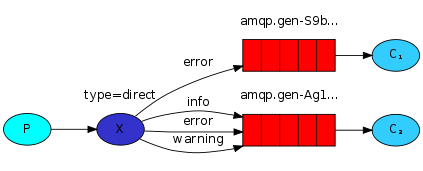
一些消息仍然发送给所有接收端。其中,某个接收端,只对其中某些消息感兴趣,它只想接收这一部分消息。如下图:C1,只对error感兴趣,C2对其他三种甚至对所有都感兴趣,我们该怎么搞呢?
发送端:
import pika
import sys

connection = pika.BlockingConnection(pika.ConnectionParameters(host='localhost'))
channel = connection.channel()

# 创建一个交换机:direct_logs 类型是:direct
channel.exchange_declare(exchange='direct_logs', exchange_type='direct')

severity = sys.argv[1] if len(sys.argv) > 1 else 'info'
message = ' '.join(sys.argv[2:]) or 'Hello World!'

# 向exchage按照设置的 routing_key=severity 发送message
channel.basic_publish(exchange='direct_logs',routing_key=severity,body=message)

print(" [x] Sent %r:%r" % (severity, message))
connection.close()
接收端:
import pika
import sys

connection = pika.BlockingConnection(pika.ConnectionParameters(host='localhost'))
channel = connection.channel()

# 跟发送端一致
channel.exchange_declare(exchange='direct_logs',exchange_type='direct')

# 还是声明临时队列
result = channel.queue_declare('',exclusive=True)
queue_name = result.method.queue

severities = sys.argv[1:]
if not severities:
    sys.stderr.write("Usage: %s [info] [warning] [error]\n" % sys.argv[0])
    sys.exit(1)

'''
# 使用routing_key绑定交换机和队列。广播类型,无需使用这个
# direct类型:会对消息进行精确匹配
# 对个队列使用相同路由key是可以的
'''

for severity in severities:
    channel.queue_bind(exchange='direct_logs',queue=queue_name,routing_key=severity)

print(' [*] Waiting for logs. To exit press CTRL+C')

def callback(ch, method, properties, body):
    print(" [x] %r:%r" % (method.routing_key, body))

channel.basic_consume(queue=queue_name,on_message_callback=callback,auto_ack=True)

channel.start_consuming()
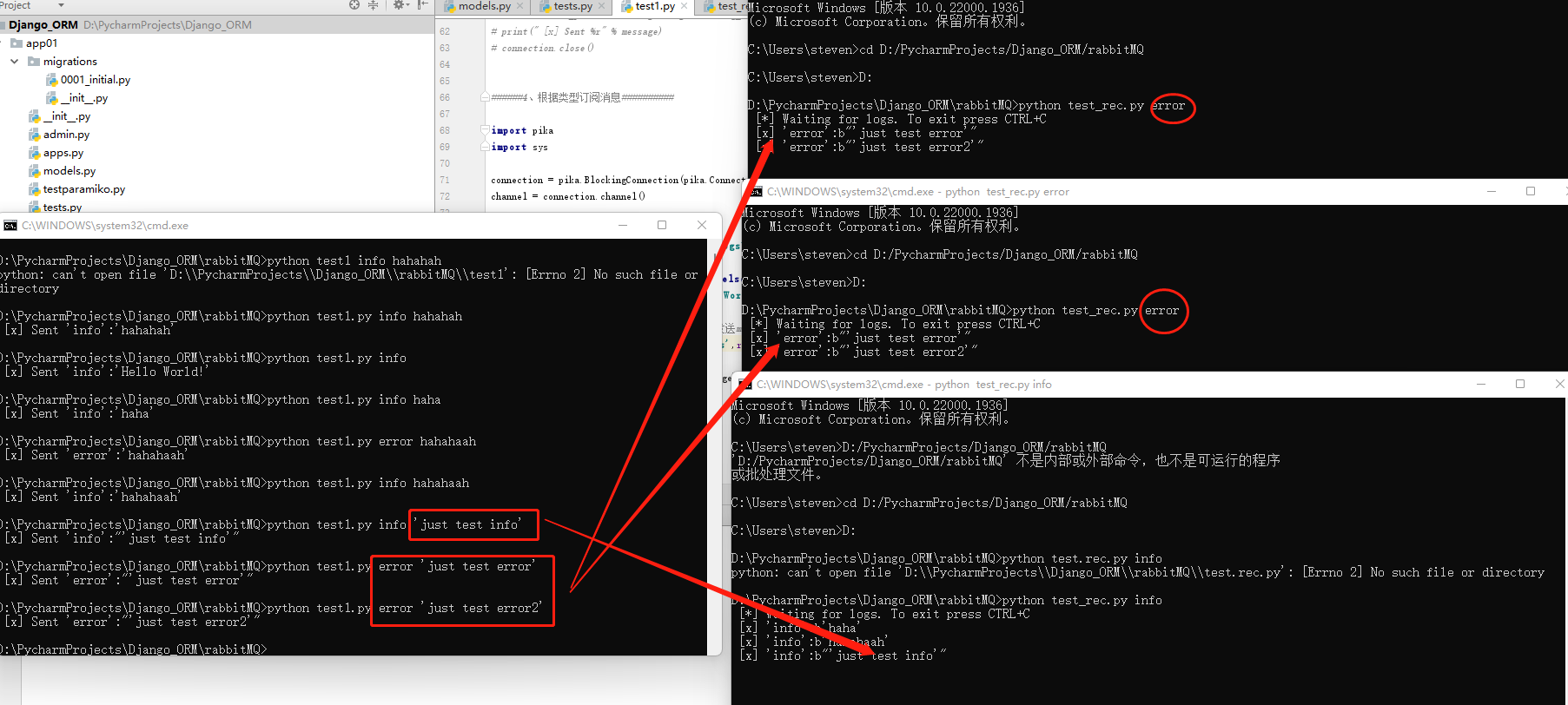
如图,接收端订阅指定类型的消息。
这种模式和上一章,在发送端发消息之前,需要先将接收端启动起来。前面说了,过期消息不感兴趣,是不会接收的。
2、rabbitMQ系列-根据主题分配消息
使用exchange_type='direct'进行消息传递。这样消息会完全匹配后发送到对应的接收端。现在我们想干这样一件事:
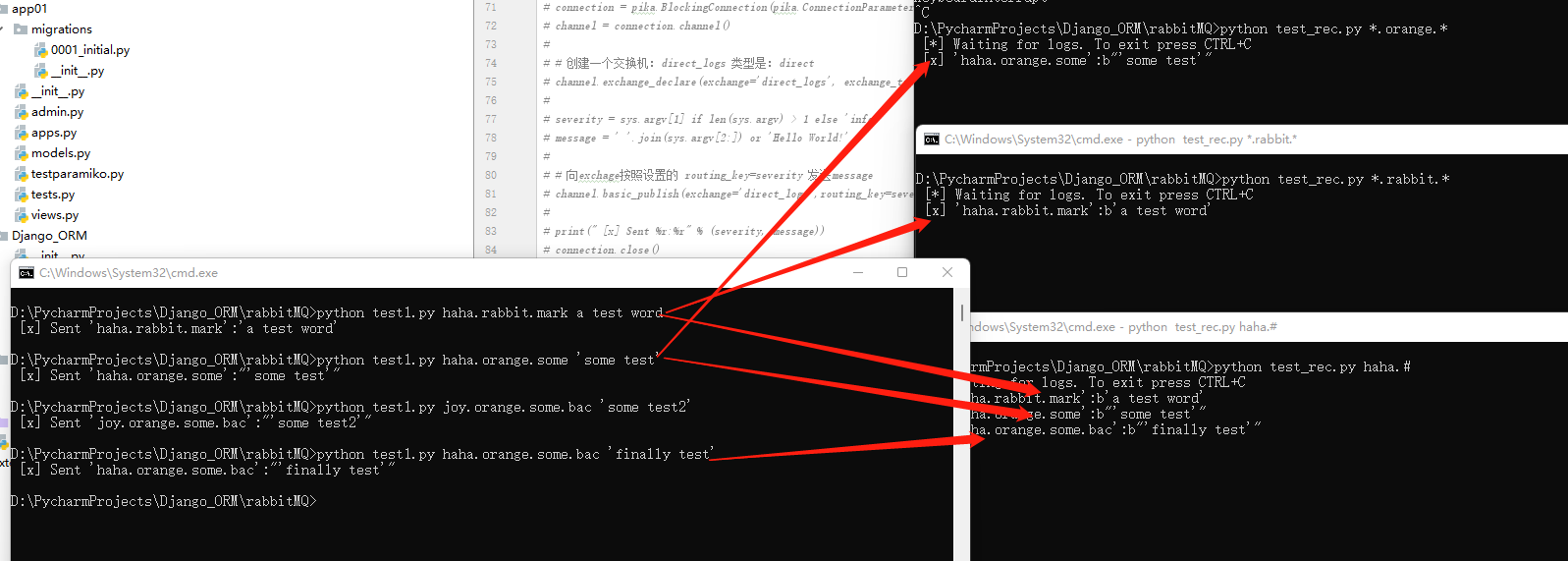
C1获取消息中包含:orange内容的消息,并且消息是由3个单词组成的。
C2获取消息中包含:rabbit内容的消息,并且也是3个单词组成,
C3同时,包含haha开头的消息,这个消息长度>2
发送端:
import pika
import sys

connection = pika.BlockingConnection(pika.ConnectionParameters(host='localhost'))
channel = connection.channel()

#创建交换机和上一章一样。只是类型变为:exchange_type='topic'
channel.exchange_declare(exchange='topic_logs',exchange_type='topic')

routing_key = sys.argv[1] if len(sys.argv) > 2 else 'anonymous.info'
message = ' '.join(sys.argv[2:]) or 'Hello World!'
channel.basic_publish(exchange='topic_logs',routing_key=routing_key,body=message)
print(" [x] Sent %r:%r" % (routing_key, message))
connection.close()
接收端:
import pika
import sys

connection = pika.BlockingConnection(pika.ConnectionParameters(host='localhost'))
channel = connection.channel()

#和发送端保持一致 注意:exchange_type='topic'
channel.exchange_declare(exchange='topic_logs',exchange_type='topic')

result = channel.queue_declare('',exclusive=True)
queue_name = result.method.queue

binding_keys = sys.argv[1:]
if not binding_keys:
    sys.stderr.write("Usage: %s [binding_key]...\n" % sys.argv[0])
    sys.exit(1)

for binding_key in binding_keys:
    channel.queue_bind(exchange='topic_logs',queue=queue_name,routing_key=binding_key)

print(' [*] Waiting for logs. To exit press CTRL+C')

def callback(ch, method, properties, body):
    print(" [x] %r:%r" % (method.routing_key, body))

channel.basic_consume(queue=queue_name,on_message_callback=callback,auto_ack=True)

channel.start_consuming()
3、rabbitMQ系列-进行RPC调用
RPC:是远程过程调用。百度写了一大堆。此刻,我们简单点说:比如,我们在本地的代码中调用一个函数,那么这个函数不一定有返回值,但一定有返回。若是在分布式环境中,香我们前几章的例子,发送消息出去后,发送端是不清楚客户端处理完后的结果的。由于rabbitmq的响应机制,顶多能获取到客户端的处理状态,但并不能获取处理结果。那么,我们想像本地调用那样,需要客户端处理后返回结果该怎么办呢。就是如下图:
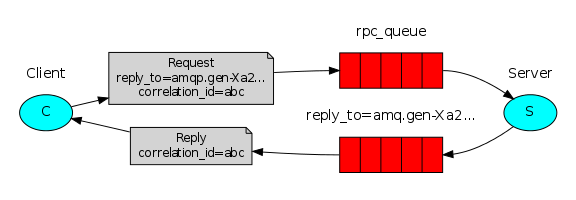
client发送请求,同时告诉server处理完后要发送消息给:回调队列的ID:correlation_id=abc,并调用replay_to回调队列对应的回调函数。
客户端:
发消息也收消息
import pika

connection = pika.BlockingConnection(pika.ConnectionParameters(host='localhost'))
channel = connection.channel()
channel.queue_declare(queue='rpc_queue')

def fib(n):
    if n == 0:
        return 0
    elif n == 1:
        return 1
    else:
        return fib(n - 1) + fib(n - 2)

def on_request(ch, method, props, body):
    #收到的消息
    n = int(body)
    print(" [.] fib(%s)" % n)
    #要处理的任务
    response = fib(n)
    #发布消息。通知到客户端
    ch.basic_publish(exchange='',routing_key=props.reply_to,properties=pika.BasicProperties(correlation_id= props.correlation_id),body=str(response))

    #手动响应
    ch.basic_ack(delivery_tag=method.delivery_tag)

channel.basic_qos(prefetch_count=1)
channel.basic_consume(queue='rpc_queue',on_message_callback=on_request,)

print(" [x] Awaiting RPC requests")
channel.start_consuming()
服务端:
import pika
import uuid


class FibonacciRpcClient(object):
    def __init__(self):
        # 创建连接
        self.connection = pika.BlockingConnection(pika.ConnectionParameters(host='localhost'))

        self.channel = self.connection.channel()

        # 创建回调队列
        result = self.channel.queue_declare('',exclusive=True)
        self.callback_queue = result.method.queue

        # 这里:这个是消息发送方,当要执行回调的时候,它又是接收方
        # 使用callback_queue 实现消息接收。即是回调。注意:这里的回调
        # 不需要对消息进行确认。反复确认,没玩没了就成了死循环

        #这里设置回调
        self.channel.basic_consume(queue=self.callback_queue,on_message_callback=self.on_response, auto_ack=True)

    # 定义回调的响应函数。
    # 判断:若是当前的回调ID和响应的回调ID相同,即表示,是本次请求的回调
    # 原因:若是发起上百个请求,发送端总得知道回来的对应的是哪一个发送的
    def on_response(self, ch, method, props, body):
        if self.corr_id == props.correlation_id:
            self.response = body

    def call(self, n):
        # 设置响应和回调通道的ID
        self.response = None
        self.corr_id = str(uuid.uuid4())
        # properties中指定replay_to:表示回调要调用那个函数
        # 指定correlation_id:表示回调返回的请求ID是那个
        # body:是要交给接收端的参数
        self.channel.basic_publish(exchange='',routing_key='rpc_queue',properties=pika.BasicProperties(reply_to=self.callback_queue,correlation_id=self.corr_id,),body=str(n))

        # 监听回调
        while self.response is None:
            self.connection.process_data_events()   #检查队列里有没有新消息,但不会阻塞

        # 返回的结果是整数,这里进行强制转换
        return int(self.response)


fibonacci_rpc = FibonacciRpcClient()

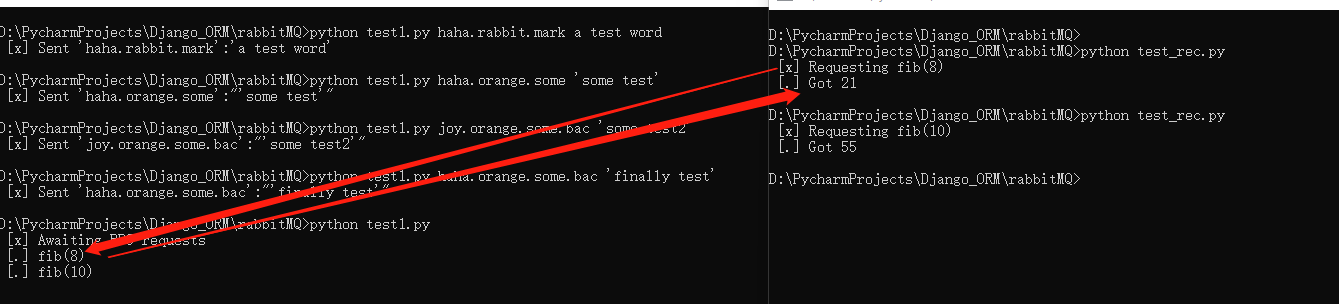
print(" [x] Requesting fib(10)")
response = fibonacci_rpc.call(10)
print(" [.] Got %r" % response)

 浙公网安备 33010602011771号