
EPM2.1客户化logo设置
11.1.2.1版本修改文件清单:
1. :workspace左上角logo
图片要求:
119*25像素
C:\Oracle\Middleware\EPMSystem11R1\common\bpmui-common\11.1.2.0\bpmui.war
目录下的
bpmui.war\bpmstatic\themes\theme_fusionfx\images_global\oracleLogo.png
bpmui.war\bpmstatic\themes\ theme_tadpole\images_global\oracleLogo.png
bpmui.war\bpmstatic\themes\theme_tadpole_hc\images_global\oracleLogo.png
C:\Oracle\Middleware\EPMSystem11R1\common\epmstatic\bpmui\themes\theme_fusionfx\images_global\oracleLogo.png
C:\Oracle\Middleware\EPMSystem11R1\common\epmstatic\bpmui\themes\theme_tadpole\images_global\oracleLogo.png
C:\Oracle\Middleware\EPMSystem11R1\common\epmstatic\bpmui\themes\theme_tadpole_hc\images_global\oracleLogo.png
重启Foundation,清除浏览器缓存,重启浏览器
2. :workspace登录界面的gif
C:\Oracle\Middleware\EPMSystem11R1\common\bpmui-common\11.1.2.0\bpmui.war
目录下的
bpmui.war\bpmstatic\themes\theme_fusionfx\images_global\logon_panel.gif
bpmui.war\bpmstatic\themes\ theme_tadpole\images_global\logon_panel.gif
bpmui.war\bpmstatic\themes\theme_tadpole_hc\images_global\logon_panel.gif
C:\Oracle\Middleware\EPMSystem11R1\common\epmstatic\bpmui\themes\theme_fusionfx\images_global\logon_panel.gif
C:\Oracle\Middleware\EPMSystem11R1\common\epmstatic\bpmui\themes\theme_tadpole\images_global\logon_panel.gif
C:\Oracle\Middleware\EPMSystem11R1\common\epmstatic\bpmui\themes\theme_tadpole_hc\images_global\logon_panel.gif
重启Foundation,清除浏览器缓存,重启浏览器
3. :workspace登录跳转之前的gif
C:\Oracle\Middleware\EPMSystem11R1\common\epmstatic\wspace\images下的
SplashScreenSystem9BIPlus.gif
清除浏览器缓存,重启浏览器
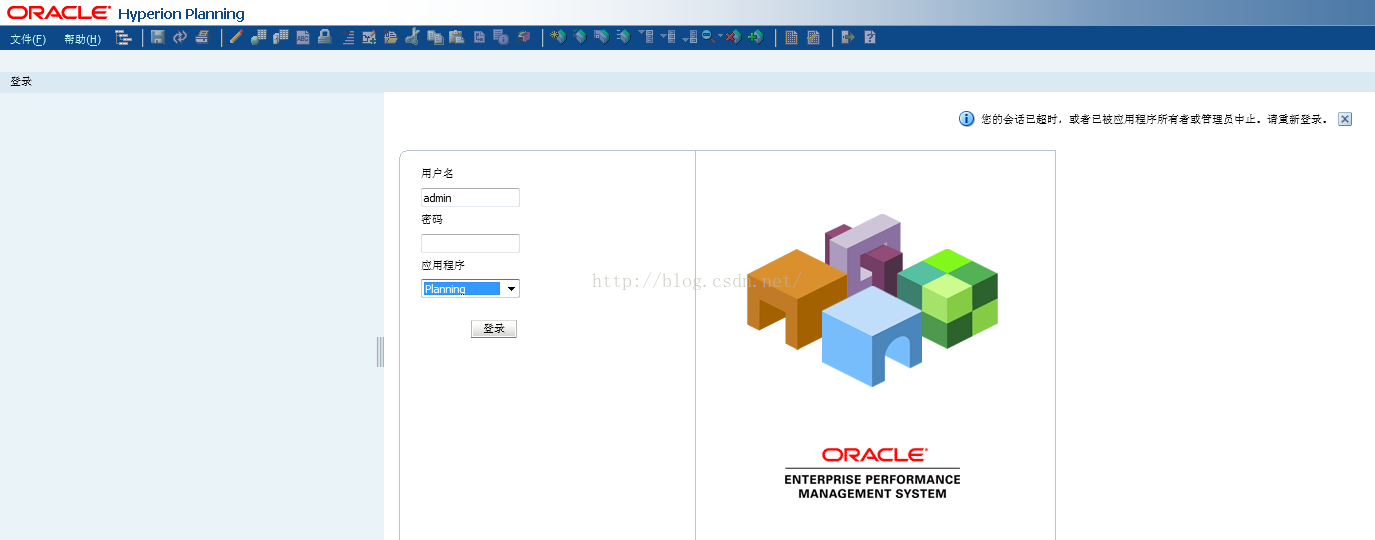
4. :Planning左上角logo
图片要求:
244*25像素
原图:
效果图:
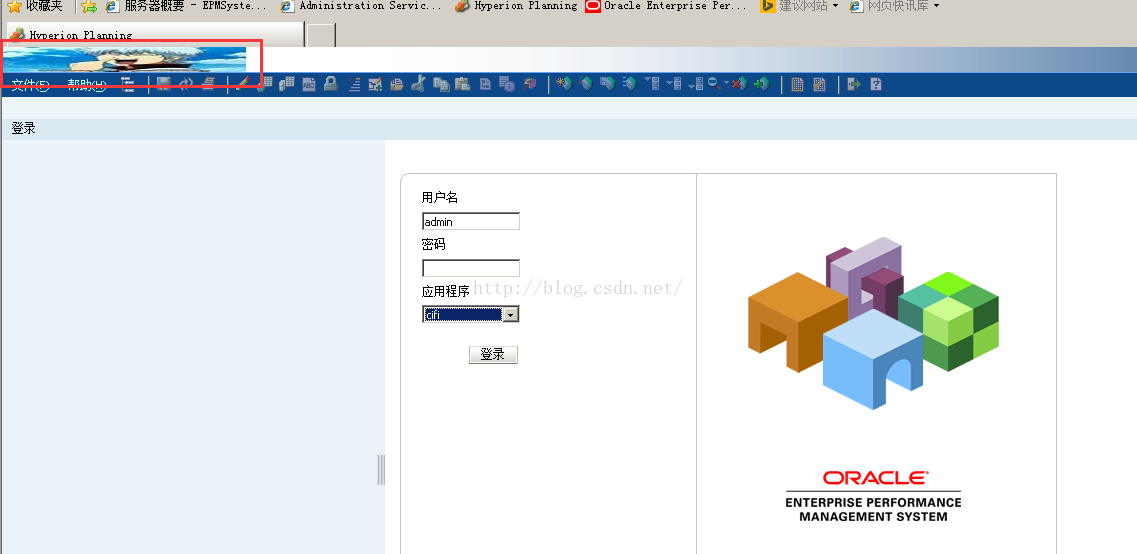
修改
C:\Oracle\Middleware\EPMSystem11R1\products\Planning\AppServer\InstallableApps\Common\HyperionPlanning.ear
下的
HyperionPlanning.war\ui_themes\tadpole\images_global\oracle_logo_Planning.png
HyperionPlanning.war\ui_themes\tadpole_hc\images_global\oracle_logo_Planning.png
重启Planning,清除浏览器缓存,重启浏览器
5.:Planning登录界面的gif
原图:
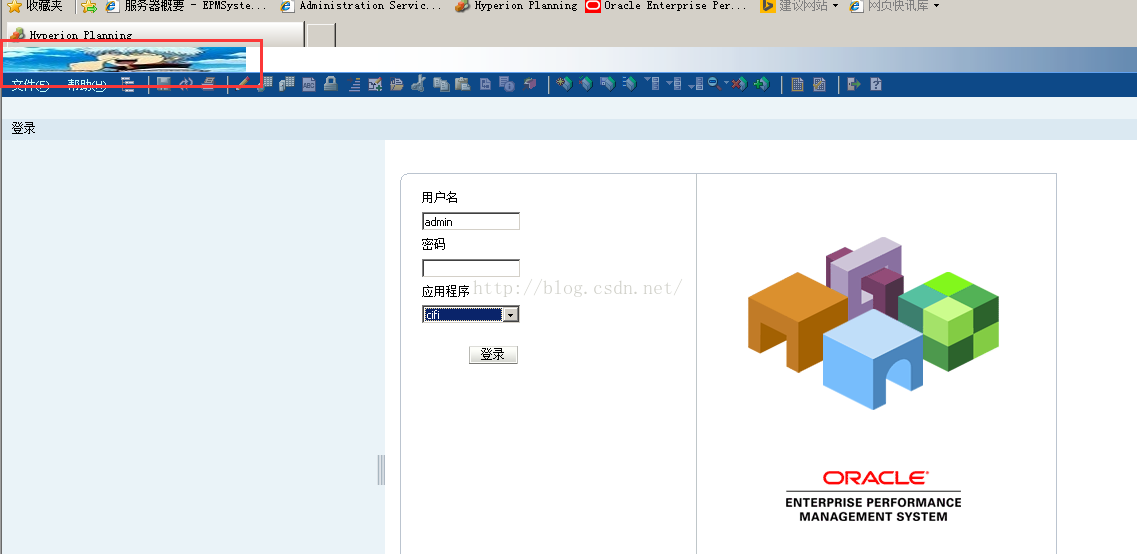
效果图:
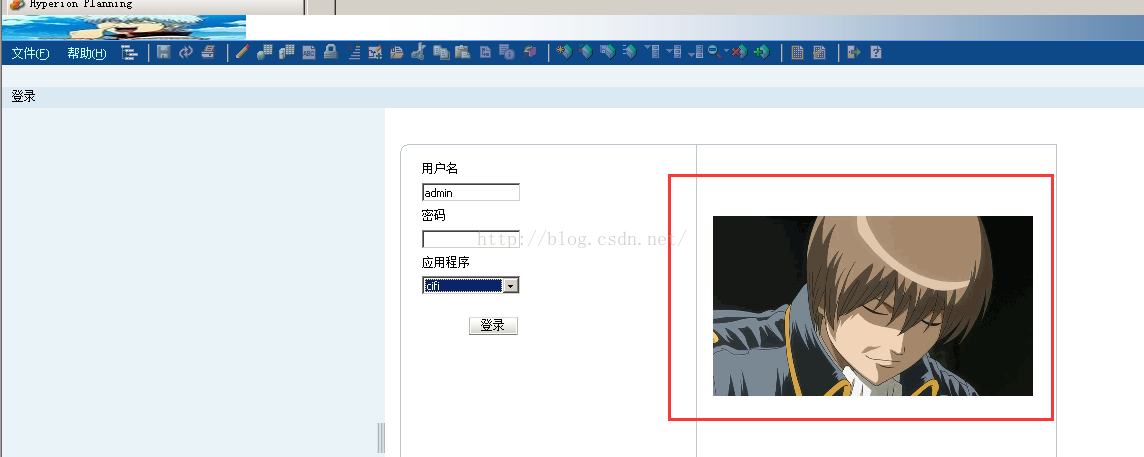
修改
C:\Oracle\Middleware\EPMSystem11R1\products\Planning\AppServer\InstallableApps\Common\HyperionPlanning.ear
下的
HyperionPlanning.war\ui_themes\tadpole\images_global\oracle_logo_Planning.png
HyperionPlanning.war\ui_themes\tadpole_hc\images_global\oracle_logo_Planning.png
重启Planning,清除浏览器缓存,重启浏览器
6参考文档
http://www.orahyplabs.com/2012/01/customizing-epm-workspace-1112.html#.UuD7DbSnyHs
https://community.oracle.com/thread/2622396?start=15&tstart=0

 浙公网安备 33010602011771号