

ant-design-pro项目路由组件缓存keep-alive
如图,要实现的功能,将已点击过的菜单展示在顶部的tabs中,切换tab内容缓存.删除tab后清除页面缓存,点击菜单再打开是新页面
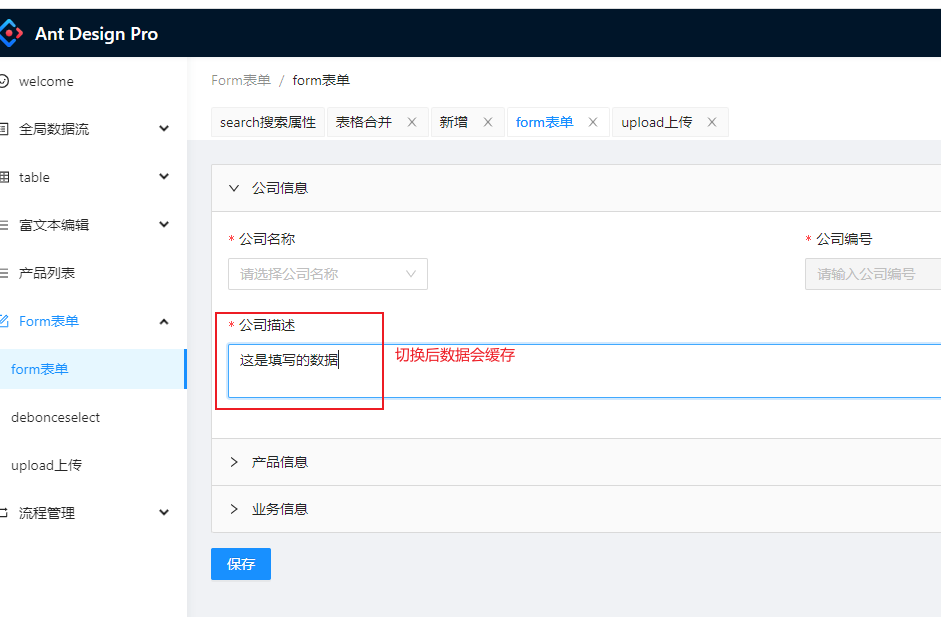
实现:
使用的是react-activation,其中有umijs的实现demo
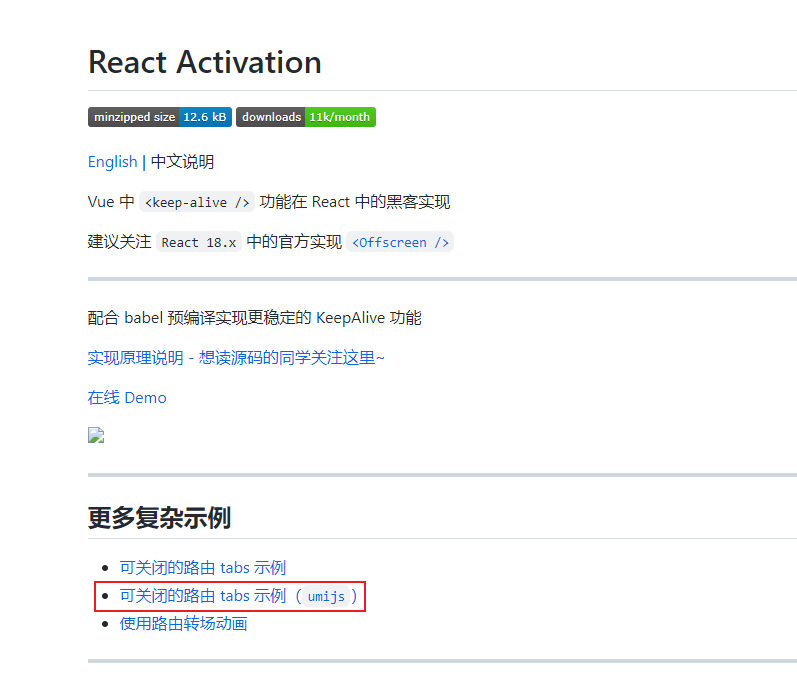
官网地址https://www.npmjs.com/package/react-activation
1. 安装 yarn add umi-plugin-keep-alive
2. 在页面的通用组件里,一般是包裹所有页面组件的layout中添加
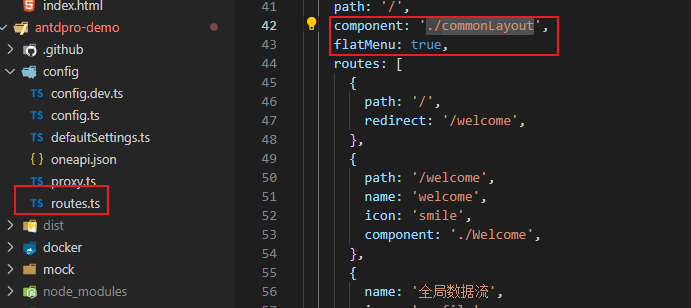
主要看标红的部分,其他是tabs的实现
commonLayout.tsx
import React, { useEffect, useState } from 'react';
import { PageContainer } from '@ant-design/pro-layout';
import { history, useModel } from 'umi';
import { find } from 'lodash';
import type { menuTabProps } from '@/services/types';
import { handleMenusToFlat } from '@/utils/base';
import { KeepAlive, useAliveController } from 'react-activation';

const CommonLayout: React.FC = (props: any) => {
  const { location, route } = props;
  const { pathname } = location;
  const [activeKey, setActiveKey] = useState<string>('');
  const { dropScope } = useAliveController();
  const { exitMenus, updateMenus } = useModel('exitMenus', (model) => ({
    exitMenus: model.exitMenus,
    updateMenus: model.updateMenus,
  }));

  const flatMenus = handleMenusToFlat(route.routes);
  const noCachRoutes = ['/', '/user/login']; // 不需要缓存的路由

  useEffect(() => {
    // console.log(333, location, flatMenus);
    if (noCachRoutes.includes(pathname)) return;
    const arr: menuTabProps[] = exitMenus.filter((item: menuTabProps) => item.key !== pathname);
    if (arr.length === exitMenus.length) {
      const activeTab = find(flatMenus, (item) => item.pathname === pathname) || {};
      const activeMenu: menuTabProps = {
        tab: activeTab.name,
        key: pathname,
        closable: exitMenus.length > 0, // 新增时,第一个页面不能删除
      };
      arr.push(activeMenu);

      updateMenus(arr);
    } else if (exitMenus.length === 1) {
      // 删除时,只剩一个标签去掉删除图标
      const data = exitMenus;
      data[0].closable = false;
      updateMenus(data);
    }
    setActiveKey(pathname);
  }, [location]);

  const onTabChange = (key: string) => {
    history.push(key);
    setActiveKey(key);
    // console.log(key);
  };
  return (
    <PageContainer
      tabList={exitMenus}
      onTabChange={onTabChange}
      header={{
        title: null,
      }}
      tabProps={{
        type: 'editable-card',
        hideAdd: true,
        activeKey,
        tabBarStyle: {
          paddingBottom: '3px',
        },
        onEdit: (path: string) => {
          // console.log(path, exitMenus, pathname);
          let activePath = pathname;
          const arr: menuTabProps[] = exitMenus.filter((item: menuTabProps, i: number) => {
            if (item.key === path) {
              // 获取前一个标签
              activePath = exitMenus[i - 1].key;
            }
            return item.key !== path;
          });
          // 如果关闭当前标签,展示前一个标签
          if (path === pathname) {
            history.push(activePath);
          }
          // 关闭页签去掉缓存
          dropScope(path);
          updateMenus(arr);
        },
      }}
    >
      <KeepAlive
        when={true} //组件卸载后缓存(离开页面时缓存)可以传入Boolean,array,function
        id={pathname} // 缓存多个页面时要有id
        name={pathname} // 页面的path地址
        saveScrollPosition="screen" // 可以记住页面的滚动位置,切换页面是回到上一次滚动的位置,可以设置为false
      >
        {props.children}
      </KeepAlive>
    </PageContainer>
  );
};

export default CommonLayout;
这样就实现路由的缓存了,其他地方不需要改动

 浙公网安备 33010602011771号