
RIP 路由协议
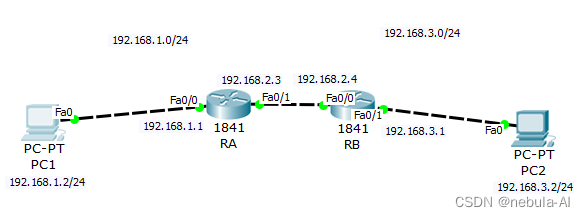
配置 RA 的名称、接口IP地址和RIP路由
Router>enable
Router>enable
Router#configure terminal
Enter configuration commands, one per line.  End with CNTL/Z.
Router(config)#hostname RA

RA(config)#interface fastEthernet 0/0
RA(config-if)#ip address 192.168.1.1 255.255.255.0
RA(config-if)#no shutdown

RA(config-if)#
%LINK-5-CHANGED: Interface FastEthernet0/0, changed state to up

%LINEPROTO-5-UPDOWN: Line protocol on Interface FastEthernet0/0, changed state to up

RA(config-if)#exit
RA(config)#interface fastEthernet 0/1
RA(config-if)#ip address 192.168.2.3 255.255.255.0
RA(config-if)#no shutdown

RA(config-if)#
%LINK-5-CHANGED: Interface FastEthernet0/1, changed state to up

RA(config-if)#exit
RA(config)#router rip
RA(config-router)#version 2
RA(config-router)#network 192.168.1.0
RA(config-router)#network 192.168.2.0
RA(config-router)#end
RA#
%SYS-5-CONFIG_I: Configured from console by console
配置 RB 的名称、接口IP地址和RIP路由
Router>enable
Router#configure terminal
Enter configuration commands, one per line.  End with CNTL/Z.
Router(config)#hostname RA
RA(config)#interface fastEthernet 0/0
RA(config-if)#ip address 192.168.2.4 255.255.255.0
RA(config-if)#no shutdown

RA(config-if)#
%LINK-5-CHANGED: Interface FastEthernet0/0, changed state to up

%LINEPROTO-5-UPDOWN: Line protocol on Interface FastEthernet0/0, changed state to up

RA(config-if)#exit
RA(config)#interface fastEthernet 0/1
RA(config-if)#ip address 192.168.3.1 255.255.255.0
RA(config-if)#no shutdown

RA(config-if)#
%LINK-5-CHANGED: Interface FastEthernet0/1, changed state to up

%LINEPROTO-5-UPDOWN: Line protocol on Interface FastEthernet0/1, changed state to up

RA(config-if)#exit
RA(config)#router rip
RA(config-router)#version 2
RA(config-router)#network 192.168.3.0
RA(config-router)#network 192.168.2.0
RA(config-router)#end
RA#
%SYS-5-CONFIG_I: Configured from console by console
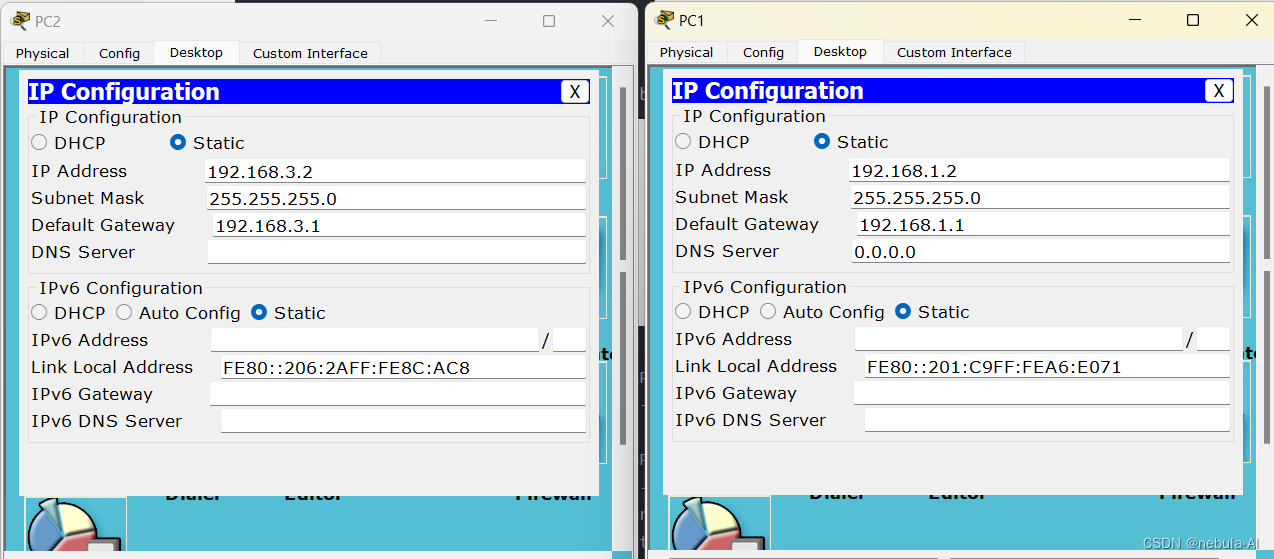
配置PC1和PC2的IP地址和网关
查看路由器RA的路由表
RA#show ip route
Codes: C - connected, S - static, I - IGRP, R - RIP, M - mobile, B - BGP
       D - EIGRP, EX - EIGRP external, O - OSPF, IA - OSPF inter area
       N1 - OSPF NSSA external type 1, N2 - OSPF NSSA external type 2
       E1 - OSPF external type 1, E2 - OSPF external type 2, E - EGP
       i - IS-IS, L1 - IS-IS level-1, L2 - IS-IS level-2, ia - IS-IS inter area
       * - candidate default, U - per-user static route, o - ODR
       P - periodic downloaded static route

Gateway of last resort is not set

C    192.168.1.0/24 is directly connected, FastEthernet0/0
C    192.168.2.0/24 is directly connected, FastEthernet0/1
R    192.168.3.0/24 [120/1] via 192.168.2.4, 00:00:08, FastEthernet0/1
查看路由器RB的路由表
RA#show ip route
Codes: C - connected, S - static, I - IGRP, R - RIP, M - mobile, B - BGP
       D - EIGRP, EX - EIGRP external, O - OSPF, IA - OSPF inter area
       N1 - OSPF NSSA external type 1, N2 - OSPF NSSA external type 2
       E1 - OSPF external type 1, E2 - OSPF external type 2, E - EGP
       i - IS-IS, L1 - IS-IS level-1, L2 - IS-IS level-2, ia - IS-IS inter area
       * - candidate default, U - per-user static route, o - ODR
       P - periodic downloaded static route

Gateway of last resort is not set

R    192.168.1.0/24 [120/1] via 192.168.2.3, 00:00:01, FastEthernet0/0
C    192.168.2.0/24 is directly connected, FastEthernet0/0
C    192.168.3.0/24 is directly connected, FastEthernet0/1
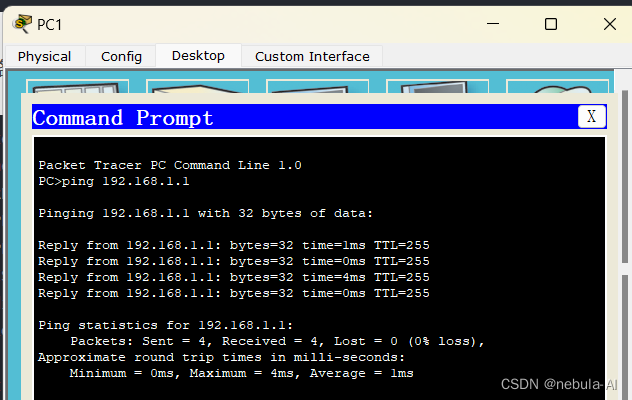
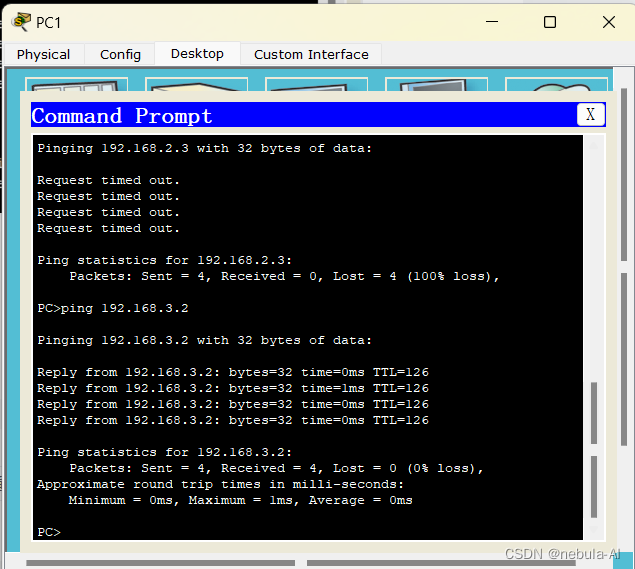
测试PC1到网关的连通性
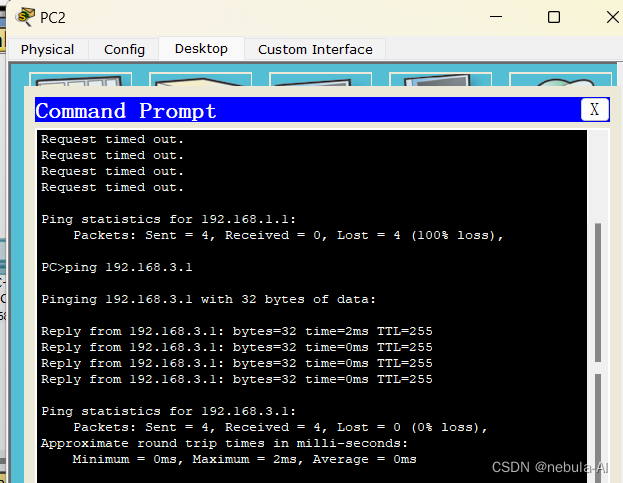
测试PC2到网关的连通性
测试PC1到PC2的连通性
思考题:
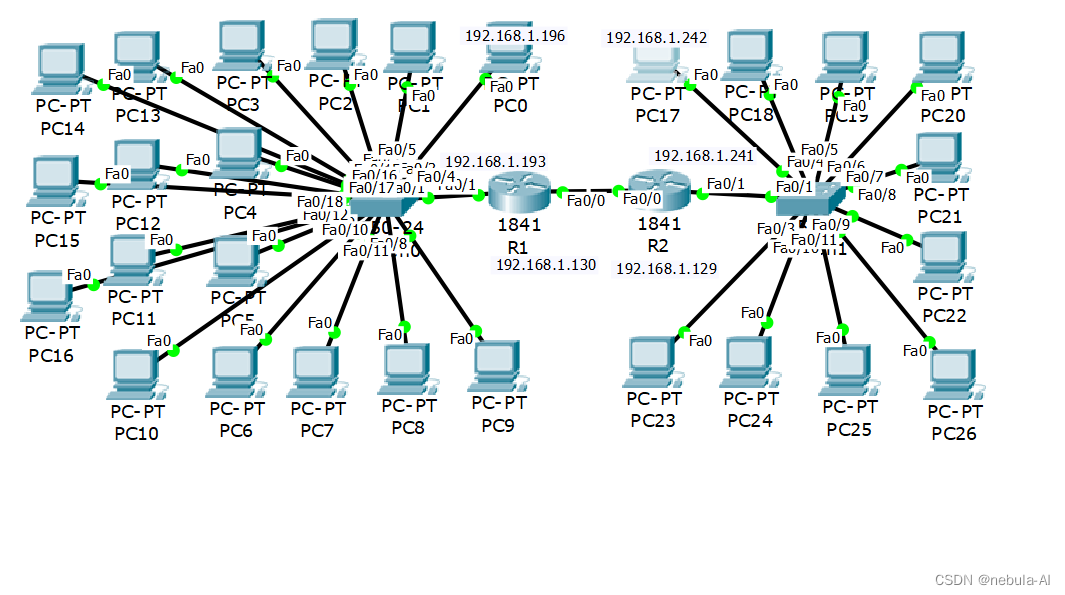
给定网络地址192.168.1.128/26,给两个系分配IP地址,一系有PC16台,二系有PC10台,用两个路由器和两个交换机完成该组网结构。
要求列出:
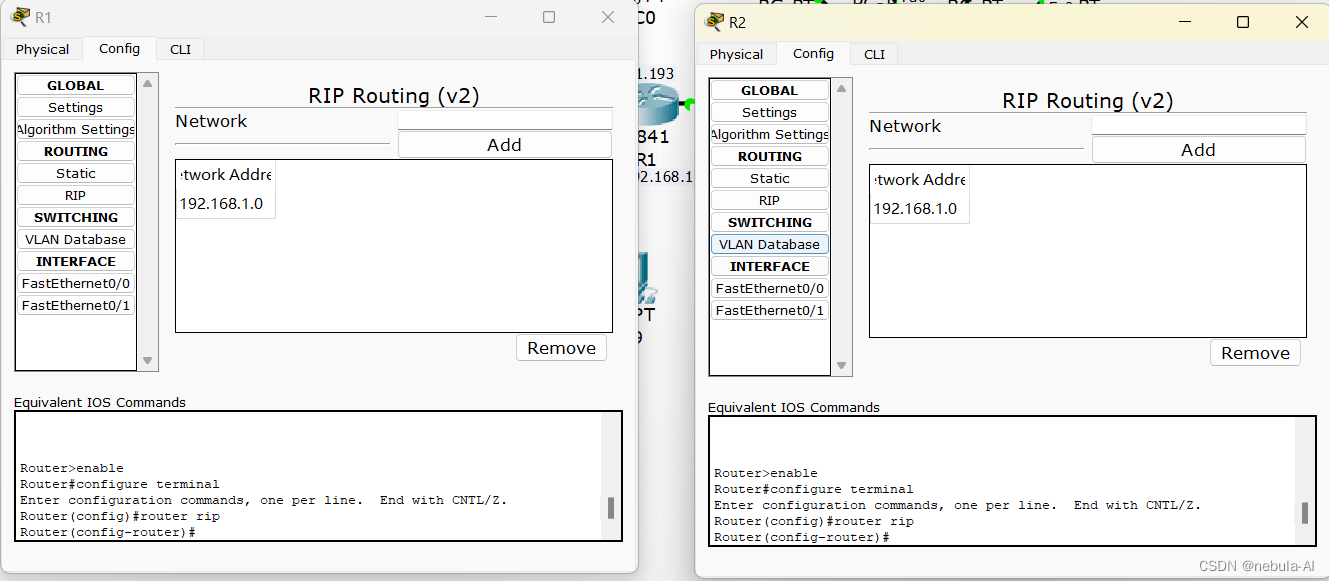
(1)两个路由器所有使用到的接口IP配置和路由信息配置(RIP协议)
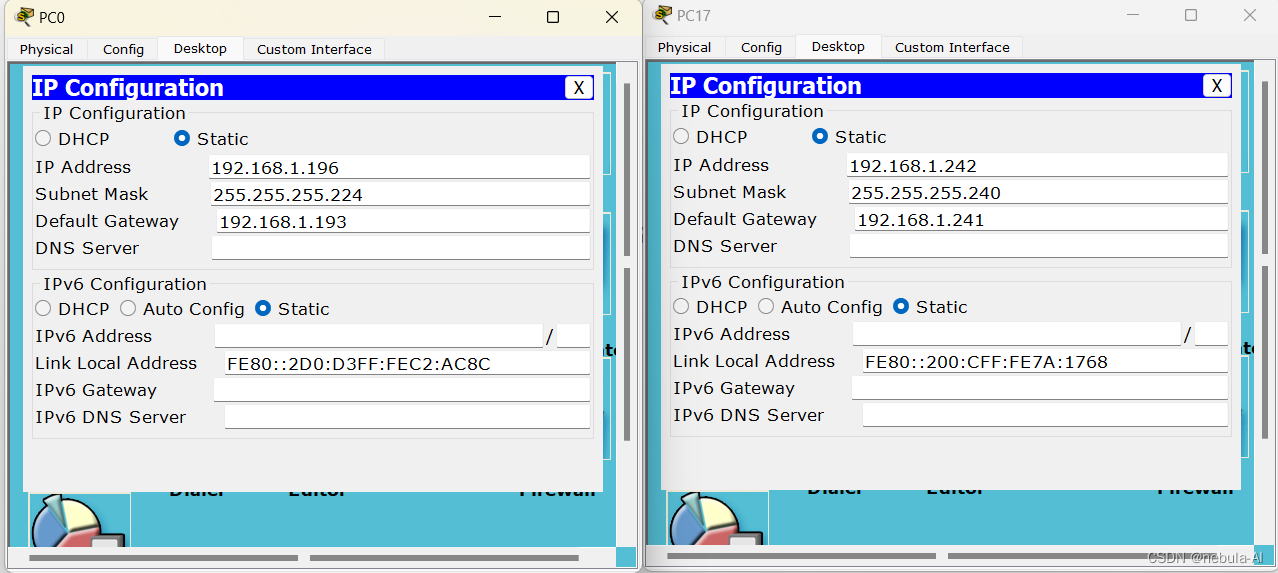
(2)所有主机IP地址、子网掩码和默认网关的设置
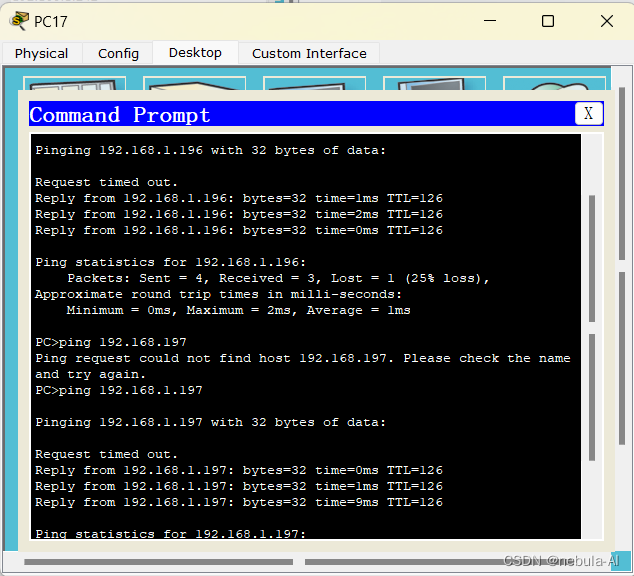
(3)任意两台主机能够PING通的截图证明

 浙公网安备 33010602011771号