
第3次作业-SQL语句的基本使用
| 这个作业属于哪个课程 | https://edu.cnblogs.com/campus/uzz/cs3 |
|---|---|
| 这个作业要求在哪里 | https://edu.cnblogs.com/campus/uzz/cs3/homework/13057 |
| 这个作业的目标 | 第3次作业-SQL语句的基本使用2(修改表-基本查询) |
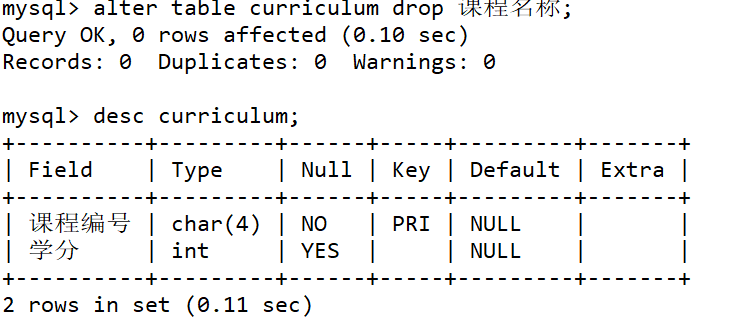
1. 使用SQL语句ALTER TABLE修改curriculum表的“课程名称”列,使之为空。
mysql> alter table curriculum drop 课程名称;
Query OK, 0 rows affected (0.10 sec)
Records: 0  Duplicates: 0  Warnings: 0
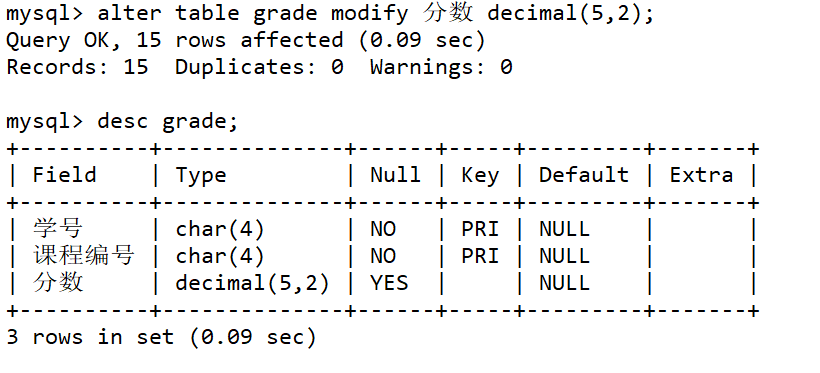
2.使用SQL语句ALTER TABLE修改grade表的“分数”列,使其数据类型为decimal(5,2)。2.使用SQL语句ALTER TABLE修改grade表的“分数”列,使其数据类型为decimal(5,2)。
mysql> alter table grade modify 分数 decimal(5,2);
Query OK, 15 rows affected (0.09 sec)
Records: 15  Duplicates: 0  Warnings: 0
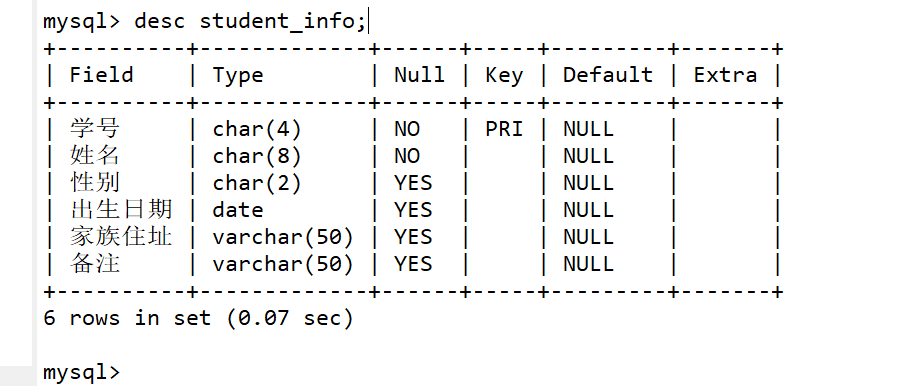
3.使用SQL语句ALTER TABLE为student_info表添加一个名为“备注”的数据列,其数据类型为varchar(50)。
mysql> alter table student_info add 备注 varchar(50);
Query OK, 0 rows affected (0.05 sec)
Records: 0  Duplicates: 0  Warnings: 0
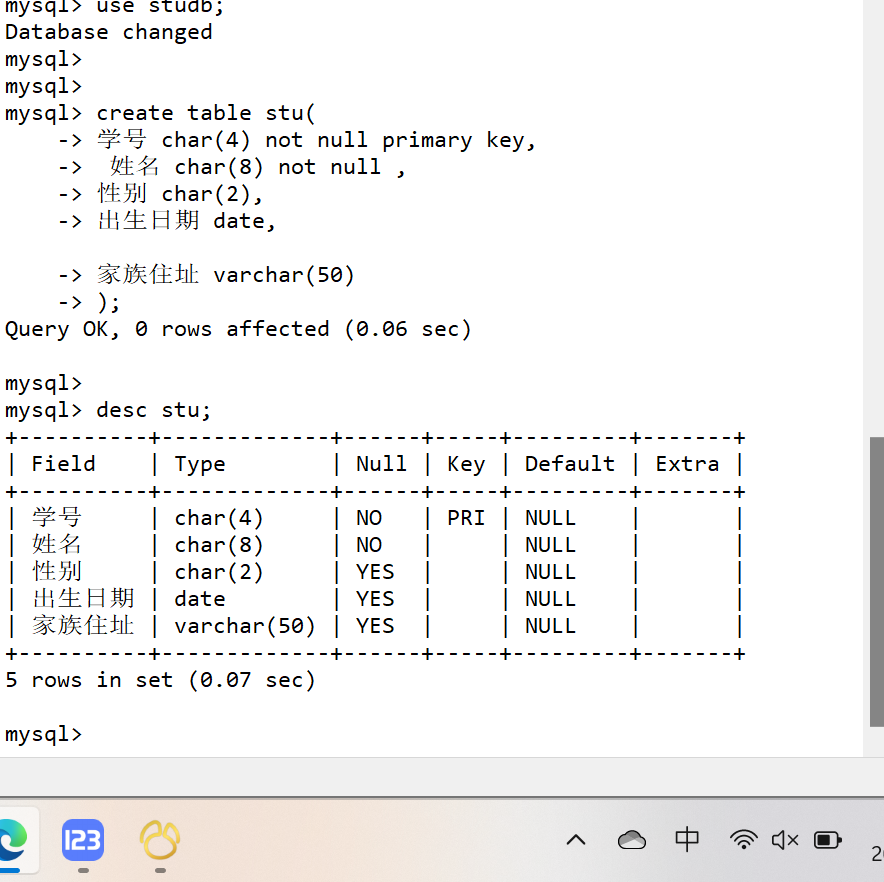
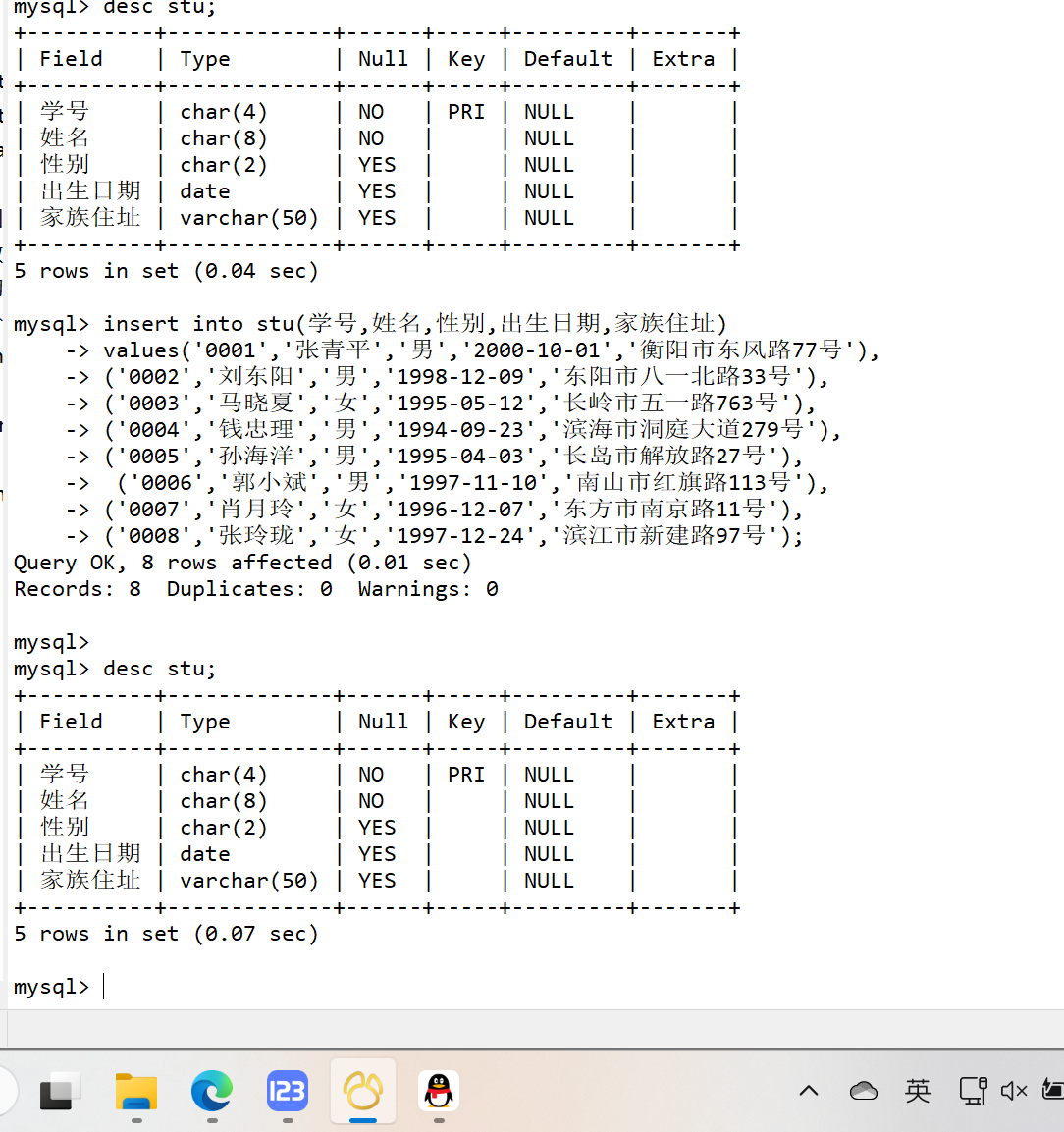
4.使用SQL语句创建数据库studb,并在此数据库下创建表stu,表结构与数据与studentsdb的student_info表相同。
mysql> use studb;
Database changed
mysql>
mysql>
mysql> create table stu(
    -> 学号 char(4) not null primary key,
    ->  姓名 char(8) not null ,
    -> 性别 char(2),
    -> 出生日期 date,

    -> 家族住址 varchar(50)
    -> );
Query OK, 0 rows affected (0.06 sec)
mysql> insert into stu(学号,姓名,性别,出生日期,家族住址)
    -> values('0001','张青平','男','2000-10-01','衡阳市东风路77号'),
    -> ('0002','刘东阳','男','1998-12-09','东阳市八一北路33号'),
    -> ('0003','马晓夏','女','1995-05-12','长岭市五一路763号'),
    -> ('0004','钱忠理','男','1994-09-23','滨海市洞庭大道279号'),
    -> ('0005','孙海洋','男','1995-04-03','长岛市解放路27号'),
    ->  ('0006','郭小斌','男','1997-11-10','南山市红旗路113号'),
    -> ('0007','肖月玲','女','1996-12-07','东方市南京路11号'),
    -> ('0008','张玲珑','女','1997-12-24','滨江市新建路97号');
Query OK, 8 rows affected (0.01 sec)
Records: 8  Duplicates: 0  Warnings: 0
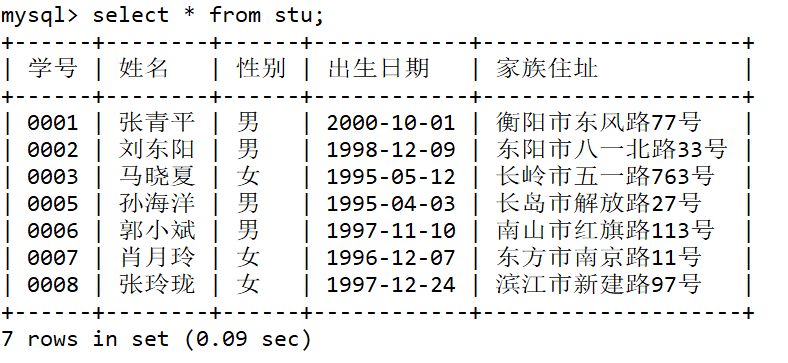
5.使用SQL语句删除表stu中学号为0004的记录。
mysql> delete from stu where 学号='0004';
Query OK, 1 row affected (0.00 sec)
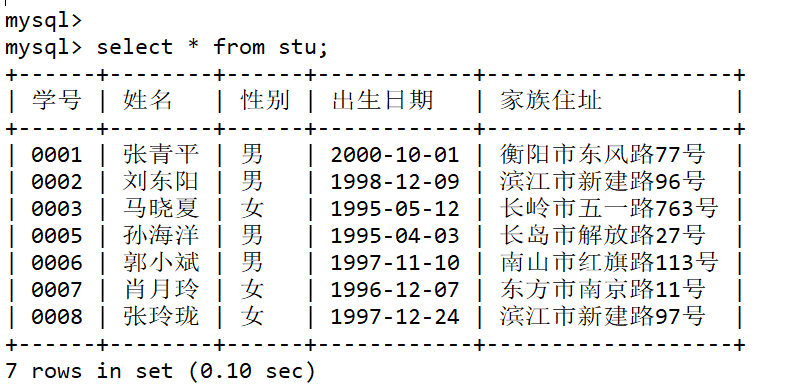
6.使用SQL语句更新表stud中学号为0002的家庭住址为“滨江市新建路96号”。
mysql> update stu set 家族住址 ='滨江市新建路96号' where 学号 ='0002';
Query OK, 1 row affected (0.01 sec)
Rows matched: 1  Changed: 1  Warnings: 0
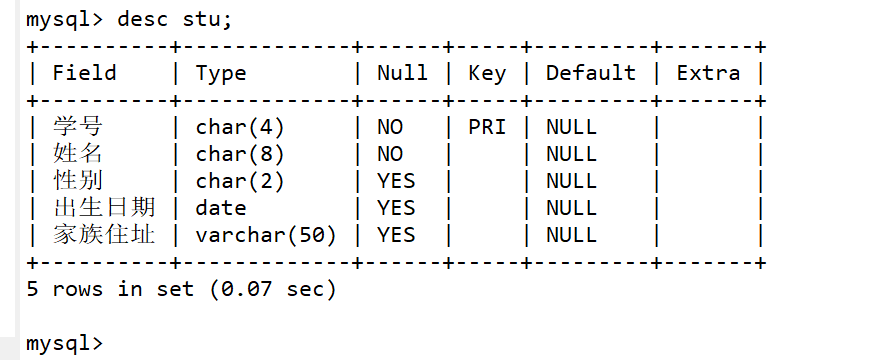
7.删除表stu的“备注”列。
mysql> alter table stu drop 备注;
Query OK, 0 rows affected (0.05 sec)
Records: 0  Duplicates: 0  Warnings: 0
8.在studentsdb数据库中使用SELECT语句进行基本查询。
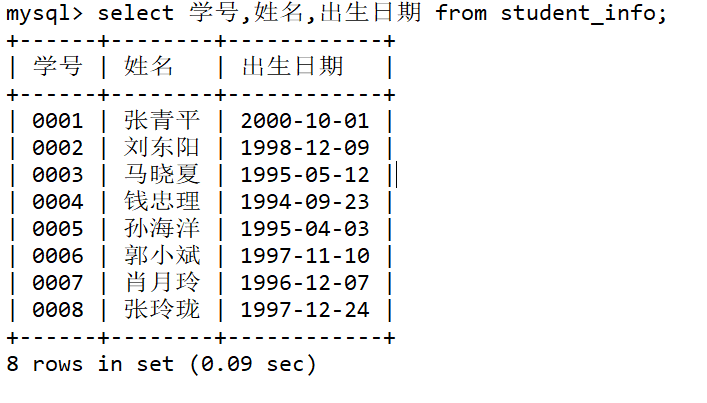
(1)在student_info表中,查询每个学生的学号、姓名、出生日期信息。
mysql> select 学号,姓名,出生日期 from student_info;
+------+--------+------------+
| 学号 | 姓名   | 出生日期   |
+------+--------+------------+
| 0001 | 张青平 | 2000-10-01 |
| 0002 | 刘东阳 | 1998-12-09 |
| 0003 | 马晓夏 | 1995-05-12 |
| 0004 | 钱忠理 | 1994-09-23 |
| 0005 | 孙海洋 | 1995-04-03 |
| 0006 | 郭小斌 | 1997-11-10 |
| 0007 | 肖月玲 | 1996-12-07 |
| 0008 | 张玲珑 | 1997-12-24 |
+------+--------+------------+
8 rows in set (0.09 sec)
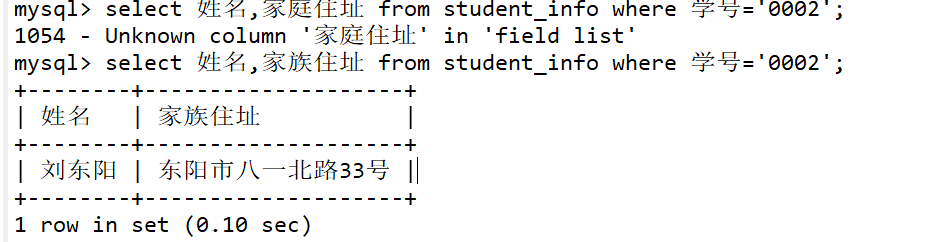
(2)查询student_info表学号为 0002的学生的姓名和家庭住址。
mysql> select 姓名,家族住址 from student_info where 学号='0002';
+--------+--------------------+
| 姓名   | 家族住址           |
+--------+--------------------+
| 刘东阳 | 东阳市八一北路33号 |
+--------+--------------------+
1 row in set (0.10 sec)
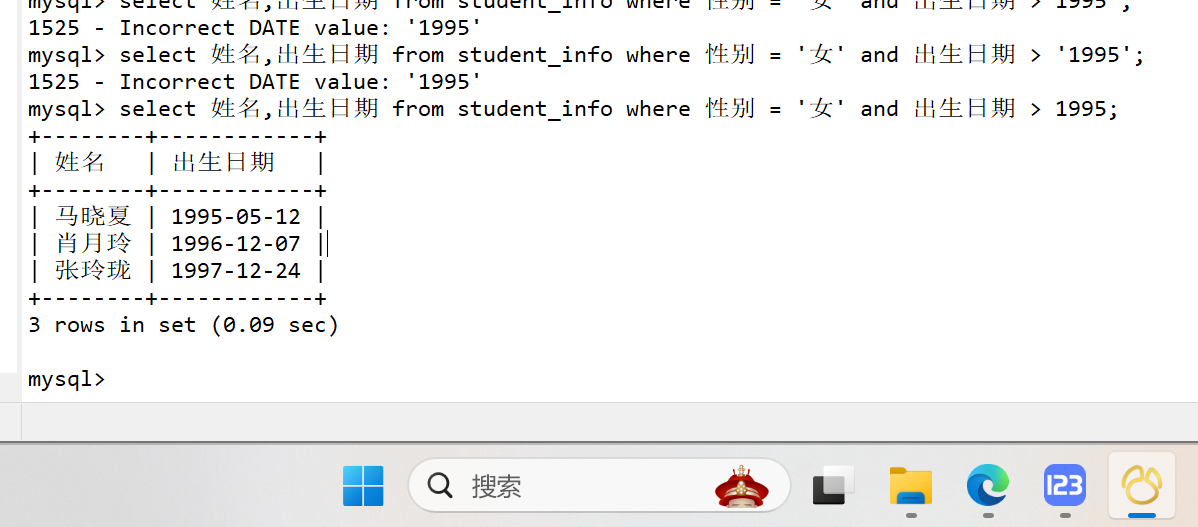
(3)查询student_info表所有出生日期在95年以后的女同学的姓名和出生日期。
mysql> select 姓名,出生日期 from student_info where 性别 = '女' and 出生日期 > 1995;
+--------+------------+
| 姓名   | 出生日期   |
+--------+------------+
| 马晓夏 | 1995-05-12 |
| 肖月玲 | 1996-12-07 |
| 张玲珑 | 1997-12-24 |
+--------+------------+
3 rows in set (0.09 sec)

 浙公网安备 33010602011771号