
java-io流
文件基础知识
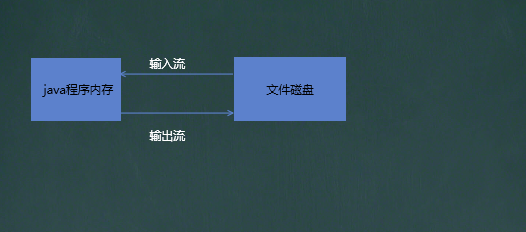
常用的文件操作
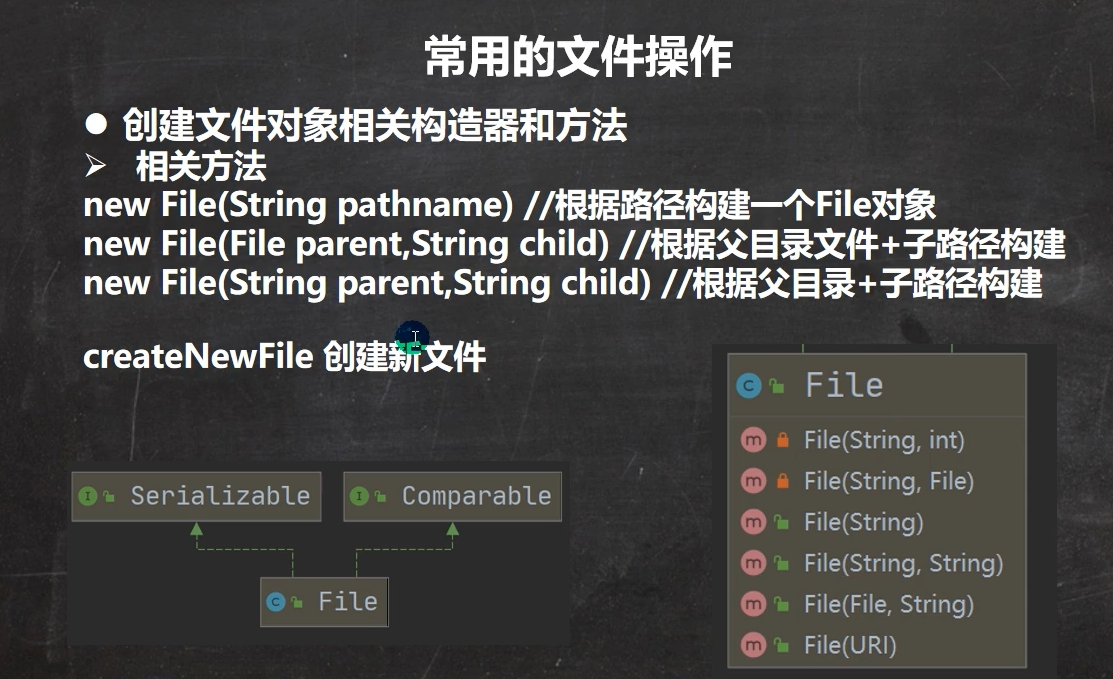
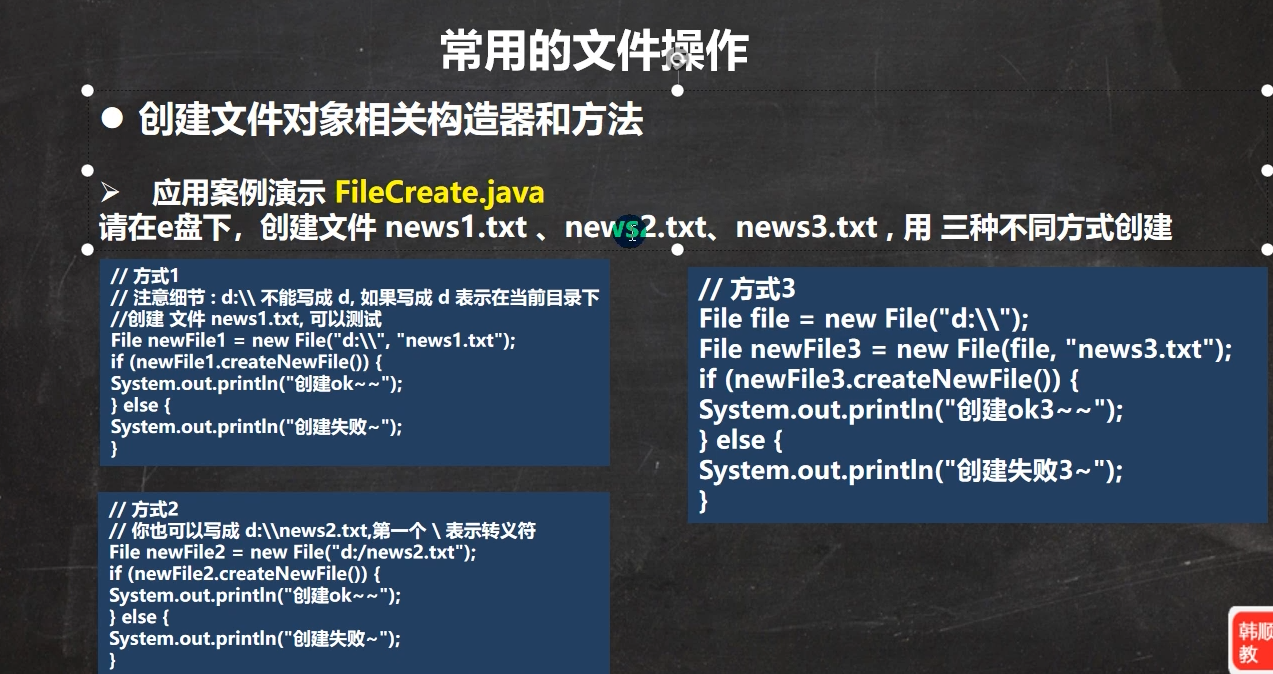
创建文件
package com.xxb.file;

import org.junit.jupiter.api.Test;

import java.io.File;
import java.io.IOException;

public class FileCreate {
    public static void main(String[] args) {

    }

    //方式1  new File(String  pathname)
    @Test
    public void create01() {
        String filepath = "D:\\xxb\\java-base-learning\\chapter15\\demofile\\test1.txt";
        File file = new File(filepath);
        try {
            file.createNewFile();
            System.out.println("文件创建成功");
        } catch (IOException e) {
            e.printStackTrace();
        }
    }

    //方式2 new File(File parent, String child)
    //根据父目录文件+子路径构建
    @Test
    public void create02() {
        //new File 表示内存中创建  file对象在java程序中只是一个对象
        File parentFile = new File("D:\\xxb\\java-base-learning\\chapter15\\demofile");
        String filename = "test2.txt";
        File file = new File(parentFile, filename);
        try {
            //createNewFile 相当于在磁盘创建
            file.createNewFile();
            System.out.println("文件创建成功");
        } catch (IOException e) {
            e.printStackTrace();
        }

    }

    //方式3 new File(String parent,String child) //根据父目录+子路径构建
    @Test
    public void create03(){
        String parentPath="D:\\xxb\\java-base-learning\\chapter15\\demofile";
        String fileName="test3.txt";
        File file = new File(parentPath, fileName);
        try {
            file.createNewFile();
            System.out.println("文件创建成功");
        } catch (IOException e) {
            e.printStackTrace();
        }
    }

}
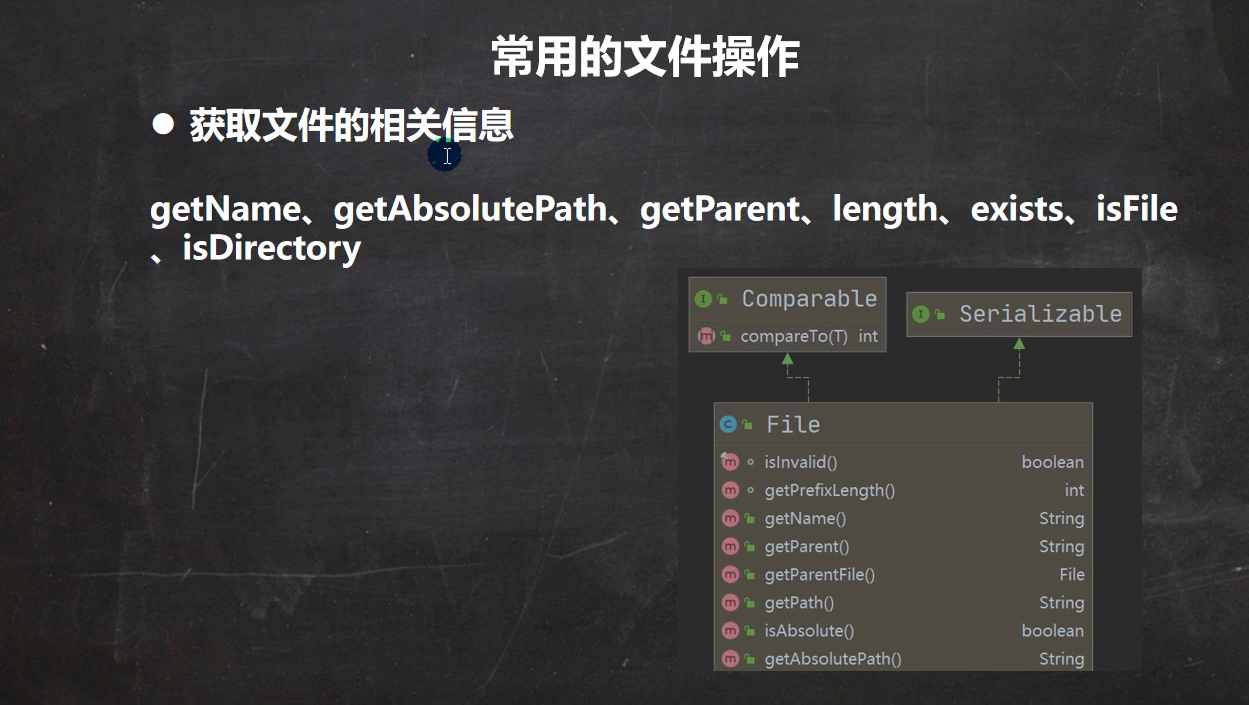
获取文件信息
package com.xxb.file;

import org.junit.jupiter.api.Test;

import java.io.File;

public class FileInformation {
    public static void main(String[] args) {

    }
    //获取文件信息
    @Test
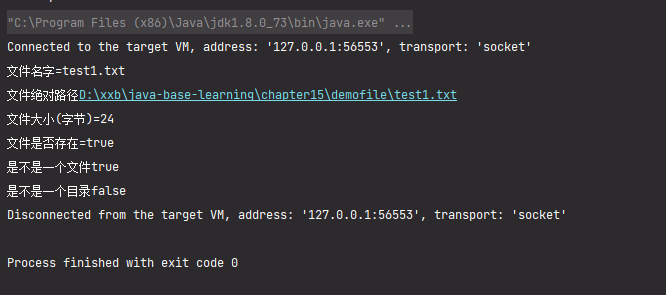
    public void info(){
        //先创建文件对象
        File file = new File("D:\\xxb\\java-base-learning\\chapter15\\demofile\\test1.txt");
        //调用相应的方法,得到对应信息
        System.out.println("文件名字="+file.getName());
        System.out.println("文件绝对路径"+file.getAbsolutePath());
        System.out.println("文件大小(字节)="+file.length()); //1个汉字3个字节 1个英文字符1个字节(UTF-8)
        System.out.println("文件是否存在="+file.exists());
        System.out.println("是不是一个文件"+file.isFile());
        System.out.println("是不是一个目录"+file.isDirectory());

    }
}
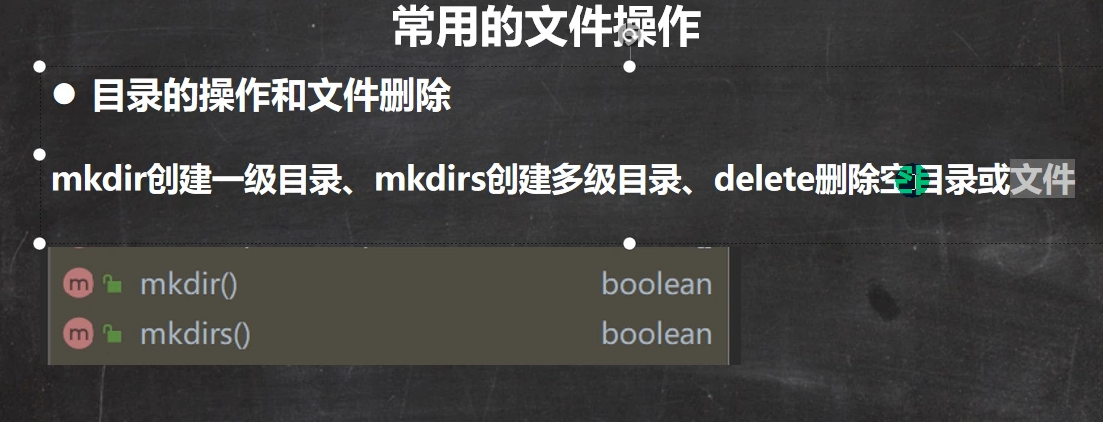
目录操作
package com.xxb.file;

import org.junit.jupiter.api.Test;

import java.io.File;

public class Directory_ {
    public static void main(String[] args) {

    }
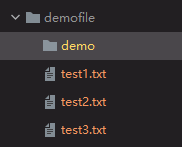
    //判断D:\xxb\java-base-learning\chapter15\demofile\test2.txt是否存在,存在就删除
    @Test
    public void m1(){
        String filePath="D:\\xxb\\java-base-learning\\chapter15\\demofile\\test2.txt";
        File file = new File(filePath);
        if(file.exists()){
            //文件存在
            if(file.delete()){
                System.out.println(filePath+"删除成功");
            }else{
                System.out.println("删除失败");
            }
        }else{
            System.out.println("该文件不存在");
        }
    }
    //判断D:\xxb\java-base-learning\chapter15\demo目录是否存在,存在就删除
    //在java 中,目录也是一种文件
    @Test
    public void m2(){
        String filePath="D:\\xxb\\java-base-learning\\chapter15\\demoFile\\demo";
        File file = new File(filePath);
        if(file.exists()){
            //文件目录存在
            if(file.delete()){
                System.out.println(filePath+"删除成功");
            }else{
                System.out.println("删除失败");
            }
        }else{
            System.out.println("该目录不存在");
        }
    }

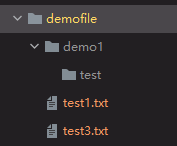
    //判断D:\xxb\java-base-learning\chapter15\demo\test目录是否存在,如果存在就提示存在,否则就创建
    @Test
    public void m3(){
        String dirPath="D:\\xxb\\java-base-learning\\chapter15\\demoFile\\demo1\\test";
        File file = new File(dirPath);
        if(file.exists()){
            //文件目录存在
            System.out.println(dirPath+"存在");
        }else{
            System.out.println("该目录不存在");
            //不存在则创建目录 多级目录mkdirs  一级目录用mkdir
            if(file.mkdirs()){
                System.out.println(dirPath+"创建成功");
            }else{
                System.out.println("创建失败");
            }
        }
    }
}
IO流原理以及流的分类
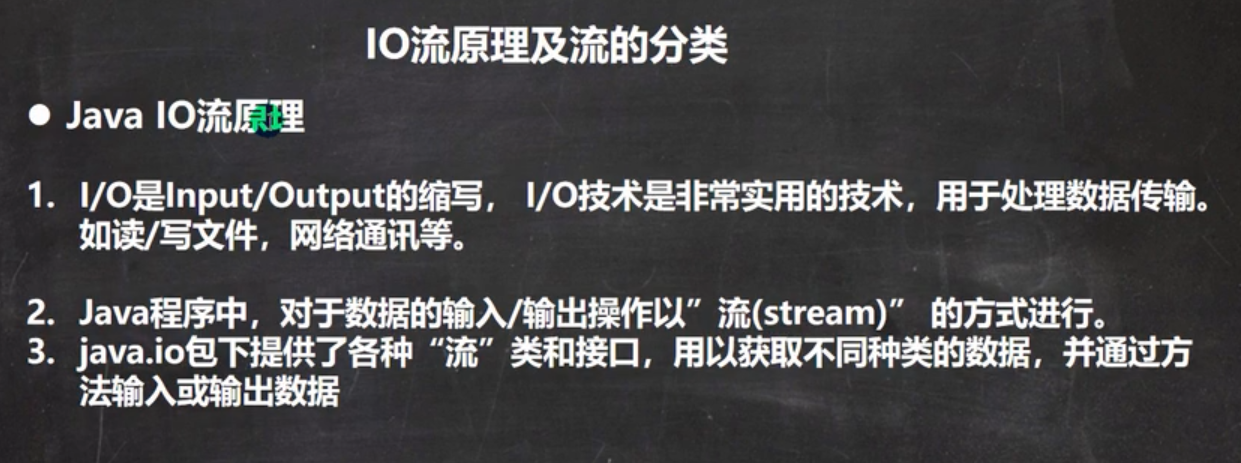
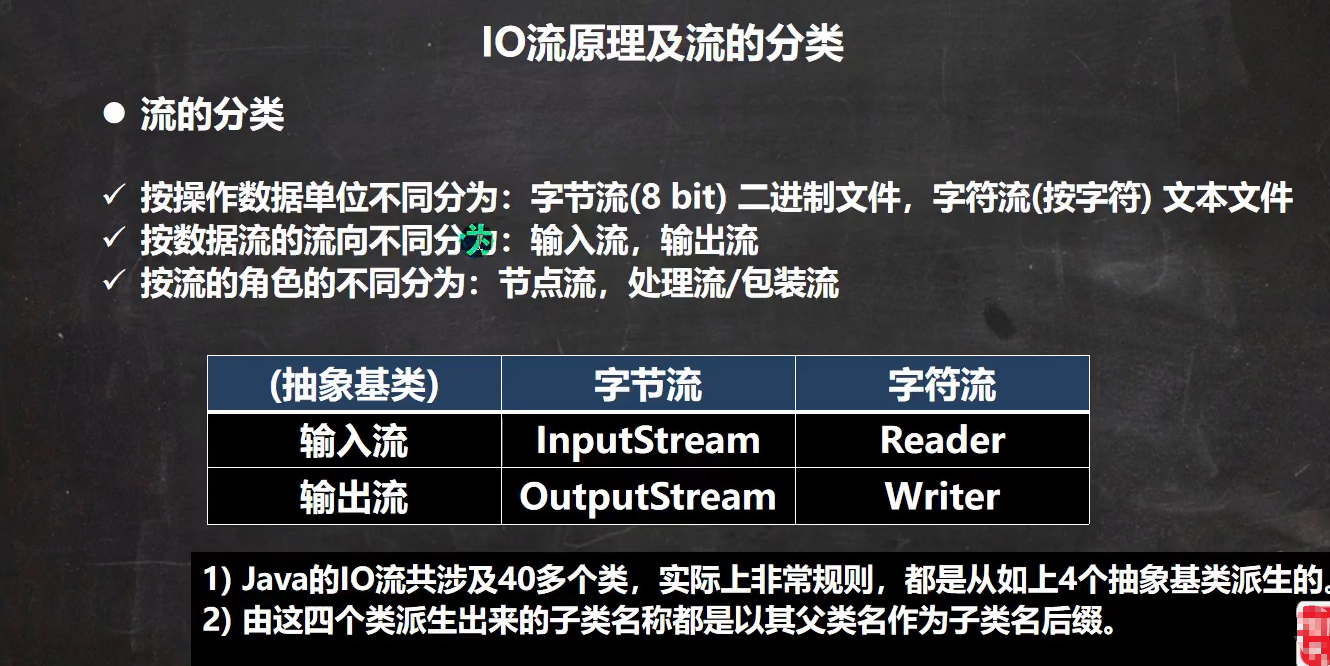
字节流(InputStream/OutputStream)
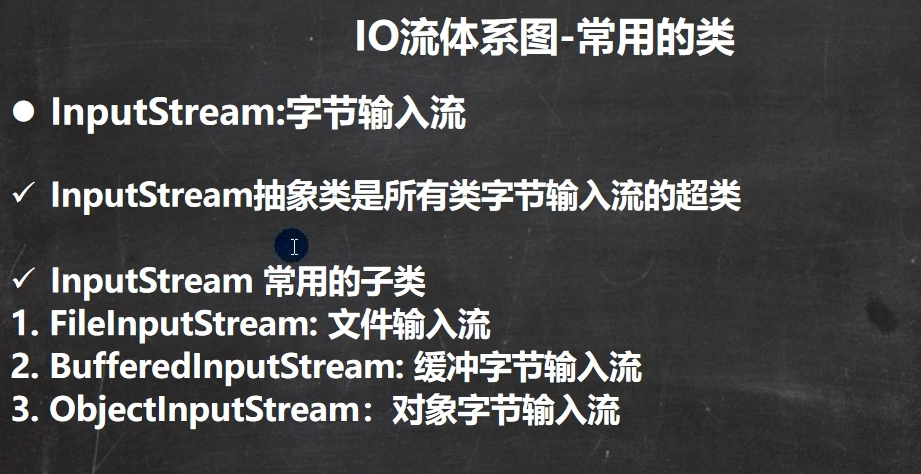
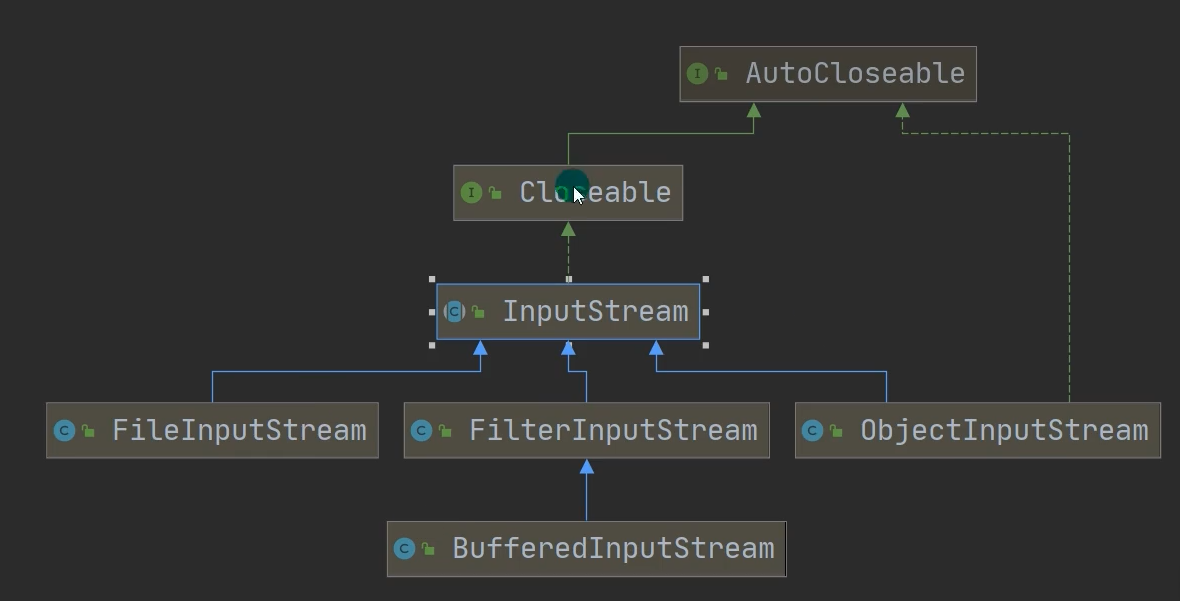
InputStream
package com.xxb.file;

import org.junit.jupiter.api.Test;

import java.io.FileInputStream;
import java.io.IOException;

/**
 * FileInputStream的使用(字节输入流 文件-->程序)
 */
public class FileInputStream_ {
    public static void main(String[] args) {

    }
    @Test
    public  void readFile01(){
        String filePath="D:\\xxb\\java-base-learning\\chapter19\\demofile\\test1.txt";
        FileInputStream fileInputStream=null;
        int readData=0;
        try {
            fileInputStream = new FileInputStream(filePath);
            //使用read接收
            //返回-1表示读取完毕
            while((readData=fileInputStream.read())!=-1){
                //转成char显示
                System.out.print((char) readData);
            }
        } catch (IOException e) {
            e.printStackTrace();
        }finally {
            //关闭流 释放资源
            try {
                fileInputStream.close();
            } catch (IOException e) {
                e.printStackTrace();
            }

        }

    }
    //使用字节数组
    @Test
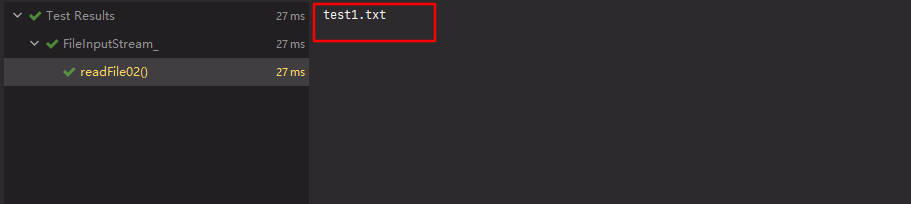
    public  void readFile02(){
        String filePath="D:\\xxb\\java-base-learning\\chapter19\\demofile\\test1.txt";
        FileInputStream fileInputStream=null;

        //字节数组
        //一次读取8个字节
        byte[] buf=new byte[8];
        int readLen=0;
        try {
            fileInputStream = new FileInputStream(filePath);
            //使用read接收
            //返回-1表示读取完毕
            //如果读取正常,返回实际读取的字节数
            while((readLen=fileInputStream.read(buf))!=-1){
                //转成char显示
                System.out.print(new String(buf,0, readLen));
            }
        } catch (IOException e) {
            e.printStackTrace();
        }finally {
            //关闭流 释放资源
            try {
                fileInputStream.close();
            } catch (IOException e) {
                e.printStackTrace();
            }

        }

    }
}
OutputStream
package com.xxb.file;

import org.junit.jupiter.api.Test;

import java.io.FileNotFoundException;
import java.io.FileOutputStream;
import java.io.IOException;
import java.nio.charset.StandardCharsets;

public class FileOutputStream01 {
    public static void main(String[] args) {

    }
    /**
     * 使用FileOutputStream将数据写到文件中
     * 如果改文件不存在,则创建该文件
     */
    @Test
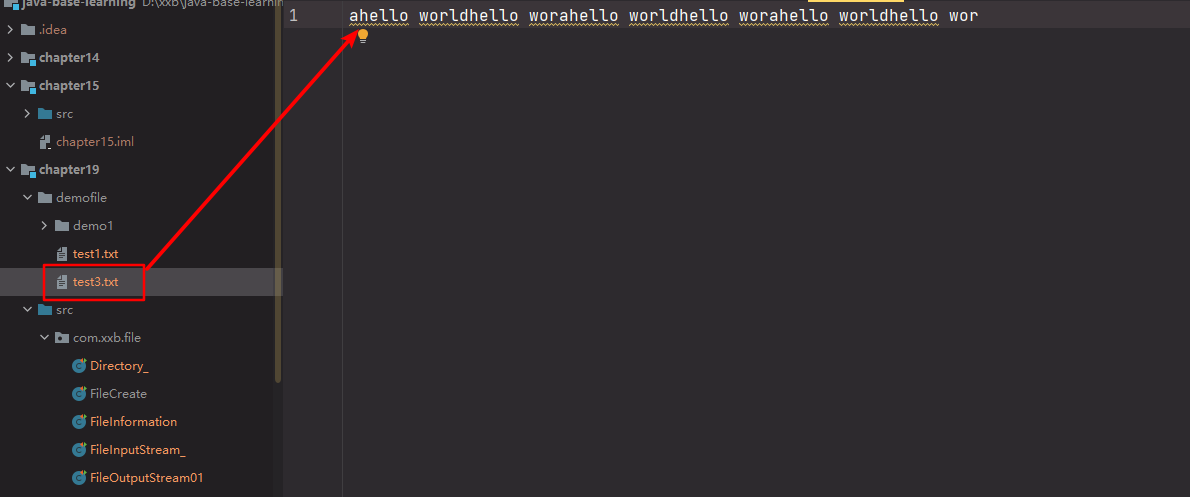
    public void writeFile(){
        //创建 FileOutputStream对象
        String filePath="D:\\xxb\\java-base-learning\\chapter19\\demofile\\test3.txt";
        FileOutputStream fileOutputStream=null;
        try {
            //1. new FileOutputStream(filePath) 创建方式,当写入内容时,会覆盖原先的内容
            //2. new FileOutputStream(filePath,true)  创建方式,当写入内容是,是追加文件后面。
            //得到 FileOutputStream对象 对象
            fileOutputStream = new FileOutputStream(filePath,true);
            //写入一个字节
            fileOutputStream.write('a');
            //写入字符串
            String str="hello world";
            //str.getBytes()  将字符串转换成字符数组
            fileOutputStream.write(str.getBytes(StandardCharsets.UTF_8));
            //3 字符串截取
            fileOutputStream.write(str.getBytes(StandardCharsets.UTF_8),0,str.length()-2);
        } catch (IOException e) {
            e.printStackTrace();
        }finally {
            try {
                fileOutputStream.close();
            } catch (IOException e) {
                e.printStackTrace();
            }
        }

    }
}
文件的拷贝
package com.xxb.file;

import java.io.FileInputStream;
import java.io.FileNotFoundException;
import java.io.FileOutputStream;
import java.io.IOException;

public class FileCopy {
    public static void main(String[] args) {
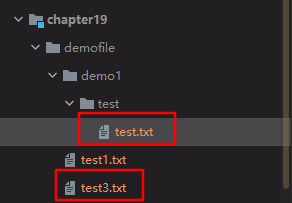
        //完成文件拷贝 将D:\xxb\java-base-learning\chapter19\demofile\test3.txt
        //拷贝到 D:\xxb\java-base-learning\chapter19\demofile\demo1\test\test3.txt

        //思路分析
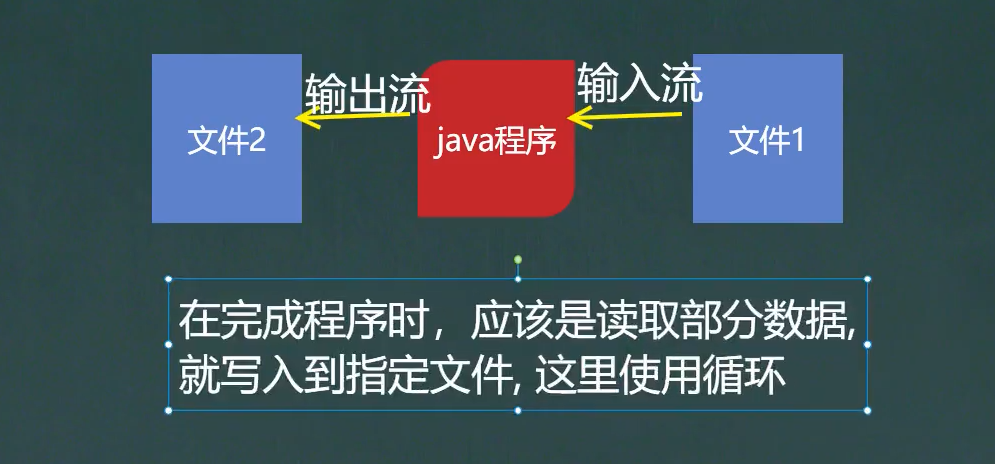
        //1. 创建文件的输入流,将文件读入到程序(java对象中)
        //2. 创建文件的输出流,将读取到的文件数据,写入到指定的文件
        String srcPath="D:\\xxb\\java-base-learning\\chapter19\\demofile\\test3.txt";
        String targetPath="D:\\xxb\\java-base-learning\\chapter19\\demofile\\demo1\\test\\test.txt";
        FileInputStream fileInputStream=null;
        FileOutputStream fileOutputStream=null;
        //创建输入流
        try {
            fileInputStream = new FileInputStream(srcPath);
            fileOutputStream=new FileOutputStream(targetPath);
            //定义一个字节数组 一次读取1024字节
            byte[] buf=new byte[1024];
            int readLen=0;
            while ((readLen=fileInputStream.read(buf))!=-1){
                //读取到后,就写入文件 通过fileOutputStream
                //一定要使用这个方法。
                fileOutputStream.write(buf,0,readLen);
            }
            System.out.println("拷贝完毕");
        } catch (IOException e) {
            e.printStackTrace();
        }finally {
            //关闭输入输出流
            if(fileInputStream!=null){
                try {
                    fileInputStream.close();
                } catch (IOException e) {
                    e.printStackTrace();
                }
            }
            if(fileOutputStream!=null){
                try {
                    fileOutputStream.close();
                } catch (IOException e) {
                    e.printStackTrace();
                }
            }
        }
    }
}
字符流(Reader/Writer)
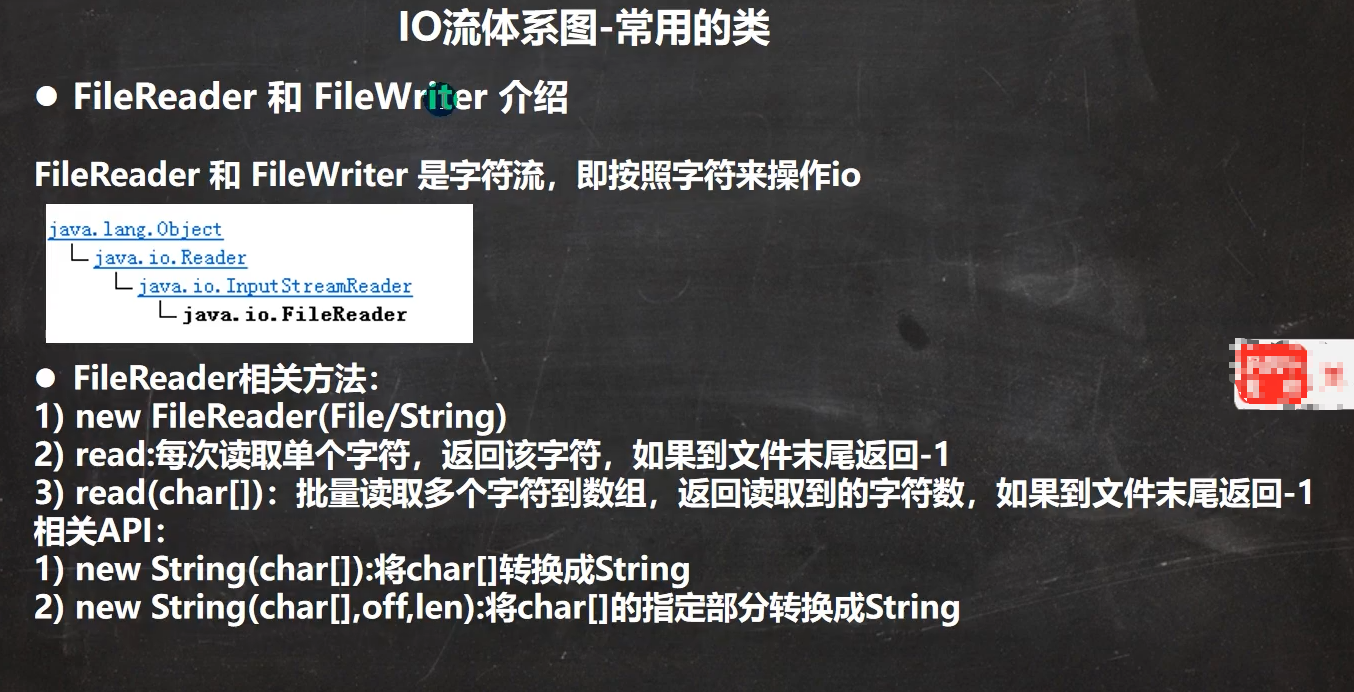
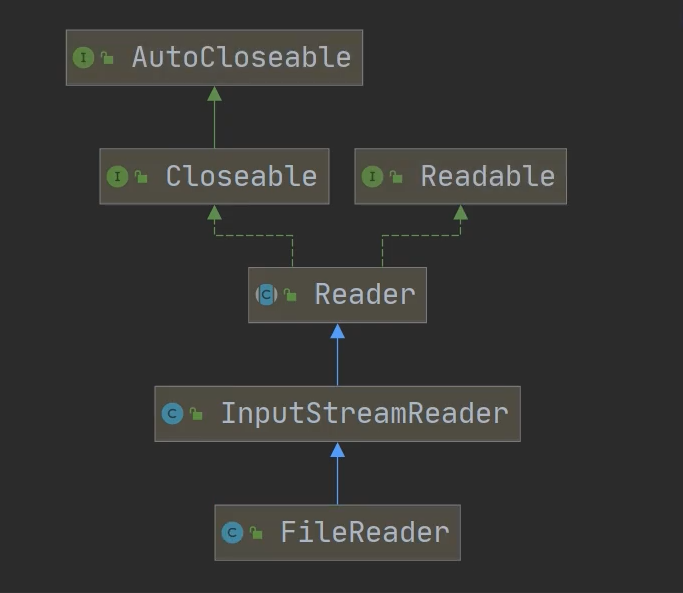
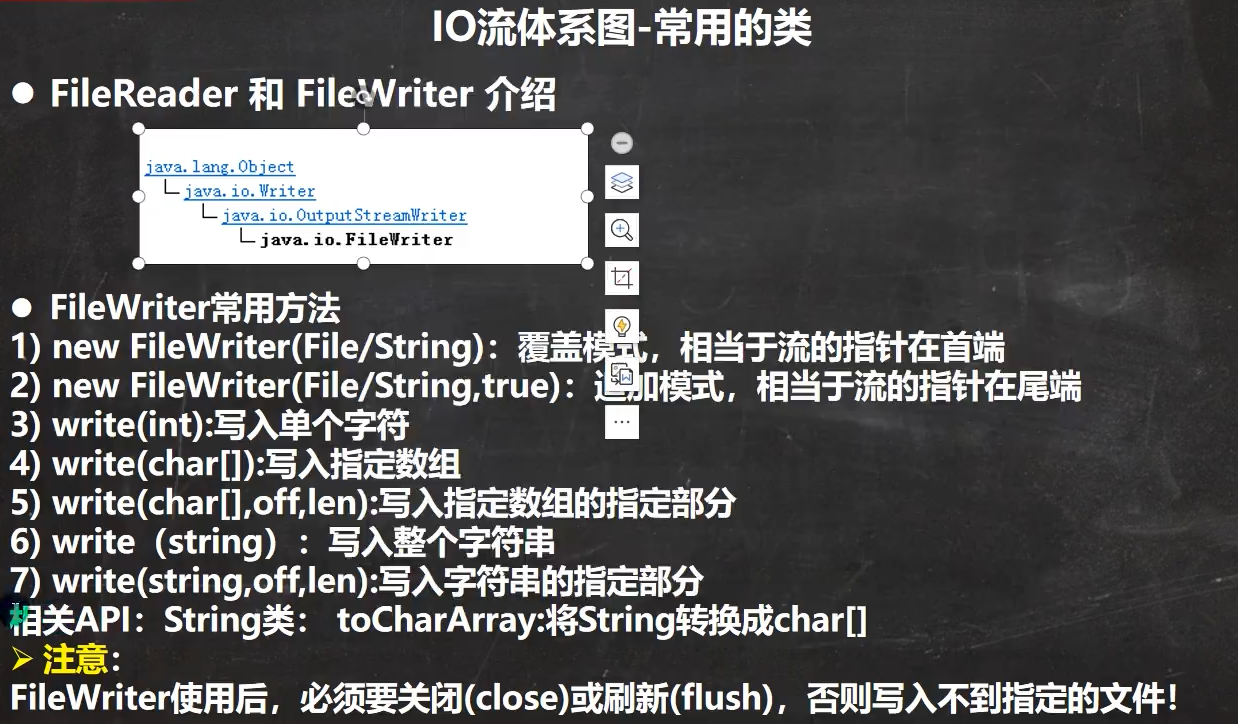
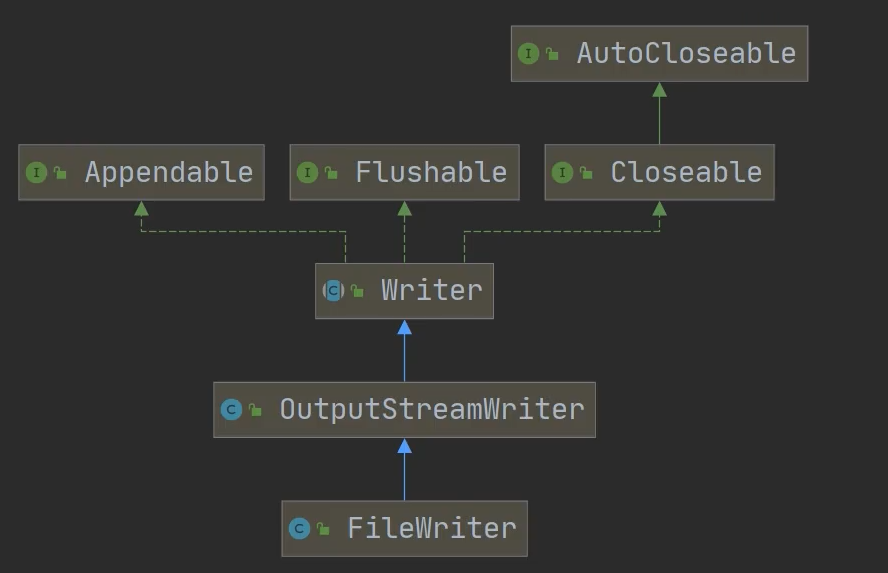
FileReader
单字符读取
package com.xxb.file;

import java.io.FileNotFoundException;
import java.io.FileReader;
import java.io.IOException;

public class FileReader_ {
    public static void main(String[] args) {
        String filePath="D:\\xxb\\java-base-learning\\chapter19\\demofile\\test3.txt";
        FileReader fileReader=null;
        int data=0;
        //1.创建FileReader对象
        try {
            fileReader = new FileReader(filePath);
            //循环读取
            while ((data=fileReader.read())!=-1){
                System.out.print((char) data);
            }
        } catch (IOException e) {
            e.printStackTrace();
        }finally {
            if(fileReader!=null){
                try {
                    fileReader.close();
                } catch (IOException e) {
                    e.printStackTrace();
                }
            }
        }
    }

}
字符数组读取
package com.xxb.file;

import java.io.FileNotFoundException;
import java.io.FileReader;
import java.io.IOException;

public class FileReader_ {
    public static void main(String[] args) {
        String filePath="D:\\xxb\\java-base-learning\\chapter19\\demofile\\test3.txt";
        FileReader fileReader=null;
        //字符长度
        int readLen=0;
        //字符数组 8个一组
        char[] buffer=new char[8];
        //1.创建FileReader对象
        try {
            fileReader = new FileReader(filePath);
            //循环读取 返回的是实际读取到的字符数
            while ((readLen=fileReader.read(buffer))!=-1){
                System.out.print(new String(buffer,0,readLen));
            }
        } catch (IOException e) {
            e.printStackTrace();
        }finally {
            if(fileReader!=null){
                try {
                    fileReader.close();
                } catch (IOException e) {
                    e.printStackTrace();
                }
            }
        }
    }

}
FileWriter
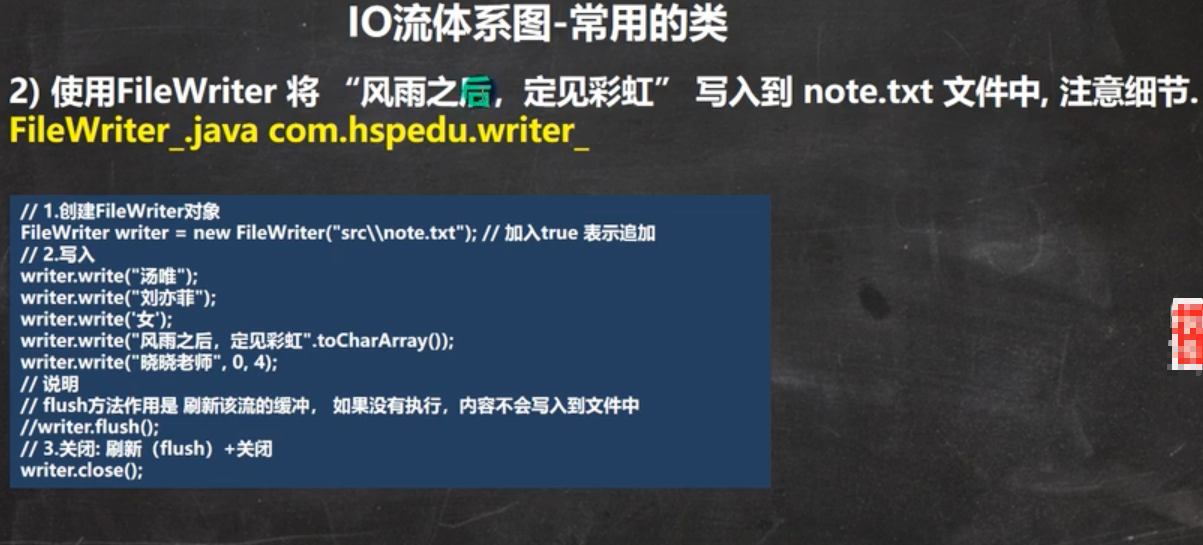
package com.xxb.file;

import java.io.File;
import java.io.FileWriter;
import java.io.IOException;

public class FileWriter_ {
    public static void main(String[] args) {
        String filePath="D:\\xxb\\java-base-learning\\chapter19\\demofile\\test4.txt";
        //创建FileWriter对象
        FileWriter fileWriter=null;
        char[] chars={'a','b','c'};
        try {
            //追加模式
            fileWriter=new FileWriter(filePath,true);
            //写入单个字符
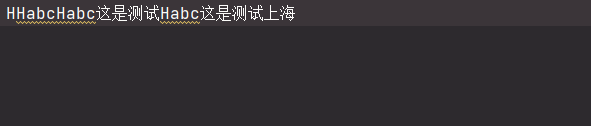
            fileWriter.write("H");
            //写入字符数组
            fileWriter.write(chars);
            //截取前4个字符到文件中。 写入指定数组的指定部分
            fileWriter.write("这是测试文件".toCharArray(),0,4);
            //写入这个字符串的指定部分
            fileWriter.write("上海天津",0,2);
            //在数据量比较大的情况下,可以使用循环操作
        } catch (IOException e) {
            e.printStackTrace();
        }finally {
            //对应FileWriter,一定要关闭流,或者flush才能真正的把数据写入到文件
            if(fileWriter!=null){
                try {
                    //刷新
                    //fileWriter.flush();
                    //关闭
                    fileWriter.close();
                } catch (IOException e) {
                    e.printStackTrace();
                }
            }

        }
    }
}
字节流和处理流
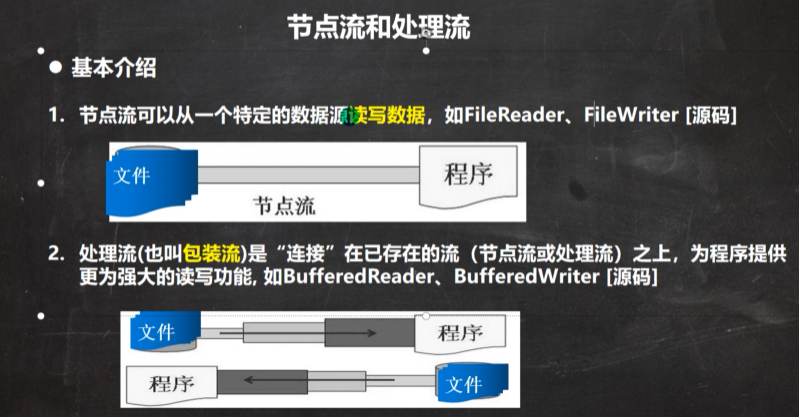
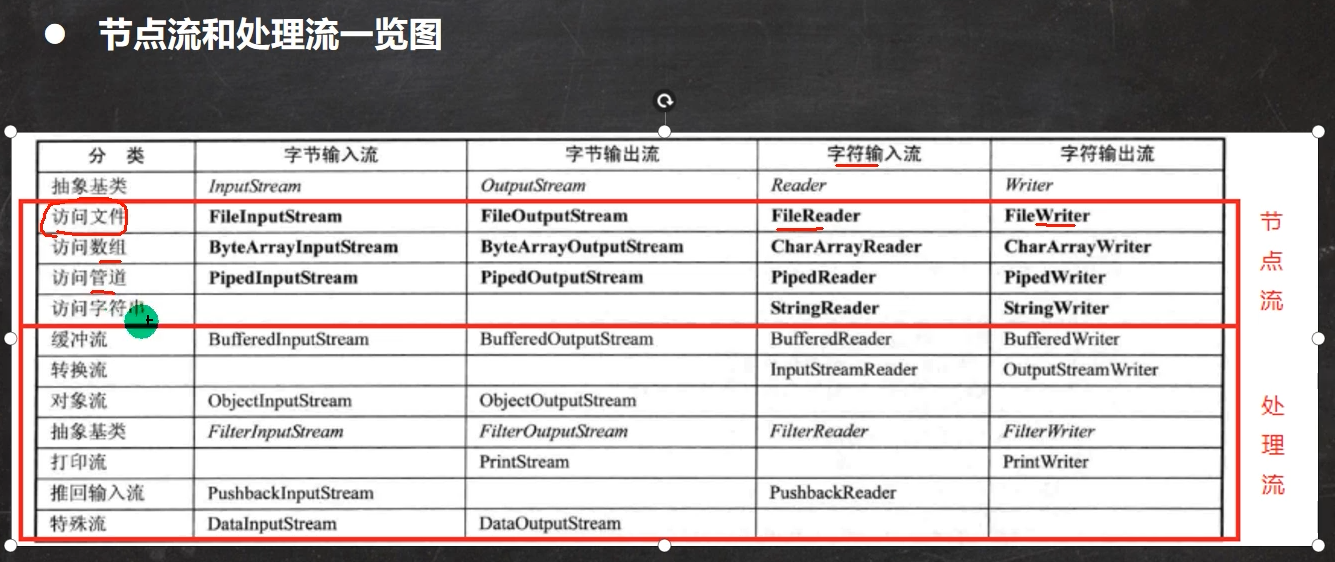
节点流和处理流
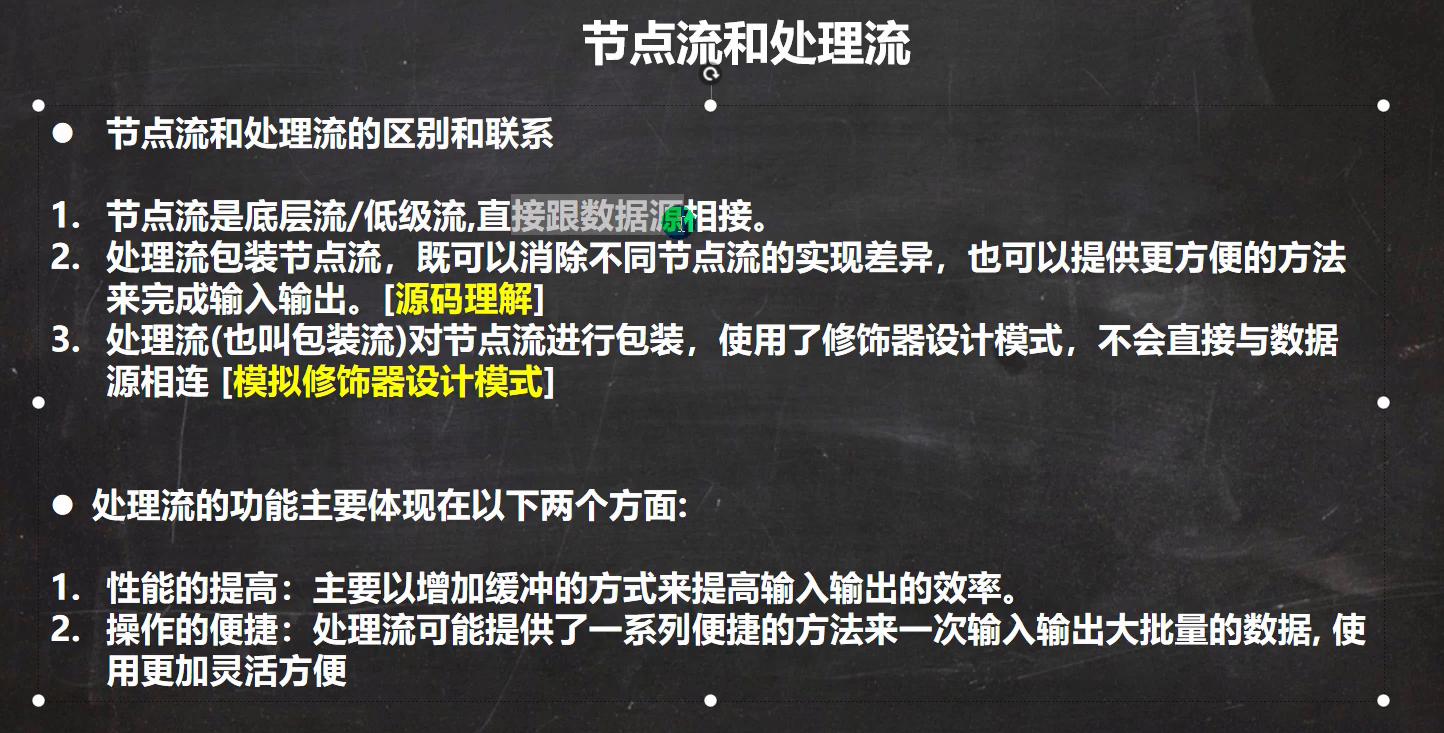
模拟处理流源码(装饰器模式)
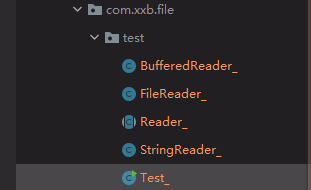
//Reader_.java
package com.xxb.file.test;

public abstract class Reader_ { //抽象类
    public void readFile(){

    }
    public void readString(){

    }

}
package com.xxb.file.test;

public class FileReader_ extends Reader_ {
    @Override
    public void readFile(){
        System.out.println("对文件进行读取");
    }

}
package com.xxb.file.test;

public class StringReader_ extends Reader_{
    @Override
    public void readString(){
        System.out.println("对字符串进行读取");
    }
}
package com.xxb.file.test;

import org.junit.jupiter.api.Test;

public class BufferedReader_ extends Reader_ {
    private  Reader_ reader_; //属性是Reader_类型

    public BufferedReader_(Reader_ reader_) {
        this.reader_ = reader_;
    }
    @Override
    public  void readFile(){
        reader_.readFile();
    }
    //多次读取文件
    public void readFiles(int num ){
        for (int i = 0; i < num; i++) {
            reader_.readFile();
        }
    }
    //多次读取字符串
    public void readStrings(int num){
        for (int i = 0; i <num ; i++) {
            reader_.readString();
        }
    }
}
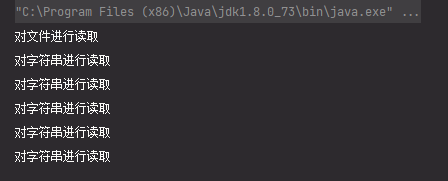
package com.xxb.file.test;

import org.junit.jupiter.api.Test;


public class Test_{
    public static void main(String[] args) {
        BufferedReader_ bufferedReader_=new BufferedReader_(new FileReader_());
//        bufferedReader_.readFiles(10);
        bufferedReader_.readFile();
        BufferedReader_ bufferedReader2=new BufferedReader_(new StringReader_());
        bufferedReader2.readStrings(5);
    }
}
BufferedReader(字符处理流)
package com.xxb.file.buffer;

import java.io.BufferedReader;
import java.io.FileReader;
import java.io.IOException;

public class BufferedReader_ {
    public static void main(String[] args)throws IOException {
        String filePath="D:\\xxb\\java-base-learning\\chapter19\\demofile\\参考地址.txt";
        //创建BufferedReader
        BufferedReader bufferedReader = new BufferedReader(new FileReader(filePath));
        //读取  按行读取
        String line;
        while((line = bufferedReader.readLine())!=null){
            System.out.println(line);
        }
        //关闭流,只需要关闭BufferedReader
        bufferedReader.close();

    }
}
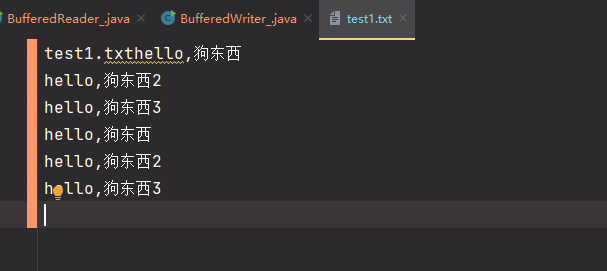
BufferedWriter(字符处理流)
package com.xxb.file.buffer;

import java.io.BufferedWriter;
import java.io.FileWriter;
import java.io.IOException;

public class BufferedWriter_ {
    public static void main(String[] args) throws IOException {
        String filePath="D:\\xxb\\java-base-learning\\chapter19\\demofile\\test1.txt";
        //创建一个BufferedWriter 写入流  //追加模式
        BufferedWriter bufferedWriter = new BufferedWriter(new FileWriter(filePath,true));
        //写入
        bufferedWriter.write("hello,狗东西");
        bufferedWriter.newLine();//插入一个和系统相关的换行符
        bufferedWriter.write("hello,狗东西2");
        bufferedWriter.newLine();//插入一个和系统相关的换行符
        bufferedWriter.write("hello,狗东西3");
        bufferedWriter.newLine();//插入一个和系统相关的换行符
        //插入一个换行
        //关闭外层流
        bufferedWriter.close();
    }
}
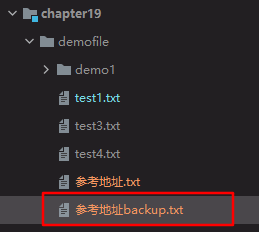
使用Buffered进行拷贝文件(字符处理流)
package com.xxb.file.buffer;

import java.io.*;

public class BufferedCopy_ {
    public static void main(String[] args) {

        //1. BufferedReader和BufferedWriter按照字符流操作
        //2. 不要去操作二进制文件,可能会造成文件损坏
        String srcFilePath="D:\\xxb\\java-base-learning\\chapter19\\demofile\\参考地址.txt";
        String destFilePath="D:\\xxb\\java-base-learning\\chapter19\\demofile\\参考地址backup.txt";
        BufferedReader br=null;
        BufferedWriter bw=null;
        String line;
        try {
            //创建一个读取流
            br = new BufferedReader(new FileReader(srcFilePath));
            //创建一个写入流
            bw=new BufferedWriter(new FileWriter(destFilePath));

            //读取
            while((line=br.readLine())!=null){
                //每读取一行就写入一行
                bw.write(line);
                //插入一个换行符
                bw.newLine();
            }
            System.out.println("拷贝完毕");
        } catch (IOException e) {
            e.printStackTrace();
        }finally {
            //关闭流
            if(br!=null){
                //关闭读取流
                try {
                    br.close();
                } catch (IOException e) {
                    e.printStackTrace();
                }
            }
            if(bw!=null){
                //关闭写入流
                try {
                    bw.close();
                } catch (IOException e) {
                    e.printStackTrace();
                }
            }

        }
    }
}
buffered字节处理流(BufferedInputStream和BufferedOutputStream)
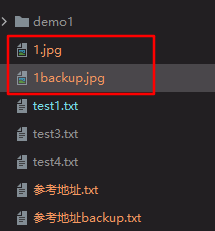
demo:图片文件拷贝
package com.xxb.file.buffer;

import java.io.*;

/**
 * 演示使用BufferedOutputStream 和Buffered
 */

public class BufferedCopy2_ {
    public static void main(String[] args) {

        //1. 字节流可以操作二进制文件(word,excel,ppt,音频和视频,图片)和文本文件
        String srcFilePath = "D:\\xxb\\java-base-learning\\chapter19\\demofile\\1.jpg";
        String destFilePath = "D:\\xxb\\java-base-learning\\chapter19\\demofile\\1backup.jpg";
        //创建BufferedInputStream对象
        BufferedInputStream bis=null;
        //创建BufferedOutputStream对象
        BufferedOutputStream bos=null;

        try {
            //输入流对象
            bis=new BufferedInputStream(new FileInputStream(srcFilePath));
            //输出流对象
            bos=new BufferedOutputStream(new FileOutputStream(destFilePath));

            //循环读取文件,并写入到destFilePath
            byte[] buffer=new byte[1024];
            //长度
            int readLen=0;
            //-1表示文件读取完毕
            while((readLen=bis.read(buffer))!=-1){
                bos.write(buffer,0,readLen);
            }
            System.out.println("拷贝完毕");
        } catch (IOException e) {
            e.printStackTrace();
        }finally {
            //关闭流
            if(bis!=null){
                try {
                    bis.close();
                } catch (IOException e) {
                    e.printStackTrace();
                }
            }
            if(bos!=null){
                try {
                    bos.close();
                } catch (IOException e) {
                    e.printStackTrace();
                }
            }
        }

    }
}
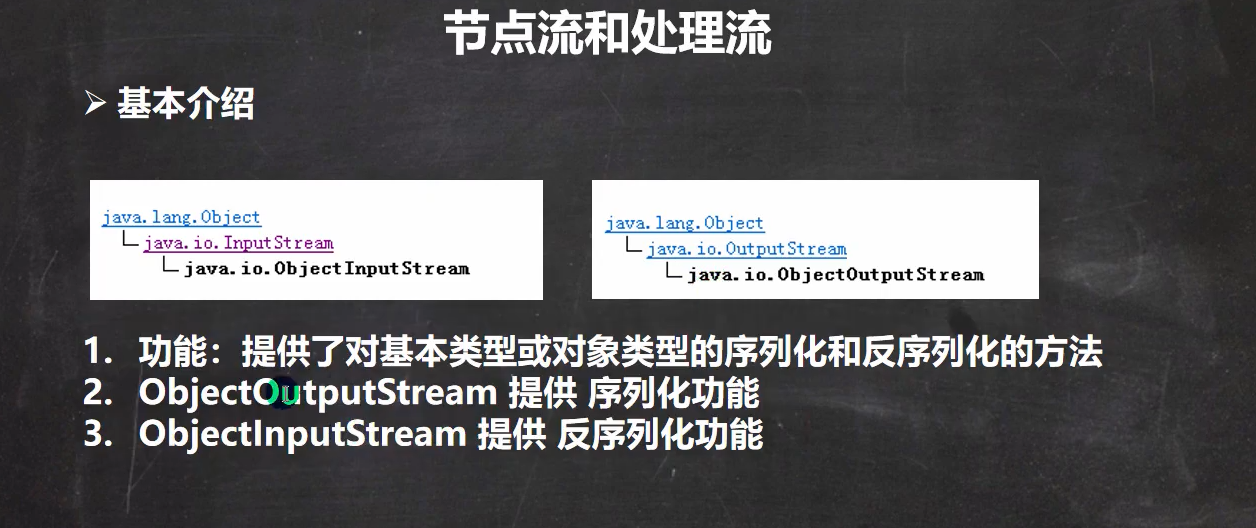
对象处理流
需求 ;就是能够将基本数据类型或者对象进行序列化和反序列化
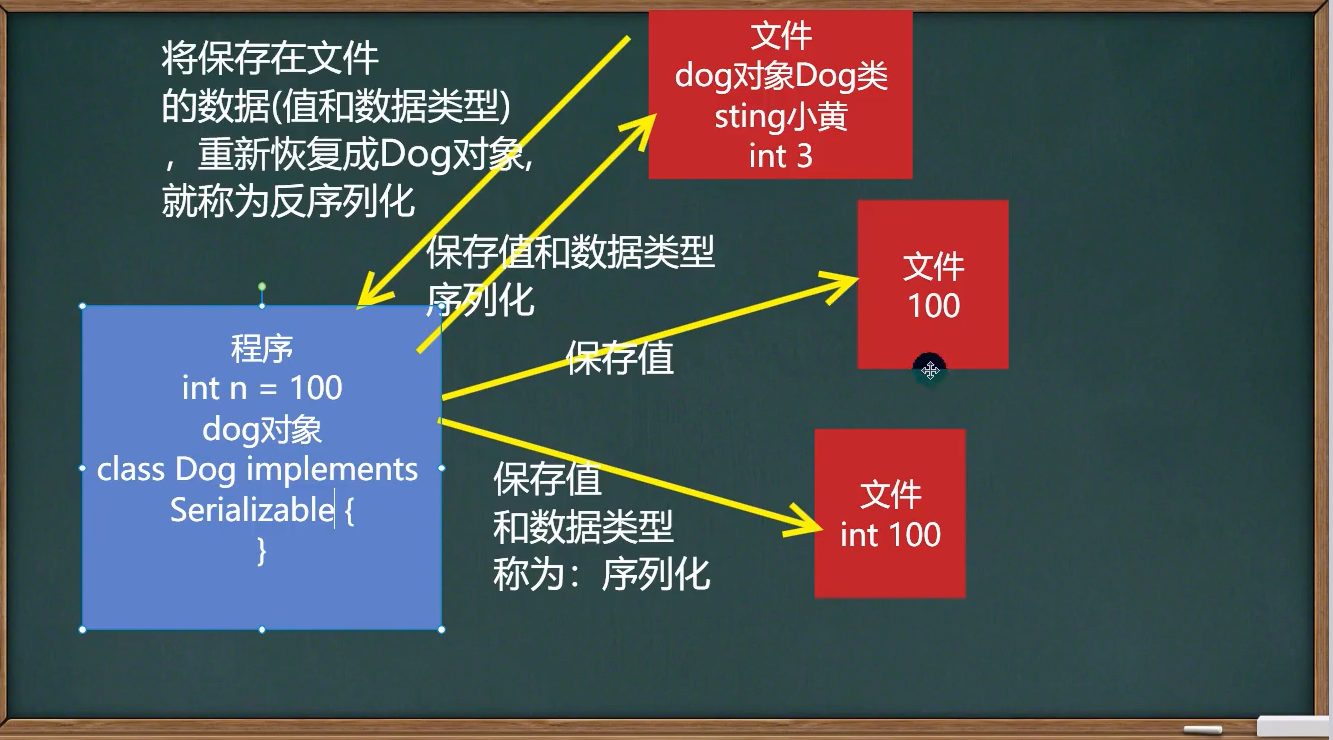
序列化和反序列化
- 序列化就是在保存数据时,保存数据的值和数据类型
- 反序列化就是在恢复数据时,恢复数据的值和数据类型
- 需要让某个对象支持序列化机制,则必须让其类可序列化的,为了让某个类是可序列化的,该类必须实现如下两个接口之一。
- Serializable //这是一个标记接口(没有方法 优先考虑这个接口)
- Externalizable //该接口有方法需要实现,因此我们一般实现上面的 Serializable接口
实例(序列化)
package com.xxb.file.outputstream;
import java.io.*;

public class ObjectOutStram_ {
    public static void main(String[] args) throws Exception {
        //序列化后,保存的文本格式,不是存文本,而是按照他的格式来保存。
        String filePath = "D:\\xxb\\java-base-learning\\chapter19\\demofile\\data.dat";
        ObjectOutputStream oos = new ObjectOutputStream(new FileOutputStream(filePath));

        //序列化数据到
        oos.writeInt(100);// int->Interger(实现了 Serializable)
        oos.writeBoolean(true);//boolean->Boolean(实现了Serializable)
        oos.writeChar('a');//char->character
        oos.writeDouble(9.5);//Double
        oos.writeUTF("测试");// String
       //保存一个dog
       oos.writeObject(new Dog("完成",10));
       oos.close();
        System.out.println("数据保存完毕(序列化形式)");


    }


}
class Dog implements Serializable {
    private  String name;
    private  int age;

    public Dog(String name, int age) {
        this.name = name;
        this.age = age;
    }

    @Override
    public String toString() {
        return "Dog{" +
                "name='" + name + '\'' +
                ", age=" + age +
                '}';
    }
}
实例(反序列化)
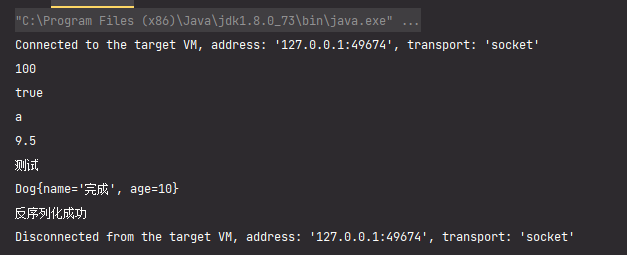
package com.xxb.file.inputStream;

import java.io.FileInputStream;
import java.io.ObjectInputStream;

public class ObjectInputStream_ {
    public static void main(String[] args) throws  Exception{
        //反序列化文件路径
        String filePath = "D:\\xxb\\java-base-learning\\chapter19\\demofile\\data.dat";
        ObjectInputStream ois = new ObjectInputStream(new FileInputStream(filePath));

        //读取
        //读取(反序列化)的顺序需要和你保存数据(序列化)的顺序一致  否则会出现异常
        System.out.println(ois.readInt());
        System.out.println(ois.readBoolean());
        System.out.println(ois.readChar());
        System.out.println(ois.readDouble());
        System.out.println(ois.readUTF());
        System.out.println(ois.readObject());
        //关闭流
        ois.close();
        System.out.println("反序列化成功");

    }
}
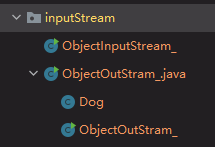
序列化 和反序列化 的文件最好保存在同一个包下面,特别是涉及类的定义。
对象处理流使用细节
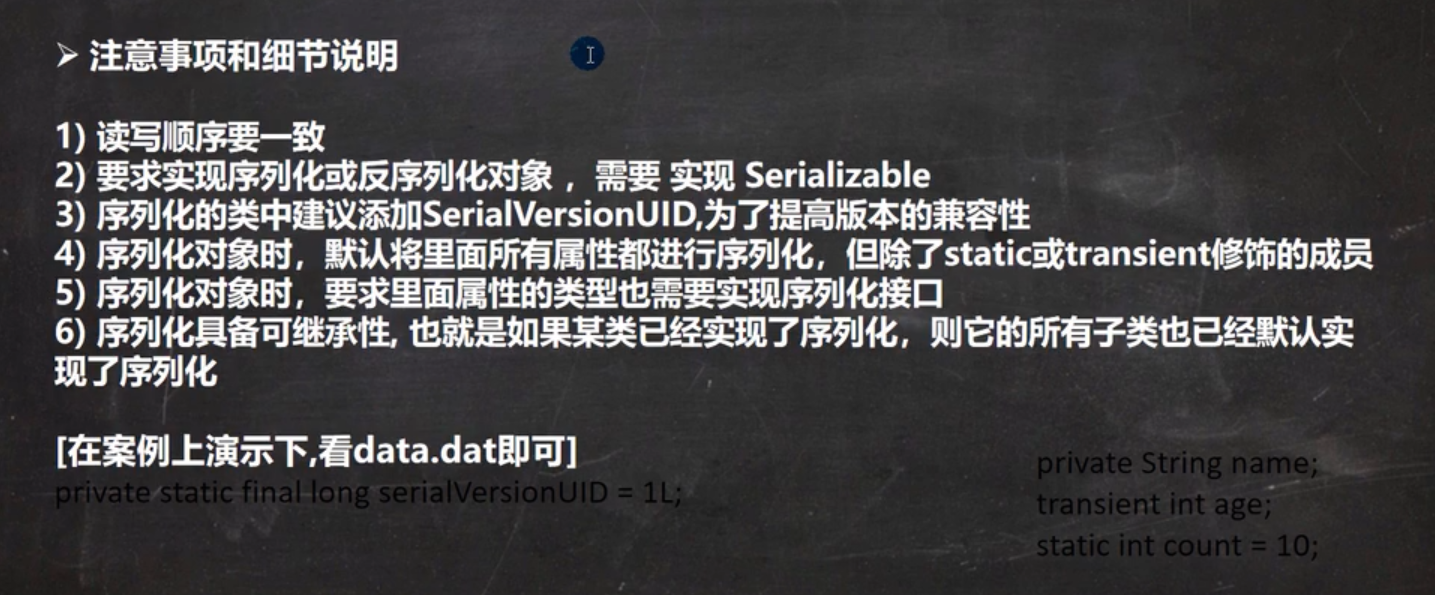
class Dog implements Serializable {
    //序列化版本号,可以提高兼容性
    private  static  final long serialVersionUID=1L;
    private  String name;
    private  int age;

    public Dog(String name, int age) {
        this.name = name;
        this.age = age;
    }

    @Override
    public String toString() {
        return "Dog{" +
                "name='" + name + '\'' +
                ", age=" + age +
                '}';
    }
}
标准输入输出流
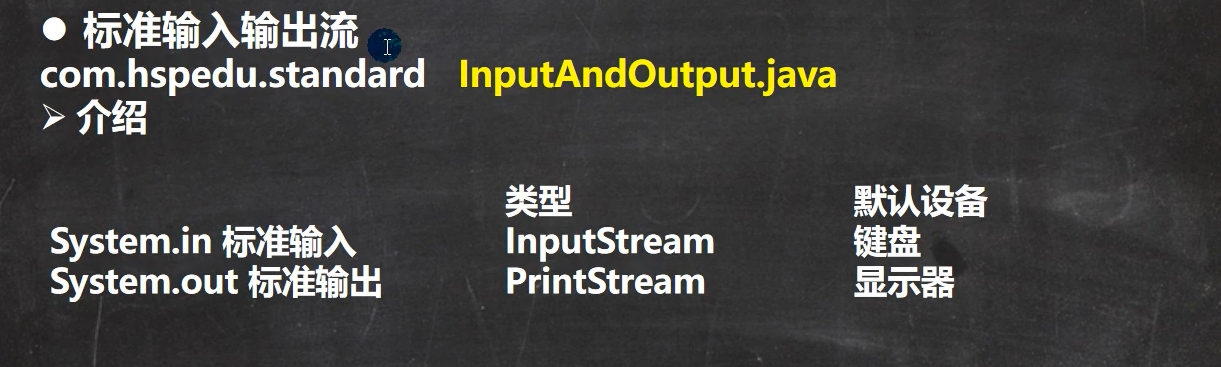
实例
package com.xxb.file.standard;

import java.util.Scanner;

public class InputAndOutput {
    public static void main(String[] args) {
        //System 类的public final static InputStream in=nuull;
        //System.in 编译类型  InputStream
        // System.in 运行类型  BufferedInputStream
        //表示标准输入  键盘
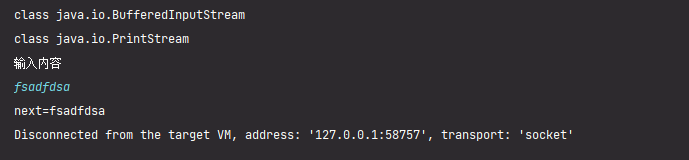
        System.out.println(System.in.getClass());//class java.io.BufferedInputStream

        //System.out  public final static PrintStream out=null;
        //编译类型  PrintStream
        //运行类型  PrintStream
        //表示标准输出  显示器
        System.out.println(System.out.getClass());//class java.io.PrintStream

        Scanner scanner=new Scanner(System.in);
        System.out.println("输入内容");
        String next=scanner.next();
        System.out.println("next="+next);
    }
}
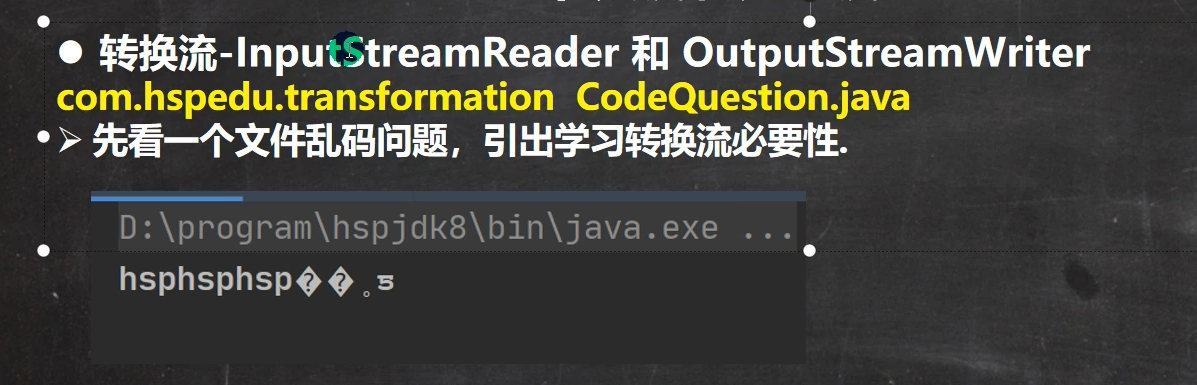
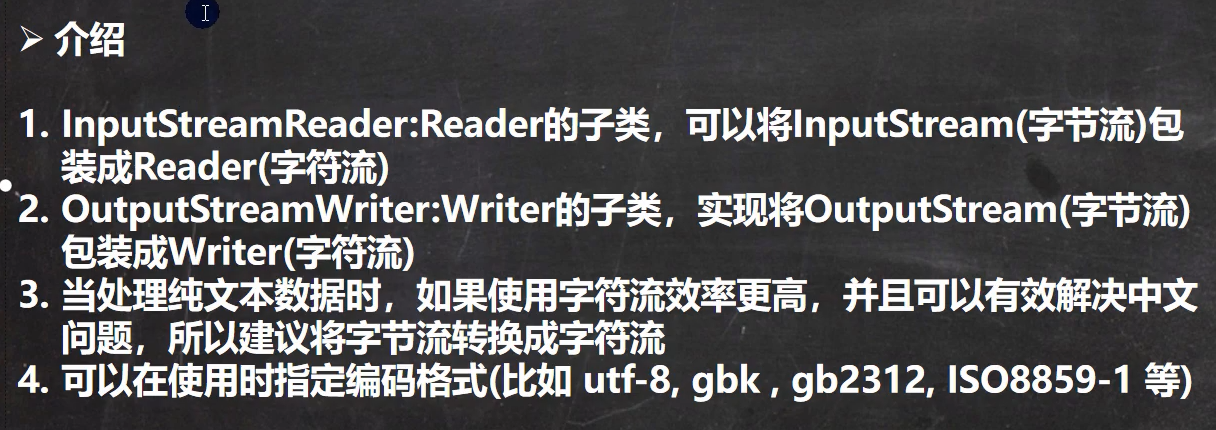
转换流(字节流->字符流)
InputStreamReader
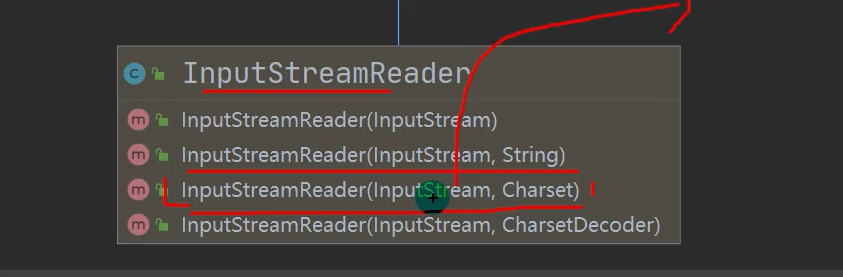
可以传入一个InputStream对象,而且可以设置处理流的编码。
package com.xxb.file.transform;

import java.io.BufferedReader;
import java.io.FileInputStream;
import java.io.IOException;
import java.io.InputStreamReader;

/**
 * 将FileInputStream 转成字符流  InputStreamReader,指定编码 gbk/utf-8
 */
public class InputStreamReader_  {
    public static void main(String[] args) throws IOException {
        String filePath="D:\\xxb\\java-base-learning\\chapter19\\demofile\\test1.txt";
        //转换流 指定编码 UTF-8
        InputStreamReader isr = new InputStreamReader(new FileInputStream(filePath), "UTF-8");
        //使用处理流 buffer
        BufferedReader br = new BufferedReader(isr);
        //读取
        String s=br.readLine();
        System.out.println(s);
        //关闭流
        br.close();


    }
}
OutputStreamWriter
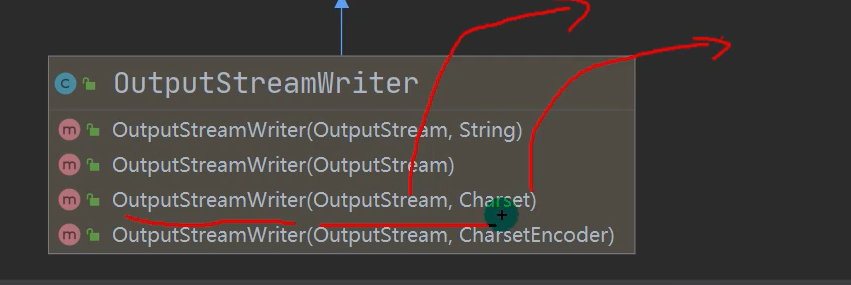
package com.xxb.file.transform;

import java.io.FileOutputStream;
import java.io.IOException;
import java.io.OutputStream;
import java.io.OutputStreamWriter;

public class OutpurStreamWriter_ {
    public static void main(String[] args) throws IOException {
        String filePath="D:\\xxb\\java-base-learning\\chapter19\\demofile\\test1.txt";
        //追加模式true
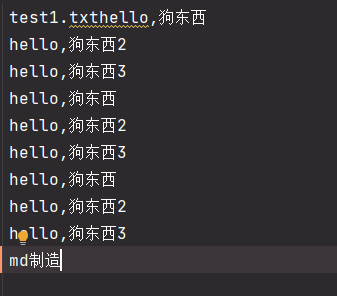
        OutputStreamWriter osw = new OutputStreamWriter(new FileOutputStream(filePath,true), "UTF-8");
        osw.write("md制造");
        //关闭流
        osw.close();
        System.out.println("保存文件成功");

    }
}
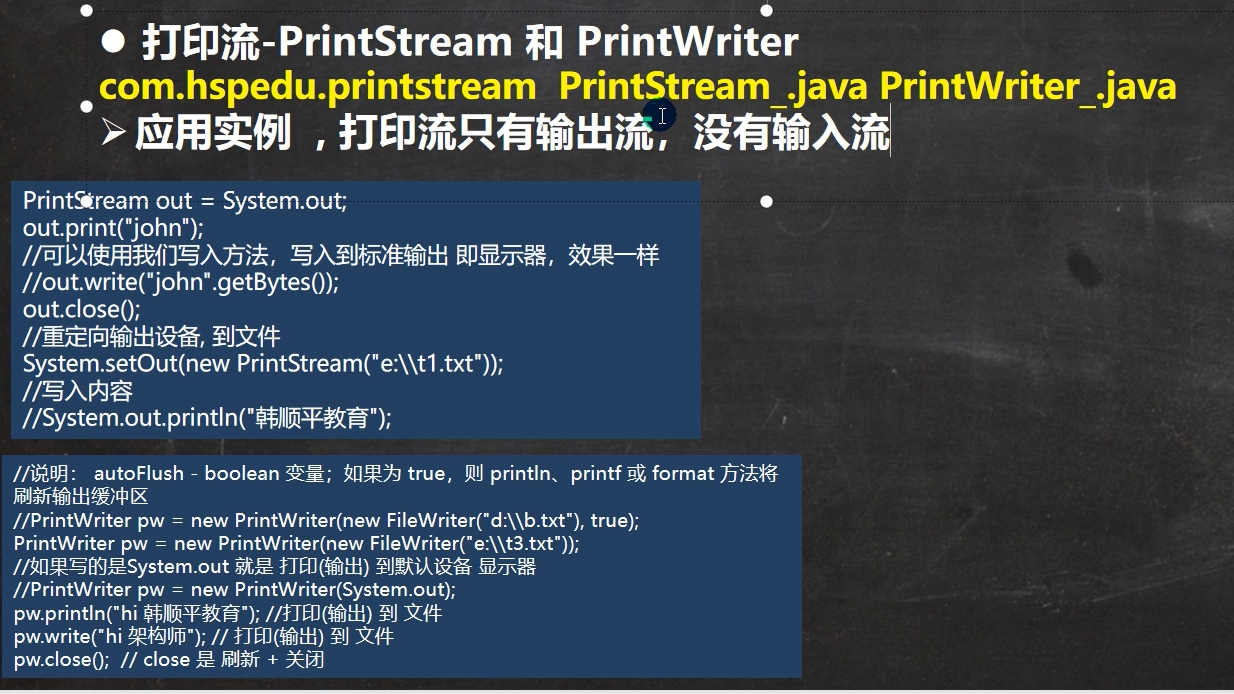
打印流
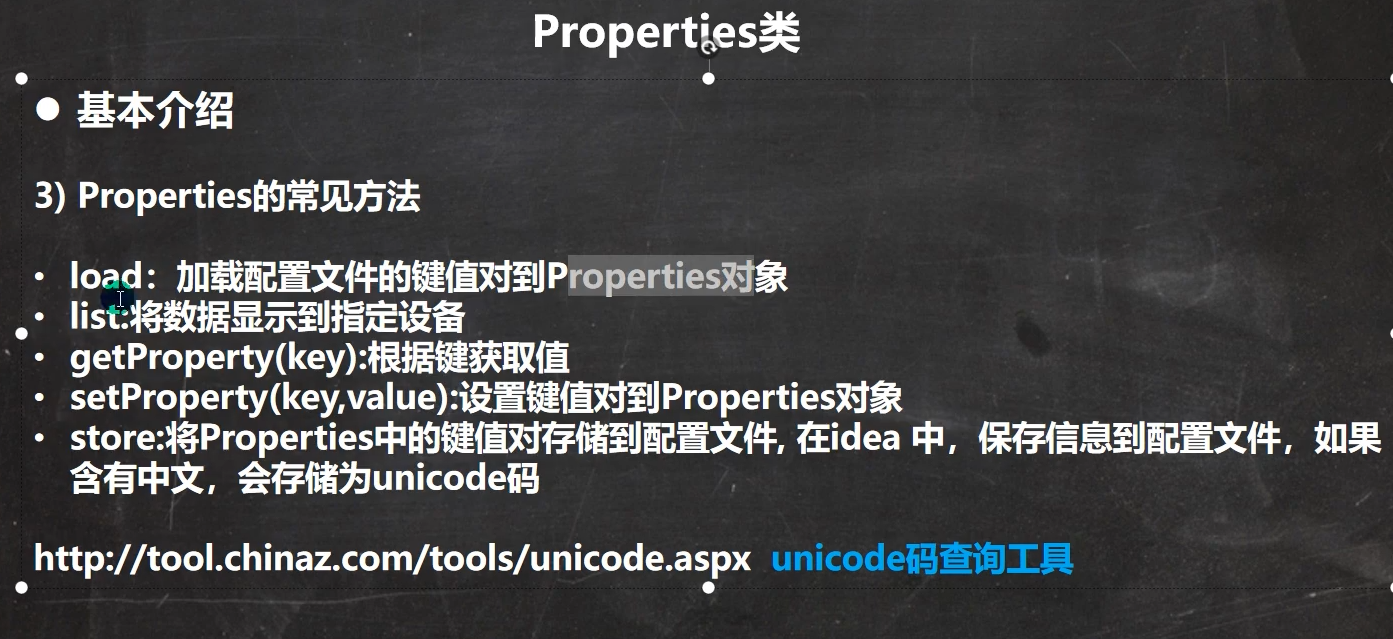
Properties类
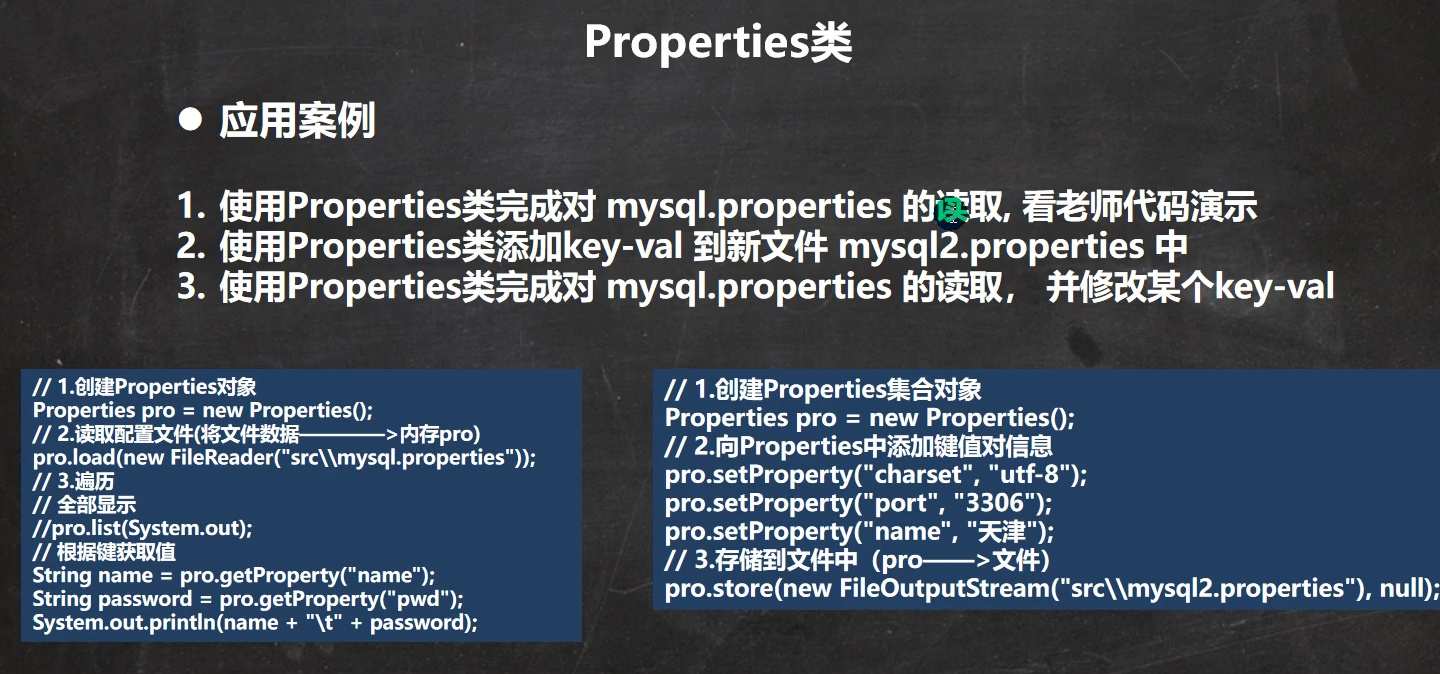
package com.xxb.file.properties_;

import java.io.FileInputStream;
import java.io.FileOutputStream;
import java.io.IOException;
import java.util.Properties;

public class Properties01 {
    public static void main(String[] args) throws IOException {
        //使用Properties 类 读取mysql.properties 文件
        //D:\xxb\java-base-learning\chapter19\src\com\xxb\file\mysql.properties
        //1. 创建Properties对象
        Properties properties = new Properties();
        //2. 加载指定配置文件
        properties.load(new FileInputStream("D:\\xxb\\java-base-learning\\chapter19\\src\\com\\xxb\\file\\mysql.properties"));
        //3.把k-v显示控制台
        properties.list(System.out);
        //4. 根据key 后去对应的值
        String user=properties.getProperty("user");
        String pwd=properties.getProperty("pwd");
        System.out.println(user);
        System.out.println(pwd);

        //创建
        properties.setProperty("charset","utf-8");
        //properties.setProperty("user","tm汤姆");
        //properties.setProperty("pwd","abc111");
        properties.setProperty("pwd","abc111");
        //将k-v存储到文件中 追加模式
        properties.store(new FileOutputStream("D:\\xxb\\java-base-learning\\chapter19\\src\\com\\xxb\\file\\mysql.properties",true),null);
        //保存成功
        System.out.println("保存成功");

    }
}

 浙公网安备 33010602011771号