
LAMP——搭建基于Apache、wordpress、nfs、mysql、DNS的系统
一、部署架构
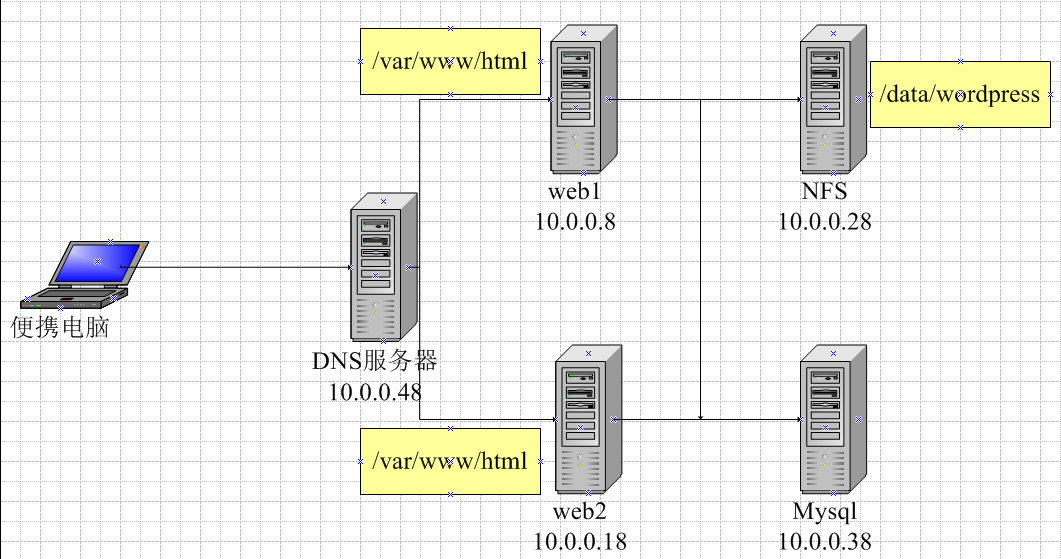
二、部署过程
1、在10.0.0.8和10.0.0.18服务器上安装apache服务
[17:10:06 root@centos8 ~]#yum -y install httpd
安装php服务
[18:59:12 root@centos8 html]#yum -y install php-fpm php-mysqlnd php-json php-xml
启动php服务
[19:15:54 root@centos8 html]#systemctl enable --now php-fpm
2、在10.0.0.28服务器上安装wordpress应用
下载:https://cn.wordpress.org/download/
解压安装wordpress
[17:49:24 root@centos8 ~]#unzip wordpress-5.7.2-zh_CN.zip
[17:49:01 root@centos8 ~]#mkdir /data/wordpress -p
[17:49:20 root@centos8 ~]#mv wordpress/* /data/wordpress/
设置管理账号www
[17:50:43 root@centos8 data]#useradd -u 80 -s /sbin/nologin -r www
[17:51:06 root@centos8 data]#id www
uid=80(www) gid=80(www) groups=80(www)
授权目录权限给www账号
[23:28:14 root@centos8 data]#chown -R www.www /data/wordpress/
3、在10.0.0.28服务器上安装NFS服务
10.0.0.8/18/28上安装软件包(web服务器及NFS均需安装该软件)
[18:00:09 root@centos8 ~]#yum -y install nfs-utils
10.0.0.28启动nfs-server服务
[18:09:21 root@centos8 data]#systemctl enable --now nfs-server
Created symlink /etc/systemd/system/multi-user.target.wants/nfs-server.service → /usr/lib/systemd/system/nfs-server.service.
10.0.0.28修改配置文件
[18:22:11 root@centos8 data]#cat /etc/exports
/data/wordpress 10.0.0.0/24(rw)
#重新加载配置文件
[18:22:05 root@centos8 data]#exportfs -r
#查看配置内容
[18:22:10 root@centos8 data]#exportfs -v
/data/wordpress
        10.0.0.0/24(sync,wdelay,hide,no_subtree_check,sec=sys,rw,secure,root_squash,no_all_squash)
10.0.0.8/18挂载NFS目录
[18:30:00 root@centos8 html]#mount 10.0.0.28:/data/wordpress /var/www/html
配置永久挂载/etc/fstab
10.0.0.28:/data/wordpress /var/www/html nfs _netdev 0 0
其中_netdev必须设置,不然当服务器重启时,会因网络问题而启动失败。
4、在10.0.0.38服务器上安装mysql应用
[17:09:27 root@centos8 ~]#yum -y install mysql-server
#启动mysql服务并设置为开机启动
[17:16:39 root@centos8 ~]#systemctl enable --now mysqld
Created symlink /etc/systemd/system/multi-user.target.wants/mysqld.service → /usr/lib/systemd/system/mysqld.service.
创建管理wordpress应用的数据库和账号
mysql> create database wordpress;
Query OK, 1 row affected (0.01 sec)
mysql> create user wordpress@'10.0.0.%' identified by '123456';
Query OK, 0 rows affected (0.01 sec)
mysql> grant all on wordpress.* to wordpress@'10.0.0.%';
Query OK, 0 rows affected (0.01 sec
5、在10.0.0.48服务器上安装DNS服务
[17:09:10 root@centos8 ~]#yum -y install bind
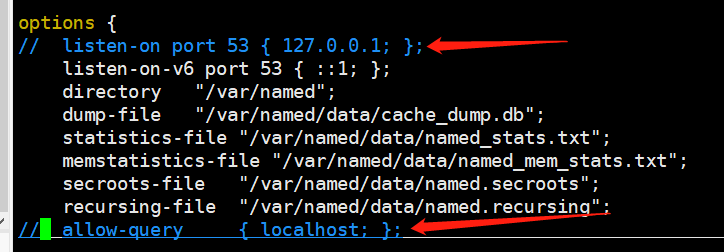
注释/etc/named.conf以下两行
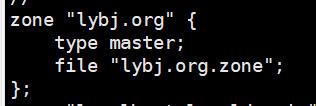
在/etc/named.rfc1912.zones里新增:
配置/var/named/lybj.org.zone:
[22:10:04 root@centos8 ~]#cat /var/named/lybj.org.zone
$TTL 1D
@   IN  SOA ns1  admin ( 1 1H 10M 1W 3H )
        ns  ns1
ns1     A   10.0.0.48
www     A   10.0.0.8
www     A   10.0.0.18
启动DNS服务
[22:10:00 root@centos8 ~]#systemctl enable --now named
6、功能验证
使用windows机器验证,需配置Vnet8的Ipv4DNS地址
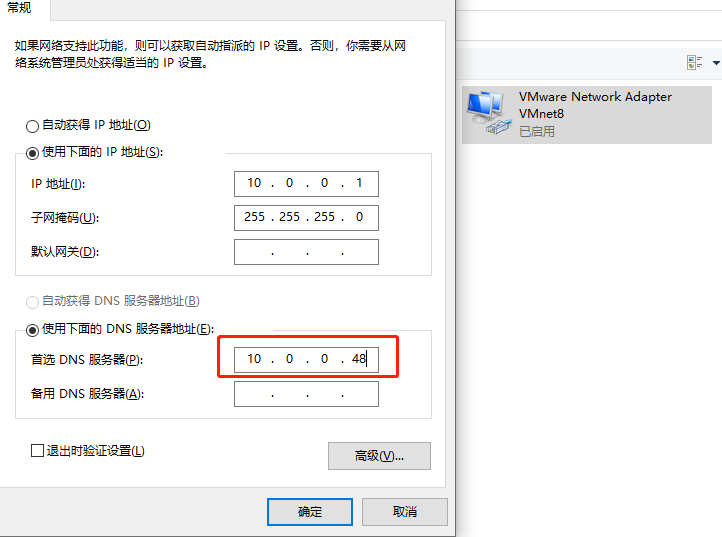
使用linux机器验证,在网卡配置添加DNS地址
[22:50:00 root@centos8 ~]#cat /etc/sysconfig/network-scripts/ifcfg-eth0
···
DNS3=10.0.0.48
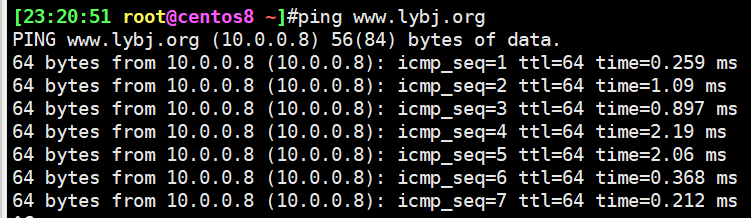
linux机器验证:
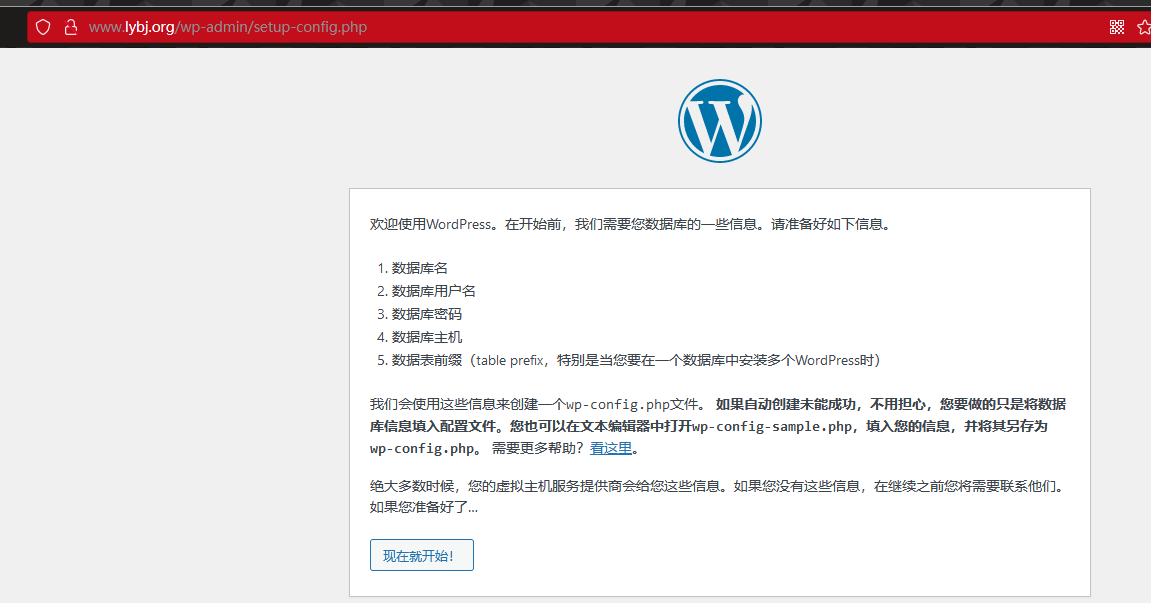
页面验证,访问www.lybj.org:
配置好数据库信息,参考步骤4。发布文章,验证成功:
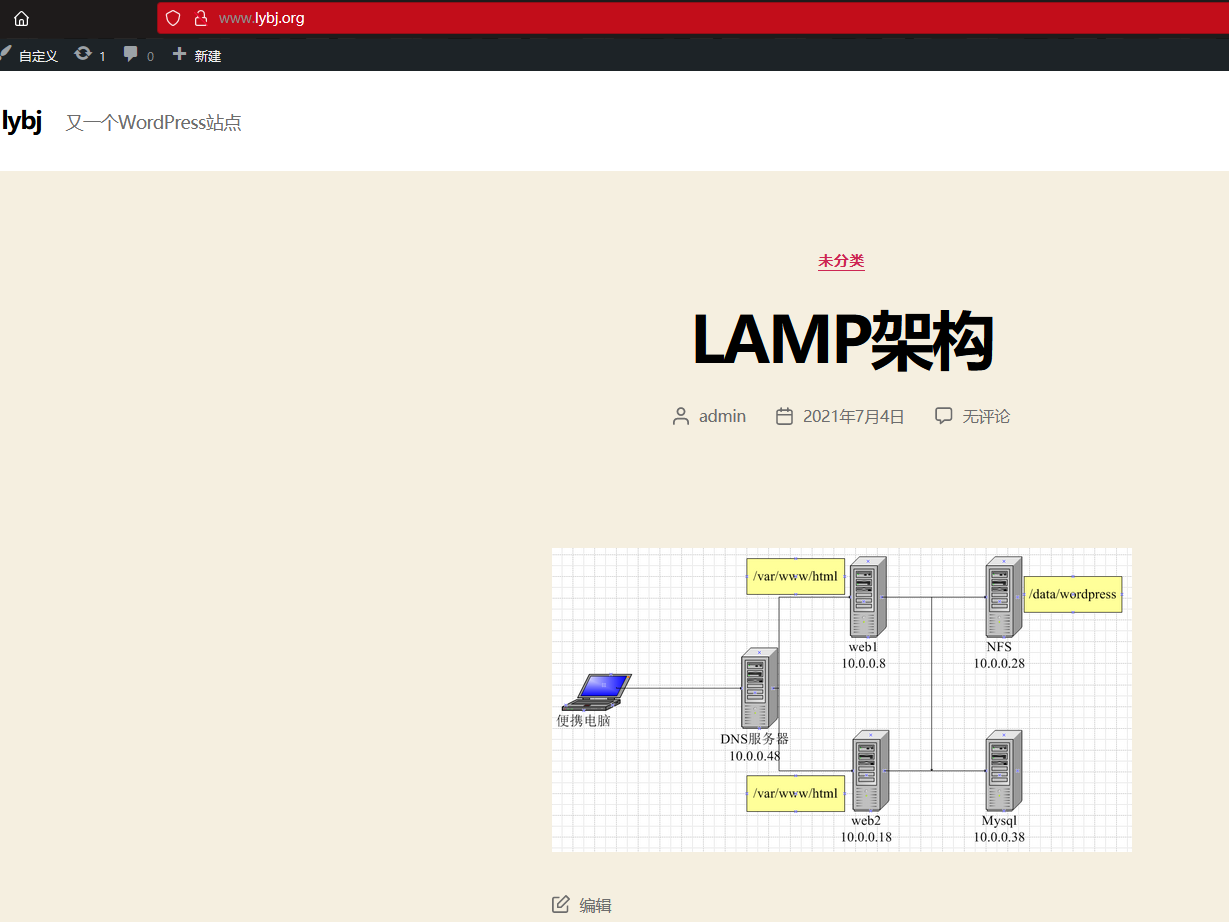
至此,整个架构搭建完毕。

 浙公网安备 33010602011771号