会员
周边
新闻
博问
闪存
赞助商
Chat2DB
所有博客
当前博客
我的博客
我的园子
账号设置
会员中心
简洁模式
...
退出登录
注册
登录
sophe
博客园
首页
新随笔
联系
管理
订阅
eclipse 工具中中文字体和英文字体大小不匹配
解决办法:
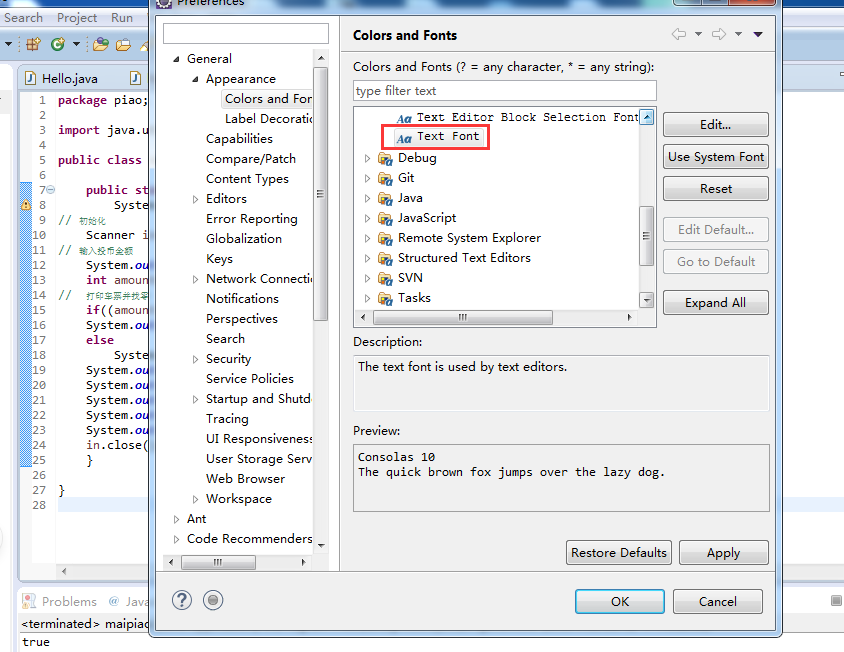
Eclipse/Windows/Preferences/General/Appearance/Colors and Fonts/Baisc/Text Front/脚本修改为中欧字符。
posted @
2018-12-17 15:30
sophe
阅读(
272
) 评论(
0
)
收藏
举报
刷新页面
返回顶部
公告



 浙公网安备 33010602011771号