


N46-第十五周作业
1、写出MPM multi-processing module工作模式原理以及区别
答:
Prefork MPM:预派生模式,有一个主控制进程,然后生成多个子进程,每个子进程有一个独立的线程响应用户请求,相对比较占用内存,但是比较稳定,可以设置最大和最小进程数,是最古老的一种模式,也是最稳定的模式,适用于访问量不是很大的场景。
优点:稳定
缺点:慢,占用资源,不适用于高并发场景
worker MPM:是一种多进程和多线程混合的模型,有一个控制进程,启动多个子进程,每个子进程里面包含固定的线程,使用线程程来处理请求,当线程不够使用的时候会再启动一个新的子进程,然后在进程里面再启动线程处理请求,由于其使用了线程处理请求,因此可以承受更高的并发。
优点:相比prefork 占用的内存较少,可以同时处理更多的请求。
缺点:使用keep-alive的长连接方式,某个线程会一直被占据,即使没有传输数据,也需要一直等待到超时才会被释放。如果过多的线程,被这样占据,也会导致在高并发场景下的无服务线程可用。(该问题在prefork模式下,同样会发生)
Event MPM:和worker模式很像,最大的区别在于在event MPM中,会有一个专门的线程来管理这些keep-alive类型的线程,当有真实请求过来的时候,将请求传递给服务线程,执行完毕后,又允许它释放。
优点:单线程响应多请求,占据更少的内存,高并发下表现更优秀,会有一个专门的线程来管理keep-alive类型的线程,当有真实请求过来的时候,将请求传递给服务线程,执行完毕后,又允许它释放。
缺点:没有线程安全控制
2、编译安装httpd 2.4
答:
#编译安装前基础包及下载源码包
dnf -y install gcc make pcre-devel openssl-devel expat-devel
wget https://downloads.apache.org/apr/apr-1.7.0.tar.bz2
wget https://downloads.apache.org/apr/apr-util-1.6.1.tar.bz2
wget https://downloads.apache.org/httpd/httpd-2.4.46.tar.bz2
#解压apache源码包
dnf install -y tar bzip2
tar xvf apr-1.7.0.tar.bz2 -C /usr/local/src/
tar xvf apr-util-1.6.1.tar.bz2 -C /usr/local/src/
tar xvf httpd-2.4.46.tar.bz2 -C /usr/local/src/
#安装apr、apr-tuil及原码编译apache
cd /usr/local/src/apr-1.7.0/
./configure --prefix=/app/apr
make -j 4 && make install
cd /usr/local/src/apr-util-1.6.1/
./configure --prefix=/app/apr-util --with-apr=/app/apr/
make -j 4 && make install
cd /usr/local/src/httpd-2.4.46/
./configure --prefix=/app/httpd24/ \
--enable-so \
--enable-ssl \
--enable-cgi \
--enable-rewrite \
--with-zlib \
--with-pcre \
--with-apr=/app/apr/ \
--with-apr-util=/app/apr-util/ \
--enable-modules=most \
--enable-mpms-shared=all \
--with-mpm=prefork
make -j 4 && make install
#添加apache用户
useradd -s /sbin/nologin -r apache
#配制httpd.conf文件,以apache用户启动http
vim /app/httpd24/conf/httpd.conf
User apache
Group apache
ServerName www.example.com:80
#添加配置文件
vim /etc/profile.d/httpd24.sh
PATH=/app/httpd24/bin:$PATH
#添加自启动文件
vim /usr/lib/systemd/system/httpd24.service
[Unit]
Description=The Apache HTTP Server
After=network.target remote-fs.target nss-lookup.target
Documentation=man:httpd(8)
Documentation=man:apachectl(8)
[Service]
Type=forking
EnviromentFile=/app/httpd24/conf/httpd.conf
ExecStart=/app/httpd24/bin/apachectl -k start
ExecReload=/app/httpd24/bin/apachectl -k graceful
ExecStop=/app/httpd24/bin/apachectl -k stop
KillSignal=SIGCONT
PrivateTmp=true
[Install]
WantedBy=multi-user.targe
3、编写一个一键部署LAMP架构之wordpress脚本
答:
#!/bin/bash
编译安装apache
dnf -y install gcc make pcre-devel openssl-devel expat-devel
wget https://downloads.apache.org/apr/apr-1.7.0.tar.bz2
wget https://downloads.apache.org/apr/apr-util-1.6.1.tar.bz2
wget https://downloads.apache.org/httpd/httpd-2.4.46.tar.bz2
dnf install -y tar bzip2
tar xvf apr-1.7.0.tar.bz2 -C /usr/local/src/
tar xvf apr-util-1.6.1.tar.bz2 -C /usr/local/src/
tar xvf httpd-2.4.46.tar.bz2 -C /usr/local/src/
cd /usr/local/src/apr-1.7.0/
./configure --prefix=/app/apr
make -j 4 && make install
cd /usr/local/src/apr-util-1.6.1/
./configure --prefix=/app/apr-util --with-apr=/app/apr/
make -j 4 && make install
cd /usr/local/src/httpd-2.4.46/
./configure --prefix=/app/httpd24/ --enable-so --enable-ssl --enable-cgi --enable-rewrite --with-zlib --with-pcre --with-apr=/app/apr/ --with-apr-util=/app/apr-util/ --enable-modules=most --enable-mpms-shared=all --with-mpm=event
make -j 4 && make install
useradd -s /sbin/nologin -r -u 88 apache
sed -i s#'User daemon'#'User apache'# /app/httpd24/conf/httpd.conf
sed -i s#'Group daemon'#'Group apache'# /app/httpd24/conf/httpd.conf
sed -i s/'#ServerName www.example.com:80'/'ServerName www.example.com:80'/ /app/httpd24/conf/httpd.conf
echo 'PATH=/app/httpd24/bin:$PATH' > /etc/profile.d/lamp.sh
. /etc/profile.d/lamp.sh
cat > /usr/lib/systemd/system/httpd24.service <<-EOF
[Unit]
Description=The Apache HTTP Server
After=network.target remote-fs.target nss-lookup.target
Documentation=man:httpd(8)
Documentation=man:apachectl(8)
[Service]
Type=forking
EnviromentFile=/app/httpd24/conf/httpd.conf
ExecStart=/app/httpd24/bin/apachectl -k start
ExecReload=/app/httpd24/bin/apachectl -k graceful
ExecStop=/app/httpd24/bin/apachectl -k stop
KillSignal=SIGCONT
PrivateTmp=true
[Install]
WantedBy=multi-user.targe
EOF
systemctl daemon-reload
systemctl start httpd24
二进制安装mariadb
useradd -s /sbin/nologin -r mysql
wget https://mirrors.tuna.tsinghua.edu.cn/mariadb//mariadb-10.5.5/bintar-linux-systemd-x86_64/mariadb-10.5.5-linux-systemd-x86_64.tar.gz
tar xvf mariadb-10.5.5-linux-systemd-x86_64.tar.gz -C /usr/local/
ln -sv mariadb-10.5.5-linux-systemd-x86_64 mysql
cd mysql/
chown -R root.root ./*
mkdir -p /data/mysql
chown -R mysql.mysql /data/mysql/
mkdir /etc/mysql
cp support-files/wsrep.cnf /etc/mysql/my.cnf
sed -i '14i datadir=/data/mysql' /etc/mysql/my.cnf
sed -i '15i skip_name_resolve=ON' /etc/mysql/my.cnf
sed -i s#'PATH=/app/httpd24/bin:$PATH'#'PATH=/app/httpd24/bin:/usr/local/mysql/bin/:$PATH'# /etc/profile.d/lamp.sh
dnf install -y ncurses-compat-libs
cd /usr/local/mysql/;scripts/mysql_install_db --user=mysql --datadir=/data/mysql
cp support-files/systemd/mariadb.service /usr/lib/systemd/system/
systemctl daemon-reload
systemctl enable --now mariadb.service
mysql -e 'create database wordpress;'
mysql << EOF
grant all on wordpress.* to wpuser@'%' identified by "wppass";
EOF
编译安装php 7.4.10
yum install -y https://mirrors.aliyun.com/epel/epel-release-latest-8.noarch.rpm
sed -i 's|^#baseurl=https://download.fedoraproject.org/pub|baseurl=https://mirrors.aliyun.com|' /etc/yum.repos.d/epel*
sed -i 's|^metalink|#metalink|' /etc/yum.repos.d/epel*
yum clean all
dnf install -y gcc gcc-c++ libxml2-devel bzip2-devel sqlite-devel libmcrypt-devel
dnf install -y autoconf automake libtool
wget https://github.com/kkos/oniguruma/releases/download/v6.9.5/onig-6.9.5.tar.gz
tar xvf onig-6.9.5.tar.gz
cd onig-6.9.5
./configure --prefix=/usr
make -j 4 && make install
cd ~
wget https://www.php.net/distributions/php-7.4.10.tar.xz
tar xvf php-7.4.10.tar.xz -C /usr/local/src/
cd /usr/local/src/php-7.4.10/
./configure --prefix=/app/php74 --enable-mysqlnd --with-mysqli=mysqlnd --with-pdo-mysql=mysqlnd --with-openssl --with-zlib --with-config-file-path=/etc --with-config-file-scan-dir=/etc/php.d --enable-mbstring --enable-xml --enable-sockets --enable-fpm --enable-maintainer-zts --disable-fileinfo
make -j 4 && make install
'PATH=/app/httpd24/bin:/usr/local/mysql/bin/:$PATH'#'PATH=/app/httpd24/bin:/usr/local/mysql/bin/:/app/php74/bin:$PATH'# /etc/profile.d/lamp.sh
. /etc/profile.d/lamp.sh
cp php.ini-production /etc/php.ini
cp sapi/fpm/php-fpm.service /usr/lib/systemd/system/
cd /app/php74/etc/
cp php-fpm.conf.default php-fpm.conf
cd php-fpm.d/
cp www.conf.default www.conf
sed -i s#'user = nobody'#'user = apache'# /app/php74/etc/php-fpm.d/www.conf
sed -i s#'group = nobody'#'group = apache'# /app/php74/etc/php-fpm.d/www.conf
sed -i s#';pm.status_path = /status'#'pm.status_path = /fpm_status'# /app/php74/etc/php-fpm.d/www.conf
sed -i s#';ping.path = /ping'#'ping.path = /ping'# /app/php74/etc/php-fpm.d/www.conf
mkdir /etc/php.d/
cat > /etc/php.d/opcache.ini <<-EOF
[opcache]
zend_extension=opcache.so
opcache.enable=1
EOF
systemctl daemon-reload
systemctl enable --now php-fpm.service
sed -i s@'#LoadModule proxy_module modules/mod_proxy.so'@'LoadModule proxy_module modules/mod_proxy.so'@ /app/httpd24/conf/httpd.conf
sed -i s@'#LoadModule proxy_fcgi_module modules/mod_proxy_fcgi.so'@'LoadModule proxy_fcgi_module modules/mod_proxy_fcgi.so'@ /app/httpd24/conf/httpd.conf
sed -i s/'DirectoryIndex index.html'/'DirectoryIndex index.php index.html'/ /app/httpd24/conf/httpd.conf
cat >> /app/httpd24/conf/httpd.conf <<-EOF
AddType application/x-httpd-php .php
ProxyRequests off
<virtualhost *:80>
servername blog.magedu.org
documentroot /data/wordpress
<directory /data/wordpress>
require all granted
</directory>
ProxyPassMatch ^/(.*\.php)$ fcgi://127.0.0.1:9000/data/wordpress/$1
ProxyPassMatch ^/(fpm_status|ping)$ fcgi://127.0.0.1:9000/$1
CustomLog "logs/access_wordpress_log" common
</virtualhost>
EOF
wget https://cn.wordpress.org/latest-zh_CN.tar.gz
mkdir /data/
tar xvf wordpress-5.4.2-zh_CN.tar.gz -C /data/
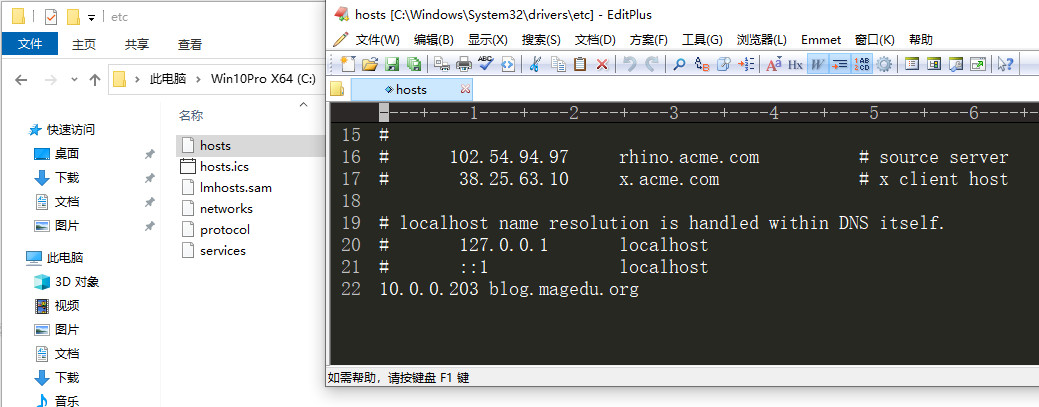
添加hosts文件,将IP地址与域名写入hosts文件中。
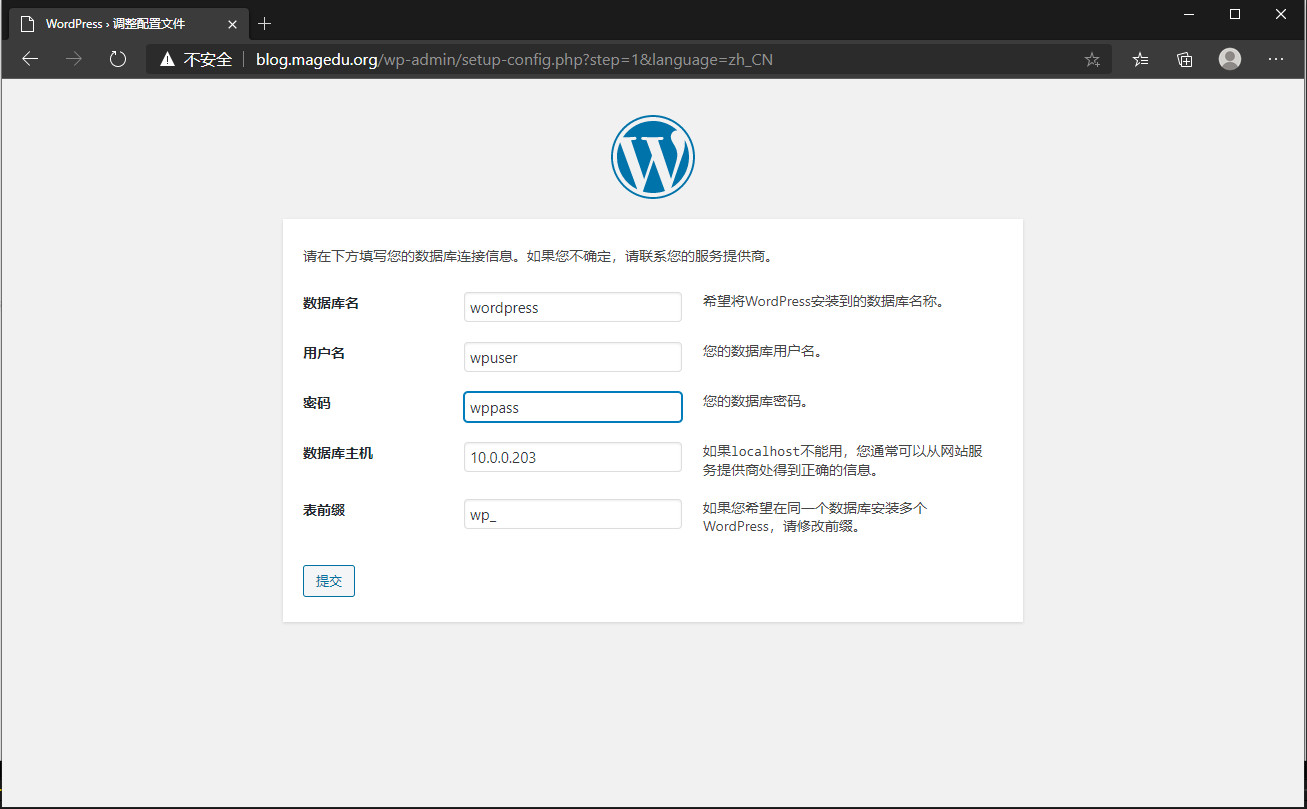
配制wordpress数据库信息。
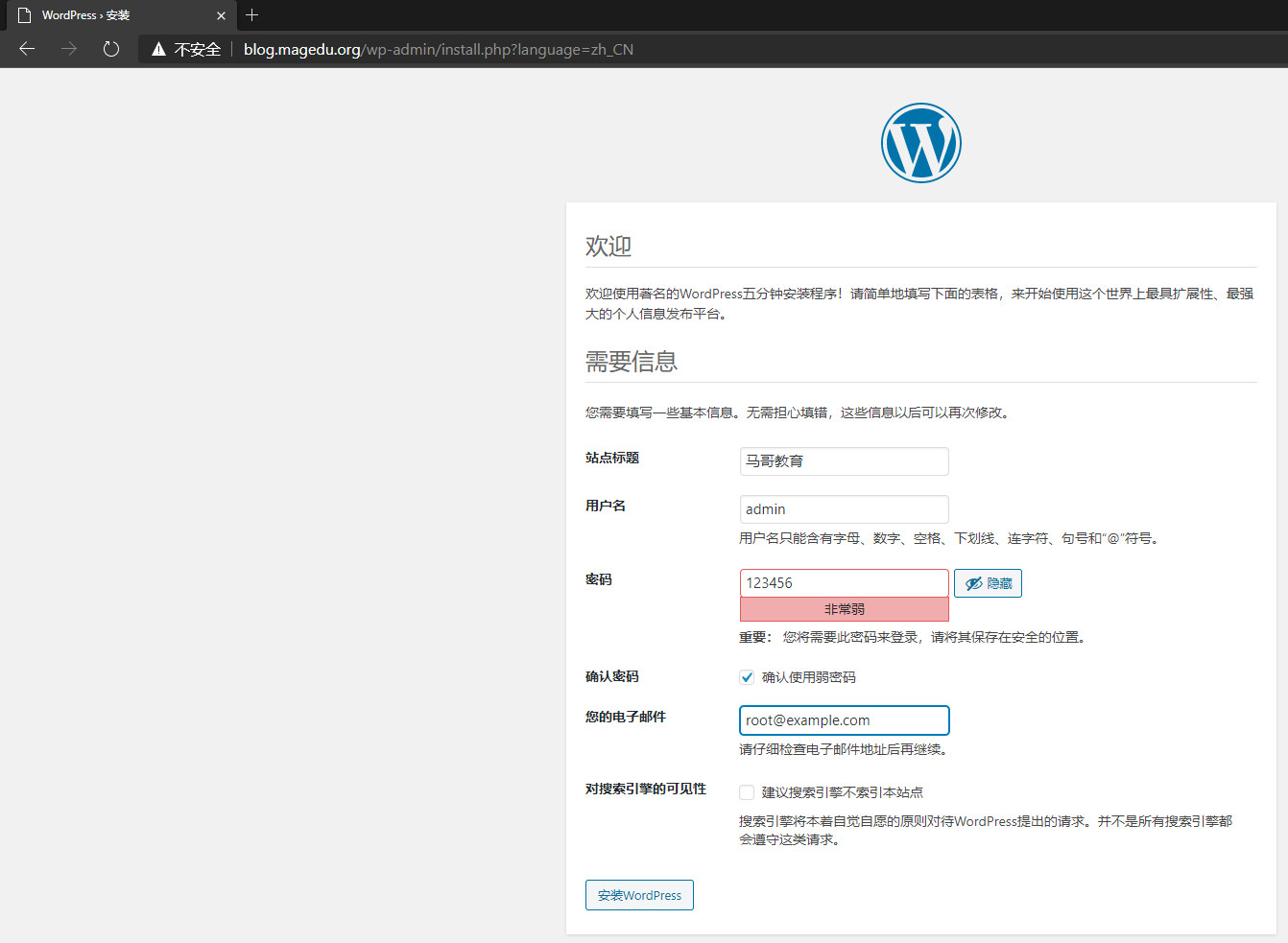
添加管理员用户名和密码。
输入管理员用户名和密码。
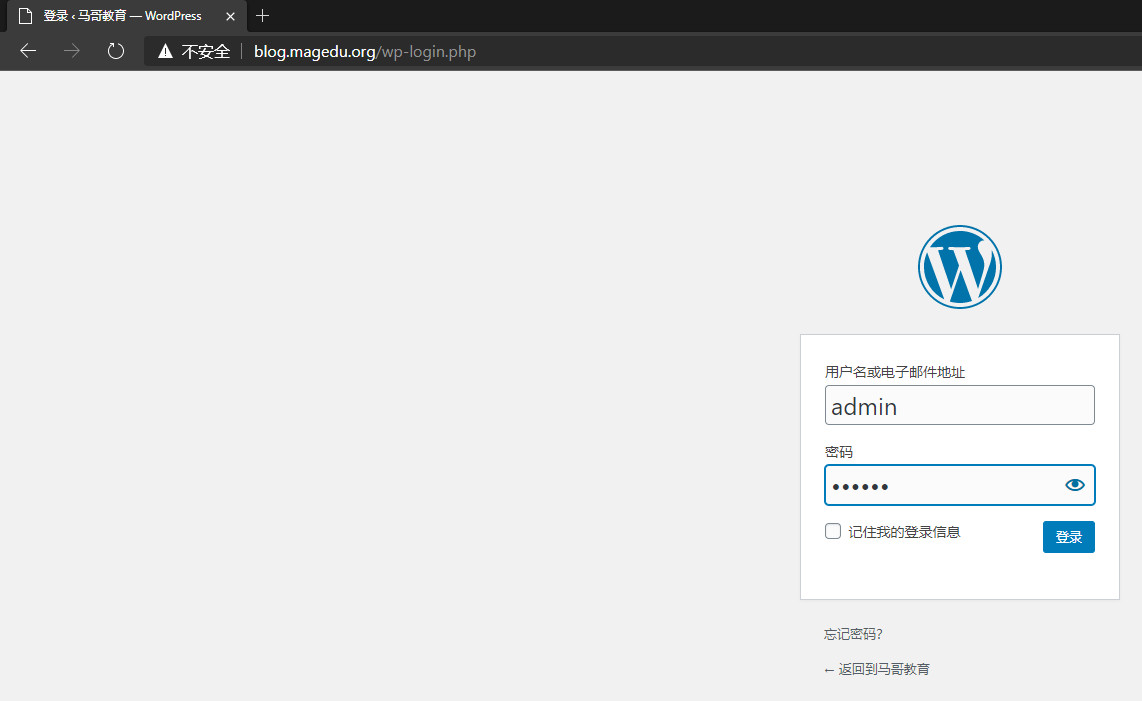
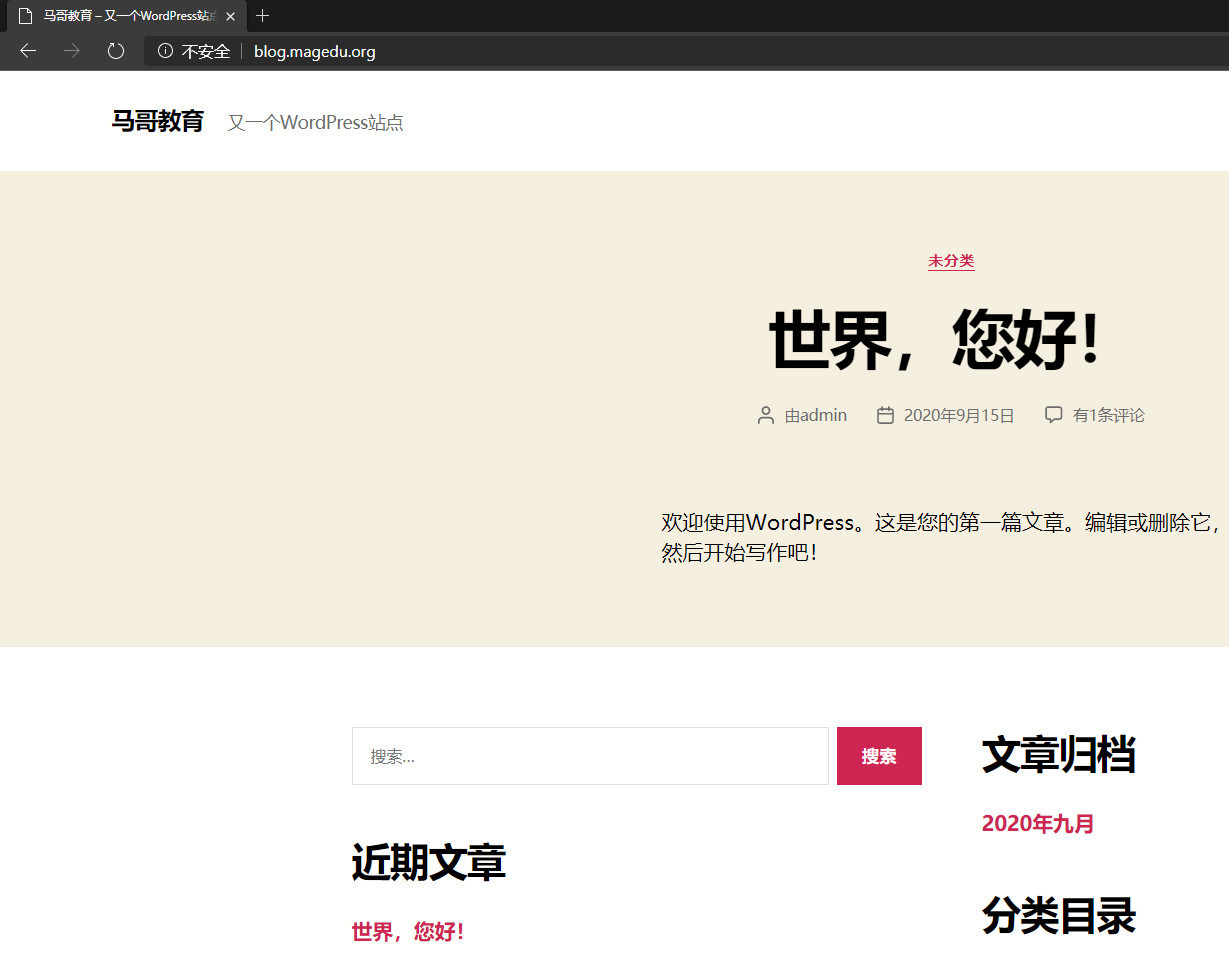
正常进入wordpress,完成。

 浙公网安备 33010602011771号