
GUI编程
1. GUI编程
1.1 简介
- GUI(Graphical User Interface)图形用户界面
- GUI的核心技术:Swing、AWT
- 需要jre环境
1.2 组件
- 窗口
- 浮窗
- 面板
- 文本框
- 列表框
- 按钮
- 图片
- 监听事件
- 鼠标
- 键盘事件
- 外挂
- 破解工具
2. AWT
2.1 AWT简介
- AWT(Abstract Window Toolkit)抽象窗口工具包
- 包含很多类和接口
- 元素:窗口、按钮、文本框
- java.awt
2.2 窗口Frame
package com.snmwyl.GUI.lesson1;

import java.awt.*;

public class TestFrame {
    public static void main(String[] args) {
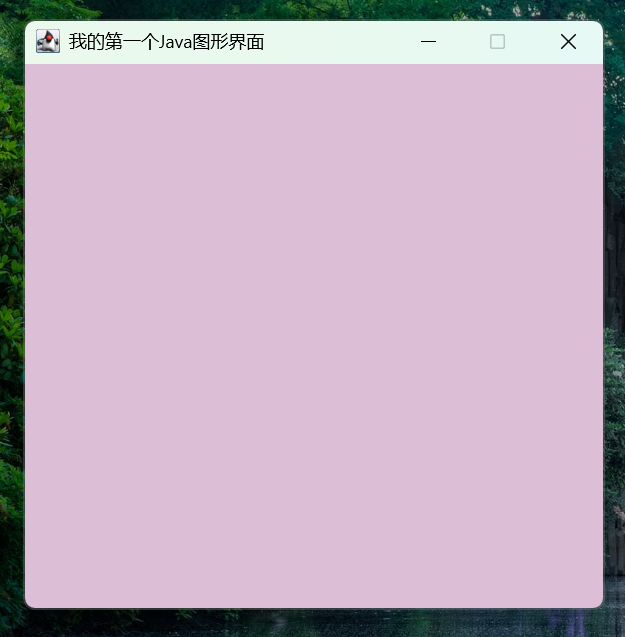
        Frame frame = new Frame("我的第一个Java图形界面");
        frame.setSize(400, 400);   //设置窗口大小
        frame.setLocation(200,200);   //弹窗的初始位置
        frame.setBackground(new Color(221, 190, 215));   //设置背景颜色
        frame.setResizable(false);   //大小固定
        frame.setVisible(true);   //设置可见性
    }
}
package com.snmwyl.GUI.lesson1;

import java.awt.*;

public class TestFrame2 {
    public static void main(String[] args) {
        //展示多个窗口
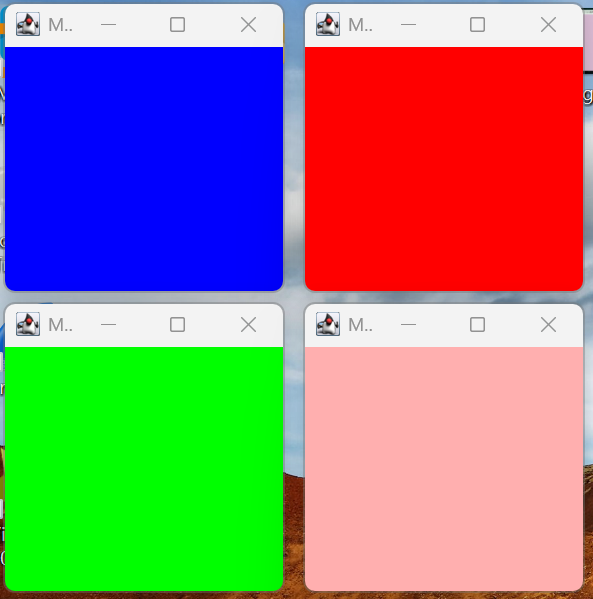
        MyFrame myFrame1 = new MyFrame(100,100,200,200,Color.blue);
        MyFrame myFrame2 = new MyFrame(300,100,200,200,Color.red);
        MyFrame myFrame3 = new MyFrame(100,300,200,200,Color.green);
        MyFrame myFrame4 = new MyFrame(300,300,200,200,Color.pink);
    }
}

class MyFrame extends Frame {
    static int id = 0;   //可能存在多个窗口,我们需要一个计数器
    public MyFrame(int x,int y,int w,int h,Color color) {
        super("MyFrame,id="+id++);   //super() 调用父类构造器初始化父类部分
        setBounds(x,y,w,h);
        setBackground(color);
        setVisible(true);
    }
}
2.3 面板Panel
package com.snmwyl.GUI.lesson1;

import java.awt.*;
import java.awt.event.WindowAdapter;
import java.awt.event.WindowEvent;

public class TestPanel {
    public static void main(String[] args) {
        Frame frame = new Frame();
        Panel panel = new Panel();   //Panel可以看成是一个空间,但是不能单独存在

        frame.setLayout(null);   //设置布局

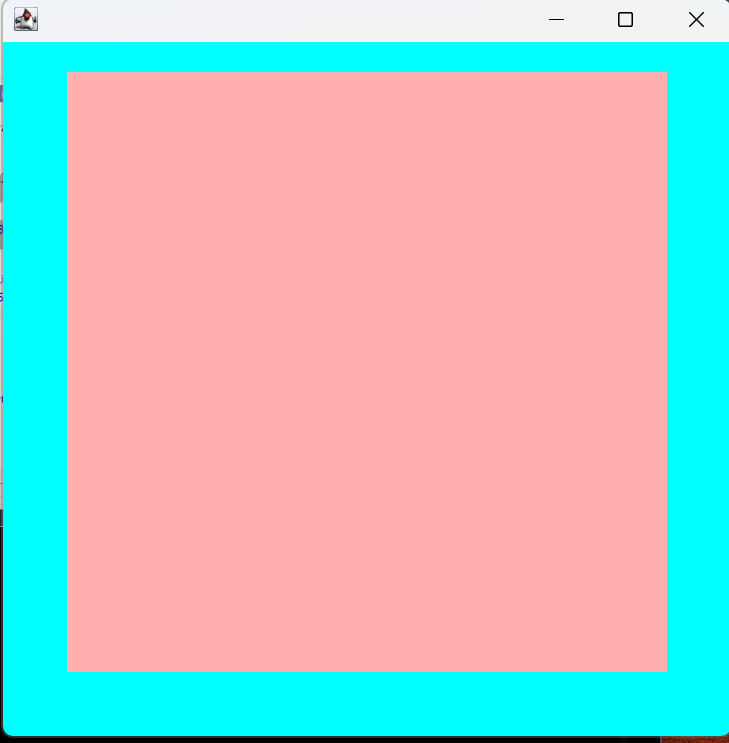
        frame.setBounds(300, 300, 500, 500);
        frame.setBackground(Color.CYAN);

        panel.setBounds(50,50,400,400);
        panel.setBackground(Color.pink);

        frame.add(panel);
        frame.setVisible(true);

        //监听事件:监听窗口关闭时间
        frame.addWindowListener(new WindowAdapter() {   //适配器模式
            public void windowClosing(WindowEvent e) {
                System.exit(0);
            }
        });
    }
}
2.4 布局管理器
(1)流式布局
package com.snmwyl.GUI.lesson1;

import java.awt.*;
import java.awt.event.WindowAdapter;
import java.awt.event.WindowEvent;

public class TestFlowLayout {
    public static void main(String[] args) {
        Frame frame = new Frame("TestFlowLayout");

        //组件-按钮
        Button button1 = new Button("button1");
        Button button2 = new Button("button2");
        Button button3 = new Button("button3");

        //设置为流式布局
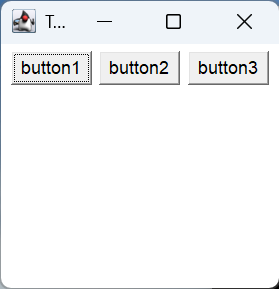
        frame.setLayout(new FlowLayout(FlowLayout.CENTER));

        frame.setSize(200, 200);

        frame.add(button1);
        frame.add(button2);
        frame.add(button3);

        frame.setVisible(true);

        //监听事件:监听窗口关闭时间
        frame.addWindowListener(new WindowAdapter() {   //适配器模式
            public void windowClosing(WindowEvent e) {
                System.exit(0);
            }
        });
    }
}
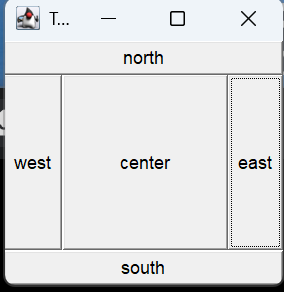
(2)东西南北中
package com.snmwyl.GUI.lesson1;

import java.awt.*;
import java.awt.event.WindowAdapter;
import java.awt.event.WindowEvent;

public class TestBorderLayout {
    public static void main(String[] args) {
        Frame frame = new Frame("TestBorderLayout");

        Button east = new Button("east");
        Button west = new Button("west");
        Button south = new Button("south");
        Button north = new Button("north");
        Button center = new Button("center");

        //设置为东西南北中布局
        frame.add(east, BorderLayout.EAST);
        frame.add(west, BorderLayout.WEST);
        frame.add(south, BorderLayout.SOUTH);
        frame.add(north, BorderLayout.NORTH);
        frame.add(center, BorderLayout.CENTER);

        frame.setSize(200, 200);
        frame.setVisible(true);

        frame.addWindowListener(new WindowAdapter() {
            public void windowClosing(WindowEvent e) {
                System.exit(0);
            }
        });
    }
}
(3)表格布局
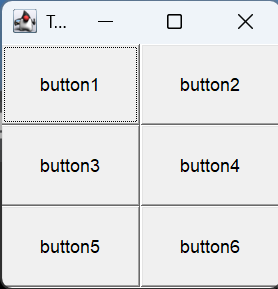
package com.snmwyl.GUI.lesson1;

import java.awt.*;
import java.awt.event.WindowAdapter;
import java.awt.event.WindowEvent;

public class TestGridLayout {
    public static void main(String[] args) {
        Frame frame = new Frame("TestBorderLayout");

        Button button1 = new Button("button1");
        Button button2 = new Button("button2");
        Button button3 = new Button("button3");
        Button button4 = new Button("button4");
        Button button5 = new Button("button5");
        Button button6 = new Button("button6");

        //设置为表格布局
        frame.setLayout(new GridLayout(3,2));   //3行2列

        frame.add(button1);
        frame.add(button2);
        frame.add(button3);
        frame.add(button4);
        frame.add(button5);
        frame.add(button6);

        frame.pack();   //自动布局
        frame.setSize(200, 200);
        frame.setVisible(true);

        frame.addWindowListener(new WindowAdapter() {
            public void windowClosing(WindowEvent e) {
                System.exit(0);
            }
        });
    }
}
(4)练习
package com.snmwyl.GUI.lesson1;

import java.awt.*;
import java.awt.event.WindowAdapter;
import java.awt.event.WindowEvent;

public class Test {
    public static void main(String[] args) {
        Frame frame = new Frame("嵌套布局示例");
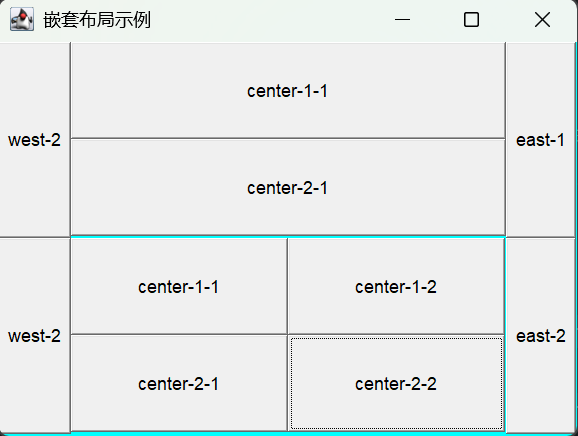
        frame.setLayout(new GridLayout(2,1));

        //4个面板
        Panel p1 = new Panel(new BorderLayout());
        Panel p2 = new Panel(new GridLayout(2,1));
        Panel p3 = new Panel(new BorderLayout());
        Panel p4 = new Panel(new GridLayout(2,2));

        p1.add(new Button("east-1"), BorderLayout.EAST);
        p1.add(new Button("west-2"), BorderLayout.WEST);
        p2.add(new Button("center-1-1"));
        p2.add(new Button("center-2-1"));
        p1.add(p2, BorderLayout.CENTER);

        p3.add(new Button("east-2"), BorderLayout.EAST);
        p3.add(new Button("west-2"), BorderLayout.WEST);
        p4.add(new Button("center-1-1"));
        p4.add(new Button("center-1-2"));
        p4.add(new Button("center-2-1"));
        p4.add(new Button("center-2-2"));
        p3.add(p4,BorderLayout.CENTER);

        // 将所有面板添加到窗体中
        frame.add(p1);
        frame.add(p3);

        // 窗体常规设置
        frame.setSize(400, 300);
        frame.setLocation(300, 400);
        frame.setBackground(Color.cyan);
        frame.setVisible(true);

        frame.addWindowListener(new WindowAdapter() {
            public void windowClosing(WindowEvent e) {
                System.exit(0);
            }
        });
    }
}
2.5 事件监听
(1)按钮
package com.snmwyl.GUI.lesson2;

import java.awt.*;
import java.awt.event.ActionEvent;
import java.awt.event.ActionListener;
import java.awt.event.WindowAdapter;
import java.awt.event.WindowEvent;

public class TestActionEvent {
    public static void main(String[] args){
        //按下按钮,触发一些事件
        Frame frame = new Frame();
        Button button = new Button();

        MyActionListener myActionListener = new MyActionListener();
        button.addActionListener(myActionListener);

        frame.add(button,BorderLayout.CENTER);
        frame.pack();
        windowClose(frame);
        frame.setVisible(true);
    }

    //关闭窗口
    private static void windowClose(Frame frame) {
        frame.addWindowListener(new WindowAdapter() {
            public void windowClosing(WindowEvent e) {
                System.exit(0);
            }
        });
    }
}

//事件监听
class MyActionListener implements ActionListener{
    public void actionPerformed(ActionEvent e){
        System.out.println("hello");
    }
}
package com.snmwyl.GUI.lesson2;

import java.awt.*;
import java.awt.event.ActionEvent;
import java.awt.event.ActionListener;
import java.awt.event.WindowAdapter;
import java.awt.event.WindowEvent;

public class TestActionEvent2 {
    public static void main(String[] args) {
        //两个按钮,实现同一个监听
        Frame frame = new Frame("开始-停止");
        Button button1 = new Button("start");
        Button button2 = new Button("stop");

        //可以显式地定义触发会返回的命令
        button2.setActionCommand("停止");

        MyMonitor myMonitor = new MyMonitor();
        button1.addActionListener(myMonitor);
        button2.addActionListener(myMonitor);

        frame.add(button1,BorderLayout.NORTH);
        frame.add(button2,BorderLayout.SOUTH);
        frame.pack();
        windowClose(frame);
        frame.setVisible(true);
    }

    private static void windowClose(Frame frame) {
        frame.addWindowListener(new WindowAdapter() {
            public void windowClosing(WindowEvent e) {
                System.exit(0);
            }
        });
    }
}

class MyMonitor implements ActionListener {
    public void actionPerformed(ActionEvent e) {
        //e.getActionCommand() 获得按钮信息
        System.out.println(e.getActionCommand());
        //可以多个按钮只写一个监听类
        if(e.getActionCommand().equals("start")) {

        }
    }
}
(2)文本框
package com.snmwyl.GUI.lesson2;

import java.awt.*;
import java.awt.event.ActionEvent;
import java.awt.event.ActionListener;
import java.awt.event.WindowAdapter;
import java.awt.event.WindowEvent;

public class TestText {
    public static void main(String[] args) {
        //启动
        new MyFrame();
    }
}

class MyFrame extends Frame {
    public MyFrame() {
        TextField textField = new TextField();
        add(textField);

        //监听这个文本框输入的文字
        MyActionListener2 myActionListener = new MyActionListener2();
        //按下enter,就会触发这个输入框的事件
        textField.addActionListener(myActionListener);

        //设置替换编码
        textField.setEchoChar('*');

        windowClose(this);
        pack();
        setVisible(true);
    }

    private static void windowClose(Frame frame) {
        frame.addWindowListener(new WindowAdapter() {
            public void windowClosing(WindowEvent e) {
                System.exit(0);
            }
        });
    }
}

class MyActionListener2 implements ActionListener {
    public void actionPerformed(ActionEvent e) {
        TextField field = (TextField) e.getSource();
        System.out.println(field.getText());   //获得输入框的文本
        field.setText("");
    }
}
2.6 简易计算器
(1)oop原则
组合大于继承,降低耦合性
//继承
public A extends B{

}

//组合
public A{
    public B b;
}
(2)实现
package com.snmwyl.GUI.lesson2;

import java.awt.*;
import java.awt.event.ActionEvent;
import java.awt.event.ActionListener;
import java.awt.event.WindowAdapter;
import java.awt.event.WindowEvent;

public class TestCalc {
    public static void main(String[] args) {
        new Calculator();
    }
}

//计算器类
class Calculator extends Frame {

    //记录当前选择的运算符
    private String Operator = "";

    public Calculator(){
        setTitle("Calculator");

        //3个文本框
        TextField num1 = new TextField(10);   //字符数
        TextField num2 = new TextField(10);   //字符数
        TextField num3 = new TextField(20);   //字符数

        //6个按钮
        Button add = new Button("+");
        Button sub = new Button("-");
        Button mul = new Button("*");
        Button div = new Button("/");
        Button equal = new Button("=");
        Button clear = new Button("Clear");

        //3个标签
        Label label1 = new Label("/");
        Label label2 = new Label("/");
        Label label3 = new Label("/");

        //创建监听实例,传递文本框引用
        CalculatorListener listener = new CalculatorListener(num1,num2,num3,this);

        //为按钮添加监听器
        add.addActionListener(listener);
        sub.addActionListener(listener);
        mul.addActionListener(listener);
        div.addActionListener(listener);
        equal.addActionListener(listener);
        clear.addActionListener(listener);

        //布局
        setLayout(new FlowLayout());
        add(num1);
        add(add);
        add(label1);
        add(sub);
        add(label2);
        add(mul);
        add(label3);
        add(div);
        add(num2);
        add(equal);
        add(num3);
        add(clear);

        //添加窗口关闭事件
        windowClose(this);

        //窗口设置
        pack();
        setVisible(true);
    }

    private static void windowClose(Frame frame) {
        frame.addWindowListener(new WindowAdapter() {
            public void windowClosing(WindowEvent e) {
                System.exit(0);
            }
        });
    }

    public void setOperator(String operator) {
        this.Operator = operator;
    }

    public String getOperator(){
        return this.Operator;
    }
}

//监听器类
class CalculatorListener implements ActionListener {
    //获取3个变量
    private TextField num1,num2,num3;
    private Calculator calculator;

    public CalculatorListener(TextField num1, TextField num2, TextField num3,Calculator calculator) {
        this.num1 = num1;
        this.num2 = num2;
        this.num3 = num3;
        this.calculator = calculator;
    }

    @Override
    public void actionPerformed(ActionEvent e) {
        String command = e.getActionCommand();

        switch (command) {
            case "+":
            case "-":
            case "*":
            case "/":
                //记录运算符,但不计算
                calculator.setOperator(command);
                break;
            case "=":
                //执行计算
                performCalculation();
                break;
            case "Clear":
                //清除所有的文本框
                num1.setText("");
                num2.setText("");
                num3.setText("");
                calculator.setOperator("");
                break;
        }
    }

    private void performCalculation() {
        try {
            //1.获得操作数
            int n1 = Integer.parseInt(num1.getText());
            int n2 = Integer.parseInt(num2.getText());
            String operator = calculator.getOperator();

            //2.根据运算符计算结果
            int result = 0;
            switch(operator) {
                case "+":
                    result = n1 + n2;
                    break;
                case "-":
                    result = n1 - n2;
                    break;
                case "*":
                    result = n1 * n2;
                    break;
                case "/":
                    if(n2 == 0) {
                        num3.setText("错误:除零");
                        return;
                    }
                    result = n1 / n2;
                    break;
                default:
                    num3.setText("请先选择运算符");
                    return;
            }

            //3.显示结果
            num3.setText(String.valueOf(result));

            //4.清空前两个文本框
            num1.setText("");
            num2.setText("");
            calculator.setOperator("");
        }catch(NumberFormatException e){
            num3.setText("输入错误");
        }
    }
}

(3)优化
面向对象写法
package com.snmwyl.GUI.lesson2;

import java.awt.*;
import java.awt.event.ActionEvent;
import java.awt.event.ActionListener;
import java.awt.event.WindowAdapter;
import java.awt.event.WindowEvent;

public class TestCalc {
    public static void main(String[] args) {
        new Calculator().loadFrame();
    }
}

//计算器类
class Calculator extends Frame {

    //属性
    TextField num1,num2,num3;   //3个文本框
    private String Operator = "";   //记录当前选择的运算符

    //方法
    public void loadFrame() {
        setTitle("Calculator");

        num1 = new TextField(10);
        num2 = new TextField(10);
        num3 = new TextField(20);

        //6个按钮
        Button add = new Button("+");
        Button sub = new Button("-");
        Button mul = new Button("*");
        Button div = new Button("/");
        Button equal = new Button("=");
        Button clear = new Button("Clear");

        //3个标签
        Label label1 = new Label("/");
        Label label2 = new Label("/");
        Label label3 = new Label("/");

        //创建监听实例,传递文本框引用
        CalculatorListener listener = new CalculatorListener(this);

        //为按钮添加监听器
        add.addActionListener(listener);
        sub.addActionListener(listener);
        mul.addActionListener(listener);
        div.addActionListener(listener);
        equal.addActionListener(listener);
        clear.addActionListener(listener);

        //布局
        setLayout(new FlowLayout());
        add(num1);
        add(add);
        add(label1);
        add(sub);
        add(label2);
        add(mul);
        add(label3);
        add(div);
        add(num2);
        add(equal);
        add(num3);
        add(clear);

        //添加窗口关闭事件
        windowClose(this);

        //窗口设置
        pack();
        setVisible(true);
    }

    private static void windowClose(Frame frame) {
        frame.addWindowListener(new WindowAdapter() {
            public void windowClosing(WindowEvent e) {
                System.exit(0);
            }
        });
    }

    public void setOperator(String operator) {
        this.Operator = operator;
    }

    public String getOperator(){
        return this.Operator;
    }
}

//监听器类
class CalculatorListener implements ActionListener {
    //获取计算器这个对象,在一个类中组合另一个类
    Calculator calculator;
    public CalculatorListener(Calculator calculator) {
        this.calculator = calculator;
    }

    @Override
    public void actionPerformed(ActionEvent e) {
        String command = e.getActionCommand();

        switch (command) {
            case "+":
            case "-":
            case "*":
            case "/":
                //记录运算符,但不计算
                calculator.setOperator(command);
                break;
            case "=":
                //执行计算
                performCalculation();
                break;
            case "Clear":
                //清除所有的文本框
                calculator.num1.setText("");
                calculator.num2.setText("");
                calculator.num3.setText("");
                calculator.setOperator("");
                break;
        }
    }

    private void performCalculation() {
        try {
            //1.获得操作数
            int n1 = Integer.parseInt(calculator.num1.getText());
            int n2 = Integer.parseInt(calculator.num2.getText());
            String operator = calculator.getOperator();

            //2.根据运算符计算结果
            int result;
            switch(operator) {
                case "+":
                    result = n1 + n2;
                    break;
                case "-":
                    result = n1 - n2;
                    break;
                case "*":
                    result = n1 * n2;
                    break;
                case "/":
                    if(n2 == 0) {
                        calculator.num3.setText("错误:除零");
                        return;
                    }
                    result = n1 / n2;
                    break;
                default:
                    calculator.num3.setText("请先选择运算符");
                    return;
            }

            //3.显示结果
            calculator.num3.setText(String.valueOf(result));

            //4.清空前两个文本框
            calculator.num1.setText("");
            calculator.num2.setText("");
            calculator.setOperator("");
        }catch(NumberFormatException e){
            calculator.num3.setText("输入错误");
        }
    }
}
(4)再优化
内部类
- 内部类的优势:直接访问外部类的私有成员
package com.snmwyl.GUI.lesson2;

import java.awt.*;
import java.awt.event.ActionEvent;
import java.awt.event.ActionListener;
import java.awt.event.WindowAdapter;
import java.awt.event.WindowEvent;

public class TestCalc {
    public static void main(String[] args) {
        new Calculator().loadFrame();
    }
}

//计算器类
class Calculator extends Frame {

    //属性
    TextField num1,num2,num3;   //3个文本框
    private String Operator = "";   //记录当前选择的运算符

    //方法
    public void loadFrame() {
        setTitle("Calculator");

        num1 = new TextField(10);
        num2 = new TextField(10);
        num3 = new TextField(20);

        //6个按钮
        Button add = new Button("+");
        Button sub = new Button("-");
        Button mul = new Button("*");
        Button div = new Button("/");
        Button equal = new Button("=");
        Button clear = new Button("Clear");

        //3个标签
        Label label1 = new Label("/");
        Label label2 = new Label("/");
        Label label3 = new Label("/");

        //创建监听实例,传递文本框引用
        CalculatorListener listener = new CalculatorListener();

        //为按钮添加监听器
        add.addActionListener(listener);
        sub.addActionListener(listener);
        mul.addActionListener(listener);
        div.addActionListener(listener);
        equal.addActionListener(listener);
        clear.addActionListener(listener);

        //布局
        setLayout(new FlowLayout());
        add(num1);
        add(add);
        add(label1);
        add(sub);
        add(label2);
        add(mul);
        add(label3);
        add(div);
        add(num2);
        add(equal);
        add(num3);
        add(clear);

        //添加窗口关闭事件
        windowClose(this);

        //窗口设置
        pack();
        setVisible(true);
    }

    private static void windowClose(Frame frame) {
        frame.addWindowListener(new WindowAdapter() {
            public void windowClosing(WindowEvent e) {
                System.exit(0);
            }
        });
    }

    public void setOperator(String operator) {
        this.Operator = operator;
    }

    public String getOperator(){
        return this.Operator;
    }

    //监听器类
    private class CalculatorListener implements ActionListener {
        @Override
        public void actionPerformed(ActionEvent e) {
            String command = e.getActionCommand();

            switch (command) {
                case "+":
                case "-":
                case "*":
                case "/":
                    //记录运算符,但不计算
                    setOperator(command);
                    break;
                case "=":
                    //执行计算
                    performCalculation();
                    break;
                case "Clear":
                    //清除所有的文本框
                    num1.setText("");
                    num2.setText("");
                    num3.setText("");
                    setOperator("");
                    break;
            }
        }

        private void performCalculation() {
            try {
                //1.获得操作数
                int n1 = Integer.parseInt(num1.getText());
                int n2 = Integer.parseInt(num2.getText());
                String operator = getOperator();

                //2.根据运算符计算结果
                int result;
                switch(operator) {
                    case "+":
                        result = n1 + n2;
                        break;
                    case "-":
                        result = n1 - n2;
                        break;
                    case "*":
                        result = n1 * n2;
                        break;
                    case "/":
                        if(n2 == 0) {
                            num3.setText("错误:除零");
                            return;
                        }
                        result = n1 / n2;
                        break;
                    default:
                        num3.setText("请先选择运算符");
                        return;
                }

                //3.显示结果
                num3.setText(String.valueOf(result));

                //4.清空前两个文本框
                num1.setText("");
                num2.setText("");
                setOperator("");
            }catch(NumberFormatException e){
                num3.setText("输入错误");
            }
        }
    }
}
2.7 画笔
package com.snmwyl.GUI.lesson3;

import java.awt.*;
import java.awt.event.WindowAdapter;
import java.awt.event.WindowEvent;

public class TestPaint {
    public static void main(String[] args) {
        new MyPaint().loadFrame();
    }
}

class MyPaint extends Frame {
    public void loadFrame(){
        setBounds(200,200,600,500);
        windowClose(this);
        setVisible(true);
    }

    //画笔,自动调用
    public void paint(Graphics g) {
        g.setColor(Color.red);
        g.drawOval(100,100,100,100);   //空心圆
        g.fillOval(250,100,100,100);   //实心圆
        g.setColor(Color.green);
        g.fillRect(100,200,250,100);

        //画笔用完,还原至最初的黑色
        g.setColor(Color.black);
    }

    //关闭窗口
    private static void windowClose(Frame frame) {
        frame.addWindowListener(new WindowAdapter() {
            public void windowClosing(WindowEvent e) {
                System.exit(0);
            }
        });
    }
}
2.8 鼠标监听
package com.snmwyl.GUI.lesson3;

import java.awt.*;
import java.awt.event.MouseAdapter;
import java.awt.event.MouseEvent;
import java.awt.event.WindowAdapter;
import java.awt.event.WindowEvent;
import java.util.ArrayList;

//鼠标监听事件
public class TestMouseListener {
    public static void main(String[] args) {
        new MyFrame("画图");
    }
}

class MyFrame extends Frame {

    private ArrayList<Point> points;

    //画板
    public MyFrame(String title) {
        super(title);
        setBounds(200, 200, 600, 500);

        //存鼠标点击的点
        points = new ArrayList<>();

        windowClose(this);

        //鼠标监听器,针对这个窗口
        this.addMouseListener(new MyMouseListener());

        setVisible(true);
    }

    //画笔
    public void paint(Graphics g) {
        super.paint(g);   //清除和绘制基础内容
        g.setColor(Color.BLUE);
        for(Point point : points) {   //优化后的写法,使用增强for循环
            g.fillOval(point.x - 5, point.y - 5, 10, 10);
        }
    }
    /*
    // 原来的写法
    Iterator iterator = points.iterator();
    while (iterator.hasNext()) {
        Point point = (Point) iterator.next();
        g.fillOval(point.x - 5, point.y - 5, 10, 10);
    }
     */

    //适配器监听鼠标事件,刷新
    private class MyMouseListener extends MouseAdapter {
        public void mousePressed(MouseEvent e) {
            points.add(new Point(e.getX(), e.getY()));
            repaint();
        }
    }

    private static void windowClose(Frame frame) {
        frame.addWindowListener(new WindowAdapter() {
            public void windowClosing(WindowEvent e) {
                System.exit(0);
            }
        });
    }
}
2.9 窗口监听
package com.snmwyl.GUI.lesson3;

import java.awt.*;
import java.awt.event.WindowAdapter;
import java.awt.event.WindowEvent;

public class TestWindow {
    public static void main(String[] args) {
        new WindowFrame();
    }
}

class WindowFrame extends Frame {
    public WindowFrame() {
        setBackground(Color.PINK);
        setBounds(100, 100, 450, 300);
        setVisible(true);
        addWindowListener(new WindowAdapter(){   //匿名内部类
            //关闭窗口
            public void windowClosing(WindowEvent e) {
                setVisible(false);   //隐藏窗口
                System.out.println("Window closed");
                System.exit(0);   //正常退出
            }
            //激活窗口
            public void windowActivated(WindowEvent e) {
                WindowFrame source = (WindowFrame)e.getSource();
                source.setTitle("windowActivated");
                System.out.println("windowActivated");
            }
        });
    }
}
2.10 键盘监听
package com.snmwyl.GUI.lesson3;

import java.awt.*;
import java.awt.event.KeyAdapter;
import java.awt.event.KeyEvent;
import java.awt.event.WindowAdapter;
import java.awt.event.WindowEvent;

//键盘监听事件
public class TestKeyListener {
    public static void main(String[] args) {
        new KeyFrame();
    }
}

class KeyFrame extends Frame {
    public KeyFrame(){
        setTitle("KeyFrame");
        setBackground(Color.PINK);
        setBounds(100, 100, 450, 300);
        setVisible(true);
        addWindowListener(new WindowAdapter() {
            public void windowClosing(WindowEvent e) {
                System.exit(0);
            }
        });
        addKeyListener(new KeyAdapter() {
            public void keyPressed(KeyEvent e) {
                int keyCode = e.getKeyCode();
                System.out.println("Key pressed: " + keyCode);
                if (keyCode == KeyEvent.VK_W) {
                    System.out.println("up");
                }
            }
        });
    }
}
3. Swing
3.1 窗口JFrame、面板Content Pane
package com.snmwyl.GUI.lesson4;

import javax.swing.*;
import java.awt.*;

public class JFrameDemo {
    public static void main(String[] args) {
        //建立一个窗口
        new JFrameDemo().init();
    }

    //init(); 初始化
    public void init(){
        //顶级窗口容器
        JFrame jf = new JFrame("JFrame");
        jf.setBounds(100, 100, 300, 300);
        //内容面板
        jf.getContentPane().setBackground(Color.PINK);

        //设置文字
        JLabel label = new JLabel("Hello World");
        //设置水平居中
        label.setHorizontalAlignment(SwingConstants.CENTER);
        jf.add(label);

        //关闭事件
        jf.setDefaultCloseOperation(JFrame.EXIT_ON_CLOSE);

        jf.setVisible(true);
    }
}
3.2 弹窗JDialog
package com.snmwyl.GUI.lesson4;

import javax.swing.*;
import java.awt.*;
import java.awt.event.ActionEvent;
import java.awt.event.ActionListener;

//主窗口
public class DialogDemo extends JFrame {
    public DialogDemo() {
        setBounds(100, 100, 450, 300);
        setDefaultCloseOperation(JFrame.EXIT_ON_CLOSE);

        Container container = this.getContentPane();
        container.setLayout(null);   //绝对布局

        container.setBackground(Color.PINK);

        JButton button = new JButton("点击弹出对话框");
        button.setBounds(200, 150, 150, 30);
        button.setBackground(Color.YELLOW);
        container.add(button);
        button.addActionListener(new ActionListener() {
            public void actionPerformed(ActionEvent e) {
                new MyDialog();
            }
        });

        setVisible(true);
    }
    public static void main(String[] args) {
        new DialogDemo();
    }
}

//弹窗
class MyDialog extends JDialog {
    public MyDialog() {
        this.setTitle("My Dialog");
        this.setBounds(200, 180, 250, 100);

        Container container = this.getContentPane();
        container.setLayout(null);
        container.setBackground(Color.CYAN);

        JLabel label = new JLabel("hellooooo");
        label.setBounds(10, 10, 200, 30);
        label.setFont(new Font("宋体", Font.BOLD, 16));
        label.setForeground(Color.RED);
        container.add(label);

        this.setVisible(true);
    }
}
3.3 标签Icon
(1)图片标签
package com.snmwyl.GUI.lesson4;

import javax.swing.*;
import java.awt.*;

public class IconDemo extends JFrame implements Icon {

    private int width;
    private int height;

    public static void main(String[] args){
        new IconDemo(10,10).init();
    }

    //无参构造
    public IconDemo(){

    }

    public IconDemo(int width, int height){
        this.width = width;
        this.height = height;
    }

    public void init(){
        setBounds(200,200,500,400);
        IconDemo iconDemo = new IconDemo(width, height);
        //文字和图表在标签内水平对齐
        JLabel label = new JLabel("Icon",iconDemo,SwingConstants.CENTER);
        Container container = getContentPane();
        container.add(label);
        setVisible(true);
        setDefaultCloseOperation(EXIT_ON_CLOSE);
    }

    @Override
    public void paintIcon(Component c, Graphics g, int x, int y) {
        g.fillOval(x, y, width, height);
    }

    @Override
    public int getIconWidth() {
        return this.width;
    }

    @Override
    public int getIconHeight() {
        return this.height;
    }
}
(2)图像标签
package com.snmwyl.GUI.lesson4;

import javax.swing.*;
import java.awt.*;
import java.net.URL;

public class ImageIconDemo extends JFrame {
    public static void main(String[] args) {
       new ImageIconDemo();
    }
    public ImageIconDemo() {
        setBounds(50,50,800,800);

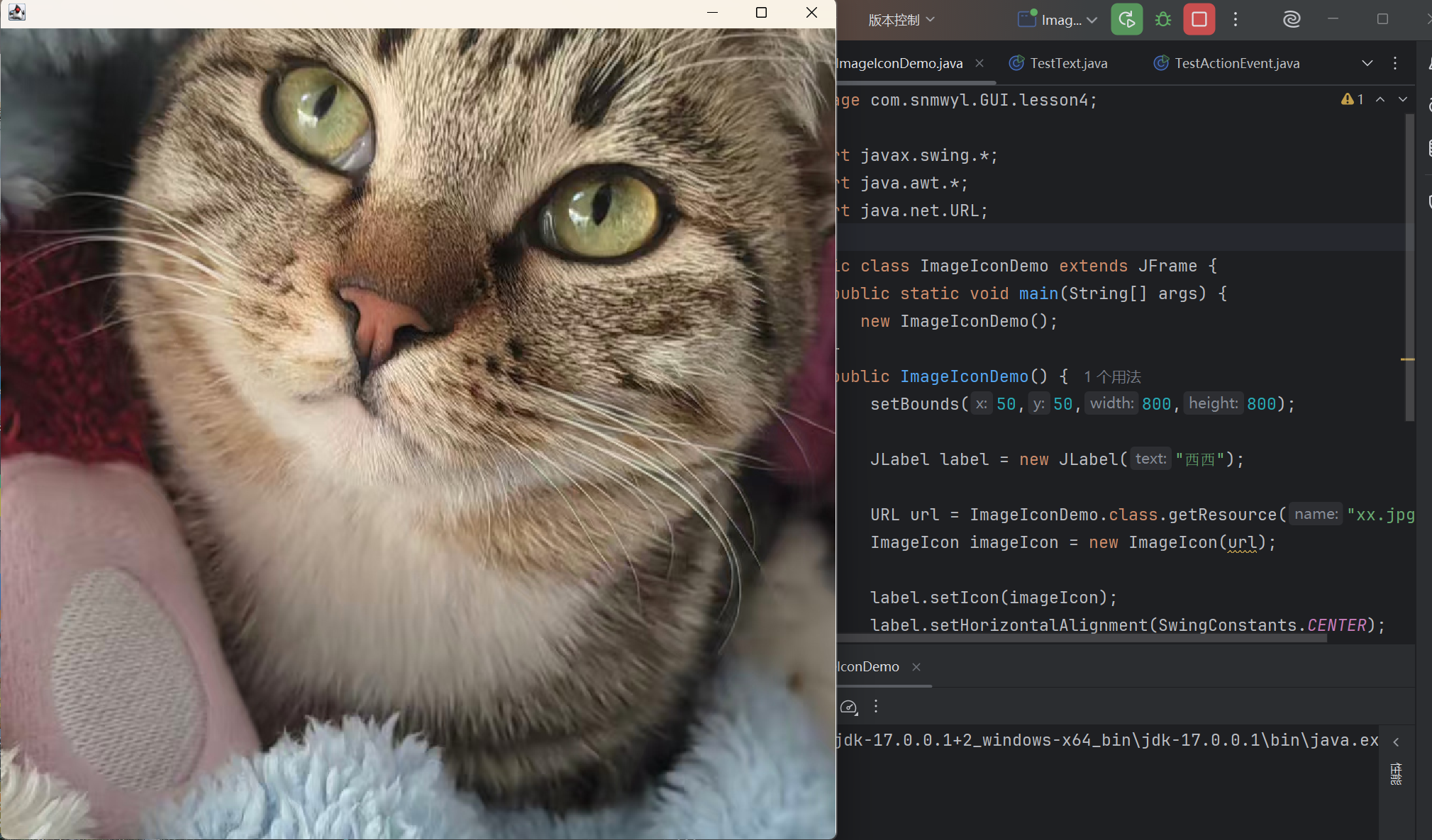
        JLabel label = new JLabel("西西");

        URL url = ImageIconDemo.class.getResource("xx.jpg");
        ImageIcon imageIcon = new ImageIcon(url);

        label.setIcon(imageIcon);
        label.setHorizontalAlignment(SwingConstants.CENTER);

        Container container = getContentPane();
        container.add(label);

        setVisible(true);
        setDefaultCloseOperation(JFrame.EXIT_ON_CLOSE);
    }
}
3.4 面板
(1)JPanel
package com.snmwyl.GUI.lesson5;

import javax.swing.*;
import java.awt.*;

public class JPanelDemo extends JFrame {
    public JPanelDemo(){
        this.setBounds(100, 100, 450, 300);
        Container container = this.getContentPane();
        //行,列,水平间距,垂直间距
        container.setLayout(new GridLayout(2,1,10,10));
        JPanel panel1 = new JPanel(new GridLayout(1,2,5,5));
        JPanel panel2 = new JPanel(new GridLayout(1,3,5,5));
        panel1.add(new JButton("Hello"));
        panel1.add(new JButton("World"));
        panel2.add(new JButton("how"));
        panel2.add(new JButton("are"));
        panel2.add(new JButton("you"));
        container.add(panel1);
        container.add(panel2);
        this.setDefaultCloseOperation(JFrame.EXIT_ON_CLOSE);
        this.setVisible(true);
    }
    public static void main(String[] args) {
        new JPanelDemo();
    }
}
(2)JScroll
- 简易记事本
package com.snmwyl.GUI.lesson5;

import javax.swing.*;
import java.awt.*;

public class JScrollDemo extends JFrame {
    public JScrollDemo() {
        this.setTitle("JScroll面板");
        this.setBounds(100, 100, 250, 300);
        this.setDefaultCloseOperation(JFrame.EXIT_ON_CLOSE);

        Container container = getContentPane();

        //文本域
        JTextArea textArea = new JTextArea(20,30);
        textArea.setText("hello world");

        //SCroll面板
        JScrollPane scrollPane = new JScrollPane(textArea);

        container.add(scrollPane);

        this.setVisible(true);
    }
    public static void main(String[] args) {
        new JScrollDemo();
    }
}
3.5 按钮
(1)图片按钮
package com.snmwyl.GUI.lesson5;

import javax.swing.*;
import java.awt.*;
import java.net.URL;

public class JButtonDemo extends JFrame {
    public static void main(String[] args) {
        new JButtonDemo();
    }

    public JButtonDemo(){
        this.setBounds(200, 200, 350, 350);
        this.setDefaultCloseOperation(JFrame.EXIT_ON_CLOSE);

        Container container = getContentPane();

        //把一个图片变为图标
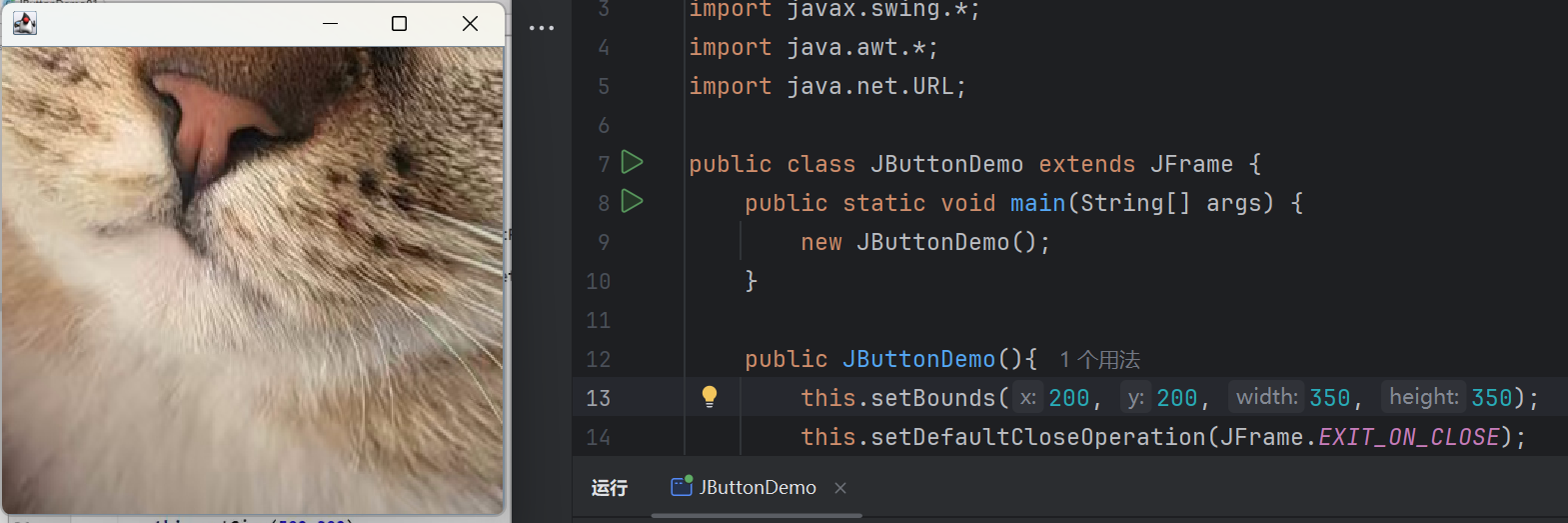
        URL url = JButtonDemo.class.getResource("xx.jpg");
        Icon icon = new ImageIcon(url);

        //把这个图标放在按钮上
        JButton button = new JButton();
        button.setIcon(icon);
        button.setToolTipText("图片按钮");

        container.add(button);

        this.setVisible(true);
    }
}
(2)单选按钮
package com.snmwyl.GUI.lesson5;

import javax.swing.*;
import java.awt.*;

public class JButtonDemo2 extends JFrame {
    public static void main(String[] args) {
        new JButtonDemo2();
    }
    public JButtonDemo2() {
        this.setBounds(200, 200, 350, 350);
        this.setDefaultCloseOperation(JFrame.EXIT_ON_CLOSE);

        Container container = getContentPane();

        //单选框
        JRadioButton radioButton1 = new JRadioButton("1");
        JRadioButton radioButton2 = new JRadioButton("2");
        JRadioButton radioButton3 = new JRadioButton("3");

        //分组,一个组只能选一个
        ButtonGroup buttonGroup = new ButtonGroup();
        buttonGroup.add(radioButton1);
        buttonGroup.add(radioButton2);
        buttonGroup.add(radioButton3);

        container.add(radioButton1, BorderLayout.NORTH);
        container.add(radioButton2, BorderLayout.CENTER);
        container.add(radioButton3, BorderLayout.SOUTH);

        this.setVisible(true);
    }
}
(3)多选按钮
package com.snmwyl.GUI.lesson5;

import javax.swing.*;
import java.awt.*;

public class JButtonDemo3 extends JFrame {
    public static void main(String[] args) {
        new JButtonDemo3();
    }
    public JButtonDemo3() {
        this.setBounds(200, 200, 350, 350);
        this.setDefaultCloseOperation(JFrame.EXIT_ON_CLOSE);

        Container container = getContentPane();

        //多选框
        JCheckBox checkBox1 = new JCheckBox("1");
        JCheckBox checkBox2 = new JCheckBox("2");
        JCheckBox checkBox3 = new JCheckBox("3");

        container.add(checkBox1, BorderLayout.NORTH);
        container.add(checkBox2, BorderLayout.CENTER);
        container.add(checkBox3, BorderLayout.SOUTH);

        this.setVisible(true);
    }
}
3.6 列表
(1)下拉框
package com.snmwyl.GUI.lesson6;

import javax.swing.*;
import java.awt.*;

public class TestComboboxDemo1 extends JFrame {
    public static void main(String[] args) {
        new TestComboboxDemo1();
    }

    public TestComboboxDemo1() {
        this.setBounds(200, 200, 350, 350);
        this.setDefaultCloseOperation(JFrame.EXIT_ON_CLOSE);

        Container container = getContentPane();
        JPanel panel = new JPanel();
        panel.setLayout(new BorderLayout());

        //下拉框
        JComboBox status = new JComboBox();
        status.addItem("WAITING");
        status.addItem("<OK>");
        status.addItem("<ERROR>");

        panel.add(status, BorderLayout.NORTH);
        container.add(panel);

        this.setVisible(true);
    }
}
(2)列表框
package com.snmwyl.GUI.lesson6;

import javax.swing.*;
import java.awt.*;

public class TestComboboxDemo2 extends JFrame {
    public static void main(String[] args) {
        new TestComboboxDemo2();
    }

    public TestComboboxDemo2() {
        this.setBounds(200, 200, 350, 350);
        this.setDefaultCloseOperation(JFrame.EXIT_ON_CLOSE);

        Container container = getContentPane();

        //生成列表的内容 静态
        String[] contents = {"1.WAITING","2.OK","3.ERROR"};

        //列表框
        JList list = new JList(contents);

        /*
        //动态
        Vector v = new Vector();
        JList list = new JList(v);
        v.add("1.WAITING");
        v.add("2.OK");
        v.add("3.ERROR");
        */

        container.add(list);

        this.setVisible(true);
    }
}
(3)应用场景
- 下拉框:选择地区,或者一些单个选项
- 列表框:展示信息,一般是动态扩容
3.7 文本框
(1)文本框
package com.snmwyl.GUI.lesson6;

import javax.swing.*;
import java.awt.*;

public class TestTextDemo1 extends JFrame {
    public static void main(String[] args) {
        new TestTextDemo1();
    }

    public TestTextDemo1() {
        this.setBounds(200, 200, 350, 350);
        this.setDefaultCloseOperation(JFrame.EXIT_ON_CLOSE);

        Container container = getContentPane();

        //文本框
        JTextField textField1 = new JTextField("hello");
        JTextField textField2 = new JTextField("world");

        container.add(textField1, BorderLayout.NORTH);
        container.add(textField2, BorderLayout.SOUTH);

        this.setVisible(true);
    }
}
(2)密码框
package com.snmwyl.GUI.lesson6;

import javax.swing.*;
import java.awt.*;

public class TestTextDemo2 extends JFrame {
    public static void main(String[] args) {
        new TestTextDemo2();
    }

    public TestTextDemo2() {
        this.setBounds(200, 200, 350, 350);
        this.setDefaultCloseOperation(JFrame.EXIT_ON_CLOSE);

        Container container = getContentPane();

        //密码框
        JPasswordField password = new JPasswordField();   //默认***
        password.setEchoChar('#');   //手动设置###

        container.add(password, BorderLayout.NORTH);

        this.setVisible(true);
    }
}
(3)文本域
package com.snmwyl.GUI.lesson6;

import javax.swing.*;
import java.awt.*;

public class TestTextDemo3 extends JFrame {
    public TestTextDemo3() {
        this.setTitle("JScroll面板");
        this.setBounds(100, 100, 250, 300);
        this.setDefaultCloseOperation(JFrame.EXIT_ON_CLOSE);

        Container container = getContentPane();

        //文本域
        JTextArea textArea = new JTextArea(20,30);
        textArea.setText("hello world");

        //SCroll面板
        JScrollPane scrollPane = new JScrollPane(textArea);

        container.add(scrollPane);

        this.setVisible(true);
    }
    public static void main(String[] args) {
        new TestTextDemo3();
    }
}
4.贪吃蛇
- 素材



package com.snmwyl.GUI.snake;

import javax.swing.*;

//游戏的主启动类
public class StartGame {
    public static void main(String[] args) {
        JFrame frame = new JFrame("");
        frame.setBounds(10,10,915,735);
        frame.setResizable(false);
        frame.setDefaultCloseOperation(JFrame.EXIT_ON_CLOSE);
        frame.add(new GamePanel());
        frame.setVisible(true);
    }
}
package com.snmwyl.GUI.snake;

import javax.swing.*;
import java.awt.*;
import java.awt.event.ActionEvent;
import java.awt.event.ActionListener;
import java.awt.event.KeyEvent;
import java.awt.event.KeyListener;
import java.util.Random;

//游戏的画板
public class GamePanel extends JPanel implements KeyListener, ActionListener {
    //定义蛇的数据结构
    int length;
    int[] snakeX = new int[816];
    int[] snakeY = new int[816];
    String direction;
    boolean isStart;   //游戏是否开始
    boolean isFail;   //游戏是否失败
    int foodx;
    int foody;
    Random random = new Random();
    int score;

    //构造器
    public GamePanel() {
        init();
        this.setFocusable(true);   //获得焦点事件
        this.addKeyListener(this);   //获得键盘监听事件
    }

    //初始化方法
    public void init(){
        length = 3;
        snakeX[0] = 100; snakeY[0] = 100;   //脑袋的坐标
        snakeX[1] = 75; snakeY[1] = 100;   //第一个身体的坐标
        snakeX[2] = 50; snakeY[2] = 100;   //第二个身体的坐标
        direction = "R";
        isStart = false;   //游戏当前的状态
        isFail = false;
        score = 0;
        foodx = 25 + 25 * random.nextInt(34);
        foody = 75 + 25 * random.nextInt(24);
        timer.start();   //刷新
    }

    //定时器,以ms为单位,1000ms = 1s
    Timer timer = new Timer(100, this);

    //绘制面板
    protected void paintComponent(Graphics g) {
        super.paintComponent(g);   //清屏
        this.setBackground(Color.WHITE);   //绘制静态的面板
        g.fillRect(25,75,850,600);   //默认的游戏界面
        Data.header.paintIcon(this,g,25,11);   //头部广告栏
        switch(direction){
            case "R":Data.right.paintIcon(this,g,snakeX[0],snakeY[0]);break;
            case "L":Data.left.paintIcon(this,g,snakeX[0],snakeY[0]);break;
            case "U":Data.up.paintIcon(this,g,snakeX[0],snakeY[0]);break;
            case "D":Data.down.paintIcon(this,g,snakeX[0],snakeY[0]);break;
        }
        for(int i = 1; i < length; i++){
            Data.body.paintIcon(this,g,snakeX[i],snakeY[i]);
        }
        Data.food.paintIcon(this,g,foodx,foody);
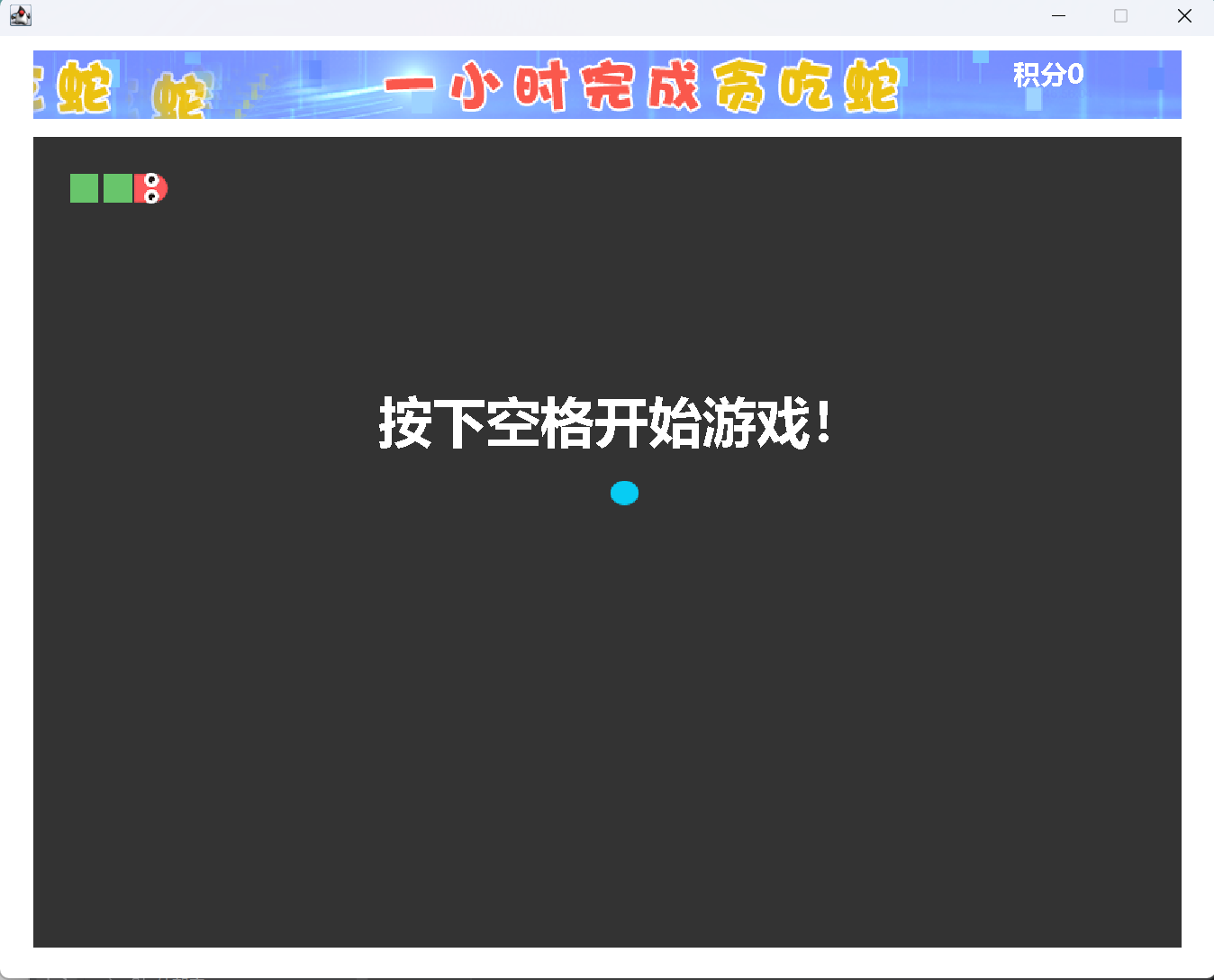
        if(!isStart){
            g.setColor(Color.WHITE);
            g.setFont(new Font("微软雅黑", Font.BOLD, 40));
            g.drawString("按下空格开始游戏!",280,300);
        }
        if(isFail){
            g.setColor(Color.RED);
            g.setFont(new Font("微软雅黑", Font.BOLD, 40));
            g.drawString("游戏失败!按下空格重新开始!",200,300);
        }
        //画积分
        g.setColor(Color.WHITE);
        g.setFont(new Font("微软雅黑", Font.BOLD, 20));
        g.drawString("积分" + score,750,35);
    }

    //事件监听
    public void actionPerformed(ActionEvent e){
        if(isStart && !isFail){
            //吃饭
            if(snakeX[0] == foodx && snakeY[0] == foody){
                length++;
                score += 10;
                foodx = 25 + 25 * random.nextInt(34);
                foody = 75 + 25 * random.nextInt(24);
            }

            //移动
            for(int i = length - 1; i > 0; i--){
                snakeX[i] = snakeX[i - 1];
                snakeY[i] = snakeY[i - 1];
            }
            switch(direction){
                case "R":
                    snakeX[0] = snakeX[0]+25;
                    //if(snakeX[0] > 850){snakeX[0] = 25;}
                    break;
                case "L":
                    snakeX[0] = snakeX[0]-25;
                    //if(snakeX[0] < 25){snakeX[0] = 850;}
                    break;
                case "U":
                    snakeY[0] = snakeY[0]-25;
                    //if(snakeY[0] < 75){snakeY[0] = 650;}
                    break;
                case "D":
                    snakeY[0] = snakeY[0]+25;
                    //if(snakeY[0] > 650){snakeY[0] = 75;}
                    break;
            }

            //失败判定
            for(int i = 1; i < length; i++) {
                if (snakeX[0] == snakeX[i] && snakeY[0] == snakeY[i]) {
                    isFail = true;
                }
            }
            if(snakeX[0] < 25 || snakeX[0] > 850 || snakeY[0] < 75 || snakeY[0] > 650){
                isFail = true;
            }

            //刷新
            repaint();
        }
    }

    //键盘监听事件
    @Override
    public void keyPressed(KeyEvent e) {
        int keyCode = e.getKeyCode();
        switch(keyCode){
            case KeyEvent.VK_SPACE:
                if(isFail){
                    //重新开始
                    init();
                } else{
                    isStart = !isStart;
                }
                break;
            case KeyEvent.VK_UP:
                direction = "U";
                break;
            case KeyEvent.VK_DOWN:
                direction = "D";
                break;
            case KeyEvent.VK_LEFT:
                direction = "L";
                break;
            case KeyEvent.VK_RIGHT:
                direction = "R";
                break;
        }
        repaint();
    }

    @Override
    public void keyTyped(KeyEvent e) {
    }
    @Override
    public void keyReleased(KeyEvent e) {
    }
}
package com.snmwyl.GUI.snake;

import javax.swing.*;
import java.net.URL;

//数据中心
public class Data {
    private static URL headerURL = Data.class.getResource("/static/header.png");
    private static URL upURL = Data.class.getResource("/static/up.png");
    private static URL downURL = Data.class.getResource("/static/down.png");
    private static URL leftURL = Data.class.getResource("/static/left.png");
    private static URL rightURL = Data.class.getResource("/static/right.png");
    private static URL bodyURL = Data.class.getResource("/static/body.png");
    private static URL foodURL = Data.class.getResource("/static/food.png");
    public static ImageIcon header = new ImageIcon(headerURL);
    public static ImageIcon up = new ImageIcon(upURL);
    public static ImageIcon down = new ImageIcon(downURL);
    public static ImageIcon left = new ImageIcon(leftURL);
    public static ImageIcon right = new ImageIcon(rightURL);
    public static ImageIcon body = new ImageIcon(bodyURL);
    public static ImageIcon food = new ImageIcon(foodURL);


}

 浙公网安备 33010602011771号