
二、Java基础
1、注释、标识符、关键字
1.1 注释
- 单行注释
//注释
- 多行注释
/*
注释
*/
- 文档注释
/**
*@Description HelloWorld
*@Author snmwyl
*/
1.2 标识符
- 包括类名、变量名及方法名
- 以字母、$、_开头
- 首字符之后可以是字母、$、_或数字的任何字符的组合
- 不能使用关键字作为变量名或方法名
- 标识符大小写敏感
1.3 关键字
| abstract | asset | boolean | break | byte |
|---|---|---|---|---|
| case | catch | char | class | const |
| continue | default | do | double | else |
| enum | extends | final | finally | float |
| for | goto | if | implements | import |
| instanceof | int | interface | long | native |
| new | package | private | protected | public |
| return | strictfp | short | static | super |
| switch | synchronized | this | throw | throws |
| transient | try | void | volatile | while |
2、数据类型
2.1 强类型语言
-
要求变量的使用要严格符合规定
-
所有变量都必须先定义后才能使用
-
安全性高
-
速度慢
-
Java
2.2 弱类型语言
- 要求变量的使用要符合规定
- JavaScript
'12'+3 = 123
'12'+3 = '123'
2.3 Java的数据类型
2.3.1. 基本类型(primitive type)
(1) 数值类型
整数类型
- byte 1字节 -128~127
byte num1 = 127;
- short 2字节 -32768~32767
short num2 = 32767;
- int 4字节 -2147483648~2147483647
int num3 = 10;
- long 8字节 -9223372036854775808~9223372036854775807
long num4 = 10000000000L;
long类型要在数字后加个L
浮点类型
- float 4字节
float num5 = 10.0f;
float类型要在数字后加个f
- double 8字节
double num6 = 10000.0;
字符类型
- char,2字节
string属于类,不是关键字
char ch = 'A';
(2) boolean类型
- 占一位,值为true或false
boolean flag = true;
2.3.2 引用类型(reference type)
(1)类
(2)接口
(3)数组
8b = 1B
1024B = 1KB
1024KB = 1M
1024M = 1G
1024G = 1TB
2.4 数据类型的拓展
(1)整数拓展
public class Demo {
    public static void main(String[] args) {
        int i1 = 10;//十进制
        int i2 = 010;//八进制
        int i3 = 0x10;//十六进制

        System.out.println(i1);//10
        System.out.println(i2);//8
        System.out.println(i3);//16
    }
}
(2)浮点数拓展
public class Demo {
    public static void main(String[] args) {
        float f1 = 0.1f;
        double d1 = 1.0/10;
        System.out.println(f1);//0.1
        System.out.println(d1);//0.1
        System.out.println(f1 == d1);//false

        float f2 = 12345678987654321f;
        float f3 = f2 + 1;
        System.out.println(f2);//1.234568E16
        System.out.println(f3);//1.234568E16
        System.out.println(f2 == f3);//true
    }
}
//由于浮点数的舍入误差会造成精度问题,最好完全避免使用浮点数进行比较
//可以用数学工具类BigDecimal进行浮点数进行比较
(3)字符拓展
public class Demo3 {
    public static void main(String[] args) {
        char c1 = 'a';
        char c2 = '中';
        System.out.println(c1);//a
        System.out.println(c2);//中
        System.out.println((int)c1);//07
        System.out.println((int)c2);//20013
        char c3 = '\u0061';
        System.out.println(c6);//a
        //所有的字符本质还是数字
		//Unicode 编码 2字节 65536个字符
        //U0000 UFFFF

        //转义字符	\t 制表符	\n 换行
        System.out.println("Hello\tWorld!");
        //Hello	World!
        System.out.println("Hello\nWorld!");
        //Hello
        //World!

        String s1 = new String("Hello World!");
        String s2 = new String("Hello World!");
        String s3 = "Hello World!";
        String s4 = "Hello World!";
        System.out.println(s1==s2);//false
        System.out.println(s3==s4);//true
        //堆内存 (Heap):
        //s1 → String对象1 → "Hello World!"
        //s2 → String对象2 → "Hello World!"
        //字符串常量池 (String Constant Pool):
        //s3 → "Hello World!" ← s4
    }
}
(4)boolean拓展
boolean flag = true;
if(flag == true) {}
if(flag) {}
//二者等价
//less is more 代码要精简易读
3、类型转换
//byte,short,char < int < long < float < double
//强制转换(高到低) 自动转换(低到高)
//需要注意内存溢出和精度问题
public class Demo {
    public static void main(String[] args) {
        int i = 128;
        byte b = (byte)i;//强制转换 内存溢出
        double d = i;//自动转换
        System.out.println(i);//128
        System.out.println(b);//-128 内存溢出
        System.out.println(d);//128.0
        System.out.println((int)-12.34f);//-12 精度问题
        System.out.println((int)12.34);//12 精度问题

        char c = 'A';
        int e = c+1;
        System.out.println(e);//66 自动转换
        System.out.println((char)e);//B 强制转换

        int money = 10_0000_0000;//JDK新特性,数字之间可以用下划线分割
        int years = 20;
        int total1 = money * years;//内存溢出
        System.out.println(total1);//-1474836480 内存溢出
        long total2 = money * years;//计算时默认int,转换之前已经内存溢出了
        System.out.println(total2);//-1474836480 内存溢出
        long total3 = (long)money * years;
        System.out.println(total3);//20000000000
    }
}
4、变量、常量
4.1 变量
-
Java是一种强类型语言,每个变量都必须声明其类型
-
Java变量是程序中最基本的存储单元,其要素包括变量名,变量类型和作用域
-
变量名必须是合法的标识符
public class Demo5 {
    public static void main(String[] args) {
        int a = 1;
        String b = "Hello";
        char c = 'a';
        double d = 3.14;
    }
}
4.2 变量作用域
- 类变量。static关键字。
- 实例变量。从属于对象,未初始化时为默认值。
- 局部变量。方法内,必须声明和初始化值。
public class Variable {
    //属性:变量

    //类变量
    static double salary = 2500;

    //实例变量
    String name;
    int age;
    boolean b;

    //main方法
    public static void main(String[] args) {
        int i = 10;//局部变量
        System.out.println(i);

        Variable v = new Variable();
        System.out.println(v.name);//null
        System.out.println(v.age);//0
        System.out.println(v.b);//false

        System.out.println(salary);//2500
    }

    //其他方法
    public void add(){
    }
}
4.3 常量
- 一种特殊的变量
- 程序运行过程中不允许改变常量的值
- 用final关键字定义
- 常量名一般使用大写字符
public class Constant {
    //修饰符,不存在先后顺序
    public static final double PI = 3.14;
    public static void main(String[] args) {
        System.out.println(PI);//3.14
    }
}
4.4 变量的命名规范
- 见名知意
- 类成员变量:首字母小写和驼峰原则 eg: lastName
- 局部变量:首字母小写和驼峰原则
- 常量:大写字母和下划线 eg: MAX_VALUE
- 类名:首字母大写和驼峰原则 eg: GoodMan
- 方法名:首字母小写和驼峰原则 eg: calculateTotal()
5、运算符
- 算术运算符:+、-、*、/、%、++、--
- 赋值运算符:=
- 关系运算符:>、<、>=、<=、==、!=、instanceof
- 逻辑运算符:&&、||、!
- 位运算符:&、|、^、~、>>、<<、>>>
- 条件运算符:? :
- 扩展赋值运算符:+=、-=、*=、/=
<<左移运算符 >>右移运算符(带符号扩展)SAR算术右移 >>>无符号右移运算符SHR逻辑右移 ^按位异或运算符
package operator;

public class Demo1 {
    public static void main(String[] args) {
        //算术运算符
        //ctrl+d 复制当前行到下一行
        int a =10;
        int b =20;
        System.out.println(a+b);//30
        System.out.println(a-b);//-10
        System.out.println(a*b);//200
        System.out.println(a/b);//0 精度问题
        System.out.println(a/(double)b);//0.5
        System.out.println(a%b);//10 取余 模运算

        long c = 1234L;
        int d = 123;
        short e = 12;
        byte f = 1;
        System.out.println(c+d+e+f);//long
        System.out.println(d+e+f);//int
        System.out.println(e+f);//int

        int q = 3;//q=3
        int w = q++;//w=3,q=4 先赋值在自增
        int s =++q;//q=5,s=5 先自增再赋值
        System.out.println(q);//5
        System.out.println(w);//3
        System.out.println(s);//5

        //关系运算符
        int g = 10;
        int h = 20;
        System.out.println(g>h);//false
        System.out.println(g<h);//true
        System.out.println(g==h);//false
        System.out.println(g!=h);//true

        //幂运算
        double pow1 = Math.pow(2,3);
        System.out.println(pow1);//8.0
        double pow2 = Math.pow(3,2);
        System.out.println(pow2);//9.0

        //逻辑运算符
        boolean b1 = true;
        boolean b2 = false;
        System.out.println("b1&&b2:"+(b1&&b2));//逻辑与 b1&&b2:false
        System.out.println("b1||b2:"+(b1||b2));//逻辑或 b1||b2:true
        System.out.println("!(b1&&b2):"+!(b1&&b2));//取反 !(b1&&b2):true

        //短路运算,指逻辑运算符(&& 和 ||)在能够确定整个表达式结果时,就不再计算剩余表达式的特性。
        int n = 5;
        boolean m = (n<4)&&(n++>0);
        System.out.println(m);//false
        System.out.println(n);//n=5,未执行n++

        //位运算符 效率高
        //<< (*2)     >> (/2)
        System.out.println(2<<3);//计算2*8=16

        //扩展赋值运算符
        int z = 10;
        int x = 20;
        z+=x;//z=z+x
        System.out.println(z);//30
        z-=x;//z=z-x
        System.out.println(z);//10

        //字符串连接符
        System.out.println(z+x);//30
        System.out.println(""+z+x);//1020
        System.out.println(z+x+"");//30

        //三元运算符
        //x ? y : z     若x==true,则结果为y,否则结果为z
        int score = 80;
        String type = score < 60 ? "不及格" : "及格";
        System.out.println(type);//及格
    }
}
运算符优先级:单目运算符>算术运算符>移位运算符>关系运算符(==和!=优先级较低)>位运算符(&>^>|)>逻辑运算符(&&>||)>三元运算符>赋值运算符
6、包机制、JavaDoc
6.1包机制
- 防止命名空间重复
- 一般利用公司域名倒置作为包名 eg: com.zhang.xxx
import pkg1.[pkg2.[pkg3. ...]](classname|*);
//* 通配符 导入这个包下所有的类
6.2JavaDoc
- javadoc命令是用来生成自己API文档的
- 参数信息
。@author 作者名
。@version 版本号
。@since 指明需要最早使用的jdk版本
。@param 参数名
。@return 返回值情况
。@throws 异常抛出情况
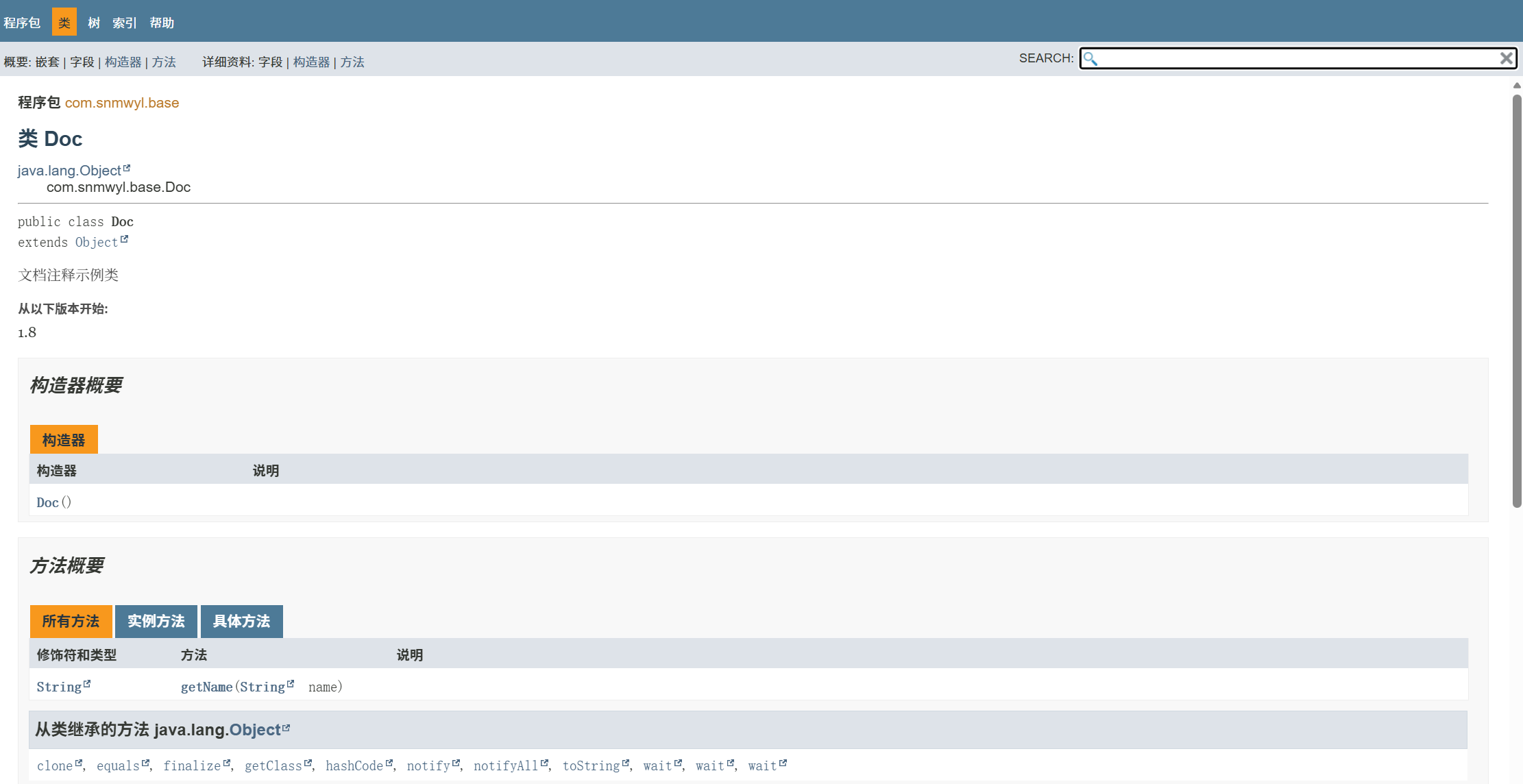
package com.snmwyl.base;

/**
 * 文档注释示例类
 *
 * @author snmwyl
 * @version 1.0
 * @since 1.8
 */
public class Doc {
    /** 名称属性 */
    String name = "Kitty";

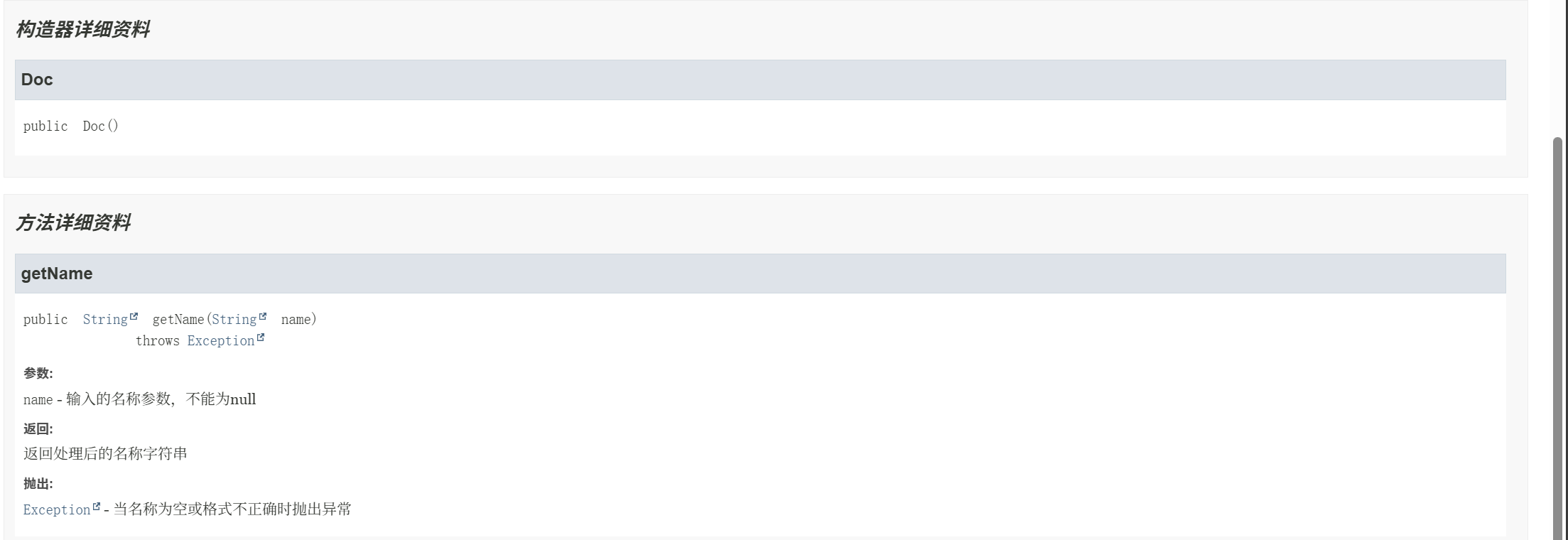
    /**
     * @author snmwyl
     * @param name 输入的名称参数,不能为null
     * @return 返回处理后的名称字符串
     * @throws Exception 当名称为空或格式不正确时抛出异常
     */
    public String getName(String name) throws Exception{
        return name;
    }
}
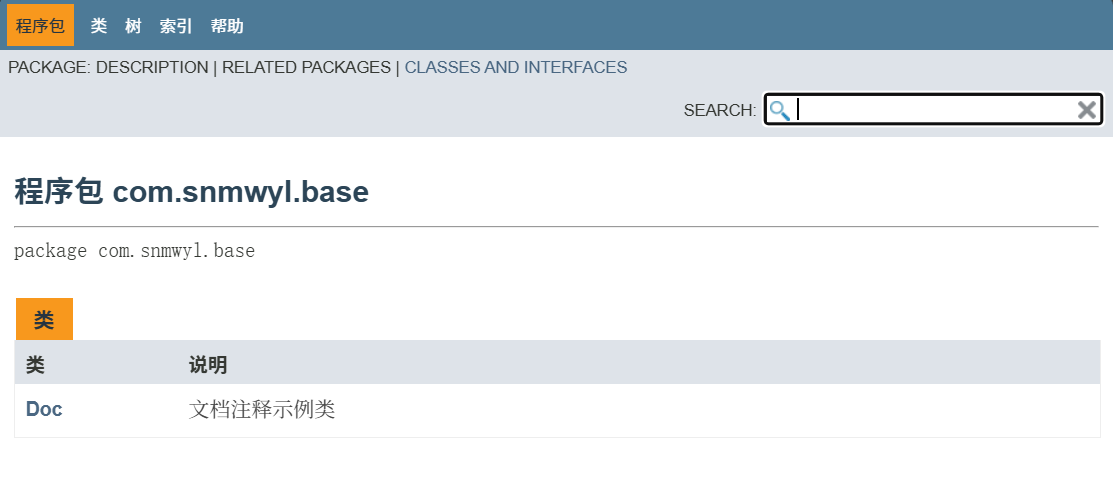
在Doc.java所在文件夹下打开命令窗口,输入javadoc命令
javadoc -encoding UTF-8 -charset UTF-8 Doc.java
生成JavaDoc文档

 浙公网安备 33010602011771号