
MyISAM:
.MYD 数据
.MYI 索引
.frm 表结构
InnoDB:
.frm 表结构
.ibd: 表空间
数据
索引
索引:
聚集索引
非聚集索引
主索引
辅助索引
稠密索引
稀疏索引
多级索引
B+树
Hash索引
空间索引
全文索引
从根到每一个叶子结点的路径是等长的:
平衡树索引
Balance Tree
索引:加速查询
索引: 降低写入速度
对插入、删除、更新等性能的影响:
hash:
key-value
hash码
age: hash索引
key(hash)-->value
SELECT * FROM students WHERE Age=30;
30
hash索引查询时使用等值条件比较
InnoDB: 自适应hash索引
覆盖索引:索引使用方法
students:
id,name,age,salary
name,age:组合索引
B树索引的使用场景:
适用全键值、健值范围或健左前缀查找;
name
Ling Huchong
Zhang Wuji
Zhang Sanfeng
Chen Xuanfeng
Chen Yanzong
SELECT * FROM WHERE name Like 'Chen%'
局限性:
如果不是从最左前缀开始,索引没用;
WHERE name LIKE '%u%'
不能跳过索引中的列;
WHERE name LIKE 'Chen%' and salary>3000;
存储引擎不能优化访问任何在第一个范围条件右边的列;
hash索引:只支持使用=, IN(),<=>进行的条件比较;
缺陷:
无法使用索引排序;
不支持部分键匹配;
MyISAM Configuration Options
key_buffer_size:调整健缓冲大小,用于存储索引内存大小,为了加速查询操作;
concurrent_insert:支持不支持并发插入操作,并行插入操作,一次执行多个插入操作,可以提高写性能的,0表示禁止插入操作,2表示如果数据中间有空隙允许并发插入,默认为1,数据内部没有空隙才允许并发插入;
delay_key_write:延迟健写入,如果数据表更新了,索引也必须更新,索引更新立马会触发内存中缓存的索引失效,必须要从磁盘重新载入索引,索引缓存才能使用,这会产生大量IO,降低性能,delay_key_write不是立即更新索引,而是等一会,开启可能会提高写入性能;
Innodb Configuration Options
Innodb_data_file_path:Innodb表空间文件路径;
Innodb_data_home_dir:
Innodb_file_per_table:
InnoDB Performance Configuration Variables
innodb_buffer_pool_size:定义innodb缓冲池数据、索引大小;
innodb_flush_log_at_trx_commit:在事务提交是不是flush log,1表示事物提交就flush,但是每隔一段时间也会flush,2表示只是事务提交才flush;
innodb_log_file_size:事务日志大小,默认5M;
key: value
SELECT语句的hash码: 语句的查询结果;
EXPLATN Select name from students where age=30;
显示语句执行计划;
select name from students where age=30;
SELECT name FROM students WHERE age=30;
Query Cache System Variables
quer_cache_size:查询缓存所使用内存大小,默认为0,表示禁用查询缓存;
query_cache_min_res_unit:查询结果集最小不能小于这个单位,不然就不会缓存;
query_cache_type:用于定义查询缓存的类型,OFF不缓存,ON启用缓存,DEMAND按需缓存;
MySQL优化框架
1. SQL语句优化
2. 索引优化
3. 数据库结构优化
4. InnoDB表优化
5. MyISAM表优化
6. Memory表优化
7. 理解查询执行计划
8. 缓冲和缓存
9. 锁优化
10. MySQL服务器优化
11. 性能评估
12. MySQL优化内幕
MySQL优化需要在三个不同层次上协调进行:MySQL级别、OS级别和硬件级别。MySQL级别的优化包括表优化、查询优化和MySQL服务器配置优化等,而MySQL的各种数据结构又最终作用于OS直至硬件设备,因此还需要了解每种结构对OS级别的资源的需要并最终导致的CPU和I/O操作等,并在此基础上将CPU及I/O操作需要尽量降低以提升其效率。
数据库层面的优化着眼点:
1、是否正确设定了表结构的相关属性,尤其是每个字段的字段类型是否为最佳。同时,是否为特定类型的工作组织使用了合适的表及表字段也将影响系统性能,比如,数据频繁更新的场景应该使用较多的表而每张表有着较少字段的结构,而复杂数据查询或分析的场景应该使用较少的表而每张表较多字段的结构等。
2、是否为高效进行查询创建了合适的索引。
3、是否为每张表选用了合适的存储引擎,并有效利用了选用的存储引擎本身的优势和特性。
4、是否基于存储引擎为表选用了合适的行格式(row format)。例如,压缩表在读写操作中会降低I/O操作需求并占用较少的磁盘空间,InnoDB支持读写应用场景中使用压缩表,但MyISAM仅能在读环境中使用压缩表。
5、是否使用了合适的锁策略,如在并发操作场景中使用共享锁,而对较高优先级的需求使用独占锁等。同时,还应该考虑存储引擎所支持的锁类型。
6、是否为InnoDB的缓冲池、MyISAM的键缓存以及MySQL查询缓存设定了合适大小的内存空间,以便能够存储频繁访问的数据且又不会引起页面换出。
操作系统和硬件级别的优化着眼点:
1、是否为实际的工作负载选定了合适的CPU,如对于CPU密集型的应用场景要使用更快速度的CPU甚至更多数量的CPU,为有着更多查询的场景使用更多的CPU等。基于多核以及超线程(hyperthreading)技术,现代的CPU架构越来越复杂、性能也越来越强了,但MySQL对多CPU架构的并行计算能力的利用仍然是有着不太尽如人意之处,尤其是较老的版本如MySQL 5.1之前的版本甚至无法发挥多CPU的优势。不过,通常需要实现的CPU性能提升目标有两类:低迟延和高吞吐量。低延迟需要更快速度的CPU,因为单个查询只能使用一颗;而需要同时运行许多查询的场景,多CPU更能提供更好的吞吐能力,然而其能否奏效还依赖于实际工作场景,因为MySQL尚不能高效的运行于多CPU,并且其对CPU数量的支持也有着限制。一般来说,较新的版本可以支持16至24颗CPU甚至更多。
2、是否有着合适大小的物理内存,并通过合理的配置平衡内存和磁盘资源,降低甚至避免磁盘I/O。现代的程序设计为提高性能通常都会基于局部性原理使用到缓存技术,这对于频繁操作数据的数据库系统来说尤其如此——有着良好设计的数据库缓存通常比针对通用任务的操作系统的缓存效率更高。缓存可以有效地延迟写入、优化写入,但并能消除写入,并综合考虑存储空间的可扩展性等,为业务选择合理的外部存储设备也是非常重要的工作。
3、是否选择了合适的网络设备并正确地配置了网络对整体系统系统也有着重大影响。延迟和带宽是网络连接的限制性因素,而常见的网络问题如丢包等,即是很小的丢包率也会赞成性能的显著下降。而更重要的还有按需调整系统中关网络方面的设置,以高效处理大量的连接和小查询。
4、是否基于操作系统选择了适用的文件系统。实际测试表明大部分文件系统的性能都非常接近,因此,为了性能而苦选文件系统并不划算。但考虑到文件系统的修复能力,应该使用日志文件系统如ext3、ext4、XFS等。同时,关闭文件系统的某些特性如访问时间和预读行为,并选择合理的磁盘调度器通常都会给性能提升带来帮助。
5、MySQL为响应每个用户连接使用一个单独的线程,再加内部使用的线程、特殊目的线程以及其它任何由存储引擎创建的线程等,MySQL需要对这些大量线程进行有效管理。Linux系统上的NPTL线程库更为轻量级也更有效率。MySQL 5.5引入了线程池插件,但其效用尚不明朗。
使用InnoDB存储引擎最佳实践:
1、基于MySQL查询语句中最常用的字段或字段组合创建主键,如果没有合适的主键也最好使用AUTO_INCRMENT类型的某字段为主键。
2、根据需要考虑使用多表查询,将这些表通过外键建立约束关系。
3、关闭autocommit。
4、使用事务(START TRANSACTION和COMMIT语句)组合相关的修改操作或一个整体的工作单元,当然也不应该创建过大的执行单元。
5、停止使用LOCK TABLES语句,InnoDB可以高效地处理来自多个会话的并发读写请求。如果需要在一系列的行上获取独占访问权限,可以使用SELECT ... FOR UPDATE锁定仅需要更新的行。
6、启用innodb_file_per_table选项,将各表的数据和索引分别进行存放。
7、评估数据和访问模式是否能从InnoDB的表压缩功能中受益(在创建表时使用ROW_FORMAT=COMPRESSED选项),如果可以,则应该启用压缩功能。
InnoDB: 主索引(聚集索引),辅助索引
EXPLAIN语句解析:
id:SELECT语句的标识符,一般为数字,表示对应的SELECT语句在原始语句中的位置。没有子查询或联合的整个查询只有一个SELECT语句,因此其id通常为1。在联合或子查询语句中,内层的SELECT语句通常按它们在原始语句中的次序进行编号。但UNION操作通常最后会有一个id为NULL的行,因为UNION的结果通常保存至临时表中,而MySQL需要到此临时表中取得结果。
select_type:
即SELECT类型,有如下值列表:
SIMPLE:简单查询,即没有使用联合或子查询;
PRIMARY:UNION的最外围的查询或者最先进行的查询;
UNION:相对于PRIMARY,为联合查询的第二个及以后的查询;
DEPENDENT UNION:与UNION相同,但其位于联合子查询中(即UNION查询本身是子查询);
UNION RESULT:UNION的执行结果;
SUBQUERY:非从属子查询,优化器通常认为其只需要运行一次;
DEPENDENT SUBQUERY:从属子查询,优化器认为需要为外围的查询的每一行运行一次,如用于IN操作符中的子查询;
DERIVED:用于FROM子句的子查询,即派生表查询;
SELECT name FROM students UNION slect name FROM tutors;
table:
输出信息所关系到的表的表名,也有可能会显示为如下格式:
<unionM,N>:id为M和N的查询执行联合查询后的结果;
<derivedN>:id为N的查询执行的结果集;
type:
MySQL官方手册中解释type的作用为“type of join(联结的类型)”,但其更确切的意思应该是“记录(record)访问类型”,因为其主要目的在于展示MySQL在表中找到所需行的方式。通常有如下所示的记录访问类型:
system: 表中仅有一行,是const类型的一种特殊情况;
const:表中至多有一个匹配的行,该行仅在查询开始时读取一次,因此,该行此字段中的值可以被优化器看作是个常量(constant);当基于PRIMARY KEY或UNIQUE NOT NULL字段查询,且与某常量进行等值比较时其类型就为const,其执行速度非常快;
eq_ref:类似于const,表中至多有一个匹配的行,但比较的数值不是某常量,而是来自于其它表;ed_ref出现在PRIMARY KEY或UNIQUE NOT NULL类型的索引完全用于联结操作中进行等值(=)比较时;这是除了system和const之外最好的访问类型;
ref:查询时的索引类型不是PRIMARY KEY或UNIQUE NOT NULL导致匹配到的行可能不惟一,或者仅能用到索引的左前缀而非全部时的访问类型;ref可被用于基于索引的字段进行=或<=>操作;
fulltext:用于FULLTEXT索引中用纯文本匹配的方法来检索记录。
ref_or_null:类似于ref,但可以额外搜索NULL值;
index_merge:使用“索引合并优化”的记录访问类型,相应地,其key字段(EXPLAIN的输出结果)中会出现用到的多个索引,key_len字段中会出现被使用索引的最长长度列表;将多个“范围扫描(range scan)”获取到的行进行合并成一个结果集的操作即索引合并(index merge)。
unique_subquery:用于IN比较操作符中的子查询中进行的“键值惟一”的访问类型场景中,如 value IN (SELECT primary_key FROM single_table WHERE some_expr);
index_subquery:类似于unique_subquery,但子查询中键值不惟一;
range:带有范围限制的索引扫描,而非全索引扫描,它开始于索引里的某一点,返回匹配那个值的范围的行;相应地,其key字段(EXPLAIN的输出结果)中会输出所用到的索引,key_len字段中会包含用到的索引的最长部分的长度;range通常用于将索引与常量进行=、<>、>、>=、<、<=、IS NULL、<=>、BETWEEN或IN()类的比较操作中;
index:同全表扫描(ALL),只不过是按照索引的次序进行而不行的次序;其优点是避免了排序,但是要承担按索引次序读取整个表的开销,这意味着若是按随机次序访问行,代价将非常大;
ALL:“全表扫描”的方式查找所需要的行,如果第一张表的查询类型(EXPLAIN的输出结果)为const,其性能可能不算太坏,而第一张表的查询类型为其它结果时,其性能通常会非常差;
Extra:
Using where:MySQL服务器将在存储引擎收到数据后进行“后过滤(post-filter)”以限定发送给下张表或客户端的行;如果WHERE条件中使用了索引列,其读取索引时就由存储引擎检查,因此,并非所有带有WHERE子句的查询都会显示“Using where”;
Using index:表示所需要的数据从索引就能够全部获取到,从而不再需要从表中查询获取所需要数据,这意味着MySQL将使用覆盖索引;但如果同时还出现了Using where,则表示索引将被用于查找特定的键值;
Using index for group-by:类似于Using index,它表示MySQL可仅通过索引中的数据完成GROUP BY或DISTINCT类的查询;
Using filesort:表示MySQL会对结果使用一个外部索引排序,而不是从表里按索引次序来读取行;
selinux
process-->
user,group
apache
user apache
nginx
nginx,nginx
root,root, /etc
rm -f/tmp/test.txt
httpd
apache
apache
DAC
Discretinary Access Control 自主访问控制
MAC
Mandatory Access Control 强制访问控制
最小权限集合
ACL
redhat, /tmp/a.txt --> gentoo
/tmp/a.txt redhat redhat
644
SELinux: Security Enhenced Linux: 加强的linux;1990s, NSA
C1, C2, B1, B2, B3, A1
主谓宾
Jerry hits baseball.
Subject domain
Action what action?
Object type
rm -f /tmp/a.txt
process
rm
/tmp/a.txt
file, object: 安全上下问;
type
selinux policy
rules
rm domain, type, action
SELinux 类型:
Strict mode 严格模型
Targeted mode 目标类型
httpd
samba
nfs
targeted, subject本身的工作能力,但又不想去改变策略并重新编译
runtime
booleans,布尔值
getsebool
四、Subject and Object
At its root, the SELinux security model encompasses three elements:
Subjects
Objects
Actions
Objects:
Directories 目录
File descriptors 文件描述符
Files 文件
Filesystems 文件系统
Links 连接文件
Processes 进程
Specil files of various types (block device,character device,socket,FIFO,and so on) 各种类型特殊文件
ACtions:
Append 往文件尾部附加新内容
Create 创建
Execute 实行
Get attribute 属性
I/O control io控制
Link 链接文件
Lock 锁文件
Read 读操作
Rename 重命名
Unlink 撤销连接
Write 写操作
五、Security Contexts
User identity(用户标识)
The user identity indicates the SELinux user account associated with a subject or object.In the case of a subject,the user identity gives the SELinux user account under which the process is running.In the case of an object,the user identity gives the user account the owns the object.(对于subject的的用户工作在某个用户的身份下,这个用户不是系统用户身份,而是selinux的用户身份,对于object而言用户是object的拥有者属主或者属组)
Role(相当于组)
Under SELinux,users are authorized to enter one or more roles,each of which defines a set of permissions a user can be granted.At a given time,a user can reside in only a single role,Auser can transition from one authorized role to another by using the special command newrole.This command changes the user's SELinux role similar to the way the Linux su command changes a user's Linux identity.SELinux establishes a special role,sysadm_r,used for administering SELinux facilities.
Type(文件类别,什么样的进程模型下什么样的文件运行在什么域中的进程所访问的)
Types,which are also known as domain,divide subjects and objects into related groups.Types are the primary security attribute SELinux in making authorization decisions.They establish the sandboes that constraion processes and prevent priviledge escalation.Therefore,you can think of a type as naming a related sandbox.
六、SELinux Architecture
Kernel-level code
monitors system activity and ensures that requested operations are authorized under the currently configured SELinux policy,disallowing any operations not expressly authorized
The SELinux shared library
Most non-kernel SELinux componets are linked against an SELinux shared libary,currently named libselinux1.so.
A security policy
When an SELinux system starts up,it loads the local security policy from a binary policy file Tools
SELinux commands
chcon
getenforce
setenforce
Labeled SELinux filesystems (optional)
七、Using and Administering SELinux(使用启用selinux)
Permissive mode(工作permissive模型)
Rebuilding policies(开发新的策略)
Labeling files(文件打标签)
Routime system administration (changing roles,adding users,and checking file contexts)(改变角色,添加用户,检查文件安全上下文)
Monitoring SELinux through log files(监控selinux实现通过日志可以实现)
Miscellaneous troubleshooting(排错操作)
1、
echo "1" > /selinux/enforce
echo "0" > /selinux/enforce
The SELinux policy can include conditional rules that are enabled or disabled based on the current values of a set of policy booleans.These policy booleans allow runtime modification of the security policy without having to load a new policy.
The policy defines a default value for each boolean,typically false.These default values can be overridden via local settings created via the setsebool(8) utility,using -P to make the setting persistent across reboots.
chcon
-t: 改变文件标签类型
-R: 递归修改
--reference=
[root@localhost ~]# ll /etc/passwd(查看passwd文件详细信息)
-rw-r--r--. 1 root root 1111 6月  25 15:10 /etc/passwd
[root@localhost ~]# ls -Z(查看当前目录文件及子目录安全上限文)
-rw-------  root root system_u:object_r:user_home_t    anaconda-ks.cfg
-rw-r--r--  root root root:object_r:user_home_t        install.log
-rw-r--r--  root root root:object_r:user_home_t        install.log.syslog
提示:t代表type类型,
[root@localhost ~]# cat /etc/sysconfig/selinux(查看/etc/sysconfig/selinux文件内容)
# This file controls the state of SELinux on the system.
# SELINUX= can take one of these three values:
#	enforcing - SELinux security policy is enforced.
#	permissive - SELinux prints warnings instead of enforcing.
#	disabled - SELinux is fully disabled.
SELINUX=permissive
# SELINUXTYPE= type of policy in use. Possible values are:
#	targeted - Only targeted network daemons are protected.
#	strict - Full SELinux protection.
SELINUXTYPE=targeted(selinux类型)
[root@localhost ~]# ls /etc/selinux/(查看/etc/selinux目录文件及子目录)
config  restorecond.conf  semanage.conf  targeted
[root@localhost ~]# ls /etc/selinux/targeted/(查看/etc/selinux/targeted目录文件及子目录)
contexts  modules  policy  setrans.conf  seusers
[root@localhost ~]# ls /etc/selinux/targeted/policy/(查看/etc/selinux/targeted/policy目录文件及子目录)
policy.21
[root@localhost ~]# file /etc/selinux/targeted/policy/policy.21(查看policy.21文件类型)
/etc/selinux/targeted/policy/policy.21: SE Linux policy v21 8 symbols 7 ocons
[root@localhost ~]# ls -Z(查看当前目录文件及子目录安全上限文)
-rw-------  root root system_u:object_r:user_home_t    anaconda-ks.cfg
-rw-r--r--  root root root:object_r:user_home_t        install.log
-rw-r--r--  root root root:object_r:user_home_t        install.log.syslog
[root@localhost ~]# ps -Z(查看进程域)
LABEL                             PID TTY          TIME CMD
root:system_r:unconfined_t:SystemLow-SystemHigh 4300 pts/0 00:00:00 bash
root:system_r:unconfined_t:SystemLow-SystemHigh 4331 pts/0 00:00:00 ps
[root@localhost ~]# ps -auxZ(查看所有用户所有进程域)
Warning: bad syntax, perhaps a bogus '-'? See /usr/share/doc/procps-3.2.7/FAQ
LABEL                           USER       PID %CPU %MEM    VSZ   RSS TTY      STAT START   TIME COMMAND
system_u:system_r:init_t        root         1  0.0  0.0   2164   676 ?        Ss   01:51   0:00 init [3]
system_u:system_r:kernel_t      root         2  0.0  0.0      0     0 ?        S<   01:51   0:00 [migration/0]
system_u:system_r:kernel_t      root         3  0.0  0.0      0     0 ?        SN   01:51   0:00 [ksoftirqd/0]
system_u:system_r:kernel_t      root         4  0.0  0.0      0     0 ?        S<   01:51   0:00 [events/0]
system_u:system_r:kernel_t      root         5  0.0  0.0      0     0 ?        S<   01:51   0:00 [khelper]
system_u:system_r:kernel_t      root         6  0.0  0.0      0     0 ?        S<   01:51   0:00 [kthread]
system_u:system_r:kernel_t      root         9  0.0  0.0      0     0 ?        S<   01:51   0:00 [kblockd/0]
system_u:system_r:kernel_t      root        10  0.0  0.0      0     0 ?        S<   01:51   0:00 [kacpid]
system_u:system_r:kernel_t      root       178  0.0  0.0      0     0 ?        S<   01:51   0:00 [cqueue/0]
system_u:system_r:kernel_t      root       181  0.0  0.0      0     0 ?        S<   01:51   0:00 [khubd]
system_u:system_r:kernel_t      root       183  0.0  0.0      0     0 ?        S<   01:51   0:00 [kseriod]
system_u:system_r:kernel_t      root       249  0.0  0.0      0     0 ?        S    01:51   0:00 [khungtaskd]
system_u:system_r:kernel_t      root       250  0.0  0.0      0     0 ?        S    01:51   0:00 [pdflush]
system_u:system_r:kernel_t      root       251  0.0  0.0      0     0 ?        S    01:51   0:00 [pdflush]
system_u:system_r:kernel_t      root       252  0.0  0.0      0     0 ?        S<   01:51   0:00 [kswapd0]
system_u:system_r:kernel_t      root       253  0.0  0.0      0     0 ?        S<   01:51   0:00 [aio/0]
system_u:system_r:kernel_t      root       470  0.0  0.0      0     0 ?        S<   01:51   0:00 [kpsmoused]
system_u:system_r:kernel_t      root       500  0.0  0.0      0     0 ?        S<   01:51   0:00 [mpt_poll_0]
system_u:system_r:kernel_t      root       501  0.0  0.0      0     0 ?        S<   01:51   0:00 [mpt/0]
system_u:system_r:kernel_t      root       502  0.0  0.0      0     0 ?        S<   01:51   0:00 [scsi_eh_0]
system_u:system_r:kernel_t      root       505  0.0  0.0      0     0 ?        S<   01:51   0:00 [ata/0]
system_u:system_r:kernel_t      root       506  0.0  0.0      0     0 ?        S<   01:51   0:00 [ata_aux]
system_u:system_r:kernel_t      root       511  0.0  0.0      0     0 ?        S<   01:51   0:00 [scsi_eh_1]
system_u:system_r:kernel_t      root       512  0.0  0.0      0     0 ?        S<   01:51   0:01 [scsi_eh_2]
system_u:system_r:kernel_t      root       513  0.0  0.0      0     0 ?        S<   01:51   0:00 [scsi_eh_3]
system_u:system_r:kernel_t      root       514  0.0  0.0      0     0 ?        S<   01:51   0:00 [scsi_eh_4]
system_u:system_r:kernel_t      root       515  0.0  0.0      0     0 ?        S<   01:51   0:00 [scsi_eh_5]
system_u:system_r:kernel_t      root       516  0.0  0.0      0     0 ?        S<   01:51   0:00 [scsi_eh_6]
system_u:system_r:kernel_t      root       517  0.0  0.0      0     0 ?        S<   01:51   0:00 [scsi_eh_7]
system_u:system_r:kernel_t      root       518  0.0  0.0      0     0 ?        S<   01:51   0:00 [scsi_eh_8]
system_u:system_r:kernel_t      root       519  0.0  0.0      0     0 ?        S<   01:51   0:00 [scsi_eh_9]
system_u:system_r:kernel_t      root       520  0.0  0.0      0     0 ?        S<   01:51   0:00 [scsi_eh_10]
system_u:system_r:kernel_t      root       521  0.0  0.0      0     0 ?        S<   01:51   0:00 [scsi_eh_11]
system_u:system_r:kernel_t      root       522  0.0  0.0      0     0 ?        S<   01:51   0:00 [scsi_eh_12]
system_u:system_r:kernel_t      root       523  0.0  0.0      0     0 ?        S<   01:51   0:00 [scsi_eh_13]
system_u:system_r:kernel_t      root       524  0.0  0.0      0     0 ?        S<   01:51   0:00 [scsi_eh_14]
system_u:system_r:kernel_t      root       525  0.0  0.0      0     0 ?        S<   01:51   0:00 [scsi_eh_15]
system_u:system_r:kernel_t      root       526  0.0  0.0      0     0 ?        S<   01:51   0:00 [scsi_eh_16]
system_u:system_r:kernel_t      root       527  0.0  0.0      0     0 ?        S<   01:51   0:00 [scsi_eh_17]
system_u:system_r:kernel_t      root       528  0.0  0.0      0     0 ?        S<   01:51   0:00 [scsi_eh_18]
system_u:system_r:kernel_t      root       529  0.0  0.0      0     0 ?        S<   01:51   0:00 [scsi_eh_19]
system_u:system_r:kernel_t      root       530  0.0  0.0      0     0 ?        S<   01:51   0:00 [scsi_eh_20]
system_u:system_r:kernel_t      root       531  0.0  0.0      0     0 ?        S<   01:51   0:00 [scsi_eh_21]
system_u:system_r:kernel_t      root       532  0.0  0.0      0     0 ?        S<   01:51   0:00 [scsi_eh_22]
system_u:system_r:kernel_t      root       533  0.0  0.0      0     0 ?        S<   01:51   0:00 [scsi_eh_23]
system_u:system_r:kernel_t      root       534  0.0  0.0      0     0 ?        S<   01:51   0:00 [scsi_eh_24]
system_u:system_r:kernel_t      root       535  0.0  0.0      0     0 ?        S<   01:51   0:00 [scsi_eh_25]
system_u:system_r:kernel_t      root       536  0.0  0.0      0     0 ?        S<   01:51   0:00 [scsi_eh_26]
system_u:system_r:kernel_t      root       537  0.0  0.0      0     0 ?        S<   01:51   0:00 [scsi_eh_27]
system_u:system_r:kernel_t      root       538  0.0  0.0      0     0 ?        S<   01:51   0:00 [scsi_eh_28]
system_u:system_r:kernel_t      root       539  0.0  0.0      0     0 ?        S<   01:51   0:00 [scsi_eh_29]
system_u:system_r:kernel_t      root       540  0.0  0.0      0     0 ?        S<   01:51   0:00 [scsi_eh_30]
system_u:system_r:kernel_t      root       545  0.0  0.0      0     0 ?        S<   01:52   0:00 [kstriped]
system_u:system_r:kernel_t      root       554  0.0  0.0      0     0 ?        S<   01:52   0:00 [kjournald]
system_u:system_r:kernel_t      root       582  0.0  0.0      0     0 ?        S<   01:52   0:00 [kauditd]
system_u:system_r:udev_t:SystemLow-SystemHigh root 613 0.0  0.1 3224 1704 ?    S<s  01:52   0:00 /sbin/udevd -d
system_u:system_r:kernel_t      root      1353  0.0  0.0      0     0 ?        S<   01:52   0:00 [kgameportd]
system_u:system_r:kernel_t      root      2289  0.0  0.0      0     0 ?        S<   01:52   0:00 [kmpathd/0]
system_u:system_r:kernel_t      root      2290  0.0  0.0      0     0 ?        S<   01:52   0:00 [kmpath_handlerd]
system_u:system_r:kernel_t      root      2313  0.0  0.0      0     0 ?        S<   01:52   0:00 [kjournald]
system_u:system_r:kernel_t      root      2457  0.0  0.0      0     0 ?        S<   01:52   0:00 [iscsi_eh]
system_u:system_r:kernel_t      root      2491  0.0  0.0      0     0 ?        S<   01:52   0:00 [cnic_wq]
system_u:system_r:kernel_t      root      2494  0.0  0.0      0     0 ?        S<   01:52   0:00 [bnx2i_thread/0]
system_u:system_r:kernel_t      root      2507  0.0  0.0      0     0 ?        S<   01:52   0:00 [ib_addr]
system_u:system_r:kernel_t      root      2512  0.0  0.0      0     0 ?        S<   01:52   0:00 [ib_mcast]
system_u:system_r:kernel_t      root      2513  0.0  0.0      0     0 ?        S<   01:52   0:00 [ib_inform]
system_u:system_r:kernel_t      root      2514  0.0  0.0      0     0 ?        S<   01:52   0:00 [local_sa]
system_u:system_r:kernel_t      root      2516  0.0  0.0      0     0 ?        S<   01:52   0:00 [iw_cm_wq]
system_u:system_r:kernel_t      root      2523  0.0  0.0      0     0 ?        S<   01:52   0:00 [ib_cm/0]
system_u:system_r:kernel_t      root      2525  0.0  0.0      0     0 ?        S<   01:52   0:00 [rdma_cm]
system_u:system_r:iscsid_t      root      2541  0.0  3.1  32752 32736 ?        S<Lsl 01:52   0:00 iscsiuio
system_u:system_r:iscsid_t      root      2547  0.0  0.0   2360   464 ?        Ss   01:52   0:00 iscsid
system_u:system_r:iscsid_t      root      2548  0.0  0.2   2824  2816 ?        S<Ls 01:52   0:00 iscsid
system_u:system_r:setrans_t:SystemLow-SystemHigh root 2589 0.0  0.0 2272 516 ? Rs   01:52   0:00 mcstransd
system_u:system_r:dhcpc_t       root      2973  0.0  0.0   2416   716 ?        Ss   01:52   0:00 /sbin/dhclient -1 -q -lf /var/lib/dh
client/dhclient-eth1.leases -pf /var/run/dhclient-eth1.pid
system_u:system_r:auditd_t      root      3059  0.0  0.0  12640   748 ?        S<sl 01:52   0:00 auditd
system_u:system_r:audisp_t      root      3061  0.0  0.0  12172   704 ?        S<sl 01:52   0:00 /sbin/audispd
system_u:system_r:restorecond_t root      3081  0.0  1.0  12612 11000 ?        Ss   01:52   0:00 /usr/sbin/restorecond
system_u:system_r:syslogd_t     root      3093  0.0  0.0   1820   580 ?        Ss   01:52   0:00 syslogd -m 0
system_u:system_r:klogd_t       root      3096  0.0  0.0   1768   408 ?        Ss   01:52   0:00 klogd -x
system_u:system_r:portmap_t     rpc       3175  0.0  0.0   1916   548 ?        Ss   01:52   0:00 portmap
system_u:system_r:kernel_t      root      3208  0.0  0.0      0     0 ?        S<   01:52   0:00 [rpciod/0]
system_u:system_r:rpcd_t        rpcuser   3214  0.0  0.0   1968   740 ?        Ss   01:52   0:00 rpc.statd
system_u:system_r:rpcd_t        root      3248  0.0  0.0   5944   664 ?        Ss   01:52   0:00 rpc.idmapd
system_u:system_r:system_dbusd_t dbus     3276  0.0  0.1  13100  1052 ?        Ssl  01:52   0:00 dbus-daemon --system
system_u:system_r:setroubleshootd_t root  3291  0.0  1.2  45088 12720 ?        Ssl  01:52   0:00 /usr/bin/python -E /usr/sbin/setroubl
eshootd
system_u:system_r:bluetooth_t   root      3303  0.0  0.0   2260   816 ?        Ss   01:52   0:00 /usr/sbin/hcid
system_u:system_r:bluetooth_t   root      3307  0.0  0.0   1836   496 ?        Ss   01:52   0:00 /usr/sbin/sdpd
system_u:system_r:kernel_t      root      3319  0.0  0.0      0     0 ?        S<   01:52   0:00 [krfcommd]
system_u:system_r:pcscd_t       root      3362  0.0  0.1  12948  1356 ?        Ssl  01:53   0:00 pcscd
system_u:system_r:apmd_t        root      3375  0.0  0.0   1764   536 ?        Ss   01:53   0:00 /usr/sbin/acpid
system_u:system_r:hald_t        68        3391  0.0  0.4   6956  4916 ?        Ss   01:53   0:01 hald
system_u:system_r:hald_t        root      3392  0.0  0.1   3268  1100 ?        S    01:53   0:00 hald-runner
system_u:system_r:hald_t        68        3401  0.0  0.0   2112   832 ?        S    01:53   0:00 hald-addon-acpi: listening on acpid
 socket /var/run/acpid.socket
system_u:system_r:hald_t        68        3411  0.0  0.0   2112   828 ?        S    01:53   0:00 hald-addon-keyboard: listening on /
dev/input/event0
system_u:system_r:hald_t        root      3420  0.0  0.0   2064   688 ?        S    01:53   0:01 hald-addon-storage: polling /dev/sr0
system_u:system_r:bluetooth_t   root      3440  0.0  0.0   2012   456 ?        Ss   01:53   0:00 /usr/bin/hidd --server
system_u:system_r:automount_t   root      3474  0.0  0.1  27392  1380 ?        Ssl  01:53   0:00 automount
system_u:system_r:hplip_t       root      3494  0.0  0.0   5252   772 ?        Ss   01:53   0:00 ./hpiod
system_u:system_r:hplip_t       root      3499  0.0  0.4  13652  4468 ?        S    01:53   0:00 /usr/bin/python ./hpssd.py
system_u:system_r:unconfined_t:SystemLow-SystemHigh root 3515 0.0  0.1 7220 1056 ? Ss 01:53   0:00 /usr/sbin/sshd
system_u:system_r:cupsd_t:SystemLow-SystemHigh root 3527 0.0  1.0 18436 10416 ? Ss  01:53   0:00 cupsd
system_u:system_r:inetd_t:SystemLow-SystemHigh root 3543 0.0  0.0 2840 856 ?   Ss   01:53   0:00 xinetd -stayalive -pidfile /var/run
/xinetd.pid
system_u:system_r:sendmail_t    root      3564  0.0  0.1   9360  1680 ?        Ss   01:53   0:00 sendmail: accepting connections
system_u:system_r:sendmail_t    smmsp     3573  0.0  0.1   8268  1488 ?        Ss   01:53   0:00 sendmail: Queue runner@01:00:00 for
 /var/spool/clientmqueue
system_u:system_r:gpm_t         root      3586  0.0  0.0   1996   472 ?        Ss   01:53   0:00 gpm -m /dev/input/mice -t exps2
system_u:system_r:crond_t:SystemLow-SystemHigh root 3598 0.0  0.1 5608 1192 ?  Ss   01:53   0:00 crond
system_u:system_r:xfs_t         xfs       3634  0.0  0.1   3940  1576 ?        Ss   01:53   0:00 xfs -droppriv -daemon
system_u:system_r:crond_t:SystemLow-SystemHigh root 3646 0.0  0.0 1764 600 ?   SNs  01:53   0:00 anacron -s
system_u:system_r:crond_t:SystemLow-SystemHigh root 3657 0.0  0.0 2364 456 ?   Ss   01:53   0:00 /usr/sbin/atd
system_u:system_r:rhsmcertd_t   root      3675  0.0  0.0   2520   548 ?        Ss   01:53   0:00 /usr/bin/rhsmcertd 240 1440
system_u:system_r:avahi_t       avahi     3701  0.0  0.1   2696  1312 ?        Ss   01:53   0:01 avahi-daemon: running [localhost.lo
cal]
system_u:system_r:avahi_t       avahi     3702  0.0  0.0   2696   444 ?        Ss   01:53   0:00 avahi-daemon: chroot helper
system_u:system_r:fsdaemon_t    root      3729  0.0  0.0   3612   432 ?        S    01:53   0:00 /usr/sbin/smartd -q never
system_u:system_r:local_login_t:SystemLow-SystemHigh root 3733 0.0  0.1 2988 1324 ? Ss 01:53   0:00 login -- root
system_u:system_r:getty_t       root      3734  0.0  0.0   1752   468 tty2     Ss+  01:53   0:00 /sbin/mingetty tty2
system_u:system_r:getty_t       root      3737  0.0  0.0   1752   460 tty3     Ss+  01:53   0:00 /sbin/mingetty tty3
system_u:system_r:getty_t       root      3740  0.0  0.0   1752   468 tty4     Ss+  01:53   0:00 /sbin/mingetty tty4
system_u:system_r:getty_t       root      3741  0.0  0.0   1752   468 tty5     Ss+  01:53   0:00 /sbin/mingetty tty5
system_u:system_r:getty_t       root      3746  0.0  0.0   1752   468 tty6     Ss+  01:53   0:00 /sbin/mingetty tty6
system_u:system_r:rpm_t         root      3750  0.0  0.9  25904 10316 ?        SN   01:53   0:00 /usr/bin/python -tt /usr/sbin/yum
-updatesd
system_u:system_r:rpm_t         root      3752  0.0  0.1   2664  1116 ?        SN   01:53   0:00 /usr/libexec/gam_server
root:system_r:unconfined_t:SystemLow-SystemHigh root 3934 0.0  0.1 4872 1492 tty1 Ss+ 01:59   0:00 -bash
system_u:system_r:unconfined_t:SystemLow-SystemHigh root 4298 0.0  0.2 10196 3012 ? Ss 02:39   0:00 sshd: root@pts/0
root:system_r:unconfined_t:SystemLow-SystemHigh root 4300 0.0  0.1 4876 1452 pts/0 Ss 02:39   0:00 -bash
root:system_r:unconfined_t:SystemLow-SystemHigh root 4334 0.0  0.0 4928 1000 pts/0 R+ 02:42   0:00 ps -auxZ
[root@localhost ~]# ls -Z(查看当前目录文件及子目录安全上限文)
-rw-------  root root system_u:object_r:user_home_t    anaconda-ks.cfg
-rw-r--r--  root root root:object_r:user_home_t        install.log
-rw-r--r--  root root root:object_r:user_home_t        install.log.syslog
提示:root用户标识,不是系统用户,Role类似系统上的组,对selinux叫角色,
[root@localhost ~]# ls -Z /root/(查看/root目录安全上下文)
-rw-------  root root system_u:object_r:user_home_t    anaconda-ks.cfg
-rw-r--r--  root root root:object_r:user_home_t        install.log
-rw-r--r--  root root root:object_r:user_home_t        install.log.syslog
[root@localhost ~]# ls -Z /tmp/(查看/tmp目录安全上下文)
drwx------  root  root  system_u:object_r:tmp_t          gconfd-root
drwx------  Smoke Smoke user_u:object_r:tmp_t            gconfd-Smoke
srwxrwxr-x  Smoke Smoke user_u:object_r:tmp_t            mapping-Smoke
srw-------  Smoke Smoke user_u:object_r:tmp_t            scim-panel-socket:0-Smoke
[root@localhost ~]# ls -Z /var/log/(查看/var/log/安全上下文)
-rw-r-----  root root system_u:object_r:apmd_log_t     acpid
-rw-------  root root system_u:object_r:var_log_t      anaconda.log
-rw-------  root root system_u:object_r:var_log_t      anaconda.syslog
-rw-------  root root system_u:object_r:var_log_t      anaconda.xlog
drwxr-x---  root root system_u:object_r:auditd_log_t   audit
-rw-------  root root system_u:object_r:var_log_t      boot.log
-rw-------  root utmp system_u:object_r:faillog_t      btmp
drwxr-xr-x  root root system_u:object_r:var_log_t      conman
drwxr-xr-x  root root system_u:object_r:var_log_t      conman.old
-rw-------  root root system_u:object_r:var_log_t      cron
drwxr-xr-x  lp   sys  system_u:object_r:cupsd_log_t    cups
-rw-r--r--  root root system_u:object_r:var_log_t      dmesg
-rw-------  root root system_u:object_r:faillog_t      faillog
drwxr-xr-x  root root system_u:object_r:xserver_log_t  gdm
-rw-r--r--  root root system_u:object_r:lastlog_t      lastlog
drwxr-xr-x  root root system_u:object_r:sendmail_log_t mail
-rw-------  root root system_u:object_r:var_log_t      maillog
-rw-------  root root system_u:object_r:var_log_t      messages
drwxr-xr-x  root root system_u:object_r:hald_log_t     pm
drwx------  root root system_u:object_r:var_log_t      ppp
drwxr-xr-x  root root system_u:object_r:prelink_log_t  prelink
drwxr-xr-x  root root system_u:object_r:rhsmcertd_log_t rhsm
-rw-r--r--  root root system_u:object_r:cron_log_t     rpmpkgs
drwx------  root root system_u:object_r:samba_log_t    samba
-rw-r--r--  root root system_u:object_r:var_log_t      scrollkeeper.log
-rw-------  root root system_u:object_r:var_log_t      secure
drwxr-xr-x  root root system_u:object_r:setroubleshoot_var_log_t setroubleshoot
-rw-------  root root system_u:object_r:var_log_t      spooler
-rw-------  root root system_u:object_r:faillog_t      tallylog
-rw-r--r--  root root system_u:object_r:var_log_t      up2date
drwxr-xr-x  root root system_u:object_r:var_log_t      vbox
-rw-rw-r--  root utmp system_u:object_r:wtmp_t         wtmp
-rw-r--r--  root root system_u:object_r:var_log_t      Xorg.0.log
-rw-r--r--  root root system_u:object_r:var_log_t      yum.log
[root@localhost ~]# getenforce(查看selinux工作状态)
Enforcing
提示:默认工作在Enforcing状态下;
[root@localhost ~]# setenforce 0(关闭selinux)
[root@localhost ~]# getenforce(查看selinux工作状态)
Permissive
提示:permissive表示,如果某个subject访问了它本身不具备的访问权限的object的话,此时selinux会立即产生日志信息,并将此日志记录进selinux的日志文件当中,
permissive和enforcing区别,如果是enforcing模型下,一个subject对一个object规则发起了没有允许操作的时候,这个操作会被拒绝,而且会被记录到日志当中,pe
rmissive只记录日志,不阻止操作,如果要彻底关闭selinux必须在操作系统启动的时候关闭;
[root@localhost ~]# ls /var/log/(查看/var/log目录文件及子目录)
acpid         anaconda.syslog  audit     btmp    conman.old  cups   faillog  lastlog  maillog   pm   prelink  rpmpkgs  scrollkeeper.log
setroubleshoot                 tallylog  vbox    Xorg.0.log  anaconda.log    anaconda.xlog      boot.log      conman   cron
dmesg         gdm              mail      messages            ppp             rhsm     samba     secure        spooler  up2date
wtmp          yum.log
[root@localhost ~]# ls /var/log/audit/(查看/log/audit目录文件及子目录)
audit.log
[root@localhost ~]# vim /etc/selinux/config(编辑config文件)

# This file controls the state of SELinux on the system.
# SELINUX= can take one of these three values:
#       enforcing - SELinux security policy is enforced.
#       permissive - SELinux prints warnings instead of enforcing.
#       disabled - SELinux is fully disabled.
SELINUX=disabled(禁用selinux)
# SELINUXTYPE= type of policy in use. Possible values are:
#       targeted - Only targeted network daemons are protected.
#       strict - Full SELinux protection.
SELINUXTYPE=targeted

提示:在彻底禁用selinux,使用ls -Z是看不到selinux状态的,是没有标签等信息的;
[root@localhost ~]# setenforce 0(关闭selinux)
[root@localhost ~]# ls /selinux/(查看/selinux目录文件及子目录)
access  avc  booleans  checkreqprot  commit_pending_bools  compat_net  context  create  disable  enforce  load  member  mls  null
policyvers  relabel  user
[root@localhost ~]# cat /selinux/enforce(查看enforce文件内容)
0[root@localhost ~]#
0[root@localhost ~]# echo 1 > /selinux/enforce(显示1输出到enforce文件)
[root@localhost ~]# getenforce(查看selinux状态)
Enforcing
[root@localhost ~]# echo 0 > /selinux/enforce(显示1输出到enforce文件)
[root@localhost ~]# getenforce(查看selinux状态)
Permissive
[root@localhost ~]# cat /selinux/disable(查看disable文件内容)
cat: /selinux/disable: Invalid argument
提示:文件为空,不能显示;
[root@localhost ~]# man chcon(查看chcon命令man帮助)

       chcon - change file SELinux security context(改变selinux安全上下文)

       chcon [OPTION]... CONTEXT(上下文) FILE...(文件)
       chcon [OPTION]... [-u USER]用户 [-r ROLE](角色) [-l RANGE] [-t TYPE](类型) FILE...
       chcon [OPTION]... --reference=RFILE FILE...

[root@localhost ~]# touch /tmp/a.txt(创建a.txt文件)
[root@localhost ~]# ls -Z /tmp/(查看/tmp目录文件及子目录安全上下文)
-rw-r--r--  root  root  root:object_r:tmp_t              a.txt
drwx------  root  root  system_u:object_r:tmp_t          gconfd-root
drwx------  Smoke Smoke user_u:object_r:tmp_t            gconfd-Smoke
srwxrwxr-x  Smoke Smoke user_u:object_r:tmp_t            mapping-Smoke
srw-------  Smoke Smoke user_u:object_r:tmp_t            scim-panel-socket:0-Smoke
提示:a.txt类型是tmp_t;
[root@localhost ~]# ls -Z /var/log/(查看/var/log目录文件及子目录安全上下文)
-rw-r-----  root root system_u:object_r:apmd_log_t     acpid
-rw-------  root root system_u:object_r:var_log_t      anaconda.log
-rw-------  root root system_u:object_r:var_log_t      anaconda.syslog
-rw-------  root root system_u:object_r:var_log_t      anaconda.xlog
drwxr-x---  root root system_u:object_r:auditd_log_t   audit
-rw-------  root root system_u:object_r:var_log_t      boot.log
-rw-------  root utmp system_u:object_r:faillog_t      btmp
drwxr-xr-x  root root system_u:object_r:var_log_t      conman
drwxr-xr-x  root root system_u:object_r:var_log_t      conman.old
-rw-------  root root system_u:object_r:var_log_t      cron
drwxr-xr-x  lp   sys  system_u:object_r:cupsd_log_t    cups
-rw-r--r--  root root system_u:object_r:var_log_t      dmesg
-rw-------  root root system_u:object_r:faillog_t      faillog
drwxr-xr-x  root root system_u:object_r:xserver_log_t  gdm
-rw-r--r--  root root system_u:object_r:lastlog_t      lastlog
drwxr-xr-x  root root system_u:object_r:sendmail_log_t mail
-rw-------  root root system_u:object_r:var_log_t      maillog
-rw-------  root root system_u:object_r:var_log_t      messages
drwxr-xr-x  root root system_u:object_r:hald_log_t     pm
drwx------  root root system_u:object_r:var_log_t      ppp
drwxr-xr-x  root root system_u:object_r:prelink_log_t  prelink
drwxr-xr-x  root root system_u:object_r:rhsmcertd_log_t rhsm
-rw-r--r--  root root system_u:object_r:cron_log_t     rpmpkgs
drwx------  root root system_u:object_r:samba_log_t    samba
-rw-r--r--  root root system_u:object_r:var_log_t      scrollkeeper.log
-rw-------  root root system_u:object_r:var_log_t      secure
drwxr-xr-x  root root system_u:object_r:setroubleshoot_var_log_t setroubleshoot
-rw-------  root root system_u:object_r:var_log_t      spooler
-rw-------  root root system_u:object_r:faillog_t      tallylog
-rw-r--r--  root root system_u:object_r:var_log_t      up2date
drwxr-xr-x  root root system_u:object_r:var_log_t      vbox
-rw-rw-r--  root utmp system_u:object_r:wtmp_t         wtmp
-rw-r--r--  root root system_u:object_r:var_log_t      Xorg.0.log
-rw-r--r--  root root system_u:object_r:var_log_t      yum.log
[root@localhost ~]# chcon -t var_log_t /tmp/a.txt(更改a.txt安全上下文类型为var_log_t)
[root@localhost ~]# ls -Z /tmp/(查看/tmp目录文件及子目录安全上下文)
-rw-r--r--  root  root  root:object_r:var_log_t          a.txt
drwx------  root  root  system_u:object_r:tmp_t          gconfd-root
drwx------  Smoke Smoke user_u:object_r:tmp_t            gconfd-Smoke
srwxrwxr-x  Smoke Smoke user_u:object_r:tmp_t            mapping-Smoke
srw-------  Smoke Smoke user_u:object_r:tmp_t            scim-panel-socket:0-Smoke
[root@localhost ~]# man chcon(查看chcon命令man帮助)

       -u, --user=USER(改变用户)
              set user USER in the target security context

       -r, --role=ROLE(改变角色)
              set role ROLE in the target security context

       -t, --type=TYPE(类型)
              set type TYPE in the target security context

       -R, --recursive(递归修改)
              change files and directories recursively

[root@localhost ~]# ls -Z(查看当前目录文件及子目录的安全上下文)
-rw-------  root root system_u:object_r:user_home_t    anaconda-ks.cfg
-rw-r--r--  root root root:object_r:user_home_t        a.txt
-rw-r--r--  root root root:object_r:user_home_t        install.log
-rw-r--r--  root root root:object_r:user_home_t        install.log.syslog
[root@localhost ~]# ls -Z /tmp/(查看/tmp目录文件及子目录安全上下文)
-rw-r--r--  root  root  root:object_r:var_log_t          a.txt
drwx------  root  root  system_u:object_r:tmp_t          gconfd-root
drwx------  Smoke Smoke user_u:object_r:tmp_t            gconfd-Smoke
srwxrwxr-x  Smoke Smoke user_u:object_r:tmp_t            mapping-Smoke
srw-------  Smoke Smoke user_u:object_r:tmp_t            scim-panel-socket:0-Smoke
提示:在不同的目录下创建文件时候它们默认就已经具有了标签,而且标签跟我们可能会有变化,这种变化取决于selinux策略,selinux事先已经内置有策略,在当前路径下创建
文件会自动打上特定标记的;
[root@localhost ~]# cd /etc/yum.repos.d/(切换到/etc/yum.repos.d目录)
[root@localhost yum.repos.d]# ls(查看当前目录文件及子目录)
rhel-debuginfo.repo
[root@localhost yum.repos.d]# wget ftp://172.16.0.1/pub/gls/server.repo(通过互联网下载server.repo文件)
[root@localhost ~]# yum -y install httpd(通过yum源安装httpd服务,-y所有询问回答yes)
[root@localhost ~]# ls -Z /var/www/(查看/var/www/目录文件及子目录安全上下文)
drwxr-xr-x  root root system_u:object_r:httpd_sys_script_exec_t cgi-bin
drwxr-xr-x  root root system_u:object_r:httpd_sys_content_t error
drwxr-xr-x  root root system_u:object_r:httpd_sys_content_t html
drwxr-xr-x  root root system_u:object_r:httpd_sys_content_t icons
[root@localhost ~]# touch /var/www/html/index.html(创建index.html文件)
[root@localhost ~]# ls -Z /var/www/html/index.html(查看index.html文件安全上下文)
-rw-r--r--  root root root:object_r:httpd_sys_content_t /var/www/html/index.html
[root@localhost ~]# mkdir -pv /web/vhosts/bbs(创建/web/vhosts/bbs目录,-p递归创建,-v显示创建过程)
mkdir: created directory `/web'
mkdir: created directory `/web/vhosts'
mkdir: created directory `/web/vhosts/bbs'
[root@localhost ~]# touch /web/vhosts/bbs/index.html(创建index.html文件)
[root@localhost ~]# ls -Z /web/vhosts/bbs/index.html(查看index.html安全上下文)
-rw-r--r--  root root root:object_r:default_t          /web/vhosts/bbs/index.html
提示:标签为default_t,在selinux处于enforcing模型下,httpd进程启动以后,按照策略规定只能够访问类型为sys_content_t或者sys_script_exec_t标签中的文件,
所以把目录改到别的地方不能访问;
[root@localhost ~]# getenforce(查看selinux状态)
Permissive
[root@localhost ~]# setenforce 1(启动selinux)
[root@localhost ~]# service httpd start(启动httpd服务)
Starting httpd:                                            [  OK  ]
[root@localhost ~]# ps auxZ | grep httpd(查看所有用户所有终端进行安全上下文只显示httpd相关)
root:system_r:httpd_t           root     13466  0.0  0.2  10092  2932 ?        Ss   04:24   0:00 /usr/sbin/httpd
root:system_r:httpd_t           apache   13467  0.0  0.1  10092  2052 ?        S    04:24   0:00 /usr/sbin/httpd
root:system_r:httpd_t           apache   13468  0.0  0.1  10092  2052 ?        S    04:24   0:00 /usr/sbin/httpd
root:system_r:httpd_t           apache   13469  0.0  0.1  10092  2052 ?        S    04:24   0:00 /usr/sbin/httpd
root:system_r:httpd_t           apache   13470  0.0  0.1  10092  2052 ?        S    04:24   0:00 /usr/sbin/httpd
root:system_r:httpd_t           apache   13471  0.0  0.1  10092  2052 ?        S    04:24   0:00 /usr/sbin/httpd
root:system_r:httpd_t           apache   13472  0.0  0.1  10092  2052 ?        S    04:24   0:00 /usr/sbin/httpd
root:system_r:httpd_t           apache   13474  0.0  0.1  10092  2052 ?        S    04:24   0:00 /usr/sbin/httpd
root:system_r:httpd_t           apache   13475  0.0  0.1  10092  2052 ?        S    04:24   0:00 /usr/sbin/httpd
root:system_r:unconfined_t:SystemLow-SystemHigh root 13478 0.0  0.0 4220 612 pts/0 R+ 04:25   0:00 grep httpd
提示:httpd工作域叫httpd_t,就能够访问httpd_sys_content_t中的内容;
[root@localhost ~]# cd /var/www/html/(切换到/var/www/html目录)
[root@localhost html]# vim index.html(编辑index.html文件)

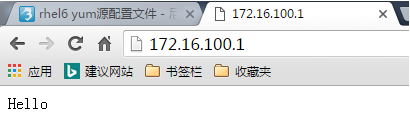
Hello
测试:通过windows的ie浏览器访问172.16.100.1,可以正常访问;
[root@localhost html]# vim /etc/httpd/conf/httpd.conf(编辑httpd.conf配置文件)

DocumentRoot "/web/vhosts/bbs"

<Directory "/web/vhosts/bbs">

/DocumentRoot

[root@localhost html]# service httpd configtest(检查httpd配置文件语法)
Syntax OK
[root@localhost html]# service httpd restart(重启httpd服务)
Stopping httpd:                                            [  OK  ]
Starting httpd:                                            [  OK  ]
[root@localhost html]# cd /web/vhosts/bbs/(切换到/web/vhosts/bbos目录)
[root@localhost bbs]# ls(查看当前目录文件及子目录)
index.html
[root@localhost bbs]# vim index.html(编辑index.html文件)
BBS
测试:通过windows的ie浏览器访问172.16.100.1,无法访问;

[root@localhost bbs]# cd /etc/httpd/conf.d/(切换到/etc/httpd/conf.d目录)
[root@localhost conf.d]# ls(查看当前目录文件及子目录)
proxy_ajp.conf  README  welcome.conf
[root@localhost conf.d]# rm welcome.conf(删除welcome.conf文件)
rm: remove regular file `welcome.conf'? y
[root@localhost conf.d]# service httpd restart(重启httpd服务)
Stopping httpd:                                            [  OK  ]
Starting httpd:                                            [  OK  ]
测试:通过windows的ie浏览器访问172.16.100.1,无法访问;

[root@localhost conf.d]# setenforce 0(关闭selinux)
测试:通过windows的ie浏览器访问172.16.100.1,正常访问;

[root@localhost conf.d]# setenforce 1(启动selinux)
[root@localhost conf.d]# cd(切换到用户家目录)
[root@localhost ~]# chcon -R -t httpd_sys_content_t /web/vhosts/(修改/web/vhosts目录及子目录安全上下文类型为httpd_sys_content_t,-R递归更改,-t类型)
[root@localhost ~]# ls -Z /web/vhosts/(查看/web/vhosts文件安全上下文)
drwxr-xr-x  root root root:object_r:httpd_sys_content_t bbs
[root@localhost ~]# getenforce(查看selinux状态)
Enforcing
测试:通过windows的ie浏览器访问172.16.100.1,正常访问;

[root@localhost ~]# yum -y install samba(通过yum源安装samba)
[root@localhost ~]# mkdir /shared(创建/shared目录)
[root@localhost ~]# ll -d /shared/(查看/shared目录本身详细信息)
drwxr-xr-x 2 root root 4096 Nov 22 05:10 /shared/
[root@localhost ~]# groupadd magedu(创建magedu组)
[root@localhost ~]# chgrp magedu /shared/(更改/shared目录属组为magedu)
[root@localhost ~]# ll -d /shared/(查看/shared目录详细信息)
drwxr-xr-x 2 root magedu 4096 Nov 22 05:10 /shared/
[root@localhost ~]# chmod g+w /shared/(给/shared目录属组添加写权限)
[root@localhost ~]# ll -d /shared/(查看/shared目录详细信息)
drwxrwxr-x 2 root magedu 4096 Nov 22 05:10 /shared/
[root@localhost ~]# useradd redhat(添加redhat用户)
[root@localhost ~]# usermod -G magedu redhat(将redhat用户加入magedu组)
[root@localhost ~]# useradd gentoo(添加gentoo用户)
[root@localhost ~]# usermod -G magedu gentoo(将gentoo添加到magedu组)
[root@localhost ~]# id redhat(查看redhat用户信息)
uid=501(redhat) gid=502(redhat) groups=502(redhat),501(magedu) context=root:system_r:unconfined_t:SystemLow-SystemHigh
[root@localhost ~]# cd /etc/samba/(切换到/etc/samba目录)
[root@localhost samba]# vim smb.conf(编辑smb.conf配置文件)
[tools]
comment = some tools
path = /shared
browseable = yes
public = yes
write list = +magedu
[root@localhost samba]# smbpasswd -a redhat(将redhat用户添加到smb)
New SMB password:
Retype new SMB password:
tdbsam_open: Converting version 0 database to version 3.
account_policy_get: tdb_fetch_uint32 failed for field 1 (min password length), returning 0
account_policy_get: tdb_fetch_uint32 failed for field 2 (password history), returning 0
account_policy_get: tdb_fetch_uint32 failed for field 3 (user must logon to change password), returning 0
account_policy_get: tdb_fetch_uint32 failed for field 4 (maximum password age), returning 0
account_policy_get: tdb_fetch_uint32 failed for field 5 (minimum password age), returning 0
account_policy_get: tdb_fetch_uint32 failed for field 6 (lockout duration), returning 0
account_policy_get: tdb_fetch_uint32 failed for field 7 (reset count minutes), returning 0
account_policy_get: tdb_fetch_uint32 failed for field 8 (bad lockout attempt), returning 0
account_policy_get: tdb_fetch_uint32 failed for field 9 (disconnect time), returning 0
account_policy_get: tdb_fetch_uint32 failed for field 10 (refuse machine password change), returning 0
Added user redhat.
[root@localhost samba]# smbpasswd -a gentoo(将gentoo用户添加到smb)
New SMB password:
Retype new SMB password:
Added user gentoo.
[root@localhost samba]# service smb start(启动smb服务)
Starting SMB services: [ OK ]
Starting NMB services: [ OK ]
[root@localhost samba]# cd(切换到用户家目录)
[root@localhost ~]# smbclient -L 172.16.100.1(查看172.16.100.1主机共享)
Password:
Anonymous login successful
Domain=[MYGROUP] OS=[Unix] Server=[Samba 3.0.33-3.37.el5]
Sharename Type Comment
--------- ---- -------
tools Disk some tools
IPC$ IPC IPC Service (Samba Server Version 3.0.33-3.37.el5)
Anonymous login successful
Domain=[MYGROUP] OS=[Unix] Server=[Samba 3.0.33-3.37.el5]
Server Comment
--------- -------
LOCALHOST Samba Server Version 3.0.33-3.37.el5
Workgroup Master
--------- -------
MYGROUP LOCALHOST
[root@localhost ~]# smbclient -L 172.16.100.1 -U redhat(查看172.16.100.1主机redhat用户共享)
Password:
Domain=[LOCALHOST] OS=[Unix] Server=[Samba 3.0.33-3.37.el5]
Sharename Type Comment
--------- ---- -------
tools Disk some tools
IPC$ IPC IPC Service (Samba Server Version 3.0.33-3.37.el5)
redhat Disk Home Directories
Domain=[LOCALHOST] OS=[Unix] Server=[Samba 3.0.33-3.37.el5]
Server Comment
--------- -------
Workgroup Master
--------- -------
MYGROUP LOCALHOST
提示:可以看到redhat用户家目录;
[root@localhost ~]# setenforce 0(关闭selinux)
[root@localhost ~]# smbclient -L 172.16.100.1 -U redhat(查看172.16.100.1主机redhat用户共享)
Password:
Domain=[LOCALHOST] OS=[Unix] Server=[Samba 3.0.33-3.37.el5]
Sharename Type Comment
--------- ---- -------
tools Disk some tools
IPC$ IPC IPC Service (Samba Server Version 3.0.33-3.37.el5)
redhat Disk Home Directories
Domain=[LOCALHOST] OS=[Unix] Server=[Samba 3.0.33-3.37.el5]
Server Comment
--------- -------
Workgroup Master
--------- -------
MYGROUP LOCALHOST
提示:可以看到redhat用户家目录;
[root@localhost ~]# setenforce 1(启动selinux)
[root@localhost ~]# smbclient -L 172.16.100.1 -U redhat(查看172.16.100.1主机redhat用户共享)
Password:
Domain=[LOCALHOST] OS=[Unix] Server=[Samba 3.0.33-3.37.el5]
Sharename Type Comment
--------- ---- -------
tools Disk some tools
IPC$ IPC IPC Service (Samba Server Version 3.0.33-3.37.el5)
redhat Disk Home Directories
Domain=[LOCALHOST] OS=[Unix] Server=[Samba 3.0.33-3.37.el5]
Server Comment
--------- -------
Workgroup Master
--------- -------
MYGROUP LOCALHOST
提示:redhat可以看到自己的家目录;
[root@localhost ~]# cd /etc/(切换到/etc目录)
[root@localhost etc]# smbclient //172.16.100.1/tools -U redhat(使用redhat用户访问172.16.100.1的tools共享目录)
Password:
Domain=[LOCALHOST] OS=[Unix] Server=[Samba 3.0.33-3.37.el5]
smb: \> ls(查看当前目录文件及子目录)
NT_STATUS_ACCESS_DENIED listing \*
39679 blocks of size 524288. 33082 blocks available
smb: \> put fstab(上传fstab文件)
NT_STATUS_ACCESS_DENIED opening remote file \fstab(拒绝上传)
smb: \> exit(退出)
[root@localhost etc]# setenforce 0(关闭selinux)
[root@localhost etc]# smbclient //172.16.100.1/tools -U redhat(使用redhat用户访问172.16.100.1的tools共享目录)
Password:
Domain=[LOCALHOST] OS=[Unix] Server=[Samba 3.0.33-3.37.el5]
smb: \> put fstab(上传fstab文件)
putting file fstab as \fstab (173.2 kb/s) (average 173.2 kb/s)(上传成功)
smb: \> ls(查看当前目录文件及子目录)
. D 0 Sat Nov 22 05:56:49 2014
.. D 0 Sat Nov 22 05:10:34 2014
fstab A 532 Sat Nov 22 05:56:49 2014
39679 blocks of size 524288. 33082 blocks available
smb: \> exit(退出)
[root@localhost etc]# setenforce 1(启动selinux)
[root@localhost etc]# cd /etc/samba/(切换到/etc/samba目录)
[root@localhost samba]# ls(查看当前目录文件及子目录)
lmhosts passdb.tdb secrets.tdb smb.conf smbusers
[root@localhost samba]# vim smb.conf(编辑smb.conf配置文件)
# If you create a new directory you want to share you should mark it as
# "samba-share_t" so that selinux will let you write into it.
# Make sure not to do that on system directories as they may already have
# been marked with othe SELinux labels.
[root@localhost samba]# ll -Zd /shared/(查看/shared目录本身安全上下文)
drwxrwxr-x root magedu root:object_r:default_t /shared/
[root@localhost samba]# chcon -R -t samba_share_t /shared/(更改/shared目录安全上下文类型为samba_share_t)
[root@localhost samba]# cd /etc/(切换到/etc目录)
[root@localhost etc]# smbclient //172.16.100.1/tools -U redhat(使用redhat用户访问172.16.100.1的tools共享目录)
Password:
Domain=[LOCALHOST] OS=[Unix] Server=[Samba 3.0.33-3.37.el5]
smb: \> put issue(上传issue文件)
putting file issue as \issue (36.1 kb/s) (average 36.1 kb/s)
smb: \> ls(查看当前目录文件及子目录)
. D 0 Sat Nov 22 06:11:46 2014
.. D 0 Sat Nov 22 05:10:34 2014
fstab A 532 Sat Nov 22 05:56:49 2014
issue A 74 Sat Nov 22 06:11:46 2014
39679 blocks of size 524288. 33082 blocks available
smb: \> exit(退出)
[root@localhost etc]# getenforce(查看selinux工作状态)
Enforcing
[root@localhost etc]# cd(切换到用户家目录)
[root@localhost ~]# cd /etc/(切换到/etc目录)
[root@localhost ~]# smbclient //172.16.100.1/redhat -U redhat(通过redhat用户访问172.16.100.1的redhat共享目录)
Password:
Domain=[LOCALHOST] OS=[Unix] Server=[Samba 3.0.33-3.37.el5]
smb: \> ls(查看当前目录文件及子目录)
NT_STATUS_ACCESS_DENIED listing \*
39679 blocks of size 524288. 33082 blocks available
smb: \> put fstab(上传fstab文件)
NT_STATUS_ACCESS_DENIED opening remote file \fstab(拒绝上传)
smb: \> exit(退出)
[root@localhost etc]# setenforce 0(关闭selinux)
[root@localhost ~]# smbclient //172.16.100.1/redhat -U redhat(通过redhat用户访问172.16.100.1的redhat共享目录)
Password:
Domain=[LOCALHOST] OS=[Unix] Server=[Samba 3.0.33-3.37.el5]
smb: \> put fstab(上传fstab文件)
putting file fstab as \fstab (173.2 kb/s) (average 173.2 kb/s)(可以上传)
smb: \> ls(查看当前目录文件及子目录)
. D 0 Sat Nov 22 06:17:38 2014
.. D 0 Sat Nov 22 05:16:21 2014
.emacs H 515 Sat Nov 22 05:15:40 2014
.mozilla DH 0 Sat Nov 22 05:15:40 2014
.bash_logout H 33 Sat Nov 22 05:15:40 2014
fstab A 532 Sat Nov 22 06:17:38 2014
.bash_profile H 176 Sat Nov 22 05:15:40 2014
.bashrc H 124 Sat Nov 22 05:15:40 2014
39679 blocks of size 524288. 33082 blocks available
smb: \> exit(退出)
[root@localhost etc]# setenforce 1(启用selinux)
[root@localhost etc]# getsebool -a(查看所有selinux布尔值)
NetworkManager_disable_trans --> off
aisexec_disable_trans --> off
allow_aisexec_rw_tmpfs --> off
allow_console_login --> off
allow_cvs_read_shadow --> off
allow_daemons_dump_core --> on
allow_daemons_use_tty --> on
allow_domain_fd_use --> on
allow_execheap --> off
allow_execmem --> on
allow_execmod --> off
allow_execstack --> on
allow_ftpd_anon_write --> off
allow_ftpd_full_access --> off
allow_ftpd_use_cifs --> off
allow_ftpd_use_nfs --> off
allow_gpg_execstack --> off
allow_gssd_read_tmp --> on
allow_httpd_anon_write --> off
allow_httpd_bugzilla_script_anon_write --> off
allow_httpd_cvs_script_anon_write --> off
allow_httpd_mod_auth_pam --> off
allow_httpd_nagios_script_anon_write --> off
allow_httpd_prewikka_script_anon_write --> off
allow_httpd_squid_script_anon_write --> off
allow_httpd_sys_script_anon_write --> off
allow_java_execstack --> off
allow_kerberos --> on
allow_mount_anyfile --> off
allow_mounton_anydir --> on
allow_mplayer_execstack --> off
allow_nfsd_anon_write --> off
allow_polyinstantiation --> off
allow_postfix_local_write_mail_spool --> off
allow_ptrace --> off
allow_rsync_anon_write --> off
allow_saslauthd_read_shadow --> off
allow_smbd_anon_write --> off
allow_ssh_keysign --> off
allow_tftp_anon_write --> off
allow_unconfined_execmem_dyntrans --> off
allow_unconfined_mmap_low --> on
allow_unlabeled_packets --> on
allow_user_mysql_connect --> off
allow_write_xshm --> off
allow_ypbind --> off
allow_zebra_write_config --> on
amanda_disable_trans --> off
amavis_disable_trans --> off
apmd_disable_trans --> off
arpwatch_disable_trans --> off
auditd_disable_trans --> off
automount_disable_trans --> off
avahi_disable_trans --> off
bluetooth_disable_trans --> off
canna_disable_trans --> off
cardmgr_disable_trans --> off
ccs_disable_trans --> off
cdrecord_read_content --> off
clamd_disable_trans --> off
clamscan_disable_trans --> off
clogd_disable_trans --> off
clvmd_disable_trans --> off
comsat_disable_trans --> off
cron_can_relabel --> off
crond_disable_trans --> off
cupsd_config_disable_trans --> off
cupsd_disable_trans --> off
cupsd_lpd_disable_trans --> off
cvs_disable_trans --> off
cyrus_disable_trans --> off
dbskkd_disable_trans --> off
dccd_disable_trans --> off
dccifd_disable_trans --> off
dccm_disable_trans --> off
dhcpc_disable_trans --> off
dhcpc_exec_iptables --> off
dhcpd_disable_trans --> off
disable_evolution_trans --> off
disable_games_trans --> off
disable_mozilla_trans --> off
disable_thunderbird_trans --> off
dkim_milter_disable_trans --> off
dlm_controld_disable_trans --> off
dnsmasq_disable_trans --> off
dovecot_disable_trans --> off
fcron_crond --> off
fenced_can_network_connect --> off
fenced_disable_trans --> off
fetchmail_disable_trans --> off
fingerd_disable_trans --> off
freshclam_disable_trans --> off
fsdaemon_disable_trans --> off
ftp_home_dir --> off
ftpd_connect_db --> off
ftpd_disable_trans --> off
ftpd_is_daemon --> on
gfs_controld_disable_trans --> off
global_ssp --> off
gpm_disable_trans --> off
greylist_milter_disable_trans --> off
groupd_disable_trans --> off
gssd_disable_trans --> off
hald_disable_trans --> off
hotplug_disable_trans --> off
howl_disable_trans --> off
hplip_disable_trans --> off
httpd_builtin_scripting --> on
httpd_can_network_connect --> off
httpd_can_network_connect_db --> off
httpd_can_network_relay --> off
httpd_can_sendmail --> on
httpd_disable_trans --> off
httpd_enable_cgi --> on
httpd_enable_ftp_server --> off
httpd_enable_homedirs --> on
httpd_execmem --> off
httpd_read_user_content --> off
httpd_rotatelogs_disable_trans --> off
httpd_setrlimit --> off
httpd_ssi_exec --> off
httpd_suexec_disable_trans --> off
httpd_tty_comm --> on
httpd_unified --> on
httpd_use_cifs --> off
httpd_use_nfs --> off
inetd_child_disable_trans --> off
inetd_disable_trans --> off
innd_disable_trans --> off
ipsec_disable_trans --> off
irqbalance_disable_trans --> off
iscsid_disable_trans --> off
kadmind_disable_trans --> off
klogd_disable_trans --> off
kpropd_disable_trans --> off
krb5kdc_disable_trans --> off
ktalkd_disable_trans --> off
lpd_disable_trans --> off
mail_read_content --> off
mailman_mail_disable_trans --> off
mdadm_disable_trans --> off
mozilla_read_content --> off
mysqld_disable_trans --> off
nagios_disable_trans --> off
named_disable_trans --> off
named_write_master_zones --> off
nfs_export_all_ro --> on
nfs_export_all_rw --> on
nfsd_disable_trans --> off
nmbd_disable_trans --> off
nrpe_disable_trans --> off
nscd_disable_trans --> off
ntpd_disable_trans --> off
oddjob_disable_trans --> off
oddjob_mkhomedir_disable_trans --> off
openvpn_disable_trans --> off
openvpn_enable_homedirs --> off
pcscd_disable_trans --> off
pegasus_disable_trans --> off
piranha_fos_disable_trans --> off
piranha_lvs_can_network_connect --> off
piranha_lvs_disable_trans --> off
piranha_pulse_disable_trans --> off
piranha_web_disable_trans --> off
portmap_disable_trans --> off
postfix_disable_trans --> off
postgresql_disable_trans --> off
postgrey_disable_trans --> off
pppd_can_insmod --> off
pppd_disable_trans --> off
pppd_for_user --> off
pptp_disable_trans --> off
prelude_audisp_disable_trans --> off
prelude_disable_trans --> off
prelude_lml_disable_trans --> off
privoxy_connect_any --> off
privoxy_disable_trans --> off
ptal_disable_trans --> off
pyzord_disable_trans --> off
qdiskd_disable_trans --> off
qemu_full_network --> on
qemu_use_cifs --> on
qemu_use_comm --> off
qemu_use_nfs --> on
qemu_use_usb --> on
racoon_disable_trans --> off
racoon_read_shadow --> off
radiusd_disable_trans --> off
radvd_disable_trans --> off
rdisc_disable_trans --> off
read_default_t --> on
read_untrusted_content --> off
readahead_disable_trans --> off
regex_milter_disable_trans --> off
restorecond_disable_trans --> off
rgmanager_can_network_connect --> off
rgmanager_disable_trans --> off
rhgb_disable_trans --> off
rhsmcertd_disable_trans --> off
ricci_disable_trans --> off
ricci_modclusterd_disable_trans --> off
rlogind_disable_trans --> off
rpcd_disable_trans --> off
rshd_disable_trans --> off
rsync_client --> off
rsync_disable_trans --> off
rsync_export_all_ro --> off
run_ssh_inetd --> off
samba_domain_controller --> off
samba_enable_home_dirs --> off
samba_export_all_ro --> off
samba_export_all_rw --> off
samba_share_fusefs --> off
samba_share_nfs --> off
saslauthd_disable_trans --> off
secure_mode_insmod --> off
secure_mode_policyload --> off
setrans_disable_trans --> off
setroubleshootd_disable_trans --> off
slapd_disable_trans --> off
smbd_disable_trans --> off
snmpd_disable_trans --> off
spamass_milter_disable_trans --> off
spamassassin_can_network --> off
spamd_disable_trans --> off
spamd_enable_home_dirs --> on
squid_connect_any --> off
squid_disable_trans --> off
ssh_sysadm_login --> off
sssd_disable_trans --> off
staff_read_sysadm_file --> off
stunnel_disable_trans --> off
stunnel_is_daemon --> off
swat_disable_trans --> off
syslogd_disable_trans --> off
tcpd_disable_trans --> off
telnetd_disable_trans --> off
tftpd_disable_trans --> off
tzdata_disable_trans --> off
udev_disable_trans --> off
use_lpd_server --> off
use_nfs_home_dirs --> off
use_samba_home_dirs --> off
user_direct_mouse --> off
user_dmesg --> off
user_net_control --> off
user_ping --> on
user_rw_noexattrfile --> off
user_tcp_server --> off
user_ttyfile_stat --> off
uucpd_disable_trans --> off
vhostmd_disable_trans --> off
virt_use_comm --> off
virt_use_fusefs --> off
virt_use_nfs --> off
virt_use_samba --> off
virt_use_sysfs --> off
virt_use_usb --> on
virtd_disable_trans --> off
winbind_disable_trans --> off
write_untrusted_content --> off
xdm_disable_trans --> off
xdm_sysadm_login --> off
xend_disable_trans --> off
xfs_disable_trans --> off
xm_disable_trans --> off
ypbind_disable_trans --> off
yppasswdd_disable_trans --> off
ypserv_disable_trans --> off
ypxfr_disable_trans --> off
zarafa_deliver_disable_trans --> off
zarafa_gateway_disable_trans --> off
zarafa_ical_disable_trans --> off
zarafa_indexer_disable_trans --> off
zarafa_monitor_disable_trans --> off
zarafa_server_disable_trans --> off
zarafa_spooler_disable_trans --> off
zebra_disable_trans --> off
[root@localhost etc]# getsebool -a | grep samba(查看所有的selinux布尔值将结果送给管道只显示samba相关)
samba_domain_controller --> off
samba_enable_home_dirs --> off(默认不允许使用家目录)
samba_export_all_ro --> off
samba_export_all_rw --> off
samba_share_fusefs --> off
samba_share_nfs --> off
use_samba_home_dirs --> off
virt_use_samba --> off
[root@localhost etc]# setsebool samba_enable_home_dirs=on(启用smb允许使用家目录)
[root@localhost etc]# getsebool -a | grep samba(查看所有的selinux布尔值结果送给管道只显示samba相关)
samba_domain_controller --> off
samba_enable_home_dirs --> on
samba_export_all_ro --> off
samba_export_all_rw --> off
samba_share_fusefs --> off
samba_share_nfs --> off
use_samba_home_dirs --> off
virt_use_samba --> off
[root@localhost etc]# setsebool samba_enable_home_dirs=0(关闭smb允许使用家目录)
[root@localhost etc]# getsebool -a | grep samba(查看所有的selinux布尔值结果送给管道只显示samba相关)
samba_domain_controller --> off
samba_enable_home_dirs --> off
samba_export_all_ro --> off
samba_export_all_rw --> off
samba_share_fusefs --> off
samba_share_nfs --> off
use_samba_home_dirs --> off
virt_use_samba --> off
[root@localhost etc]# setsebool samba_enable_home_dirs=on(启用smb允许使用家目录)
[root@localhost etc]# smbclient //172.16.100.1/redhat -U redhat(通过redhat用户访问172.16.100.1的redhat共享目录)
Password:
Domain=[LOCALHOST] OS=[Unix] Server=[Samba 3.0.33-3.37.el5]
smb: \> lcd /etc(切换本地目录到/etc/)
smb: \> put issue(上传issue文件)
putting file issue as \issue (36.1 kb/s) (average 36.1 kb/s)
smb: \> ls(查看当前目录文件及子目录)
. D 0 Sat Nov 22 06:40:54 2014
.. D 0 Sat Nov 22 05:16:21 2014
.emacs H 515 Sat Nov 22 05:15:40 2014
.mozilla DH 0 Sat Nov 22 05:15:40 2014
.bash_logout H 33 Sat Nov 22 05:15:40 2014
fstab A 532 Sat Nov 22 06:17:38 2014
issue A 74 Sat Nov 22 06:40:54 2014
.bash_profile H 176 Sat Nov 22 05:15:40 2014
.bashrc H 124 Sat Nov 22 05:15:40 2014
39679 blocks of size 524288. 32999 blocks available
smb: \> exit(退出)
[root@localhost etc]# yum -y install vsftpd(安装vsftpd)
[root@localhost etc]# getsebool -a | grep ftp(查看所有的selinux布尔值结果送给关东只显示samba相关
allow_ftpd_anon_write --> off(是否允许匿名用户聚游写权限)
allow_ftpd_full_access --> off
allow_ftpd_use_cifs --> off
allow_ftpd_use_nfs --> off
allow_tftp_anon_write --> off
ftp_home_dir --> off
ftpd_connect_db --> off
ftpd_disable_trans --> off
ftpd_is_daemon --> on
httpd_enable_ftp_server --> off
tftpd_disable_trans --> off
[root@localhost etc]# mkdir /web/vhosts/cgi-bin(创建cgi-bin目录)
[root@localhost etc]# ls -Z /var/www/(查看/var/www安全上下文)
drwxr-xr-x root root system_u:object_r:httpd_sys_script_exec_t cgi-bin
drwxr-xr-x root root system_u:object_r:httpd_sys_content_t error
drwxr-xr-x root root system_u:object_r:httpd_sys_content_t html
drwxr-xr-x root root system_u:object_r:httpd_sys_content_t icons
[root@localhost etc]# cd /var/www/html/(切换到/var/www/html目录)
[root@localhost html]# ls(查看当前目录文件及子目录)
index.html
[root@localhost html]# ll -Z(查看当前目录文件及子目录安全上下文)
-rw-r--r-- root root root:object_r:httpd_sys_content_t index.html
[root@localhost html]# chcon -t tmp_t index.html(更改idnex.html的安全上下文类型为tmp_t)
[root@localhost html]# ll -Z(查看当前目录文件及子目录安全上下文)
-rw-r--r-- root root root:object_r:tmp_t index.html
[root@localhost html]# man restorecon(查看restorecon命令的man帮助)
restorecon - restore file(s) default SELinux security contexts.(恢复默认selinux安全上下文)
-R -r change files and directories file labels recursively(递归修改)
[root@localhost html]# restorecon index.html(恢复index.html文件selinux安全上下文)
[root@localhost html]# ll -Z(查看当前目录文件及子目录selinux安全上下文)
-rw-r--r-- root root system_u:object_r:httpd_sys_content_t index.html
[root@localhost html]# cd(切换到用户家目录)
[root@localhost ~]# touch a.txt(创建a.txt文件)
[root@localhost ~]# ls -Z(查看当前目录文件及子目录selinux安全上下文)
-rw------- root root system_u:object_r:user_home_t anaconda-ks.cfg
-rw-r--r-- root root root:object_r:user_home_t a.txt
-rw-r--r-- root root root:object_r:user_home_t install.log
-rw-r--r-- root root root:object_r:user_home_t install.log.syslog
[root@localhost ~]# mkdir test(创建test目录)
[root@localhost ~]# ll -Z(查看当前目录文件及子目录selinux安全上下文)
-rw------- root root system_u:object_r:user_home_t anaconda-ks.cfg
-rw-r--r-- root root root:object_r:user_home_t a.txt
-rw-r--r-- root root root:object_r:user_home_t install.log
-rw-r--r-- root root root:object_r:user_home_t install.log.syslog
drwxr-xr-x root root root:object_r:user_home_t test
[root@localhost ~]# cd test/(切换到test目录)
[root@localhost test]# touch b.txt(创建b.txt文件)
[root@localhost test]# ll -Z(查看当前目录文件及子目录安全上下文)
-rw-r--r-- root root root:object_r:user_home_t b.txt
[root@localhost test]# cd(切换到用户家目录)
[root@localhost ~]# mkdir public_html(创建public_html目录)
[root@localhost ~]# ll -Z(查看当前目录文件及子目录安全上下文)
-rw------- root root system_u:object_r:user_home_t anaconda-ks.cfg
-rw-r--r-- root root root:object_r:user_home_t a.txt
-rw-r--r-- root root root:object_r:user_home_t install.log
-rw-r--r-- root root root:object_r:user_home_t install.log.syslog
drwxr-xr-x root root root:object_r:user_home_t public_html
drwxr-xr-x root root root:object_r:user_home_t test
[root@localhost ~]# cd public_html/(切换到public_html目录)
[root@localhost public_html]# touch index.html(创建index.html文件)
[root@localhost public_html]# ll -Z(查看当前目录文件及子目录安全上下文)
-rw-r--r-- root root root:object_r:user_home_t index.html
[root@localhost public_html]# getenforce(查看selinux状态)
Enforcing
[root@localhost public_html]# cd(切换到用户家目录)
[root@localhost ~]# man semanage(查看semanage命令的man帮助)
semanage - SELinux Policy Management tool(selinux策略管理工具)
semanage {login(登录)|user(用户)|port(开放的套接字)|interface(网卡接口)|fcontext(文件默认标签属性)} -l [-n]
semanage login -{a|d|m} [-sr] login_name
semanage user -{a|d|m} [-LrRP] selinux_name
semanage port -{a|d|m} [-tr] [-p protocol] port | port_range
semanage interface -{a|d|m} [-tr] interface_spec
semanage fcontext -{a|d|m} [-frst] file_spec
[root@localhost ~]# semanage fcontext -l(查看当前系统上创建的文件默认是那些类型的)
SELinux fcontext type Context
/.* all files system_u:object_r:default_t:s0
/xen(/.*)? all files system_u:object_r:xen_image_t:s0
/nsr(/.*)? all files system_u:object_r:var_t:s0
/mnt(/[^/]*) symbolic link system_u:object_r:mnt_t:s0
/mnt(/[^/]*)? directory system_u:object_r:mnt_t:s0
/lib(64)?/dbus-1/dbus-daemon-launch-helper regular file system_u:object_r:bin_t:s0
/lib/.* all files system_u:object_r:lib_t:s0
/bin/.* all files system_u:object_r:bin_t:s0
/usr/.* all files system_u:object_r:usr_t:s0
/var/.* all files system_u:object_r:var_t:s0
/dev/.* all files system_u:object_r:device_t:s0
/etc/.* all files system_u:object_r:etc_t:s0
/opt/.* all files system_u:object_r:usr_t:s0
/srv/.* all files system_u:object_r:var_t:s0
/tmp/.* all files <<None>>
/sys/.* all files <<None>>
/mnt/[^/]*/.* all files <<None>>
................
[root@localhost ~]# semanage fcontext -l | grep /var/www(查看/var/www目录文件创建时默认是那些类型)
/var/www(/.*)? all files system_u:object_r:httpd_sys_content_t:s0
/var/www(/.*)?/logs(/.*)? all files system_u:object_r:httpd_log_t:s0
/var/www/[^/]*/cgi-bin(/.*)? all files system_u:object_r:httpd_sys_script_exec_t:s0
/var/www/svn(/.*)? all files system_u:object_r:httpd_sys_script_rw_t:s0
/var/www/perl(/.*)? all files system_u:object_r:httpd_sys_script_exec_t:s0
/var/www/icons(/.*)? all files system_u:object_r:httpd_sys_content_t:s0
/var/www/html/[^/]*/cgi-bin(/.*)? all files system_u:object_r:httpd_sys_script_exec_t:s0
/var/www/cgi-bin(/.*)? all files system_u:object_r:httpd_sys_script_exec_t:s0
/var/www/svn/conf(/.*)? all files system_u:object_r:httpd_sys_content_t:s0
/var/www/svn/hooks(/.*)? all files system_u:object_r:httpd_sys_script_exec_t:s0
/var/www/gallery/albums(/.*)? all files system_u:object_r:httpd_sys_script_rw_t:s0
/var/www/cgi-bin/cvsweb\.cgi regular file system_u:object_r:httpd_cvs_script_exec_t:s0
[root@localhost ~]# semanage user -l(查看当前系统已经建立的selinux用户)
Labeling MLS/ MLS/
SELinux User Prefix MCS Level MCS Range SELinux Roles
root user s0 SystemLow-SystemHigh system_r sysadm_r user_r
system_u user s0 SystemLow-SystemHigh system_r
user_u user s0 SystemLow-SystemHigh system_r sysadm_r user_r
[root@localhost ~]# semanage port -l(查看当前系统受selinux控制的端口)
SELinux Port Type Proto Port Number
afs_bos_port_t udp 7007
afs_fs_port_t tcp 2040
afs_fs_port_t udp 7000, 7005
afs_ka_port_t udp 7004
afs_pt_port_t udp 7002
afs_vl_port_t udp 7003
agentx_port_t tcp 705
agentx_port_t udp 705
amanda_port_t tcp 10080, 10081, 10082, 10083
amanda_port_t udp 10080, 10081
amavisd_recv_port_t tcp 10024
amavisd_send_port_t tcp 10025
apcupsd_port_t tcp 3551
apcupsd_port_t udp 3551
apertus_ldp_port_t tcp 539
apertus_ldp_port_t udp 539
asterisk_port_t tcp 1720
asterisk_port_t udp 2427, 2727, 4569
audit_port_t tcp 60
auth_port_t tcp 113
bgp_port_t tcp 179, 2605
bgp_port_t udp 179, 2605
clamd_port_t tcp 3310
clockspeed_port_t udp 4041
cluster_port_t tcp 5149, 40040, 50006, 50007, 50008
cluster_port_t udp 5149, 50006, 50007, 50008
cma_port_t tcp 1050
cma_port_t udp 1050
comsat_port_t udp 512
cvs_port_t tcp 2401
cvs_port_t udp 2401
dbskkd_port_t tcp 1178
dcc_port_t udp 6276, 6277
dhcpc_port_t udp 68
dhcpd_port_t tcp 647, 847, 7911
dhcpd_port_t udp 67, 647, 847
dict_port_t tcp 2628
distccd_port_t tcp 3632
dns_port_t tcp 53
dns_port_t udp 53
epmap_port_t tcp 135
epmap_port_t udp 135
fingerd_port_t tcp 79
ftp_data_port_t tcp 20
ftp_port_t tcp 21
gatekeeper_port_t tcp 1721, 7000
gatekeeper_port_t udp 1718, 1719
giftd_port_t tcp 1213
gopher_port_t tcp 70
gopher_port_t udp 70
hi_reserved_port_t tcp 600-1023
hi_reserved_port_t udp 600-1023
howl_port_t tcp 5335
howl_port_t udp 5353
hplip_port_t tcp 1782, 2207, 2208, 8290, 50000, 50002, 8292, 9100, 9101, 9102, 9220, 9221, 9222, 9280, 9281,
9282, 9290, 9291, 9292
http_cache_port_t tcp 3128, 8080, 8118, 11211, 10001-10010
http_cache_port_t udp 3130, 11211
http_port_t tcp 80, 443, 488, 8008, 8009, 8443
i18n_input_port_t tcp 9010
imaze_port_t tcp 5323
imaze_port_t udp 5323
inetd_child_port_t tcp 1, 7, 9, 13, 19, 37, 512, 543, 544, 891, 892, 2105, 5666
inetd_child_port_t udp 1, 7, 9, 13, 19, 37, 891, 892
innd_port_t tcp 119
ipp_port_t tcp 631
ipp_port_t udp 631
ipsecnat_port_t tcp 4500
ipsecnat_port_t udp 4500
ircd_port_t tcp 6667
isakmp_port_t udp 500
iscsi_port_t tcp 3260
isns_port_t tcp 3205
isns_port_t udp 3205
jabber_client_port_t tcp 5222, 5223
jabber_interserver_port_t tcp 5269
kerberos_admin_port_t tcp 464, 749
kerberos_admin_port_t udp 464
kerberos_master_port_t tcp 4444
kerberos_master_port_t udp 4444
kerberos_port_t tcp 88, 750
kerberos_port_t udp 88, 750
kprop_port_t tcp 754
ktalkd_port_t udp 517, 518
ldap_port_t tcp 389, 636
ldap_port_t udp 389, 636
lmtp_port_t tcp 24
lmtp_port_t udp 24
mail_port_t tcp 2000, 3905
monopd_port_t tcp 1234
movaz_ssc_port_t tcp 5252
mssql_port_t tcp 1433, 1434
mssql_port_t udp 1433, 1434
mysqld_port_t tcp 1186, 3306
nessus_port_t tcp 1241
netsupport_port_t tcp 5404, 5405
netsupport_port_t udp 5404, 5405
nmbd_port_t udp 137, 138, 139
ntp_port_t udp 123
ocsp_port_t tcp 9080
openvpn_port_t tcp 1194, 9997
openvpn_port_t udp 1194
pegasus_http_port_t tcp 5988
pegasus_https_port_t tcp 5989
pgpkeyserver_port_t tcp 11371
pgpkeyserver_port_t udp 11371
piranha_port_t tcp 3636
pki_ca_port_t tcp 9180, 9701, 9443, 9444, 9445
pki_kra_port_t tcp 10180, 10701, 10443, 10444, 10445
pki_ocsp_port_t tcp 11180, 11701, 11443, 11444, 11445
pki_ra_port_t tcp 12888, 12889
pki_tks_port_t tcp 13180, 13701, 13443, 13444, 13445
pki_tps_port_t tcp 7888, 7889
pop_port_t tcp 106, 109, 110, 143, 220, 993, 995, 1109
portmap_port_t tcp 111
portmap_port_t udp 111
postgresql_port_t tcp 5432
postgrey_port_t tcp 60000
prelude_port_t tcp 4690
prelude_port_t udp 4690
printer_port_t tcp 515
ptal_port_t tcp 5703
pxe_port_t udp 4011
pyzor_port_t udp 24441
radacct_port_t udp 1646, 1813
radius_port_t udp 1645, 1812
razor_port_t tcp 2703
ricci_modcluster_port_t tcp 16851
ricci_modcluster_port_t udp 16851
ricci_port_t tcp 11111
ricci_port_t udp 11111
rlogind_port_t tcp 513
rndc_port_t tcp 953
router_port_t tcp 521
router_port_t udp 520, 521
rsh_port_t tcp 514
rsync_port_t tcp 873
rsync_port_t udp 873
sip_port_t tcp 5060, 5061
sip_port_t udp 5060, 5061
smbd_port_t tcp 137-139, 445
smtp_port_t tcp 25, 465, 587
snmp_port_t tcp 199, 1161
snmp_port_t udp 161, 162
soundd_port_t tcp 8000, 9433, 16001
spamd_port_t tcp 783
squid_port_t tcp 3401, 4827
squid_port_t udp 3401, 4827
ssh_port_t tcp 22
swat_port_t tcp 901
syslogd_port_t tcp 6514
syslogd_port_t udp 514, 6514
telnetd_port_t tcp 23
tftp_port_t udp 69
tomcat_port_t tcp 1701
tor_port_t tcp 6969, 9001, 9030, 9050, 9051
traceroute_port_t udp 64000, 64001, 64002, 64003, 64004, 64005, 64006, 64007, 64008, 64009, 64010
transproxy_port_t tcp 8081
uucpd_port_t tcp 540
virt_migration_port_t tcp 49152, 49153-49216
virt_port_t tcp 16509, 16514
virt_port_t udp 16509, 16514
vnc_port_t tcp 5900
wccp_port_t udp 2048
xen_port_t tcp 8002
xfs_port_t tcp 7100
xserver_port_t tcp 6000, 6001, 6002, 6003, 6004, 6005, 6006, 6007, 6008, 6009, 6010, 6011, 6012, 6013, 6014,
6015, 6016, 6017, 6018, 6019, 6020
zarafa_port_t tcp 236, 237
zebra_port_t tcp 2600, 2601, 2602, 2603, 2604, 2606
zebra_port_t udp 2600, 2601, 2602, 2603, 2604, 2606
zope_port_t tcp 8021
[root@localhost ~]# semanage port -l | grep 80(查看受selinux控制的端口,只显示80相关)
amanda_port_t tcp 10080, 10081, 10082, 10083
amanda_port_t udp 10080, 10081
hplip_port_t tcp 1782, 2207, 2208, 8290, 50000, 50002, 8292, 9100, 9101, 9102, 9220, 9221, 9222, 9280, 9281,
9282, 9290, 9291, 9292
http_cache_port_t tcp 3128, 8080, 8118, 11211, 10001-10010
http_port_t tcp 80, 443, 488, 8008, 8009, 8443
ocsp_port_t tcp 9080
pki_ca_port_t tcp 9180, 9701, 9443, 9444, 9445
pki_kra_port_t tcp 10180, 10701, 10443, 10444, 10445
pki_ocsp_port_t tcp 11180, 11701, 11443, 11444, 11445
pki_tks_port_t tcp 13180, 13701, 13443, 13444, 13445
soundd_port_t tcp 8000, 9433, 16001
transproxy_port_t tcp 8081
xen_port_t tcp 8002
zope_port_t tcp 8021
[root@localhost ~]# man semanage(查看semanage命令的man帮助)
-a, --add
Add a OBJECT record NAME
-p, --proto
Protocol for the specified port (tcp|udp).
-t, --type
SELinux Type for the object
$ semanage port -a -t http_port_t -p tcp 81
[root@localhost ~]# getenforce(查看selinux状态)
Enforcing
[root@localhost ~]# vim /etc/httpd/conf/httpd.conf(编辑httpd.conf配置文件)
Listen 80
Listen 8080
/Listen
[root@localhost ~]# service httpd restart(重启httpd服务)
Stopping httpd: [ OK ]
Starting httpd: [ OK ]
[root@localhost ~]# netstat -tnlp(查看系统服务,-t代表tcp,-n以数字显示,-l监听端口,-p显示服务名称)
Active Internet connections (only servers)
Proto Recv-Q Send-Q Local Address Foreign Address State PID/Program name
tcp 0 0 127.0.0.1:2208 0.0.0.0:* LISTEN 3494/./hpiod
tcp 0 0 0.0.0.0:139 0.0.0.0:* LISTEN 14066/smbd
tcp 0 0 0.0.0.0:111 0.0.0.0:* LISTEN 3175/portmap
tcp 0 0 0.0.0.0:852 0.0.0.0:* LISTEN 3214/rpc.statd
tcp 0 0 0.0.0.0:22 0.0.0.0:* LISTEN 3515/sshd
tcp 0 0 127.0.0.1:631 0.0.0.0:* LISTEN 3527/cupsd
tcp 0 0 127.0.0.1:25 0.0.0.0:* LISTEN 3564/sendmail
tcp 0 0 127.0.0.1:6010 0.0.0.0:* LISTEN 13932/sshd
tcp 0 0 0.0.0.0:445 0.0.0.0:* LISTEN 14066/smbd
tcp 0 0 127.0.0.1:2207 0.0.0.0:* LISTEN 3499/python
tcp 0 0 :::8080 :::* LISTEN 14796/httpd
tcp 0 0 :::80 :::* LISTEN 14796/httpd
tcp 0 0 :::22 :::* LISTEN 3515/sshd
tcp 0 0 ::1:6010 :::* LISTEN 13932/sshd
测试:通过Windows的ie浏览器访问172.16.100.1:8080,可以访问;

[root@localhost ~]# vim /etc/httpd/conf/httpd.conf(编辑httpd.conf配置文件)

Listen 80
Listen 803

[root@localhost ~]# service httpd restart(重启httpd服务)
Stopping httpd:                                            [  OK  ]
Starting httpd: (13)Permission denied: make_sock: could not bind to address [::]:803
(13)Permission denied: make_sock: could not bind to address 0.0.0.0:803(拒绝使用)
no listening sockets available, shutting down
Unable to open logs
                                                           [FAILED]
[root@localhost ~]# semanage port -a -t http_port_t -p tcp 803(将tcp 803端口添加到selinux允许访问端口)
[root@localhost ~]# service httpd restart(重启httpd服务)
Stopping httpd:                                            [  OK  ]
Starting httpd:                                            [  OK  ]

 浙公网安备 33010602011771号