水墨风鼠标效果实现 - 详解
文章目录
从 0 到 1:实现一个顺滑的“墨水圈”光标特效
这篇文章带你基于现有 index.html 和 inkCursor.js(另附 Vue 版 App.vue)实现一个轻量的“墨水圈”效果:鼠标移动时淡淡的墨圈扩散,按下鼠标时更浓、更大的墨滴涟漪。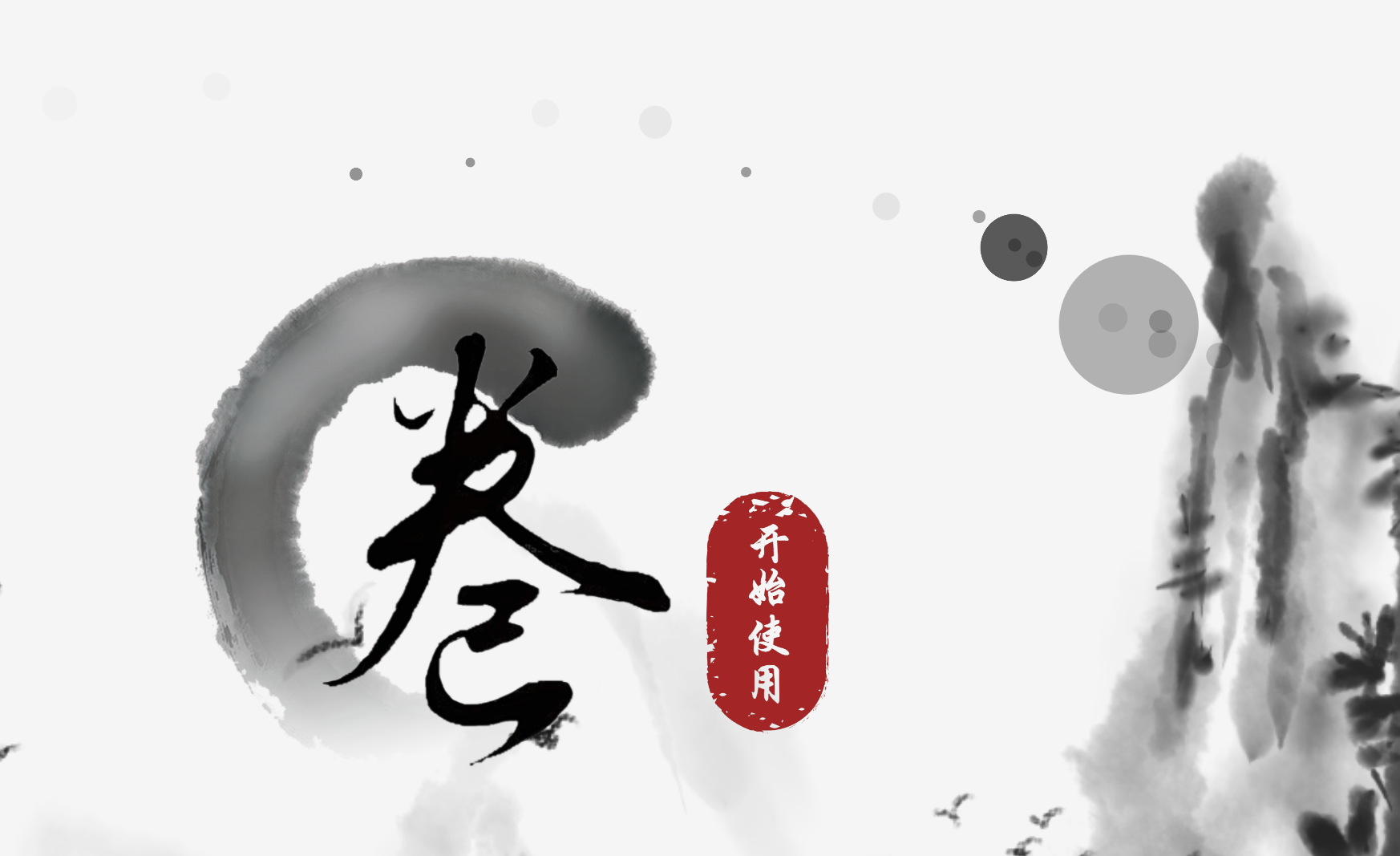
- 核心思路:用 JS 在鼠标位置动态插入绝对定位的
div,用 CSS@keyframes做扩散与淡出动画,动画结束后自动移除节点。 - 两类波纹:移动时的轻微墨圈(
ink),按下时的浓重墨滴(inkDrop)。 - 性能要点:基于“抽样”技术降低插入频率,避免频繁 DOM 操作导致掉帧。
HTML文件(index.html)
<!DOCTYPE html>
    <html lang="en">
    <head>
        <meta charset="UTF-8">
          <meta name="viewport" content="width=device-width, initial-scale=1.0">
        <title>Ink Cursor Demo</title>
          <style>
            /* Container to capture events and position ink circles */
            .container {
            position: relative;
            height: 100vh;
            /* cursor: none; */
            }
            .ink {
            position: absolute;
            pointer-events: none;
            z-index: 9999;
            opacity: 0.7;
            animation: growInk 2500ms;
            }
            .inkDrop{
            position: absolute;
            pointer-events: none;
            z-index: 9999;
            opacity: 0.7;
            animation: growInkDrop 3000ms;
            }
            @keyframes growInk {
            0% {
            transform: scale(1);
            opacity: 1;
            }
            100% {
            transform: scale(3);
            opacity: 0;
            }
            }
            @keyframes growInkDrop{
            0% {
            transform: scale(1);
            opacity: 1;
            }
            100% {
            transform: scale(6);
            opacity: 0;
            }
            }
          </style>
        </head>
        <body>
        <div id="ink-container" class="container"></div>
        <script type="module" src="./inkCursor.js"></script>
        </body>
      </html>
JS文件(inkCursor.js)
let inkId = 0;
const container = document.getElementById('ink-container');
const targetRoot = container ?? document.body;
function createInkCircle(x, y) {
const batch = 7;
inkId++;
if (inkId % batch !== 0) return;
const initialSize = 7 + Math.random() * 5;
const duration = 2400;
const el = document.createElement('div');
el.className = 'ink';
Object.assign(el.style, {
left: `${x - initialSize / 2}px`,
top: `${y - initialSize / 2}px`,
width: `${initialSize}px`,
height: `${initialSize}px`,
borderRadius: '50%',
position: 'absolute',
backgroundColor: 'rgba(0, 0, 0, 0.4)'
});
targetRoot.appendChild(el);
setTimeout(() => el.remove(), duration);
}
function createInkCircleDown(x, y) {
const initialSize = 20 + Math.random() * 10;
const duration = 1500;
const el = document.createElement('div');
el.className = 'inkDrop';
Object.assign(el.style, {
left: `${x - initialSize / 2}px`,
top: `${y - initialSize / 2}px`,
width: `${initialSize}px`,
height: `${initialSize}px`,
borderRadius: '50%',
position: 'absolute',
backgroundColor: 'rgba(0, 0, 0, 0.8)'
});
targetRoot.appendChild(el);
setTimeout(() => el.remove(), duration);
}
function handleMouseMove(event) {
createInkCircle(event.clientX, event.clientY);
}
function handleMouseDown(event) {
createInkCircleDown(event.clientX, event.clientY);
}
function init() {
const listenTarget = container ?? window;
listenTarget.addEventListener('mousemove', handleMouseMove, { passive: true });
listenTarget.addEventListener('mousedown', handleMouseDown, { passive: true });
}
init();
将两个文件复制并放置在同一级文件下后,便可以打开html查看效果(确保js文件命名正确)
页面骨架与资源引入
容器负责承载墨水圈,与脚本模块化引入:
<body>
<div id="ink-container" class="container"></div>
<script type="module" src="./inkCursor.js"></script>
</body>- 容器:
#ink-container作为波纹的定位上下文(position: relative),也方便只在特定区域显示效果。 - 模块化:
type="module"让我们可以使用现代 JS 书写方式。
样式与动画:墨圈如何“活起来”
两类波纹共性:绝对定位、不可交互(pointer-events: none)、高层级、透明度动画。差异:扩散倍数和持续时间。
.ink {
position: absolute;
pointer-events: none;
z-index: 9999;
opacity: 0.7;
animation: growInk 2500ms;
}
.inkDrop{
position: absolute;
pointer-events: none;
z-index: 9999;
opacity: 0.7;
animation: growInkDrop 3000ms;
}
动画曲线:从 1 倍缩放到更大,同时透明度从 1 衰减到 0。
@keyframes growInk {
0% {
transform: scale(1);
opacity: 1;
}
100% {
transform: scale(3);
opacity: 0;
}
}
@keyframes growInkDrop{
0% {
transform: scale(1);
opacity: 1;
}
100% {
transform: scale(6);
opacity: 0;
}
}- 设计建议:
- 氛围感:
scale(3)与scale(6)搭配不同颜色透明度(见下文 JS)拉开层次。 - 性能:尽量用
transform和opacity做动画,避免引发重排。
- 氛围感:
核心 JS:在鼠标处“滴墨”
1) 容器与事件委托
let inkId = 0;
const container = document.getElementById('ink-container');
const targetRoot = container ?? document.body;- 定位上下文:优先挂到
#ink-container,否则退回document.body。 - 标识符:通过自增
inkId给每个墨圈唯一 id(便于移除/调试)。
事件绑定与初始化:
function init() {
const listenTarget = container ?? window;
listenTarget.addEventListener('mousemove', handleMouseMove, { passive: true });
listenTarget.addEventListener('mousedown', handleMouseDown, { passive: true });
}
init();- passive: true:避免滚动阻塞等潜在性能问题。
- listenTarget:优先监听容器,必要时监听
window覆盖全局。
2) 鼠标移动:轻墨圈(批次抽样控制密度)
function createInkCircle(x, y) {
const batch = 7;
inkId++;
if (inkId % batch !== 0) return;
const initialSize = 7 + Math.random() * 5;
const duration = 2400;
const el = document.createElement('div');
el.className = 'ink';
Object.assign(el.style, {
left: `${x - initialSize / 2}px`,
top: `${y - initialSize / 2}px`,
width: `${initialSize}px`,
height: `${initialSize}px`,
borderRadius: '50%',
position: 'absolute',
backgroundColor: 'rgba(0, 0, 0, 0.4)'
});
targetRoot.appendChild(el);
setTimeout(() => el.remove(), duration);
}- 抽样控制:
inkId % 7仅让每 7 次移动生成一次节点,显著减少 DOM 插入次数。 - 随机尺寸:
7~12px的初始尺寸 + 动画扩散,视觉更自然。 - 定时清理:与 CSS 动画时长匹配,自动回收节点。
触发器:
function handleMouseMove(event) {
createInkCircle(event.clientX, event.clientY);
}
function handleMouseDown(event) {
createInkCircleDown(event.clientX, event.clientY);
}
3) 鼠标按下:浓墨滴
function createInkCircleDown(x, y) {
const initialSize = 20 + Math.random() * 10;
const duration = 1500;
const el = document.createElement('div');
el.className = 'inkDrop';
Object.assign(el.style, {
left: `${x - initialSize / 2}px`,
top: `${y - initialSize / 2}px`,
width: `${initialSize}px`,
height: `${initialSize}px`,
borderRadius: '50%',
position: 'absolute',
backgroundColor: 'rgba(0, 0, 0, 0.8)'
});
targetRoot.appendChild(el);
setTimeout(() => el.remove(), duration);
}- 视觉对比:更大初始尺寸、更高不透明、扩散更剧烈(CSS
scale(6))→ 有“按压反馈”的质感。
性能与体验优化要点
- 抽样节流:移动事件高频触发,基于批次抽样是足够稳定好用的策略;也可切换到
requestAnimationFrame结合“上一帧是否已生成”标记进一步平滑。 - 动画时长对齐:
setTimeout的时长需与 CSS 动画时长一致(或略长 50ms),避免提前删除或残留。 - 定位上下文:容器
position: relative保证绝对定位的div正确落点;若要全屏效果可用body。 - 可访问性:保持
pointer-events: none,确保不影响页面交互。
可配置维度(快速调出不同风格)
- 颜色与透明度:更柔和可用
rgba(0,0,0,0.25);品牌色则替换为主题色。 - 密度:调整
batch(比如 5 更密,10 更稀)。 - 大小:
initialSize区间配合 CSSscale影响整体氛围。 - 区域限制:仅在指定容器内生效,避免干扰全局。
Vue 版本(结尾附上代码)
如果你在 Vue 项目内,需要响应式地管理“墨圈列表”,App.vue 展示了一个等价实现:
模板层:监听事件并按 v-for 渲染出墨圈节点。
<template>
    <div @mousemove="handleMouseMove" @mousedown="handleMouseDown" class="container">
  <router-view></router-view>
    <div
      v-for="(ink, index) in inks"
      :key="ink.id"
      :style="ink.style"
      :class="ink.class"
    >
  </div>
</div>
</template>
逻辑层:和原生 JS 一致,只是把“创建/删除”转为操作 inks 数组。
const createInkCircle = (x: number, y: number) => {
const batch = 7;
inkId++;
if(inkId%batch!=0)return;
const initialSize = 7 + Math.random() * 5
const duration = 2400
const newInk = {
style: {
left: `${x - initialSize / 2}px`,
top: `${y - initialSize / 2}px`,
width: `${initialSize}px`,
height: `${initialSize}px`,
borderRadius: '50%',
position: 'absolute',
backgroundColor: 'rgba(0, 0, 0, 0.4)',
},
id: inkId,
class: 'ink'
}
inks.value.push(newInk)
setTimeout(() => {
inks.value = inks.value.filter((ink) => ink.id !== newInk.id)
}, duration)
}
样式层同样沿用 @keyframes,与 index.html 中一致:
.ink {
position: absolute;
pointer-events: none;
z-index: 9999;
opacity: 0.7;
animation: growInk 2500ms;
}
.inkDrop{
position: absolute;
pointer-events: none;
z-index: 9999;
opacity: 0.7;
animation: growInkDrop 3000ms;
}
最后附上Vue版本源码
<template>
    <div @mousemove="handleMouseMove" @mousedown="handleMouseDown" class="container">
  <router-view></router-view>
    <div
      v-for="(ink, index) in inks"
      :key="ink.id"
      :style="ink.style"
      :class="ink.class"
    >
  </div>
</div>
</template>
<script lang="ts" setup>
import { ref, onMounted } from 'vue'
// 墨水圈数据
const inks = ref<{ style: Record<string, string | number>; id: number ;class:string}[]>([])
  let inkId = 0 // 用来区分每个墨水圈的唯一标识符
  const handleMouseMove = (event: MouseEvent) => {
  createInkCircle(event.clientX, event.clientY)
  }
  const handleMouseDown = (event: MouseEvent) => {
  createInkCircleDown(event.clientX, event.clientY)
  }
  const createInkCircle = (x: number, y: number) => {
  const batch = 7;
  inkId++;
  if(inkId%batch!=0)return;
  // 墨水圈初始大小
  const initialSize = 7 + Math.random() * 5
  const duration = 2400 // 动画时长,单位:毫秒
  const newInk = {
  style: {
  left: `${x - initialSize / 2}px`,
  top: `${y - initialSize / 2}px`,
  width: `${initialSize}px`,
  height: `${initialSize}px`,
  borderRadius: '50%',
  position: 'absolute',
  backgroundColor: 'rgba(0, 0, 0, 0.4)', // 墨水圈颜色
  //   animation: `growInk 700ms ease-out`, // 使用新的growInk动画
  },
  id: inkId, // 增加唯一标识符
  class: 'ink'
  }
  // 增加新的墨水圈
  inks.value.push(newInk)
  // 墨水圈动画结束后移除
  setTimeout(() => {
  inks.value = inks.value.filter((ink) => ink.id !== newInk.id)
  }, duration)
  }
  const createInkCircleDown = (x: number, y: number) => {
  // 墨水圈初始大小
  const initialSize = 20 + Math.random() * 10
  const duration = 1500 // 动画时长,单位:毫秒
  const newInk = {
  style: {
  left: `${x - initialSize / 2}px`,
  top: `${y - initialSize / 2}px`,
  width: `${initialSize}px`,
  height: `${initialSize}px`,
  borderRadius: '50%',
  position: 'absolute',
  backgroundColor: 'rgba(0, 0, 0, 0.8)', // 墨水圈颜色
  },
  id: inkId++, // 增加唯一标识符
  class: 'inkDrop'
  }
  // 增加新的墨水圈
  inks.value.push(newInk)
  // 墨水圈动画结束后移除
  setTimeout(() => {
  inks.value = inks.value.filter((ink) => ink.id !== newInk.id)
  }, duration)
  }
  onMounted(() => {
  // 页面加载后清除所有墨水圈
  inks.value = []
  })
</script>
  <style scoped>
  .container {
  position: relative;
  height: 100vh;
  /* cursor: none; 隐藏默认鼠标 */
  }
  .ink {
  position: absolute;
  pointer-events: none;
  z-index: 9999;
  opacity: 0.7;
  animation: growInk 2500ms;
  }
  .inkDrop{
  position: absolute;
  pointer-events: none;
  z-index: 9999;
  opacity: 0.7;
  animation: growInkDrop 3000ms;
  }
  /* 定义墨水圈的动画 */
  @keyframes growInk {
  0% {
  transform: scale(1);
  opacity: 1;
  }
  100% {
  transform: scale(3);
  opacity: 0;
  }
  }
  @keyframes growInkDrop{
  0% {
  transform: scale(1);
  opacity: 1;
  }
  100% {
  transform: scale(6);
  opacity: 0;
  }
  }
</style>

 浙公网安备 33010602011771号