
Android作业--------------------必会内容Alertdialog(对话框)
1.首先点击alertdialog按钮 进入 alertdialog界面 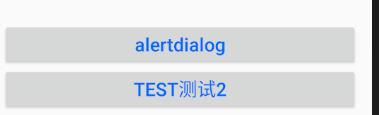
2.alertdialog 常用的四种方式: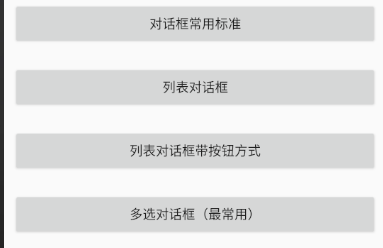
3.对话框常用标准: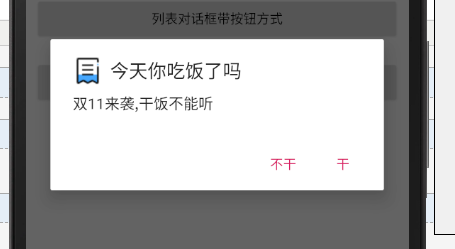 当点击
当点击  会弹出:
会弹出: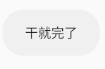
当点击  会弹出:
会弹出: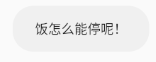
4.列表对话框: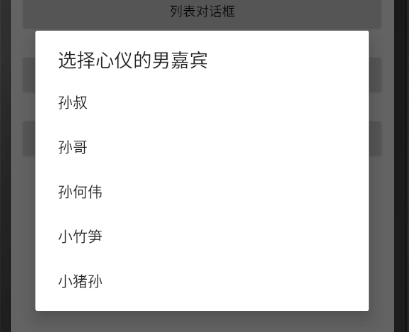 选择完成后 会弹出:
5.列表对话框带按钮方式: 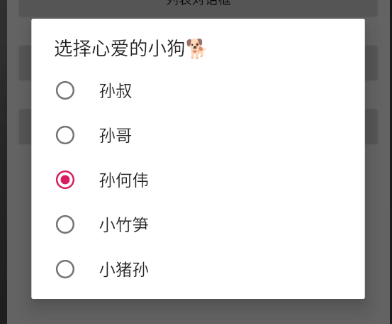 会弹出:
会弹出: 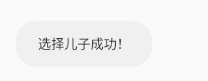
6.多选对话框(最基本):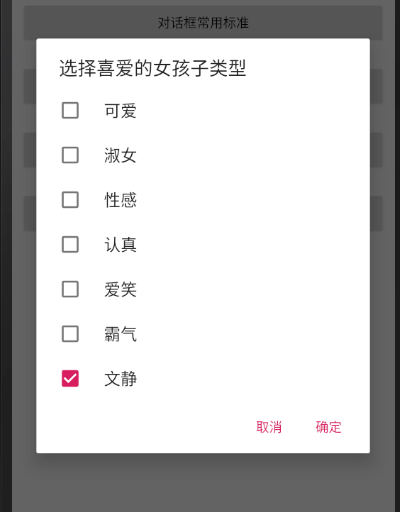 这里面可以全选、多选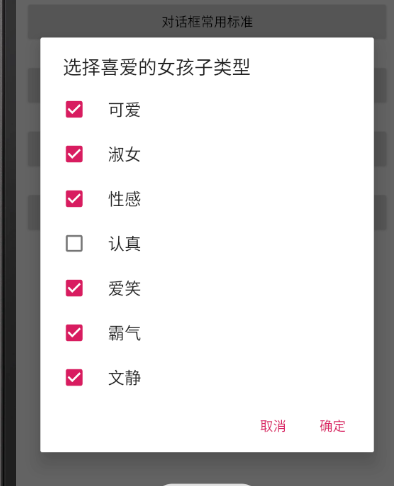
当选择 可爱 :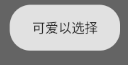
所有选择完毕:按确认button 结束;
JAVA:
package com.example.myapplication;

import androidx.appcompat.app.AppCompatActivity;

import android.app.AlertDialog;
import android.app.Dialog;
import android.content.DialogInterface;
import android.os.Bundle;
import android.view.View;
import android.widget.Button;
import android.widget.Toast;

public class AlertActivity extends AppCompatActivity {
    private Button dialog1,dialog2,dialog3,dialog4;
    @Override
    protected void onCreate(Bundle savedInstanceState) {
        super.onCreate(savedInstanceState);
        setContentView(R.layout.activity_alert_dialog);

        dialog1=findViewById(R.id.dialog1);
        dialog2=findViewById(R.id.dialog2);
        dialog3=findViewById(R.id.dialog3);
        dialog4=findViewById(R.id.dialog4);
        OnClick onClick =new OnClick();
        dialog1.setOnClickListener(onClick);
        dialog2.setOnClickListener(onClick);
        dialog3.setOnClickListener(onClick);
        dialog4.setOnClickListener(onClick);

    }
    class OnClick implements View.OnClickListener{
        public void onClick(View view) {
            switch (view.getId()){
                case R.id.dialog1:
                   AlertDialog.Builder builder1 = new AlertDialog.Builder(AlertActivity.this);
                   builder1.setTitle("今天你吃饭了吗").setMessage("双11来袭,干饭不能听").setIcon(R.drawable.liebiao).setPositiveButton("干", new DialogInterface.OnClickListener() {
                       @Override
                       public void onClick(DialogInterface dialogInterface, int i) {
                           Toast.makeText(AlertActivity.this,"干就完了",Toast.LENGTH_SHORT).show();
                       }
                   }).setNegativeButton("不干", new DialogInterface.OnClickListener() {
                       @Override
                       public void onClick(DialogInterface dialogInterface, int i) {
                           Toast.makeText(AlertActivity.this,"饭怎么能停呢!",Toast.LENGTH_SHORT).show();
                       }
                   }).setCancelable(false).show();
                    break;
                case R.id.dialog2:
                    final String[] array= new String[]{"孙叔","孙哥","孙何伟","小竹笋","小猪孙"};
                    AlertDialog.Builder builder2 =new AlertDialog.Builder(AlertActivity.this);
                    builder2.setTitle("选择心仪的男嘉宾").setItems(array, new DialogInterface.OnClickListener() {
                        @Override
                        public void onClick(DialogInterface dialogInterface, int i) {
                            Toast.makeText(AlertActivity.this,"牵手成功!",Toast.LENGTH_SHORT).show();
                        }
                    }).setCancelable(false).show();
                    break;
                case R.id.dialog3:
                    final String[] array1= new String[]{"孙叔","孙哥","孙何伟","小竹笋","小猪孙"};
                    AlertDialog.Builder builder3 =new AlertDialog.Builder(AlertActivity.this);
                    builder3.setTitle("选择心爱的小狗🐕").setSingleChoiceItems(array1, 2, new DialogInterface.OnClickListener() {
                        @Override
                        public void onClick(DialogInterface dialogInterface, int i) {
                            Toast.makeText(AlertActivity.this,"选择儿子成功!",Toast.LENGTH_SHORT).show();
                            dialogInterface.dismiss();
                        }
                    }).setCancelable(false).show();
                    break;
                case R.id.dialog4:
                    final String[] array2=new String[]{"可爱","淑女","性感","认真","爱笑","霸气","文静"};
                    boolean[] isSelected =new boolean[]{false,false,false,false,false,false,true};
                    AlertDialog.Builder builder4 = new AlertDialog.Builder(AlertActivity.this);
                    builder4.setTitle("选择喜爱的女孩子类型").setMultiChoiceItems(array2, isSelected, new DialogInterface.OnMultiChoiceClickListener() {
                        @Override
                        public void onClick(DialogInterface dialogInterface, int i, boolean b) {
                            Toast.makeText(AlertActivity.this,array2[i]+"以选择",Toast.LENGTH_SHORT).show();
                        }
                    }).setPositiveButton("确定", new DialogInterface.OnClickListener() {
                        @Override
                        public void onClick(DialogInterface dialogInterface, int i) {

                        }
                    }).setNegativeButton("取消", new DialogInterface.OnClickListener() {
                        @Override
                        public void onClick(DialogInterface dialogInterface, int i) {

                        }
                    }).show();
                    break;
            }
        }
    }

}
XML:
<?xml version="1.0" encoding="utf-8"?>
<LinearLayout xmlns:android="http://schemas.android.com/apk/res/android"
    android:layout_width="match_parent"
    android:layout_height="match_parent"
    android:orientation="vertical"
    android:padding="10dp"
   >
    <Button
        android:id="@+id/dialog1"
        android:layout_width="match_parent"
        android:layout_height="wrap_content"
        android:text="对话框常用标准"
        android:textAllCaps="false"/>
    <Button
        android:id="@+id/dialog2"
        android:layout_marginTop="20dp"
        android:layout_width="match_parent"
        android:layout_height="wrap_content"
        android:text="列表对话框"
        android:textAllCaps="false"/>
    <Button
        android:id="@+id/dialog3"
        android:layout_marginTop="20dp"
        android:layout_width="match_parent"
        android:layout_height="wrap_content"
        android:text="列表对话框带按钮方式"
        android:textAllCaps="false"/>
    <Button
        android:id="@+id/dialog4"
        android:layout_marginTop="20dp"
        android:layout_width="match_parent"
        android:layout_height="wrap_content"
        android:text="多选对话框(最常用)"
        android:textAllCaps="false"/>
</LinearLayout>

 浙公网安备 33010602011771号