
一、在esxi后台为虚拟机添加一个网卡
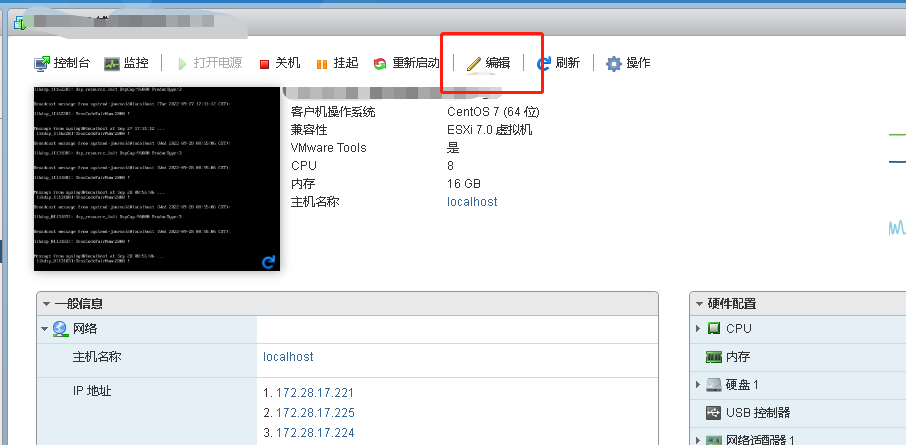
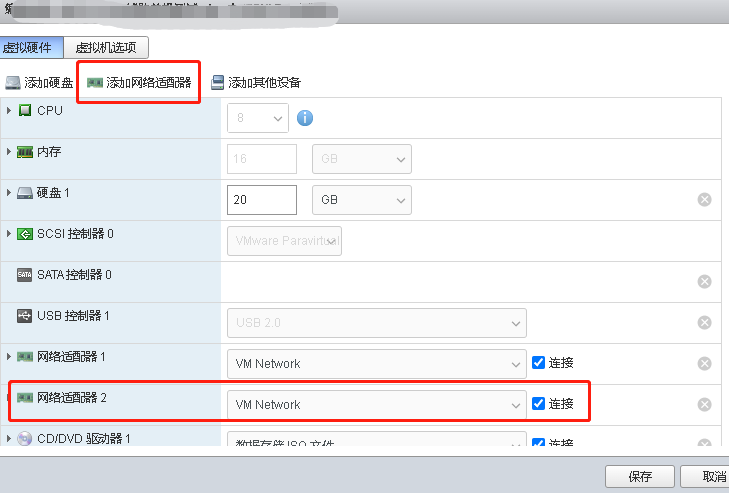
二、在虚拟机ssh登录,ip a可以看到新增的网卡
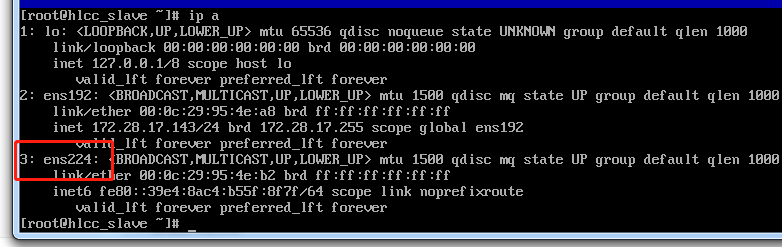
三、执行nmtui 图形化配置网卡
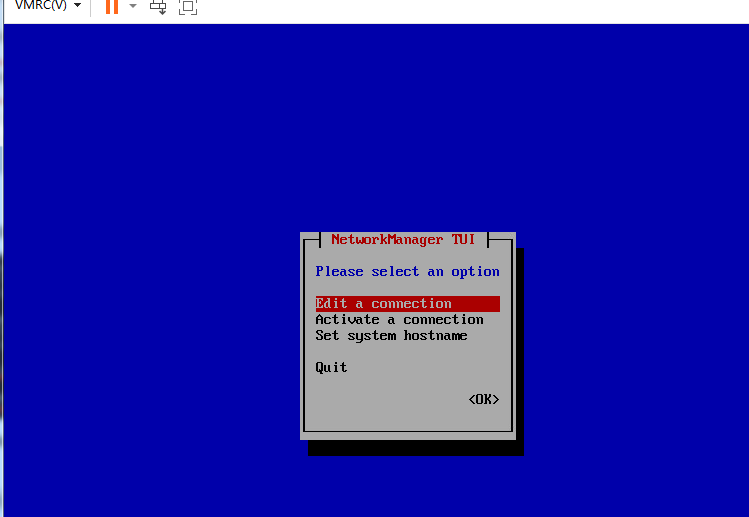
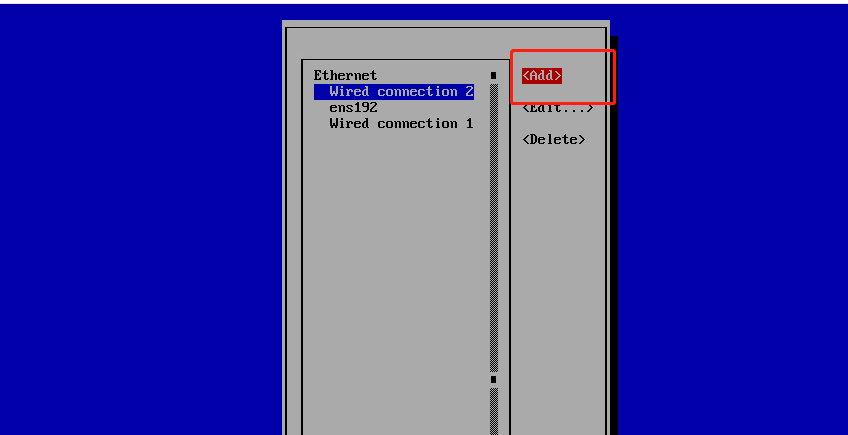
选择add 增加一个连接
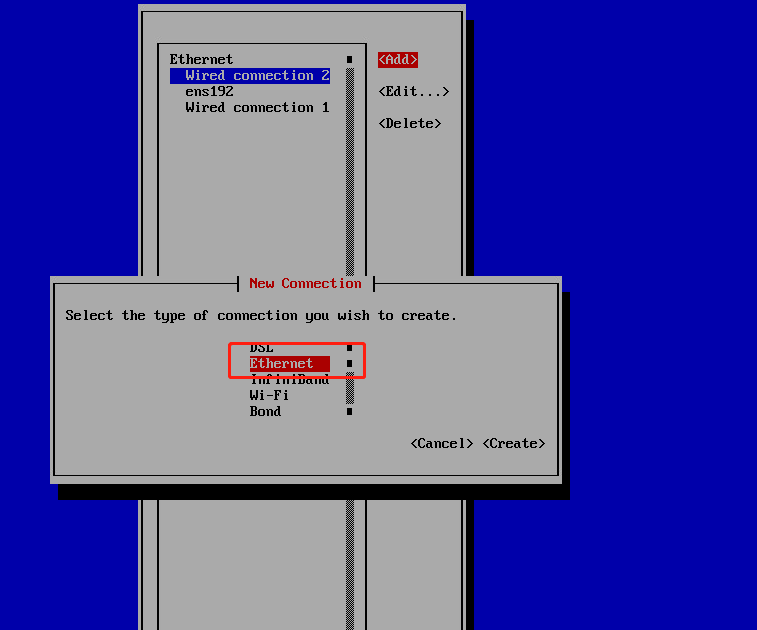
选择Ethernet
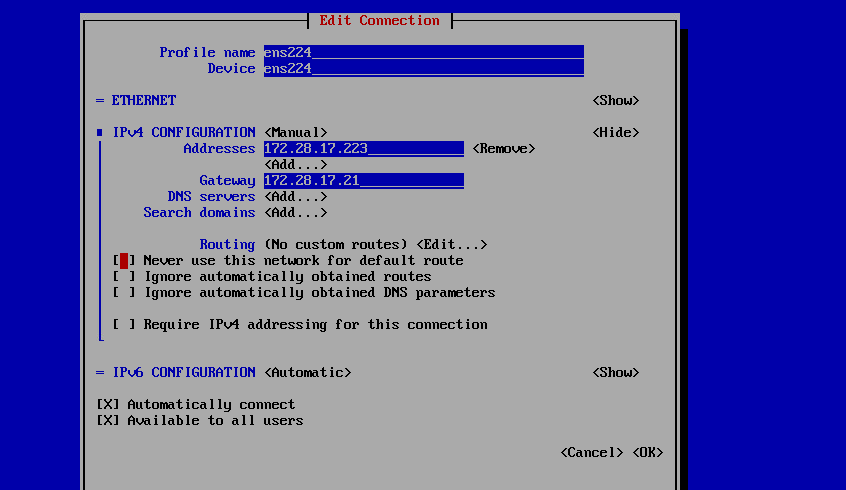
profile name 填写ens224 device 填写 ens224 ipv4配置为手动 填写IP172.28.17.223 网关:172.28.17.1,保存
删除掉无线连接
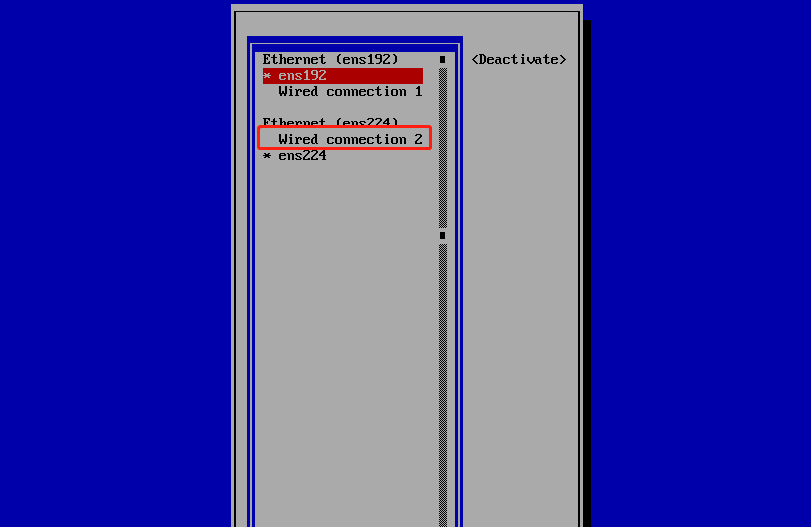
这时候生成了网卡配置文件/etc/sysconfig/network-scripts/ifcfg-ens224
一般双网卡配置,需要把反向路由校验参数rp_filter设置为0 ,不校验 一般系统默认为1 需要校验,这样会导致网卡访问不通的情况
[root@k8smaster ~]# vim /etc/sysctl.conf
# name in /etc/sysctl.d/ and put new settings there.
#
# For more information, see sysctl.conf(5) and sysctl.d(5).
#
vm.swappiness = 0
kernel.sysrq = 1
net.ipv4.neigh.default.gc_stale_time=120
net.ipv4.conf.all.rp_filter=0
net.ipv4.conf.default.rp_filter=0
net.ipv4.conf.ens192.rp_filter=0
net.ipv4.conf.ens224.rp_filter=0
sysctl -p ,是配置生效

 浙公网安备 33010602011771号