

Dapper导入导出或上传下载Excel
一、后台Api操作
下载包: MiniExcel
下载包:Dapper.SimpleCRUD
下载包: Z.Dapper.Plus
引用
using System.IO;
using System.Linq;
using MiniExcelLibs;
using MiniExcelLibs;
1、Dal数据访问层
        /// <summary>
        /// 导入 上传 Excel
        /// </summary>
        /// <param name="user"></param>
        /// <returns></returns>
        public int Uploading(List<UserModel> user)
        {
            using (var conn = new SqlConnection(_configuration.GetConnectionString("MSSQL")))
            {
                var list = conn.BulkInsert(user);
                if(list!=null)
                {
                    return 1;
                }
                else
                {
                    return 0;
                }
            }
        }
2、Bll业务逻辑层
        /// <summary>
        /// 导入 上传 Excel
        /// </summary>
        /// <param name="user"></param>
        /// <returns></returns>
        public int Uploading(List<UserModel> user)
        {
            try
            {
                return _userAllocationDal.Uploading(user);
            }
            catch (Exception)
            {

                throw;
            }
        }
3、UI表现层 (控制器)
        /// <summary>
        ///  导入 上传 Excel
        /// </summary>
        /// <param name="user"></param>
        /// <returns></returns>
        [HttpPost]
        public IActionResult Uploading()
        {
            try
            {
                var excel = this.HttpContext.Request.Form.Files[0];
                var stream = new MemoryStream();
                excel.CopyTo(stream);
                var list = stream.Query<UserModel>().ToList();
                return Ok(_userAllocationBll.Uploading(list));
            }
            catch (Exception)
            {

                throw;
            }
        }
/// <summary>
        /// 下载 导出 Excel 只有UI层
        /// </summary>
        /// <returns></returns>
       [HttpGet]
        public IActionResult DownloadExcel()
        {

            var totalCount = 0;
            //根据你所选中的方法 写要求  分页如下   无要求为空
            var values = _userAllocationBll.AllShowUser( out totalCount, 1,10);
            var memoryStream = new MemoryStream();
            memoryStream.SaveAs(values.ToList());
            memoryStream.Seek(0, SeekOrigin.Begin);
            return new FileStreamResult(memoryStream, "application/vnd.openxmlformats-officedocument.spreadsheetml.sheet")
            {
                FileDownloadName = "demo.xlsx"
            };
        }
二、前台Vue
<template>
  <div>
    <!--上传Excel-->
    <el-button type="text" @click="dialogFormVisible = true"
      ><el-button>上传数据</el-button></el-button
    >
    <el-dialog title="上传" :visible.sync="dialogFormVisible">
      <el-upload
        class="upload-demo"
        drag
        :on-success=upchuan
        action="http://localhost:307**/api/User/Uploading"
        multiple
      >
        <i class="el-icon-upload"></i>
        <div class="el-upload__text">将文件拖到此处,或<em>点击上传</em></div>
        <div class="el-upload__tip" slot="tip">
          只能上传jpg/png文件,且不超过500kb
        </div>
      </el-upload>
      <div slot="footer" class="dialog-footer">
        <el-button @click="dialogFormVisible = false">取 消</el-button>
        <el-button type="primary" @click="dialogFormVisible = false"
          >确 定</el-button
        >
      </div>
    </el-dialog>
    <!--下载按钮-->
    <el-button @click="loachuan()">下载</el-button>
  </div>
</template>

<script>
export default {
  data() {
    return {
      dialogFormVisible: false,
    };
  },
  methods: {
      //上传
    upchuan(res) {
      if (res == 1) {
        this.$message.success("上传Excel成功");
        this.dialogFormVisible = false;
      } else {
        this.$message.success("上传Excel失败");
      }
    },
    //下载
    loachuan()
    {
        if(confirm("是否确定下载"))
        {
            window.open("http://localhost:307**/api/User/DownloadExcel")
        }
    }
  },
};
</script>

<style>
</style>
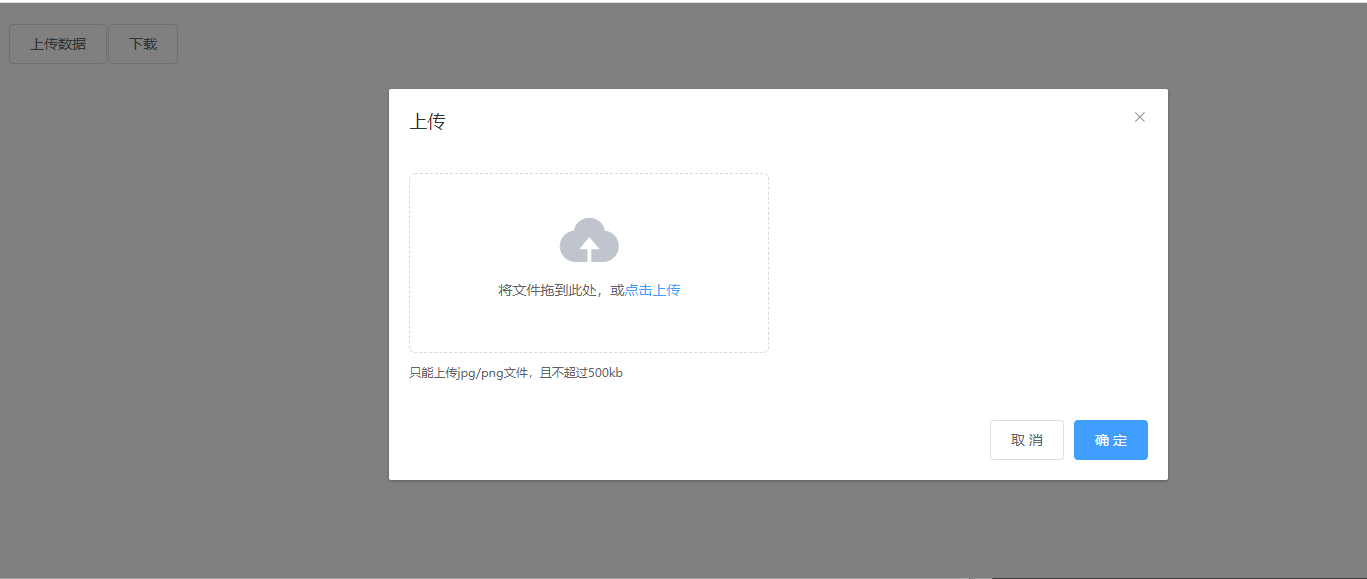
效果图
......待续

 浙公网安备 33010602011771号