

Vs Code 链接 Vs Mvc API 操作
一、页面初始显示
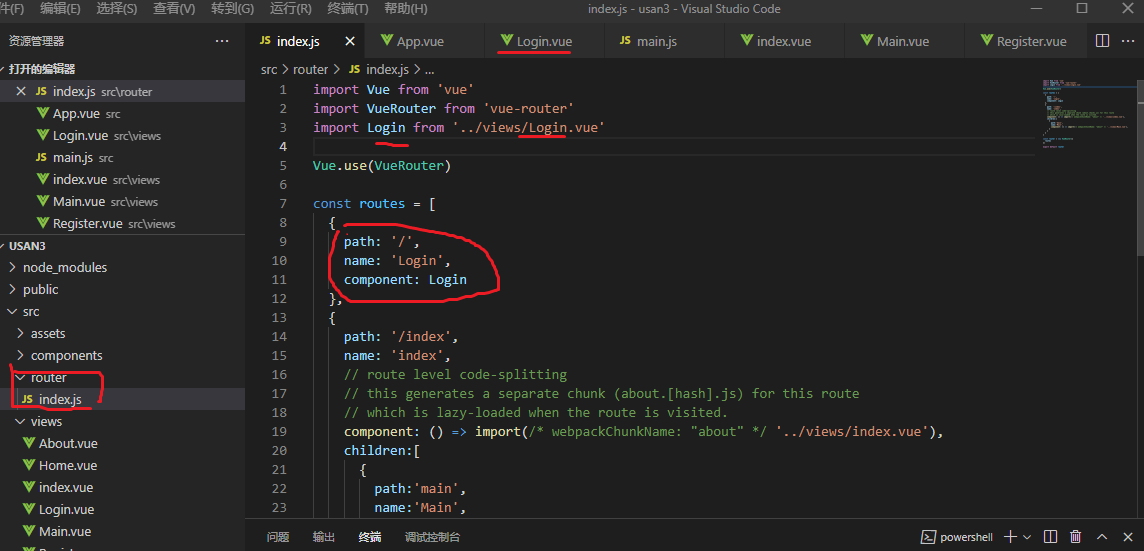
1、在router下面Js index更改默认显示路径
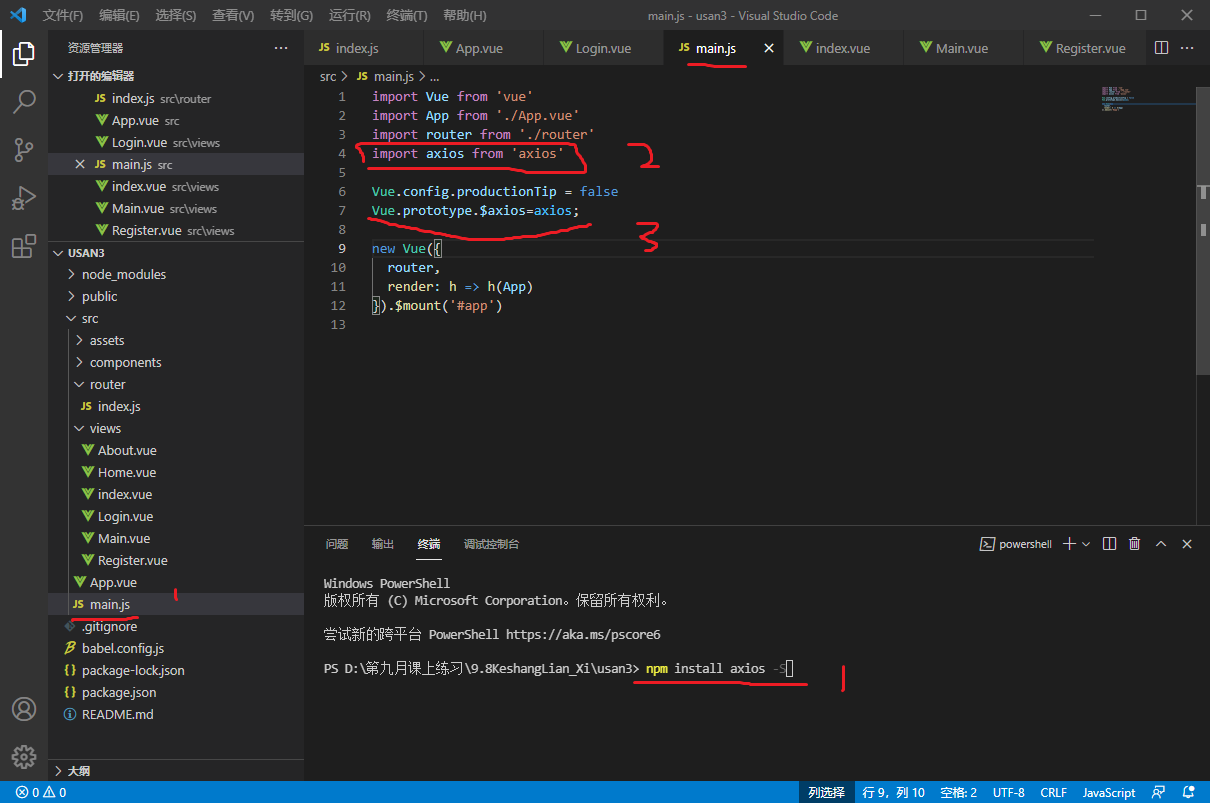
2、通过npm install axios -S 安装axios的相关依赖
在终端运行,打开Main进行添加axios的引用如 2、3序号
3、Vs Code的代码操作和链接API方法
<template>
  <table>
    <tr>
      <td>账号</td>
      <td><input type="text" value="" v-model="Use.sname" /></td>
    </tr>
    <tr>
      <td>密码</td>
      <td><input type="text" value="" v-model="Use.pwd" /></td>
    </tr>
    <tr>
      <td colspan="2">
        <button @click="login">登录</button>
        <button @click="register">注册</button>
      </td>
    </tr>
  </table>
</template>

<script>
export default {
  data() {
    return {
      Use: {
        sname: "",
        pwd: "",
      },
    };
  },
  methods: {
    login() {
      if (this.Use.name == "") {
        alert("账号不能为空");
        return;
      }
      if (this.Use.pwd == "") {
        alert("密码不能为空");
        return;
      }
      this.$axios
        .post(
          "http://localhost:58518/api/User?name=" +
            this.Use.sname +
            "&pwd=" +
            this.Use.pwd +
            ""
        )
        .then((res) => {
          if (res.data.code == 1) {
            this.$router.push("/index/main");
          } else {
            alert(res.data.msg);
          }
        });
    },
    register() {
      if (this.Use.name == "") {
        alert("账号不能为空");
        return;
      }
      if (this.Use.pwd == "") {
        alert("密码不能为空");
        return;
      }
      this.$axios.post("http://localhost:58518/api/User",this.Use).then((res) => {
        if (res.data > 0) {
          alert("注册成功");
        } else {
          alert("注册失败");
        }
      });
    },
  },
  created() {},
};
</script>

<style>
</style>
4、主页跳转显示连带后代方法
{
  path: '/index',
  name: 'index',
  // route level code-splitting
  // this generates a separate chunk (about.[hash].js) for this route
  // which is lazy-loaded when the route is visited.
  component: () => import(/* webpackChunkName: "about" */ '../views/index.vue'),
  children:[
    {
      path:'main',
      name:'Main',
      component: () => import(/* webpackChunkName: "about" */ '../views/Main.vue'),
    }
  ]
}
待续......

 浙公网安备 33010602011771号