.NETCORE 微服务 —— gRPC 入门
前言
该系列文章主要是记录我个人使用.net core 搭建微服务时所需的各类组件、框架等的实际应用与集成。
前置
一、熟悉 C# 的基本语法。
二、熟悉 visual studio 2019 构建.net core 应用的基本流程
三、了解 proto 的基本语法
正文
基础用法及概念。微软官网示例,点我去官网。同时也可以跟我在本地实践了一下。
新增 MicroService.GRpcService项目,并引用好 Grpc.AspNetCore 包。最新的Grpc包需要netcoreapp3.0支持。
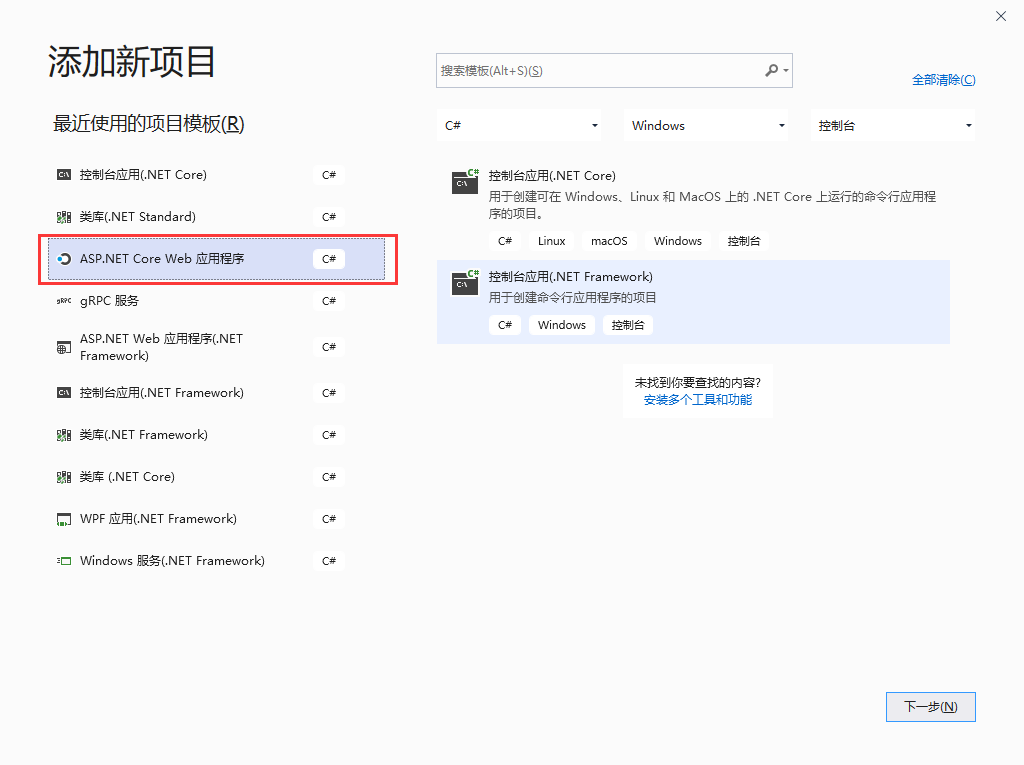
该项目文件信息如下
<Project Sdk="Microsoft.NET.Sdk.Web">

  <PropertyGroup>
    <TargetFramework>netcoreapp3.0</TargetFramework>
  </PropertyGroup>

  <ItemGroup>
    <PackageReference Include="Grpc.AspNetCore" Version="2.27.0" />
  </ItemGroup>

  <ItemGroup>
    <Protobuf Include="Protos\test.proto" GrpcServices="Server" />
  </ItemGroup>
</Project>
在工程中新增Protos文件夹,在该目录下新增 test.proto文件并编写以下proto 代码。
 1 syntax = "proto3";
 2
 3 option csharp_namespace = "GrpcTest";
 4
 5 package test;
 6
 7 // The greeting service definition.
 8 service Test {
 9     // Sends a greeting
10     rpc SayHello (HelloRequest) returns (HelloReply);
11 }
12
13 // The request message containing the user's name.
14 message HelloRequest {
15     string name = 1;
16 }
17
18 // The response message containing the greetings.
19 message HelloReply {
20     string message = 1;
21 }
通过将 *.proto 文件添加到 <Protobuf> 项组中,可将该文件包含在项目中 。
<ItemGroup>
  <Protobuf Include="Protos\test.proto" GrpcServices="Server" />
</ItemGroup>
编译项目后, *.proto 生成 C# 资源。即可新增 C# 代码中对该gRpc服务的实现,以下是实现代码。
 1 using System.Threading.Tasks;
 2 using Grpc.Core;
 3 using GrpcTest;
 4
 5 namespace MicroService.GRpcService.Services
 6 {
 7     public class TestService : Test.TestBase
 8     {
 9         public override Task<HelloReply> SayHello(HelloRequest request, ServerCallContext context)
10         {
11             return Task.FromResult(new HelloReply
12             {
13                 Message = "Hello " + request.Name
14             });
15         }
16     }
17 }
新增客户端项目
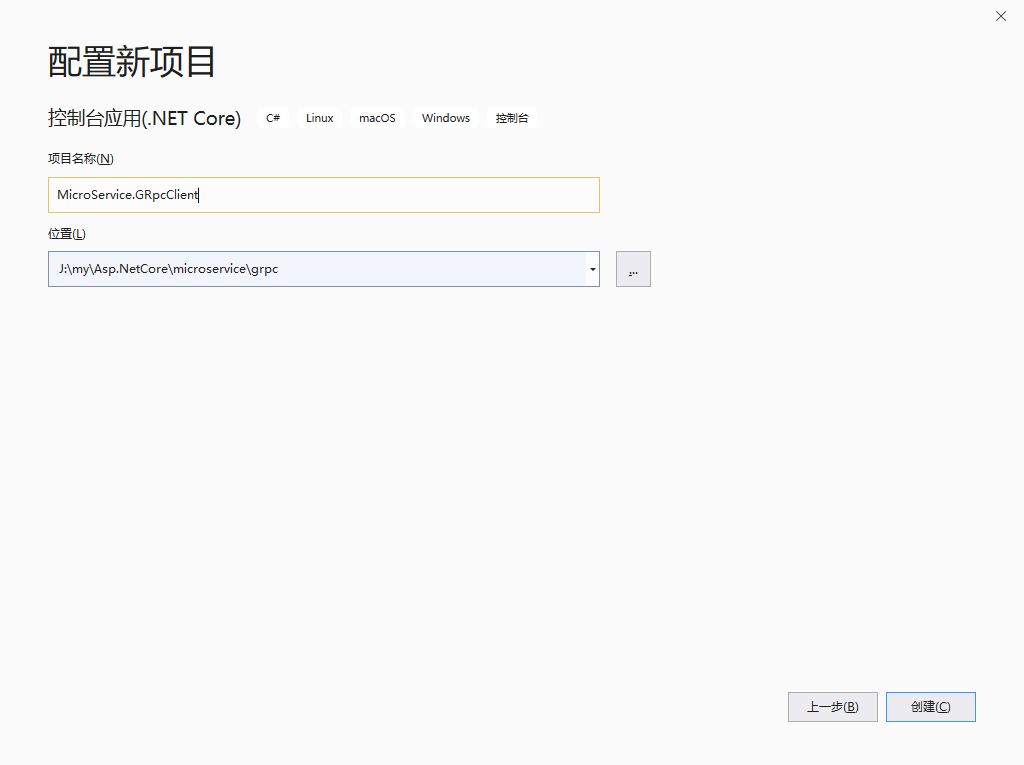
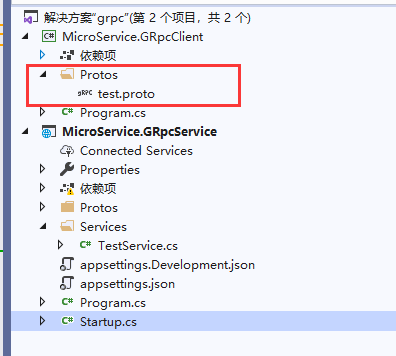
复制 服务端 中的Proto 目录至该项目下
双击工程文件,添加以下代码,为该项目添加包的引用和gRPC的引用,添加完成后该文件应该长这样!
<Project Sdk="Microsoft.NET.Sdk">

  <PropertyGroup>
    <OutputType>Exe</OutputType>
    <TargetFramework>netcoreapp3.1</TargetFramework>
  </PropertyGroup>

  <ItemGroup>
    <PackageReference Include="Google.Protobuf" Version="3.11.4" />
    <PackageReference Include="Grpc.AspNetCore" Version="2.27.0" />
    <PackageReference Include="Grpc.Net.Client" Version="2.27.0" />
    <PackageReference Include="Grpc.Tools" Version="2.27.0">
      <PrivateAssets>all</PrivateAssets>
      <IncludeAssets>runtime; build; native; contentfiles; analyzers; buildtransitive</IncludeAssets>
    </PackageReference>
  </ItemGroup>

  <ItemGroup>
    <Protobuf Include="Protos\test.proto" GrpcServices="Client" />
  </ItemGroup>

</Project>
生成该项目后,在 Program.cs 中Main方法添加以下代码实现gRPC服务端程序的调用。
using System;
using System.Threading.Tasks;
using Grpc.Net.Client;
using GrpcTest;

namespace MicroService.GRpcClient
{
    class Program
    {
        static async Task Main(string[] args)
        {
            // The port number(5001) must match the port of the gRPC server.
            using var channel = GrpcChannel.ForAddress("https://localhost:5001");
            var client = new Test.TestClient(channel);
            var reply = await client.SayHelloAsync(
                new HelloRequest { Name = "TestClient" });
            Console.WriteLine("Greeting: " + reply.Message);
            Console.WriteLine("Press any key to exit...");
            Console.ReadKey();
        }
    }
}
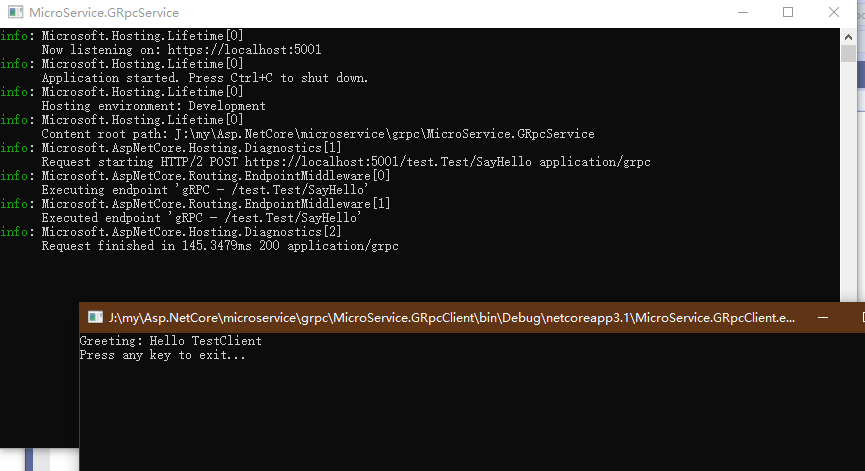
先启动服务项目再启用客户端项目,即可看到 客户端通过 gRPC 调用的方式从服务端返回来的信息。
哦!!!差点忘记了,还要在服务端的 Startup.cs 添加gRPC中间件和对该服务的终节点映射,不然是跑不起来的!
using System;
using System.Collections.Generic;
using System.Text;
using MicroService.GRpcService.Services;
using Microsoft.AspNetCore.Builder;
using Microsoft.AspNetCore.Hosting;
using Microsoft.Extensions.DependencyInjection;
using Microsoft.Extensions.Hosting;

namespace MicroService.GRpcService
{
    #region snippet
    public class Startup
    {
        // This method gets called by the runtime. Use this method to add services to the container.
        // For more information on how to configure your application, visit https://go.microsoft.com/fwlink/?LinkID=398940
        public void ConfigureServices(IServiceCollection services)
        {
            services.AddGrpc();
        }

        // This method gets called by the runtime. Use this method to configure the HTTP request pipeline.
        public void Configure(IApplicationBuilder app, IWebHostEnvironment env)
        {
            if (env.IsDevelopment())
            {
                app.UseDeveloperExceptionPage();
            }

            app.UseRouting();

            app.UseEndpoints(endpoints =>
            {
                // Communication with gRPC endpoints must be made through a gRPC client.
                // To learn how to create a client, visit: https://go.microsoft.com/fwlink/?linkid=2086909
                endpoints.MapGrpcService<TestService>();
            });
        }
    }
    #endregion
}
最后,附上示例下载地址。点我去下载!

 浙公网安备 33010602011771号