
2023数据采集与融合技术实践作业一
作业1
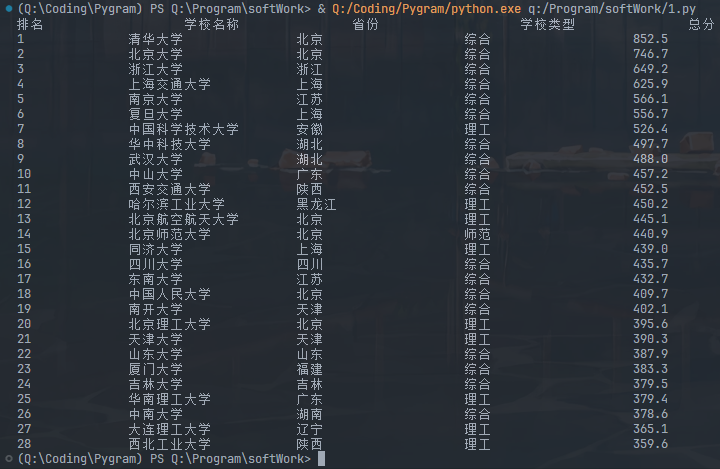
要求:用requests和BeautifulSoup库方法定向爬取给定网址(http://www.shanghairanking.cn/rankings/bcur/2020 )的数据,屏幕打印爬取的大学排名信息。
输出信息:
| 排名 | 学校名称 | 省市 | 学校类型 | 总分 |
|---|---|---|---|---|
| 1 | 清华大学 | 北京 | 综合 | 852.5 |
| 2 | ... | ... | ... | ... |
代码
import requests
from bs4 import BeautifulSoup
import bs4

def crawl():
    url = "https://www.shanghairanking.cn/rankings/bcur/2020"
    list = []
    try:
        res = requests.get(url)
        res.encoding = res.apparent_encoding
        html = res.text
    except:
        html = "error"

    soup = BeautifulSoup(html, "html.parser")
    for tr in soup.find('tbody').children:
        if isinstance(tr, bs4.element.Tag):
            a = tr('a')
            tds = tr('td')
            list.append([tds[0].text.strip(), a[0].string.strip(), tds[2].text.strip(),
                          tds[3].text.strip(), tds[4].text.strip()])

    form = "{0:<15}\t{1:<15}\t{2:<15}\t{3:<15}\t{4:<15}"
    print(form.format("排名", "学校名称", "省份", "学校类型", "总分"))
    for i in range(28):
        l = list[i]
        print(form.format(l[0], l[1], l[2], l[3], l[4]))

if __name__ == '__main__':
    crawl()
运行截图
心得体会
这个网站最令人兴奋的是它没有反爬机制!!! 选取元素边改边测试就是了
作业2
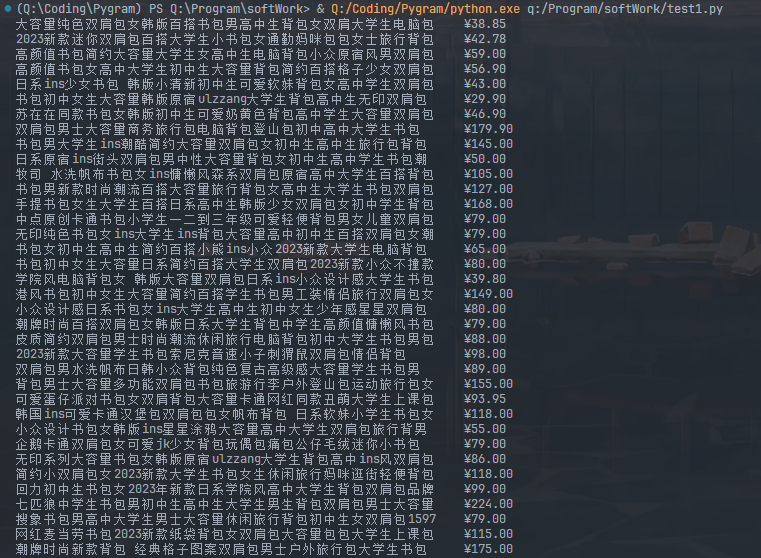
要求:用requests和re库方法设计某个商城(自已选择)商品比价定向爬虫,爬取该商城,以关键词“书包”搜索页面的数据,爬取商品名称和价格。
输出信息:
| 序号 | 价格 | 商品名 |
|---|---|---|
| 1 | 65.00 | xxx |
| 2 | ... | ... |
代码
from asyncio import sleep, get_event_loop
from pyppeteer import launch
from random import random
from bs4 import BeautifulSoup

class TaoBaoSpider:
    def __init__(self):
        self.width, self.height = 1500, 800
        get_event_loop().run_until_complete(self.init())
        get_event_loop().run_until_complete(self.login())
        get_event_loop().run_until_complete(self.search())
        get_event_loop().run_until_complete(self.crawl())

    async def init(self):
        # noinspection PyAttributeOutsideInit
        self.browser = await launch(headless=False,
                                    args=['--disable-infobars', f'--window-size={self.width},{self.height}'])
        # noinspection PyAttributeOutsideInit
        self.page = await self.browser.newPage()
        await self.page.setViewport({'width': self.width, 'height': self.height})
        await self.page.goto('https://login.taobao.com/member/login.jhtml?redirectURL=https://www.taobao.com/')
        await self.page.evaluate('()=>{Object.defineProperties(navigator,{webdriver:{get:()=>false}})}')

    @staticmethod
    async def login():
        await sleep(30)

    @property
    def sleep_time(self):
        return 1+random()*3

    async def search(self):
        await sleep(self.sleep_time)
        await self.page.click('#q')
        await sleep(self.sleep_time)
        await self.page.keyboard.type('书')
        await sleep(self.sleep_time)
        await self.page.keyboard.type('bk')
        await sleep(self.sleep_time)
        await self.page.click('#J_TSearchForm > div.search-button > button')
        await sleep(self.sleep_time)

    async def crawl(self):
        str1 = await self.page.content()
        soup = BeautifulSoup(str1, "lxml")
        test1(soup)


# if __name__ == '__main__':
#     TaoBaoSpider()


async def test1(soup):
    ''' url = "./Taobao.html"
    with open(url, 'r', encoding='utf-8') as fp:
        soup = BeautifulSoup(fp, "lxml") '''
    tags = soup.select("#root > div > div:nth-child(2) > div.PageContent--contentWrap--mep7AEm > div.LeftLay--leftWrap--xBQipVc > div.LeftLay--leftContent--AMmPNfB > div.Content--content--sgSCZ12 > div")
    for tag in tags:
        prices = tag.select("a > div > div.Card--mainPicAndDesc--wvcDXaK > div.Price--priceWrapper--Q0Dn7pN")
        spans = tag.select("a > div > div.Card--mainPicAndDesc--wvcDXaK > div.Title--descWrapper--HqxzYq0 > div > span")
        for span, price in zip(spans, prices):
            print(span.text, end="\t")
            price = price.select("span")[0:3]
            for p in price:
                print(p.text, end="")
            print()
test1()
运行截图
心得体会
淘宝的反爬虫机制极其强大,我的代码尚未能成功爬取淘宝的网页源码,但我也不想直接抛弃这个程序,毕竟我看到有人成功实现了(I'm vegetable)
test1()函数是能够精准定位淘宝商品标题的,这是我利用bs4库通过CSS实现的,只要传入一个正确的网页源码(手动copy?),它就能打印正确结果
作业3
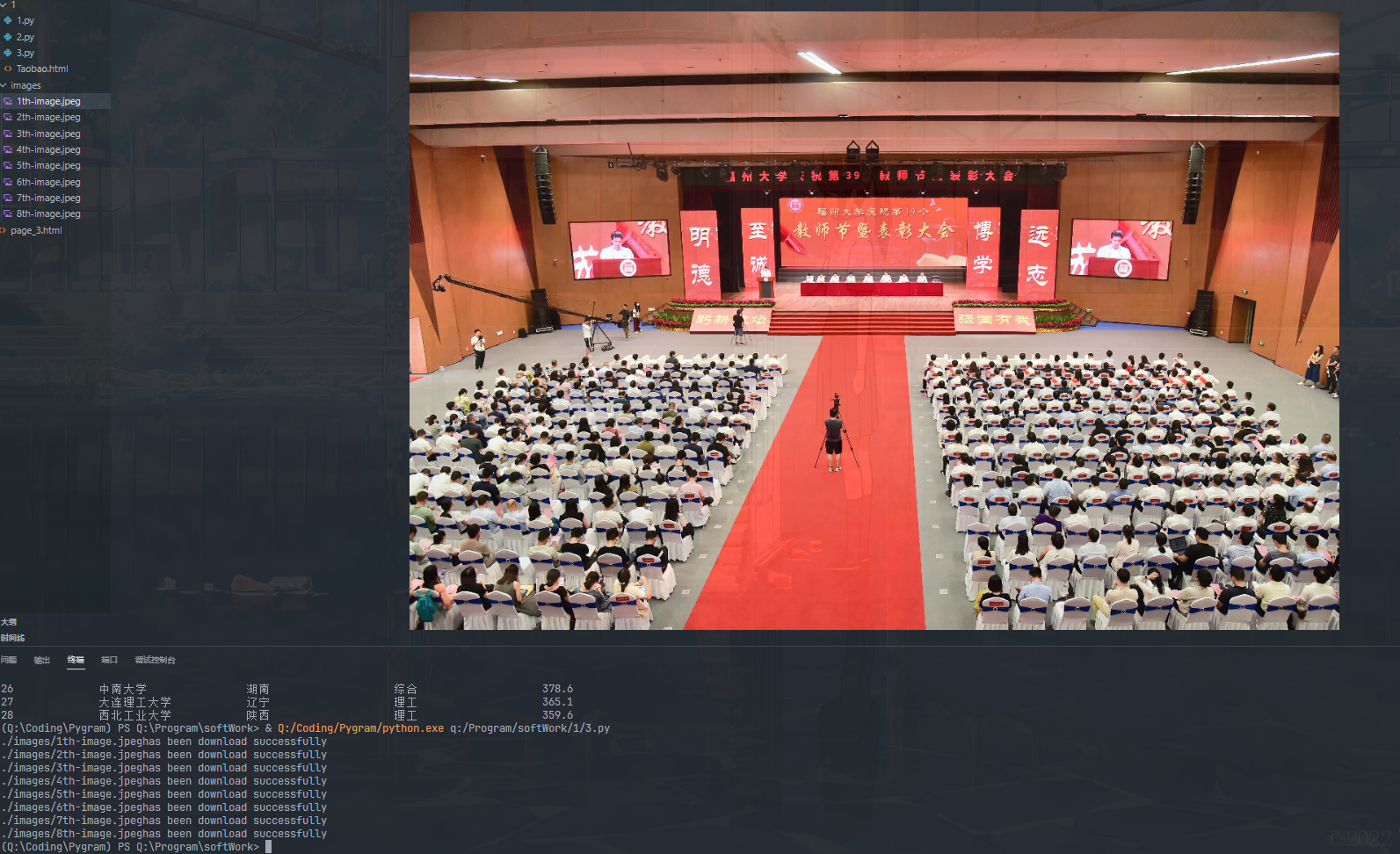
要求:爬取一个给定网页( https://xcb.fzu.edu.cn/info/1071/4481.htm )或者自选网页的所有JPEG和JPG格式文件
输出信息:将自选网页内的所有JPEG和JPG文件保存在一个文件夹中
代码
import requests
from bs4 import BeautifulSoup as bs
import os


url = "https://xcb.fzu.edu.cn/info/1071/4481.htm"


def getNet(url):
    session = requests.session()
    source = session.get(url)
    return source


def crawl(file):
    baseUrl = "https://xcb.fzu.edu.cn"
    baseDir = "./images/"
    if os.path.exists(baseDir) == False:
        os.mkdir(baseDir)
    soup = bs(file, "lxml")
    cores = soup.select("p.vsbcontent_img > img")
    for i in range(0, len(cores)):
        core = cores[i]
        url = baseUrl + core['src']
        image = getNet(url)
        fileName = baseDir + "{}th-image.jpeg".format(i + 1)
        with open(fileName, 'wb') as fi:
            fi.write(image.content)
            print(baseDir + "{}th-image.jpeg".format(i + 1) + "has been download successfully")


if __name__ == "__main__":
    html = getNet(url).text
    crawl(html)
运行截图
心得体会
CSS选取特定元素最为方便(note:可以直接在浏览器上选中元素,右键复制-->复制selector地址,这样你就得到了一个特定的CSS路径,解放大脑,你值得拥有)

 浙公网安备 33010602011771号