

request库模拟http请求
概述
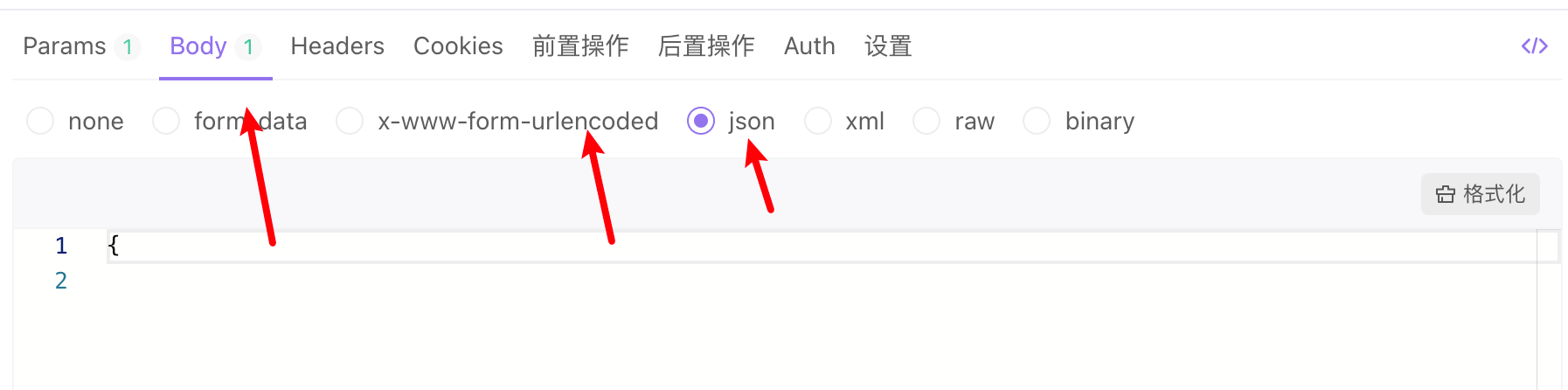
在使用 requests 库发送HTTP请求时,multipart/form-data、application/json 和 application/x-www-form-urlencoded 这三种内容类型(Content-Type)的实现方式有所不同,主要体现在数据的编码和传输方式上。下面分别介绍这三种类型的具体实现方法:
安装
pip install requests
pip show requests
官网介绍
https://cn.python-requests.org/zh_CN/latest/
application/json
- 这是最常见的一种数据格式,广泛应用于RESTful API中,主要用于直接发送JSON对象。在
requests中,可以通过json参数直接传递一个字典,库会自动将其转换为JSON格式并设置正确的Content-Type。
import requests

url = 'https://example.com/api'
data = {'key': 'value'}
response = requests.post(url, json=data)
application/x-www-form-urlencoded
这种格式用于发送表单数据,它将数据编码为键值对的形式编码到URL字符串中,类似于查询字符串的格式。在 requests 中,可以使用 data 参数来传递一个字典,库会自动处理编码。不支持文件上传
import requests

url = 'https://example.com/api'
data = {'key': 'value'}
response = requests.post(url, data=data)
注意:这种方式默认会设置 Content-Type 为 application/x-www-form-urlencoded。
multipart/form-data
这种格式通常用于上传文件或提交包含文件和其他数据的复杂表单。每个部分可以有自己的编码方式,并且能够携带二进制数据。在 requests 中,通过 files 参数来指定要上传的文件或其他数据。
import requests

url = 'https://example.com/api'
file_path = '/path/to/file.txt'
files = {'file': open(file_path, 'rb')}
response = requests.post(url, files=files)
也可以同时发送文件和其他字段的数据:
import requests

url = 'https://example.com/api'
file_path = '/path/to/file.txt'
data = {'other_key': 'other_value'}
files = {'file': open(file_path, 'rb')}
response = requests.post(url, files=files, data=data)
在这个例子中,data 参数中的数据将会与文件一起作为 multipart/form-data 请求的一部分被发送出去。
Apifox对应调用方法

 浙公网安备 33010602011771号