


E2E测试神器nightwatch.js使用
由于测试资源紧张,以及人工测试覆盖率有限。为了规避因改动代码而产生新的bug,最近项目要加自动化测试。经过组内有经验的大哥介绍。推荐了今天的主角nightwatch.js。
官网是这么介绍的:
Nightwatch.js is an automated testing framework for web applications and websites, written in Node.js and using the W3C WebDriver API (formerly Selenium WebDriver).
It is a complete End-to-End testing solution which aims to simplify writing automated tests and setting up Continuous Integration. Nightwatch can also be used for writing Node.js unit and integration tests.
大概意思是:Nightwatch.js是一个用于Web应用程序和网站的自动化测试框架,使用Node.js编写并使用W3C WebDriver API(以前称为Selenium WebDriver)。
它是一个完整的浏览器(端到端)测试解决方案,旨在简化设置持续集成和编写自动化测试的过程。 Nightwatch也可用于编写Node.js单元测试。
首先要安装相关依赖
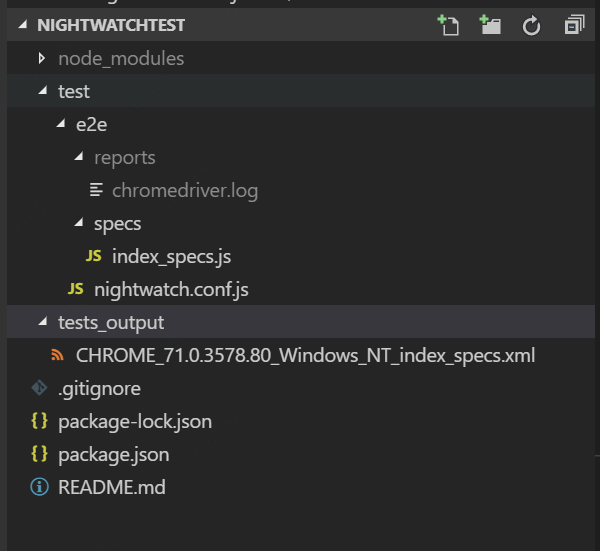
const chromedriverPath = require('chromedriver').path
module.exports = {
  "src_folders" : ["test/e2e/specs"],

  "webdriver" : {
    "start_process": true,
    "server_path": chromedriverPath,
    "port": 9515,
    "log_path" : "test/e2e/reports"
  },

  "test_settings" : {
    "default" : {
      "desiredCapabilities": {
        "browserName": "chrome",
        "chromeOptions": {
          "args": [
            "--headlessss"
          ]
        }
      }
    }
  }
}
测试代码test/e2e/specs目录下的***_specs.js。可支持多种的断言风格。从 Nightwatch0.7 版本开始, 引入了新的 BDD风格的断言库,大大提升了灵活性和代码的可读性。
expect 断言是 chai 框架 expect api 的子集,在此对元素类型也能使用。我仅仅用百度首页做个测试例子。
const testUrl = 'https://www.baidu.com/'
module.exports = {
  'test for baidu' : function (browser) {
    browser
      .url(testUrl)
      .waitForElementVisible('body', 3000)
      .setValue('input[id=kw]', 'nightwatch')
      .waitForElementVisible('input[type=submit]', 1000)
      .click('input[type=submit]')
      .pause(1000)
      .waitForElementVisible('div[class=s_tab_inner]', 3000)
      .assert.containsText('.s_tab_inner', '网页')
      .end();
  }
};
启动测试 packae.json
 "scripts": {
    "test": "nightwatch -c  test/e2e/nightwatch.conf.js",
    "build": "node build/build.js"
  },
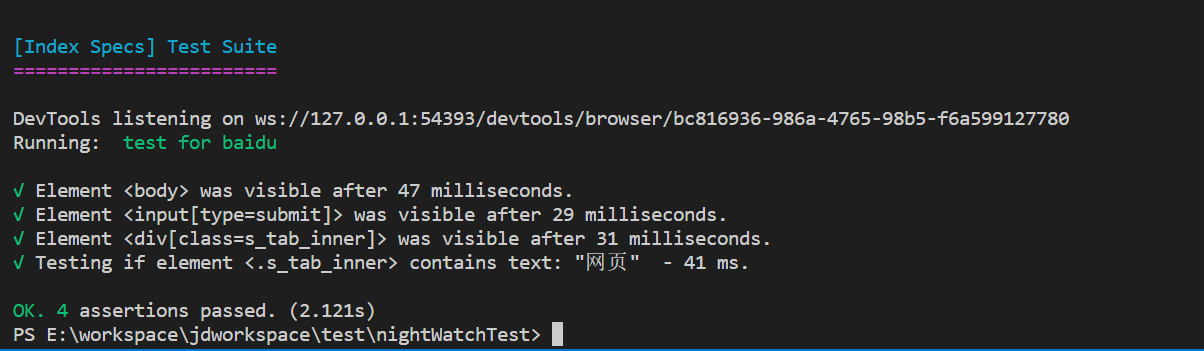
在项目根目录下执行npm test即可。它会模拟界面操作,打开浏览器执行。控制台信息如下。
源码git地址:https://github.com/shichangchun404/nightWatchTest

 浙公网安备 33010602011771号