


VUE
逐步认识VUE
环境配置
-
安装node.js
(1)官网:https://nodejs.org/zh-cn/下载并安装
(2)利用node -v和npm -v可以查看到版本号即安装成功
-
安装淘宝加速器
(1)命令:npm install cnpm -g
(2)利用cnpm -v可以查看到版本号即可
![]()
-
IDEA安装vue插件

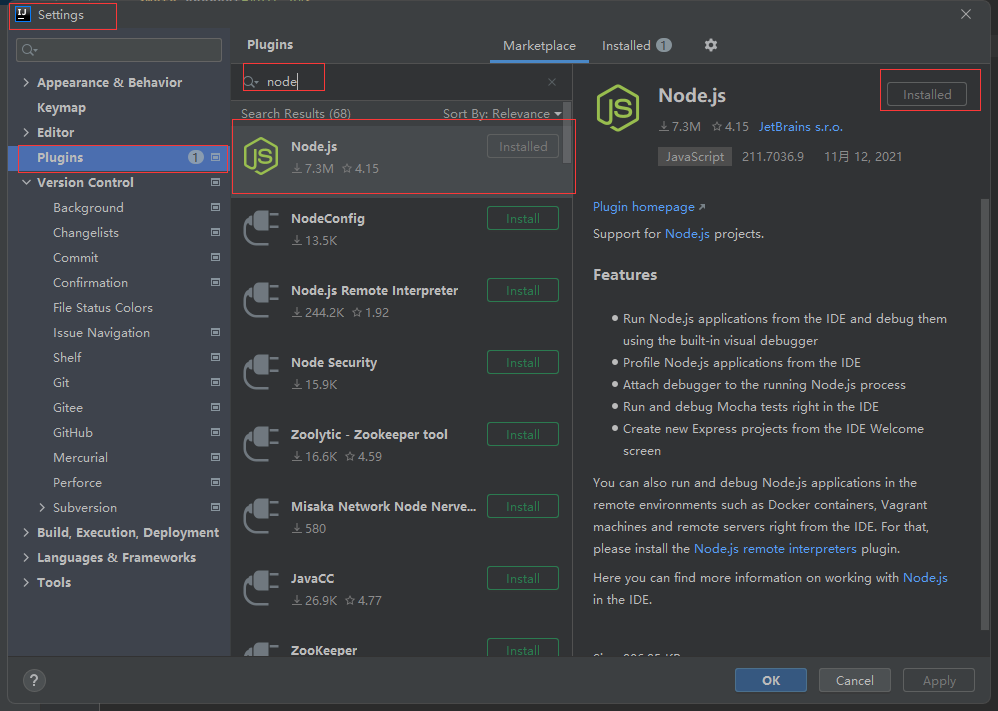
导入vue
-
cdn方式导入
<script src="https://cdn.jsdelivr.net/npm/vue@2.5.16/dist/vue.js"></script> -
npm安装
# 最新稳定版
$ npm install vue
基本语法
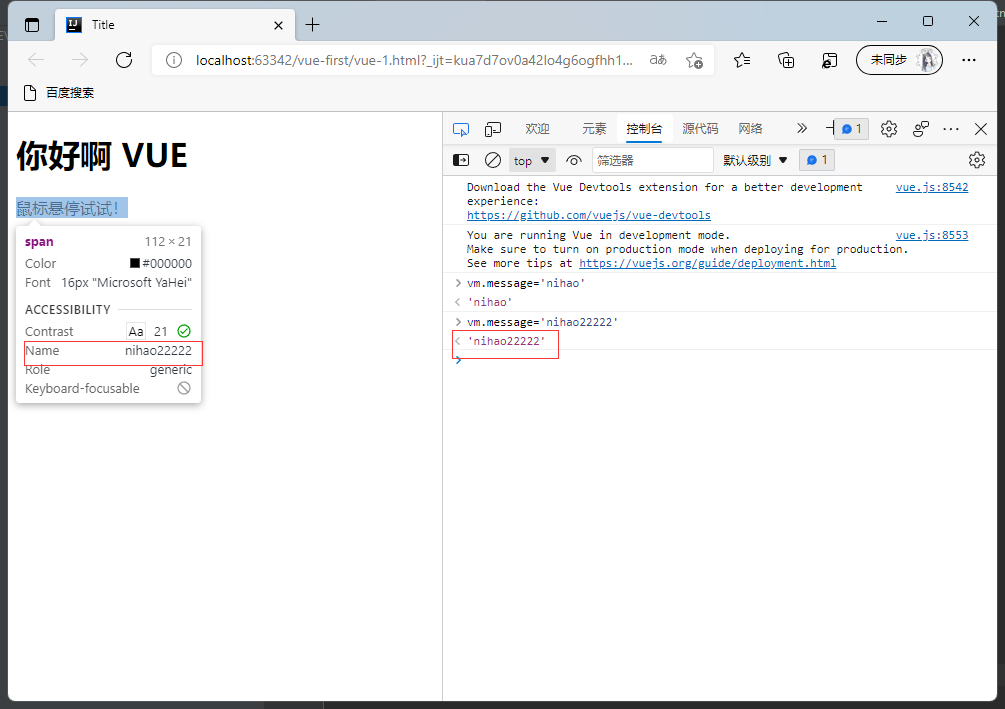
- v-bind绑定参数,意思是:“将这个元素节点的
titleattribute 和 Vue 实例的messageproperty 保持一致”。当通过浏览器的console页面的命令修改message的参数值时,页面上的提示可以同步进行修改。
<!DOCTYPE html>
<html lang="en" xmlns:v-bind="http://www.w3.org/1999/xhtml">
<head>
    <meta charset="UTF-8">
    <title>Title</title>
</head>
<body>
<h1>你好啊 VUE</h1>

<!--view层 模板-->
<div id="app">
   <span v-bind:title="message">
       鼠标悬停试试!
   </span>
</div>
<!--导入vuejs-->
<script src="https://cdn.jsdelivr.net/npm/vue@2.5.16/dist/vue.js"></script>
<script>
    var vm = new Vue(
        {
            el:"#app",
        //    Model:数据
            data:{
                message:"Hello,Vue!"
            }
        }
    );
</script>
</body>
</html>
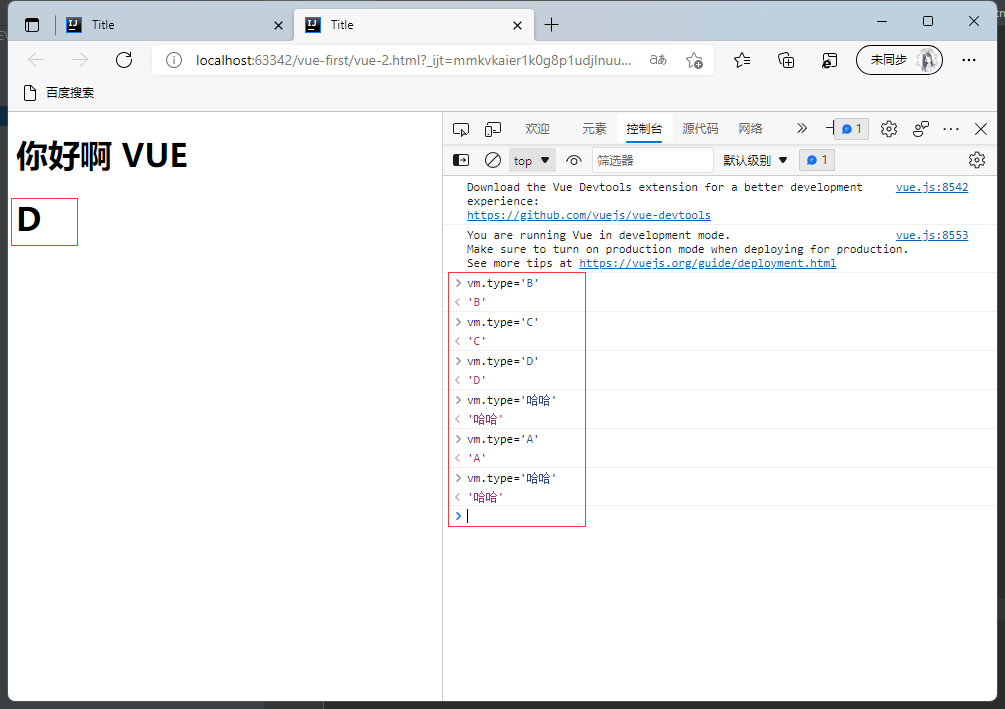
- v-if v-else-if v-else 当通过浏览器的console页面的命令修改type的参数值时,页面上的展示信息会同步进行显示type经过if-else判断之后的结果。
<!DOCTYPE html>
<html lang="en" xmlns:v-bind="http://www.w3.org/1999/xhtml">
<head>
    <meta charset="UTF-8">
    <title>Title</title>
</head>
<body>
<h1>你好啊 VUE</h1>
<!--view层 模板-->
<div id="app">
   <h1 v-if="type==='A'">A</h1>
   <h1 v-else-if="type==='B'">B</h1>
   <h1 v-else-if="type==='C'">C</h1>
   <h1 v-else=>D</h1>
</div>
<!--导入vuejs-->
<script src="https://cdn.jsdelivr.net/npm/vue@2.5.16/dist/vue.js"></script>
<script>
  var vm = new Vue(
          {
            el:"#app",
            //    Model:数据
            data:{
              type:"A"
            }
          }
  );
</script>
</body>
</html>
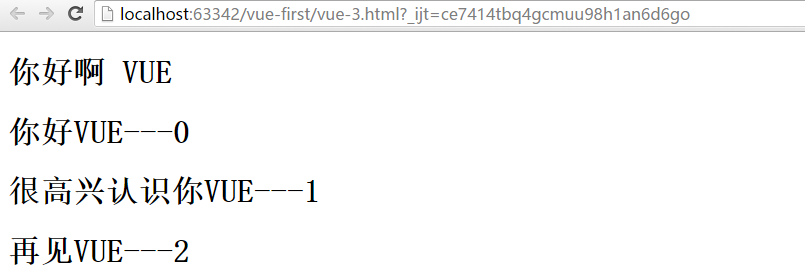
- v-for 遍历数组信息并逐条显示在前台
<!DOCTYPE html>
<html lang="en">
<head>
    <meta charset="UTF-8">
    <title>Title</title>
</head>
<body>
<h1>你好啊 VUE</h1>
<!--view层 模板-->
<div id="app">
  <h1 v-for="(item,index) in items">
    {{item.message}}---{{index}}
  </h1>
</div>
<!--导入vuejs-->
<script src="https://cdn.jsdelivr.net/npm/vue@2.5.16/dist/vue.js"></script>
<script>
  var vm = new Vue(
          {
            el:"#app",
            //    Model:数据
            data:{
              items:[
                {message:"你好VUE"},
                {message:"很高兴认识你VUE"},
                {message:"再见VUE"},
              ]
            }
          }
  );
</script>
</body>
</html>
- v-on绑定事件
<!DOCTYPE html>
<html lang="en" xmlns:v-on="http://www.w3.org/1999/xhtml">
<head>
    <meta charset="UTF-8">
    <title>Title</title>
</head>
<body>
<h1>你好啊 VUE</h1>
<!--view层 模板-->
<div id="app">
  <button v-on:click="sayHi">click Me</button>
</div>
<!--导入vuejs-->
<script src="https://cdn.jsdelivr.net/npm/vue@2.5.16/dist/vue.js"></script>
<script>
  var vm = new Vue(
          {
            el:"#app",
            //    Model:数据
            data:{
              message:"你好啊,vue"
            },
            methods:{//方法必须定义在vue 的 method对象中,v-on:事件
              sayHi:function (event){
                alert(this.message);
              }
            }
          }
  );
</script>
</body>
</html>
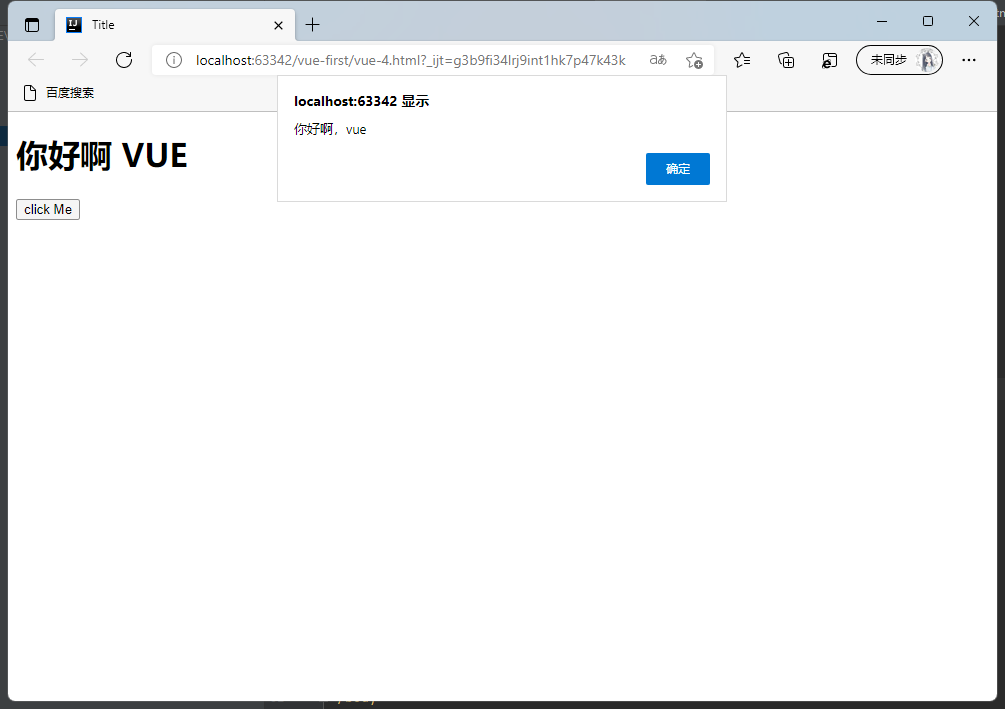
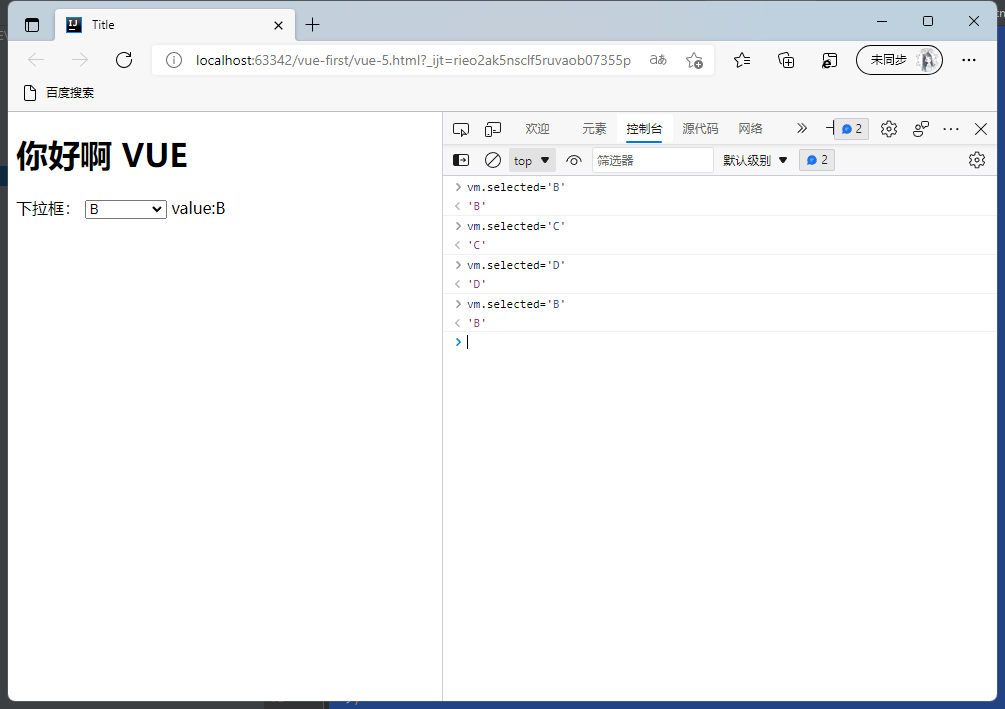
- v-model:参数 双向绑定。无论是前台修改还是通过命令修改参数的值,前后台的参数都会同步修改。
<!DOCTYPE html>
<html lang="en" xmlns:v-on="http://www.w3.org/1999/xhtml">
<head>
    <meta charset="UTF-8">
    <title>Title</title>
</head>
<body>
<h1>你好啊 VUE</h1>
<!--view层 模板-->
<div id="app">
  下拉框:
    <select v-model="selected">
        <option value="" disabled>--请选择--</option>
        <option>A</option>
        <option>B</option>
        <option>C</option>
    </select>
    <span>value:{{selected}}</span>
</div>
<!--导入vuejs-->
<script src="https://cdn.jsdelivr.net/npm/vue@2.5.16/dist/vue.js"></script>
<script>
  var vm = new Vue(
          {
            el:"#app",
            //    Model:数据
            data:{
              selected:''
            }
          }
  );
</script>
</body>
</html>
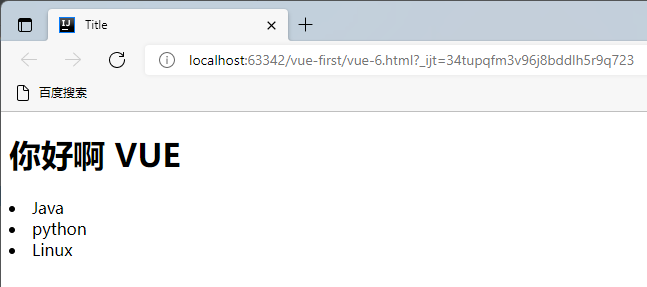
- 引入组件的概念component
<!DOCTYPE html>
<html lang="en">
<head>
    <meta charset="UTF-8">
    <title>Title</title>
</head>
<body>
<h1>你好啊 VUE</h1>
<!--view层 模板-->
<div id="app">
  <yeyue v-for="item in items" v-bind:hi="item"></yeyue>
</div>
<!--导入vuejs-->
<script src="https://cdn.jsdelivr.net/npm/vue@2.5.16/dist/vue.js"></script>
<script>
  Vue.component("yeyue",{
    props:['hi'],
     template:'<li>{{hi}}</li>'
  });
  var vm = new Vue(
          {
            el:"#app",
            data:{
              items:["Java","python","Linux"]
            }
          }
  );
</script>
</body>
</html>
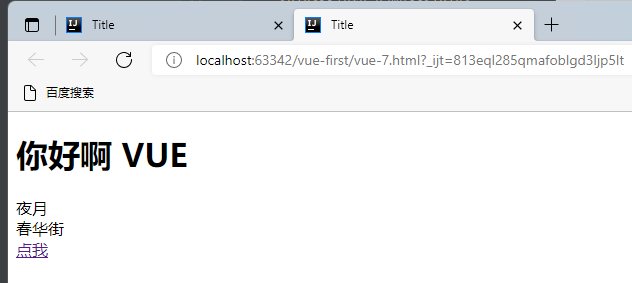
- Axios实现异步通信
<!DOCTYPE html>
<html lang="en" xmlns:v-bind="http://www.w3.org/1999/xhtml">
<head>
    <meta charset="UTF-8">
    <title>Title</title>
<!--v-clock 手动解决闪烁问题-->
    <style>
        [v-clock]{
            display:none
        }
    </style>
</head>
<body>
<h1>你好啊 VUE</h1>
<!--view层 模板-->
<div id="vue" v-clock>
    <div>{{info.name}}</div>
    <div>{{info.address.street}}</div>
    <a v-bind:href="info.url">点我</a>
</div>
<!--导入vuejs-->
<script src="https://cdn.jsdelivr.net/npm/vue@2.5.16/dist/vue.js"></script>
<script src="https://unpkg.com/axios/dist/axios.min.js"></script>
<script type="text/javascript">
    var vm = new Vue({
            el: "#vue",
            data() {
                return {
                    //请求返回的参数格式,必须和json字符串一致
                    info: {
                        name: null,
                        address: {
                            street: null,
                            city: null,
                            country: null
                        },
                        url:null
                    }
                }
            },
            mounted() {//钩子函数 链式编程 ES6新特性
                axios.get('data.json').then(response => (this.info = response.data));
            }
        }
    );
</script>
</body>
</html>
data.json
{
  "name":"夜月",
  "url":"https://www.cnblogs.com/shenyeanyue-study/",
  "page": 1,
  "isNonProfit": true,
  "address": {
    "street": "春华街",
    "city": "天津",
    "country": "中国"
  },
  "links": [
    {
      "name":"博客园",
      "url": "https://www.cnblogs.com/shenyeanyue-study/"
    },
    {
      "name": "csdn",
      "url": "https://blog.csdn.net/weixin_47587613?type=blog&spm=1001.2100.3001.5348"
    }
  ]
}
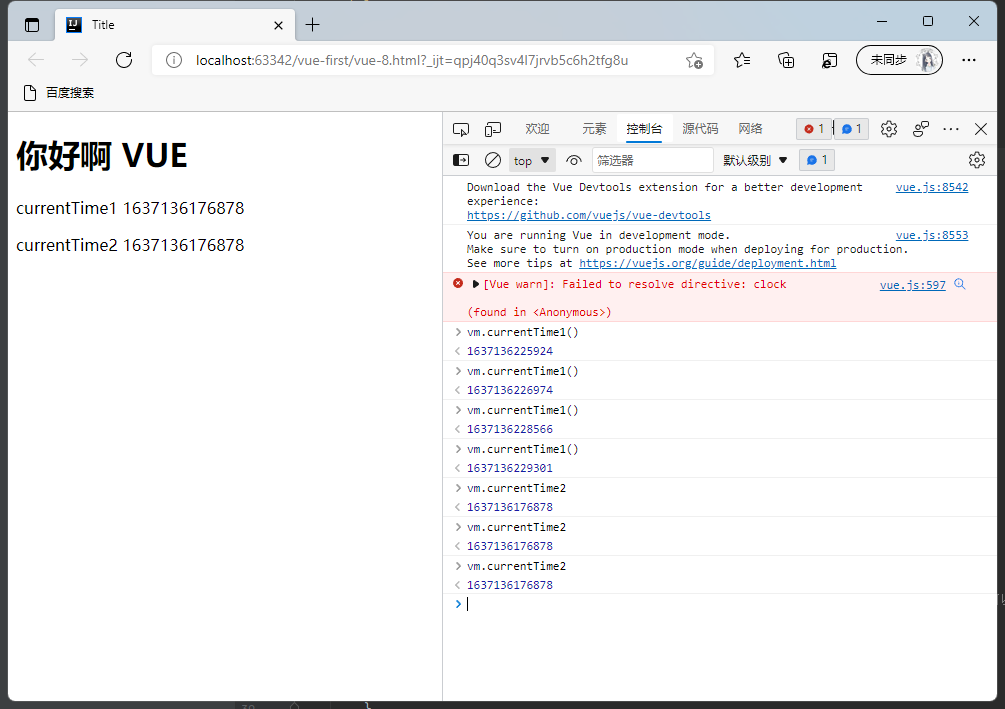
- 计算属性computed,可以理解为缓存。计算属性的主要特性就是为了将不经常变化的计算结果进行缓存,以节约我们的系统开销。
<!DOCTYPE html>
<html lang="en" xmlns:v-bind="http://www.w3.org/1999/xhtml">
<head>
    <meta charset="UTF-8">
    <title>Title</title>
<!--v-clock 手动解决闪烁问题-->
    <style>
        [v-clock]{
            display:none
        }
    </style>
</head>
<body>
<h1>你好啊 VUE</h1>
<!--view层 模板-->
<div id="vue" v-clock>
    <p>currentTime1 {{currentTime1()}}</p>
    <p>currentTime2 {{currentTime2}}</p>
</div>
<!--导入vuejs-->
<script src="https://cdn.jsdelivr.net/npm/vue@2.5.16/dist/vue.js"></script>
<script src="https://unpkg.com/axios/dist/axios.min.js"></script>
<script type="text/javascript">
    var vm = new Vue({
            el: "#vue",
            data:{
                message:"Hello,yeyue"
            },
        methods:{
                currentTime1:function (){
                    return Date.now();//返回当前的时间戳
                }
        },
        computed:{//计算属性,methods和computed中方法名不能重复,重复之后只会调用methods的方法;可以减少并发压力
                currentTime2:function (){
                    this.message;//只有当值有变化时,计算属性才会更新
                    return Date.now();
                }
        }
        }
    );
</script>
</body>
</html>
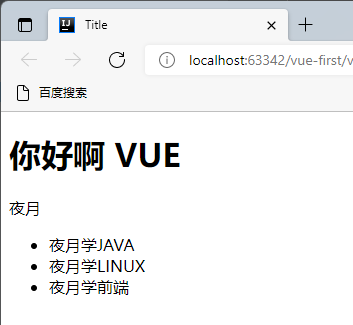
- 插槽slot 实现动态的渲染效果
<!DOCTYPE html>
<html lang="en" xmlns:v-bind="http://www.w3.org/1999/xhtml">
<head>
    <meta charset="UTF-8">
    <title>Title</title>
</head>
<body>
<h1>你好啊 VUE</h1>

<!--view层 模板-->
<div id="vue">
    <todo>
        <todo-title slot="todo-title" :title="title"></todo-title>
        <todo-items slot="todo-items" v-for="item in todoItems" :item="item"></todo-items>
    </todo>
</div>

<!--导入vuejs-->
<script src="https://cdn.jsdelivr.net/npm/vue@2.5.16/dist/vue.js"></script>
<script src="https://unpkg.com/axios/dist/axios.min.js"></script>
<script>

    //slot 插槽
    Vue.component("todo", {
        template: '<div>\
                        <slot name="todo-title"></slot>\
                        <ul>\
                            <slot name="todo-items"></slot>\
                        </ul>\
                    </div>'
    });
    Vue.component("todo-title", {
        props: ['title'],
        template: '<div>{{title}}</div>>'
    });
    Vue.component("todo-items", {
        props: ['item'],
        template: '<li>{{item}}</li>>'
    });
    var vm = new Vue({
            el: "#vue",
            data: {
                title: "夜月",
                todoItems: ['夜月学JAVA', '夜月学LINUX', '夜月学前端']
            }

        }
    );
</script>
</body>
</html>
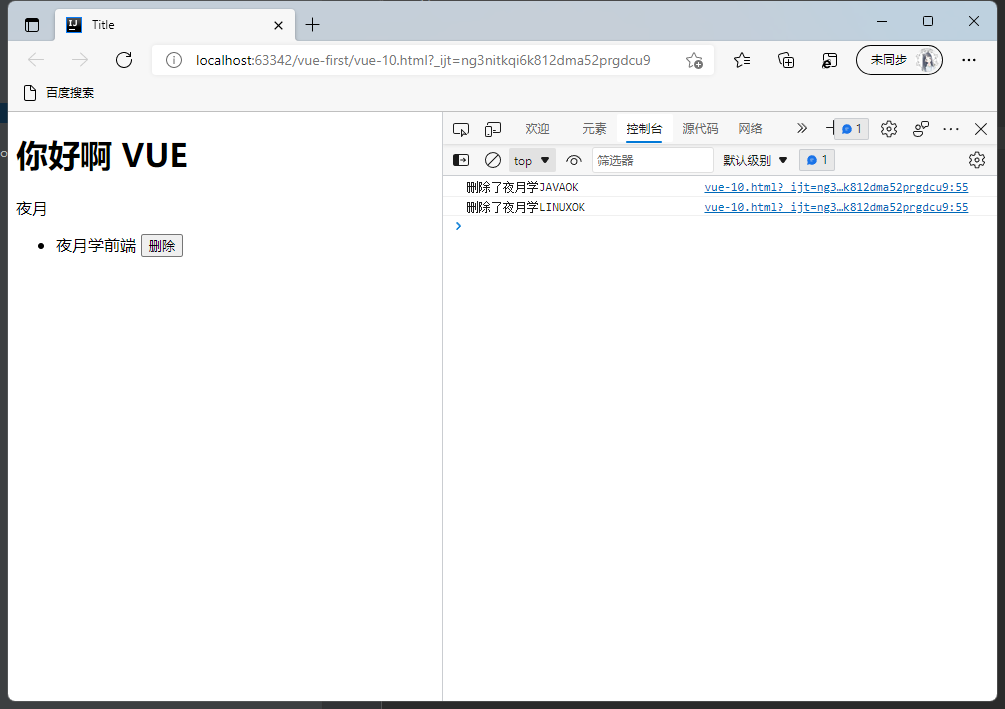
- 自定义事件 组件中用this.$emit('remove',index)调用vue中的function
<!DOCTYPE html>
<html lang="en" xmlns:v-bind="http://www.w3.org/1999/xhtml">
<head>
    <meta charset="UTF-8">
    <title>Title</title>
</head>
<body>
<h1>你好啊 VUE</h1>

<!--view层 模板-->
<div id="vue">
    <todo>
        <todo-title slot="todo-title" :title="title"></todo-title>
        <todo-items slot="todo-items" v-for="(item,index) in todoItems"
                    :item="item" v-bind:inex="index" v-on:remove="removeItems(index)" :key="index"></todo-items>
    </todo>
</div>

<!--导入vuejs-->
<script src="https://cdn.jsdelivr.net/npm/vue@2.5.16/dist/vue.js"></script>
<script src="https://unpkg.com/axios/dist/axios.min.js"></script>
<script>

    //slot 插槽
    Vue.component("todo", {
        template: '<div>\
                        <slot name="todo-title"></slot>\
                        <ul>\
                            <slot name="todo-items"></slot>\
                        </ul>\
                    </div>'
    });
    Vue.component("todo-title", {
        props: ['title'],
        template: '<div>{{title}}</div>>'
    });
    Vue.component("todo-items", {
        props: ['item','index'],
        //只能调用当前组件的方法
        template: '<li>{{item}} <button @click="remove">删除</button></li>>',
        methods: {
            remove: function (index) {
                this.$emit('remove',index)
            }
        }
    });
    var vm = new Vue({
            el: "#vue",
            data: {
                title: "夜月",
                todoItems: ['夜月学JAVA', '夜月学LINUX', '夜月学前端']
            },
        methods:{
                removeItems:function (index){
                    console.log("删除了"+this.todoItems[index]+"OK")
                    this.todoItems.splice(index,1);//一次删除一个元素
                }
        }

        }
    );
</script>
</body>
</html>
第一个VUE-CLI程序
安装vue-cli
(1)命令:cnpm install vue-cli -g
(2)利用vue list可以查到信息即可

初始化一个工程
(1)cmd管理员方式打开
vue init webpack myvue
(2)遇到选项一直选NO即可
运行
执行命令
npm run dev
展示(浏览器中访问该url即可显示初始页面)

WEBPACK
创建项目
新建一个空白的文件夹用IDEA打开即可
创建目录models
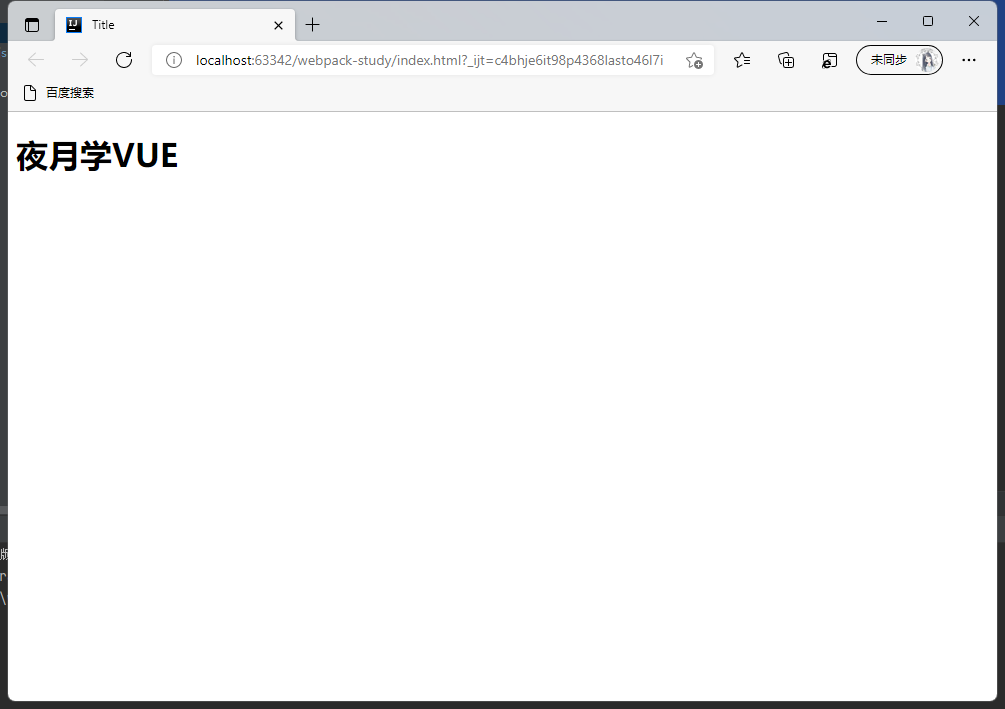
- 新建hello.js暴露一个方法
//暴露一个方法
exports.sayHi = function (){
    document.write("<h1>夜月学VUE</h1>")
}
- 新建main.js调用暴露的方法hello.js
var hello = require("./hello");
hello.sayHi();
webpack打包成bundle.js
- 项目下新建webpack.config.js(配置打包的参数)
module.exports = {
    //入口
    entry:'./modules/main.js',
    //输出路径
    output:{
        filename:"./js/bundle.js"
    }
}
- 执行打包命令
webpack
或
webpack --watch //可以监听程序的变化实时打包
项目目录下新建index.html引用bundle.js
<!DOCTYPE html>
<html lang="en">
<head>
    <meta charset="UTF-8">
    <title>Title</title>
</head>
<body>

<script src="dist/js/bundle.js"></script>

</body>
</html>
展示效果
VUE-ROUTER
安装vue-router
cmd管理员打开并进入到工程目录,执行命令
npm install vue-router --save-dev
创建要展示的单个组件
Content.vue
<template>
    <h1>内容页</h1>
</template>
<script>
export default {
  name: "Content"
}
</script>
<!--scoped仅在当前作用域有效-->
<style scoped>
</style>
Main.vue
<template>
    <h1>首页</h1>
</template>
<script>
export default {
  name: "Main"
}
</script>
<style scoped>
</style>
Yeyue.vue
<template>
    <h1>夜月</h1>
</template>
<script>
export default {
  name: "Yeyue"
}
</script>
<style scoped>
</style>
配置路由
在项目目录新建router目录用于存放路由配置,新建index.js配置路由
import Vue from 'vue'
import VueRouter from 'vue-router'
import Content from "../components/Content";
import Main from "../components/Main";
import Yeyue from "../components/Yeyue";
//安装路由
Vue.use(VueRouter);
//配置导出路由
export default new VueRouter({
  routes:[
    {
      //路由路径
      path:'/content',
      name:Content,
      //跳转的组件
      component:Content
    },
    {
      //路由路径
      path:'/Main',
      name:Main,
      //跳转的组件
      component:Main
    },
    {
      //路由路径
      path:'/Yeyue',
      name:Yeyue,
      //跳转的组件
      component:Yeyue
    }
  ]
})
App.vue中配置视图
<template>
  <div id="app">
    <h1>Vue-Router</h1>
    <router-link to="/Main">首页</router-link>
    <router-link to="/content">内容页</router-link>
    <router-link to="/Yeyue">夜月</router-link>
    <router-view></router-view>
  </div>
</template>
<script>
export default {
  name: 'App'
}
</script>
<style>
#app {
  font-family: 'Avenir', Helvetica, Arial, sans-serif;
  -webkit-font-smoothing: antialiased;
  -moz-osx-font-smoothing: grayscale;
  text-align: center;
  color: #2c3e50;
  margin-top: 60px;
}
</style>
main.js中导入路由并配置路由
import Vue from 'vue'
import App from './App'
import router from './router' //自动扫描里边的路由配置
Vue.config.productionTip = false
/* eslint-disable no-new */
new Vue({
  el: '#app',
  //配置路由
  router,
  components: { App },
  template: '<App/>'
})
运行
npm run dev
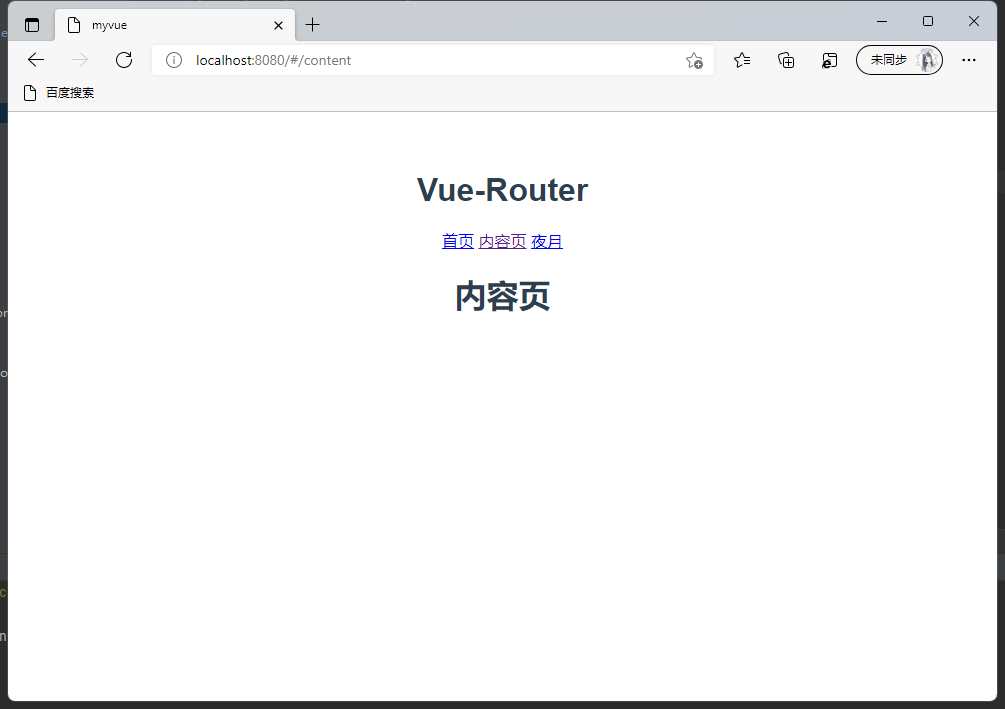
展示
VUE + element-ui
初始化项目
vue init webpack hello-vue
安装vue-router
npm install vue-router --save-dev
安装axios
npm install axios
安装element-ui
(1)npm安装
npm i element-ui -S
(2)cdn引入
<!-- 引入样式 -->
<link rel="stylesheet" href="https://unpkg.com/element-ui/lib/theme-chalk/index.css">
<!-- 引入组件库 -->
<script src="https://unpkg.com/element-ui/lib/index.js"></script>
main.js中引入element-ui
import Vue from 'vue';
import ElementUI from 'element-ui';
import 'element-ui/lib/theme-chalk/index.css';
import App from './App.vue';

Vue.use(ElementUI);

new Vue({
  el: '#app',
  render: h => h(App)
});
安装依赖
npm install
安装sass加速器
cnpm install sass-loader node-sass --save-dev
运行
npm run dev
修改原始项目
- 新建VUE组件(./views)
- Login.vue
<template>
  <div>
    <el-form ref="loginForm" :model="form" :rules="rules" label-width="80px" class="login-box">
      <h3 class="login-title">欢迎登录</h3>
      <el-form-item label="账号" prop="username">
        <el-input type="text" placeholder="请输入账号" v-model="form.username"/>
      </el-form-item>
      <el-form-item label="密码" prop="password">
        <el-input type="password" placeholder="请输入密码" v-model="form.password"/>
      </el-form-item>
      <el-form-item>
        <el-button type="primary" v-on:click="onSubmit('loginForm')">登录</el-button>
      </el-form-item>
    </el-form>

    <el-dialog
      title="温馨提示"
      :visible.sync="dialogVisible"
      width="30%"
      :before-close="handleClose">
      <span>请输入账号和密码</span>
      <span slot="footer" class="dialog-footer">
        <el-button type="primary" @click="dialogVisible = false">确 定</el-button>
      </span>
    </el-dialog>
  </div>
</template>

<script>
export  default {
  name:"Login",
  data(){
    return {
      form:{
        username: '',
        password: ''
      },
      //表单验证,需要再el-form-item 元素中增加prop属性
      rules:{
        username: [
          {required:true,message:'账号不能为空',trigger:'blur'}
        ],
        password: [
          {required: true,message: '密码不能为空',trigger:'blur'}
        ]
      },
      //对话框显示和隐藏
      dialogVisible:false
    }
  },
  methods:{
    onSubmit(formName) {
      //为表单绑定验证功能
      this.$refs[formName].validate((valid) =>{
        if (valid){
          //使用 vue-router路由到指定页面,该方式称之为编程式导航
          this.$router.push("/main");
        } else {
          this.dialogVisible = true;
          return false;
        }
      });
    }
  }
}
</script>

<style lang="scss" scoped>
.login-box{
  border: 1px solid #DCDFE6;
  width: 350px;
  margin:180px auto;
  padding:35px 35px 15px 35px;
  border-radius: 5px;
  -webkit-border-radius: 5px;
  -moz-border-radius: 5px;
  box-shadow:0 0 25px #909399;
}

.login-title{
  text-align:center;
  margin:0 auto 40px auto;
  color:#303133;
}
</style>
- Main.vue
<template>
  <div>
    <el-container>
      <el-aside width="200px">
        <el-menu :default-openeds="['1']">
          <el-submenu index="1">
            <template slot="title"><i class="el-icon-caret-right"></i>用户管理</template>
            <el-menu-item-group>
              <el-menu-item index="1-1">
<!--                子路由配置并传递参数-->
                <router-link :to='{names:"UserProfile",params:{id: 1}}'>个人信息</router-link>
              </el-menu-item>
              <el-menu-item index="1-2">
<!--                子路由配置-->
                <router-link to="/user/list">用户列表</router-link>
              </el-menu-item>
              <el-menu-item index="1-3">
<!--                配置跳转-->
                <router-link to="/goHome">回到首页</router-link>
              </el-menu-item>
            </el-menu-item-group>
          </el-submenu>
          <el-submenu index="2">
            <template slot="title"><i class="el-icon-caret-right"></i>内容管理</template>
            <e1-menu-item-group>
              <el-menu-item index="2-1">分类管理</el-menu-item>
              <el-menu-item index="2-2">内容列表</el-menu-item>
            </e1-menu-item-group>
          </el-submenu>
        </el-menu>
      </el-aside>

      <el-container>
        <el-header style="text-align: right; font-size: 12px">
          <el-dropdown>
            <i class="el-icon-setting" style="margin-right:15px"></i>
            <el-dropdown-menu slot="dropdown">
              <el-dropdown-item>个人信息</el-dropdown-item>
              <el-dropdown-item>退出登录</el-dropdown-item>
            </el-dropdown-menu>
          </el-dropdown>
        </el-header>

        <el-main>
          <router-view/>
        </el-main>
      </el-container>
    </el-container>
  </div>
</template>

<script>


export default {
  name: "Main",

}
</script>

<style scoped lang="scss">
.el-header {
  background-color: #048bd1;
  color: #333;
  line-height: 60px;
}

.el-aside {
  color: #333;
}
</style>
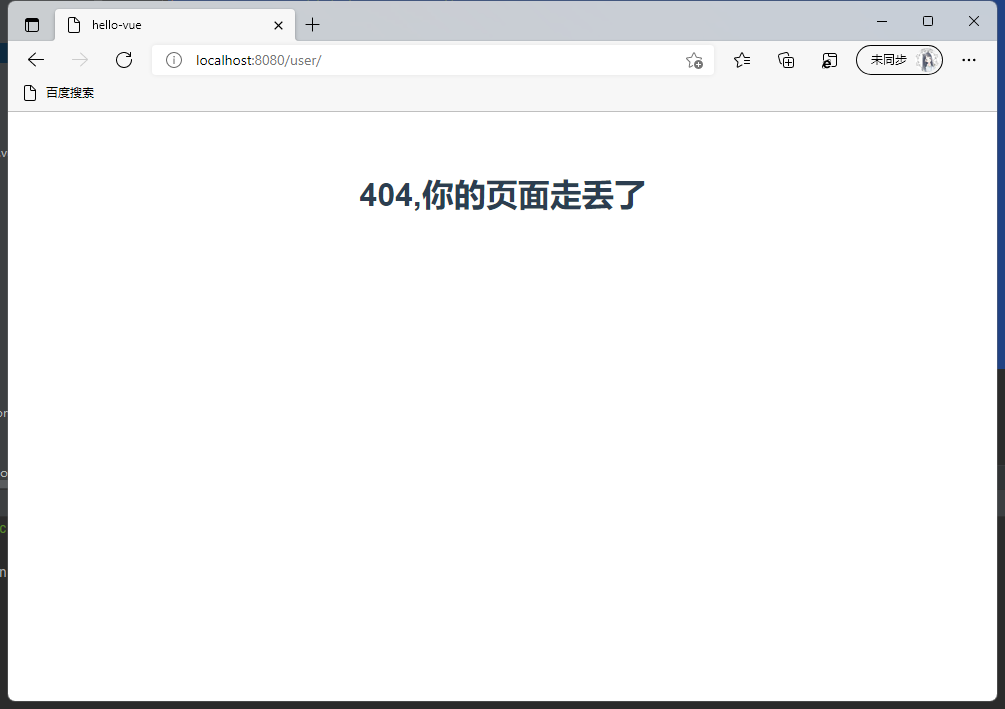
- NotFound.vue(当访问路径不存在时报404)
<template>
    <h1>404,你的页面走丢了</h1>
</template>

<script>
export default {
  name: "NotFound"
}
</script>

<style scoped>

</style>
- 新建嵌套路由组件
- Profile.vue
<template>
  <div>
    <h1>个人信息</h1>
<!--    参数传递,双向绑定-->
    {{id}}
  </div>

</template>

<script>
//暴露一个接口
export default {
  props:['id'],
  name: "UserProfile",
  //添加钩子
  beforeRouteEnter:(to,from,next)=>{
      console.log("进入路由之前");
        //调用方法获取数据
        next(vm =>{
          vm.getData();
        });
  },
  //添加钩子
  beforeRouteLeave:(to,from,next)=>{
    console.log("离开路由之前");
    next();
  },
  methods: {
      getData:function(){
        this.axios({
          method:'get',
          url:'http://localhost:8080/static/mock/data.json'
        }).then(function (response){
          console.log(response)
        })
      }
  }
}
</script>

<style scoped>

</style>
- List.vue
<template>
    <h1>用户列表</h1>
</template>

<script>
export default {
  name: "UserList"
}
</script>

<style scoped>

</style>
- 修改路由配置(./router/index.js)
import Vue from 'vue';
import VueRouter from "vue-router";

import Main from '../views/Main'
import Login from '../views/Login'
import NotFound from "../views/NotFound";

// 用于嵌套的路由组件
import UserProfile from '../views/user/Profile'
import UserList from '../views/user/List'

Vue.use(VueRouter);

export default new VueRouter({
  mode:'history',
  routes:[
    {
      //首页
      path:'/Main',
      name:Main,
      component:Main,
      // 配置嵌套路由
      children: [
        {
          path: '/user/profile/:id',
          name:UserProfile,
          component: UserProfile,
          props:true
        },
        {
          path: '/user/list',
          component: UserList
        },
        {
          //路由跳转
          path: '/goHome',
          redirect:'/Main'
        }
      ]
    },
    {
      //配置Login.vue
      path:'/Login',
      name:Login,
      component:Login
    },
    {
      //配置404页面
      path:'*',
      component:NotFound
    }
  ]
})
- App.vue添加展示视图
<template>
  <div id="app">
<!--    视图展示-->
    <router-view></router-view>
  </div>
</template>

<script>

export default {
  name: 'App',

}
</script>

<style>
#app {
  font-family: 'Avenir', Helvetica, Arial, sans-serif;
  -webkit-font-smoothing: antialiased;
  -moz-osx-font-smoothing: grayscale;
  text-align: center;
  color: #2c3e50;
  margin-top: 60px;
}
</style>
- Main.js导入依赖并配置
// The Vue build version to load with the `import` command
// (runtime-only or standalone) has been set in webpack.base.conf with an alias.
import Vue from 'vue'
import App from './App'
import router from './router'
import ElementUI from 'element-ui'
import 'element-ui/lib/theme-chalk/index.css'

import axios from 'axios'
import VueAxios from 'vue-axios'

Vue.use(VueAxios, axios)

Vue.config.productionTip = false

Vue.use(ElementUI);
/* eslint-disable no-new */
new Vue({
  el: '#app',
  router,
  components: { App },
  template: '<App/>'
})
- 运行
npm run dev
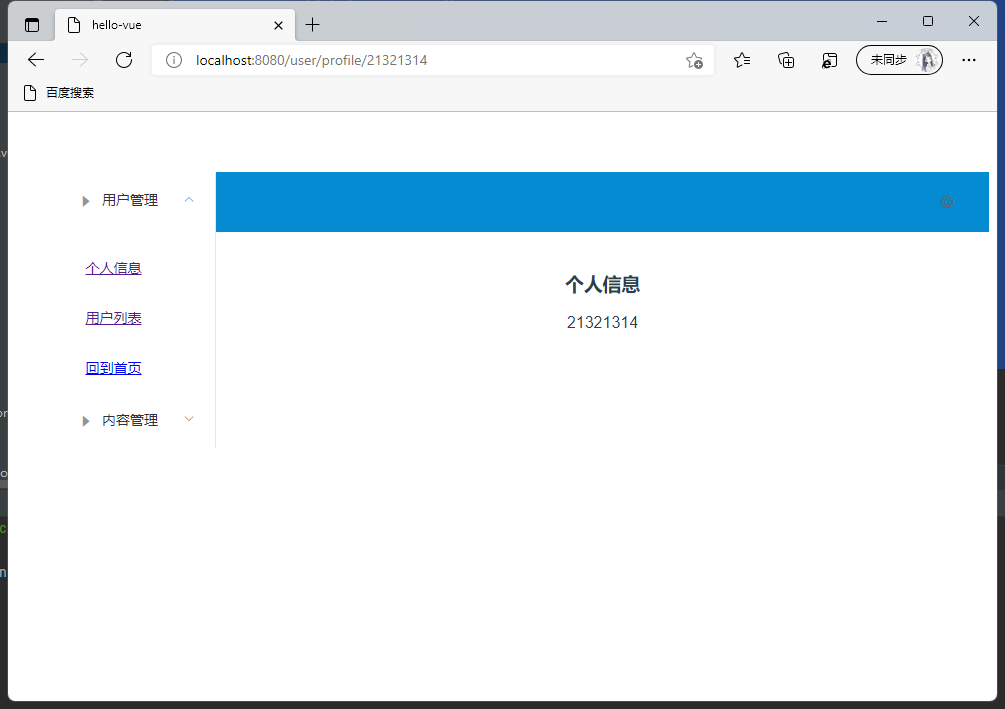
- 展示
遇到问题
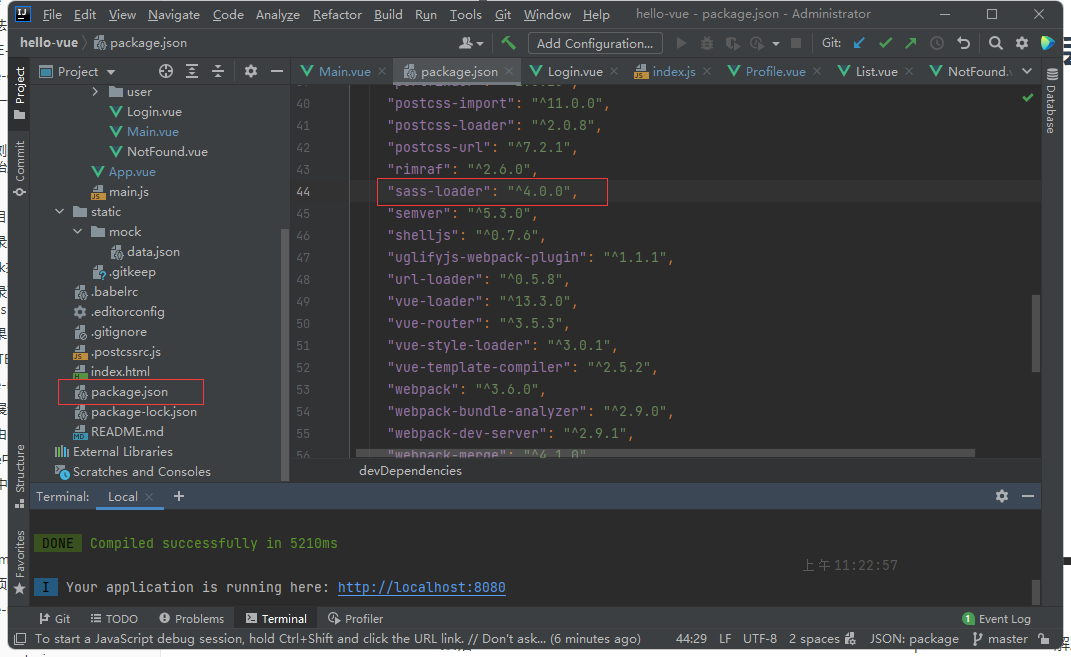
Vue报错Module build failed: Error: Node Sass version 6.0.1 is incompatible with ^4.0.0.解决方案
解决方案:
这个问题是因为Sass的版本过高导致,所以根据提示将版本改为对应的版本就可以了,我这里是改为4.0.0版本。然后,cnpm install重新安装一下依赖即可。

 浙公网安备 33010602011771号