


Kali系统 连接 Xshell
1> 进入kali系统,修改ssh配置文件:vi /etc/ssh/sshd_config

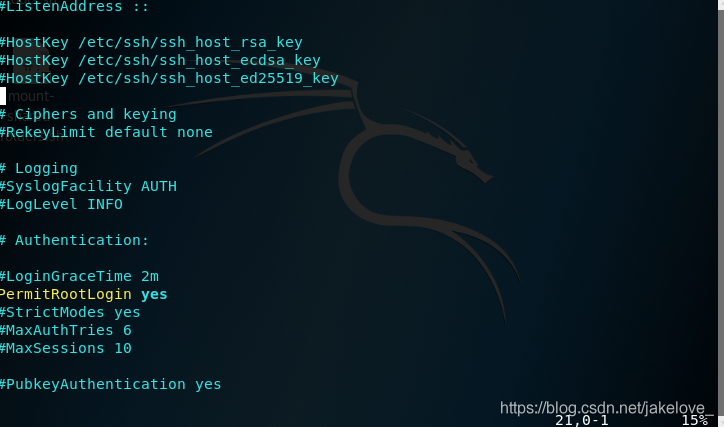
2> 将PermitRootLogin without-password修改为:PermitRootLogin yes
快速查找:
:set number
/PermitRootLogin
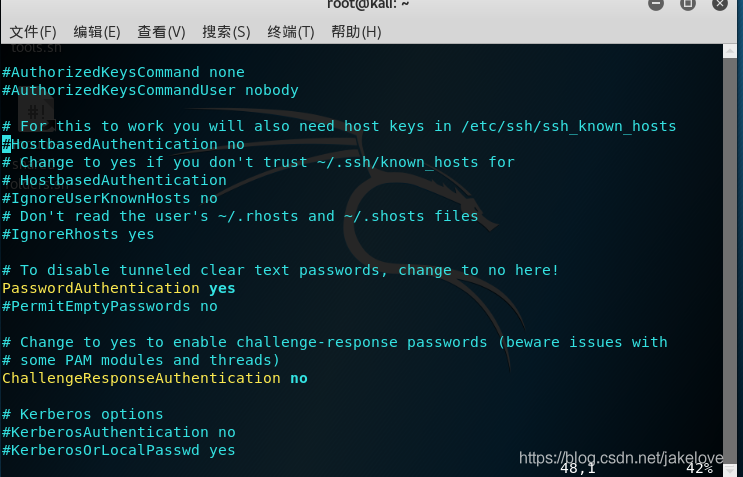
3> 找到#PasswordAuthentication yes 把#的注释去掉
快速查找:
:set number
/PasswordAuthentication
4> 启动ssh服务:/etc/init.d/ssh start

5> 设置开机启动:update-rc.d ssh enable

6>重启 reboot

 浙公网安备 33010602011771号