
Bonbo Git Server
Install
This page covers simple Bonobo Git Server installation. Be sure to check prerequisites page before installation and for other sections visit the documentation page.
The following steps covers an installation with Windows 2008 Server and IIS 7. They are exactly the same for any higher platforms (Windows Server 2012 and IIS 8.0+).
- Download the latest version of Bonobo Git Server from the front page
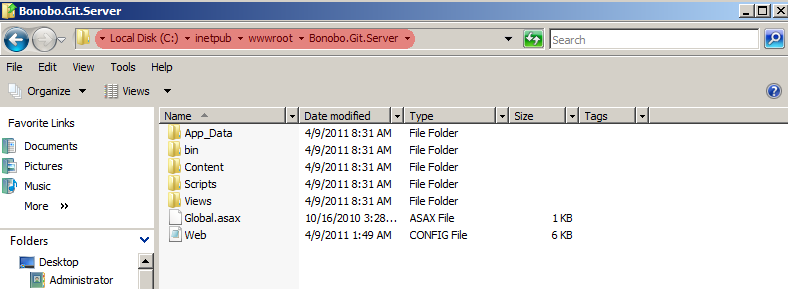
- Extract the files from the installation archive to
C:\inetpub\wwwroot
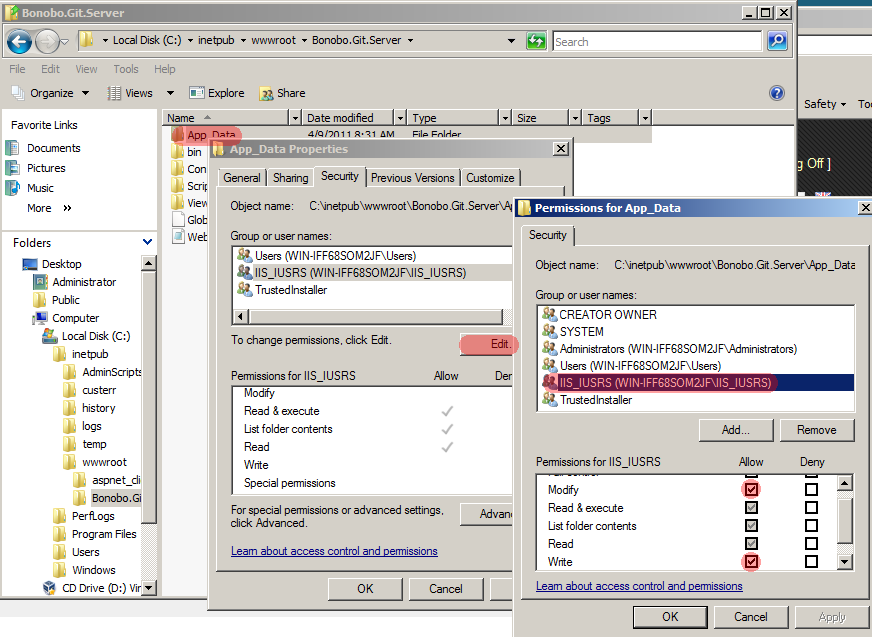
- Allow IIS User to modify
C:\inetpub\wwwroot\Bonobo.Git.Server\App_Datafolder. To do so- select Properties of App_Data folder,
- go to Security tab,
- click edit,
- select IIS user (in my case IIS_IUSRS) and add Modify and Write permission,
- confirm these settings with Apply button.
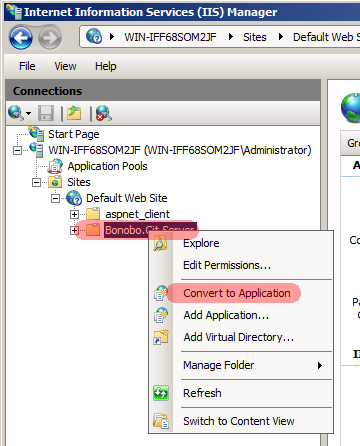
- Convert Bonobo.Git.Server to Application in IIS
- Run IIS Manager and navigate to Sites -> Default Web Site. You should see Bonobo.Git.Server.
- Right click on Bonobo Git Server and convert to application.
- Check if the selected application pool runs on .NET 4.0 and convert the site.
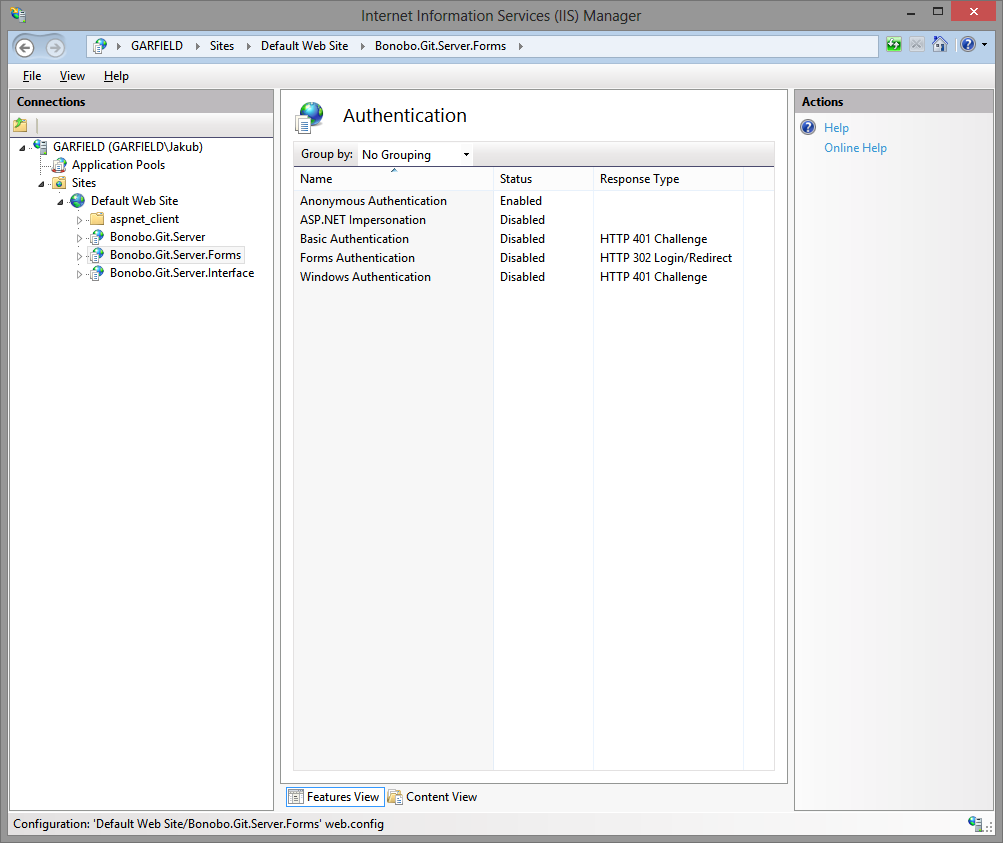
- Configure Authentication
Enable Anonymous Authentication in IIS and disable the others. To do so, select the application, click on the authentication icon and set the value to of Anonymous Authentication to Enabled. The configuration should look like the following screenshot.
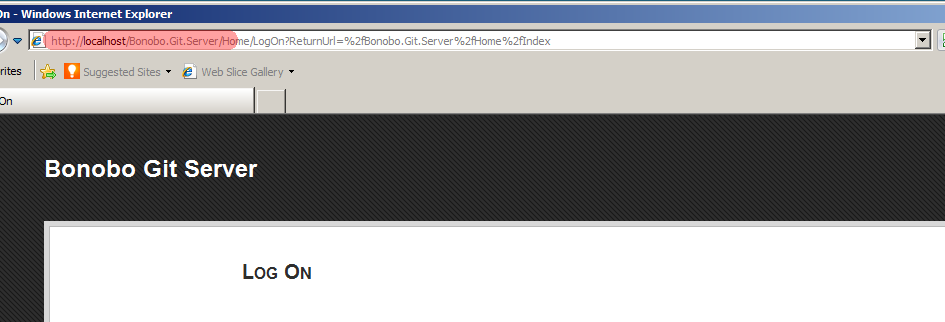
- Launch your browser and go to http://localhost/Bonobo.Git.Server. Now you can see the initial page of Bonobo Git Server and everything is working.
- Default credentials are username: admin password: admin
The authentication and membership service functions have been split up into separate configurable modules in the latest version of Bonobo Git Server. By default, it is configured to use Cookie Authentication and the Internal Membership Service. Please follow up on how to use the different methods using the following sites.
Authentication Providers
Membership Services
If you are have a previous version installed, you should review these migration notes.
If you have any issues with the installation try to search FAQ and forum.

 浙公网安备 33010602011771号