
sprint day4
1.项目预期任务量:15天
2.已花费时间:9天
3.剩余时间:6天
任务看板:

SCRUM会议照片: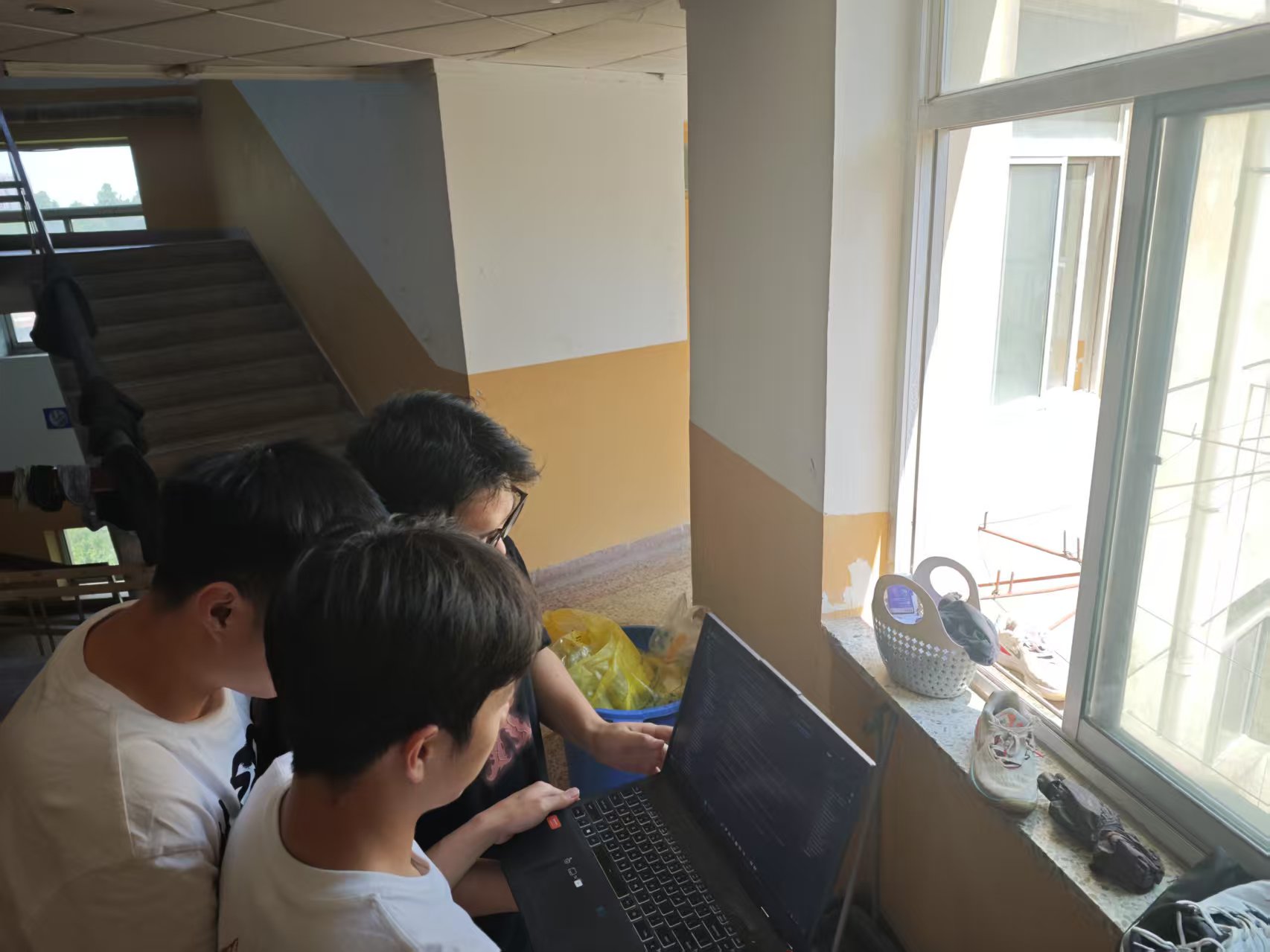
产品状态:
试卷管理
界面演示:首先在首页可以看到试卷的相关信息,相应的试卷可以添加对应的题目 这些题目可以进行增删改查并且设置标准答案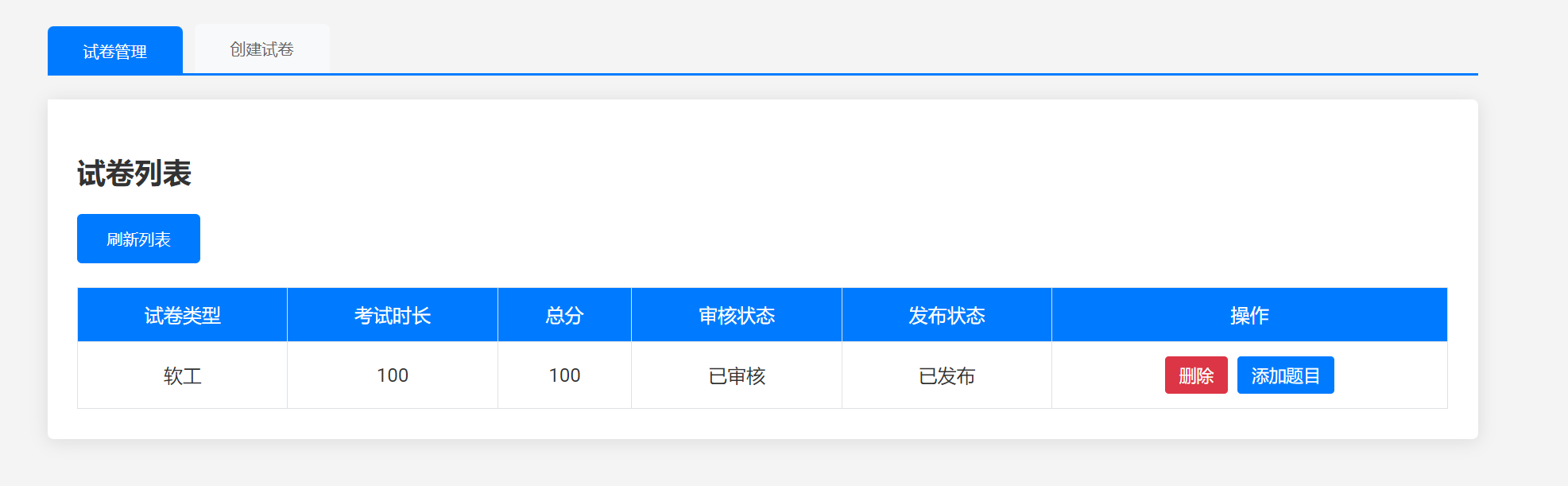
这是我们创建试卷的过程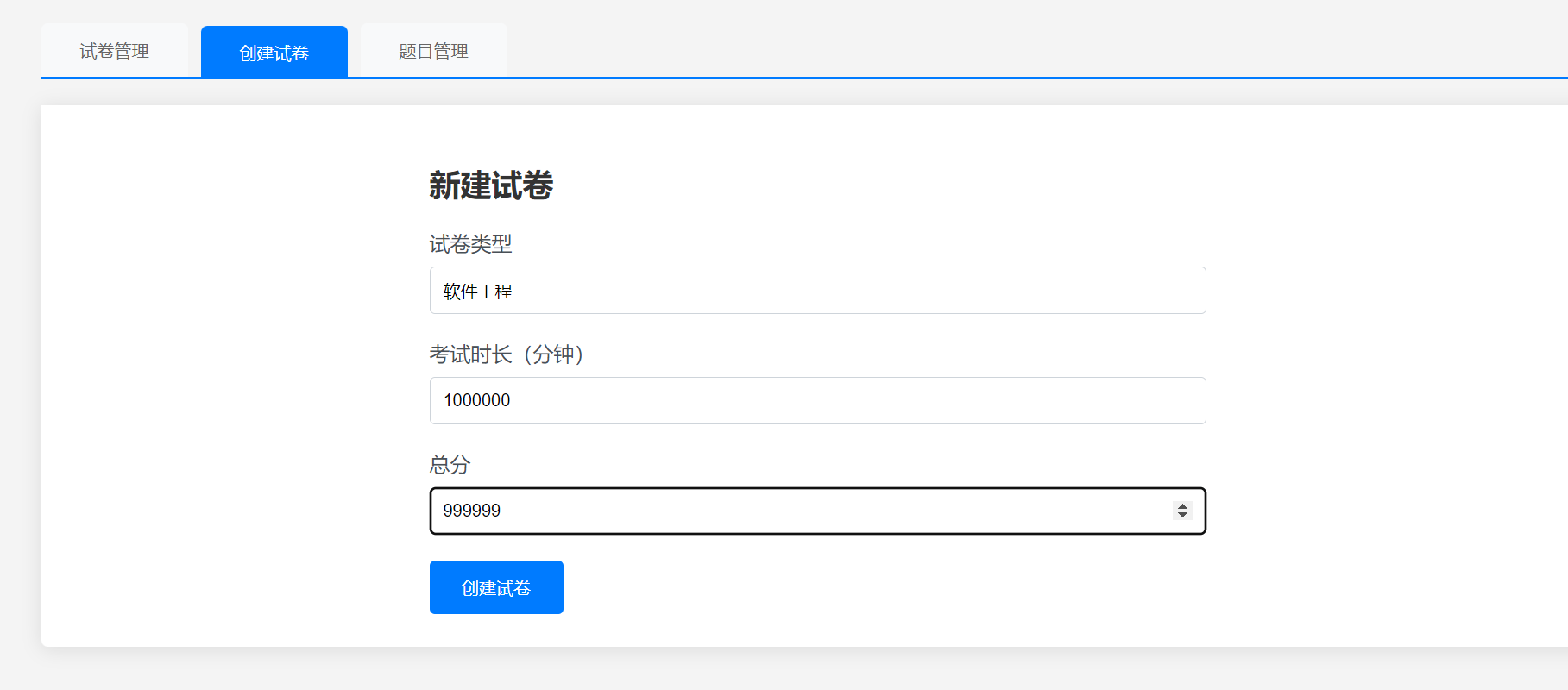
在试卷管理界面要进行对试卷的审核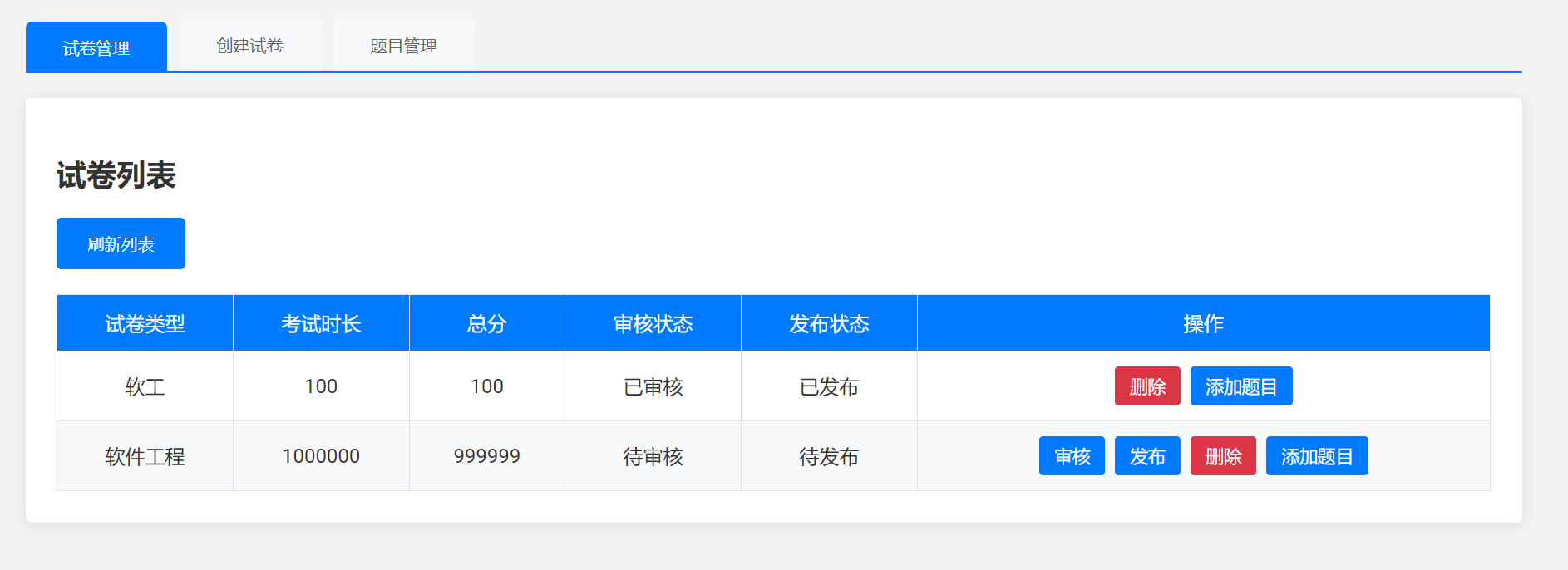
现在我们将该试卷发布 在该试卷添加试题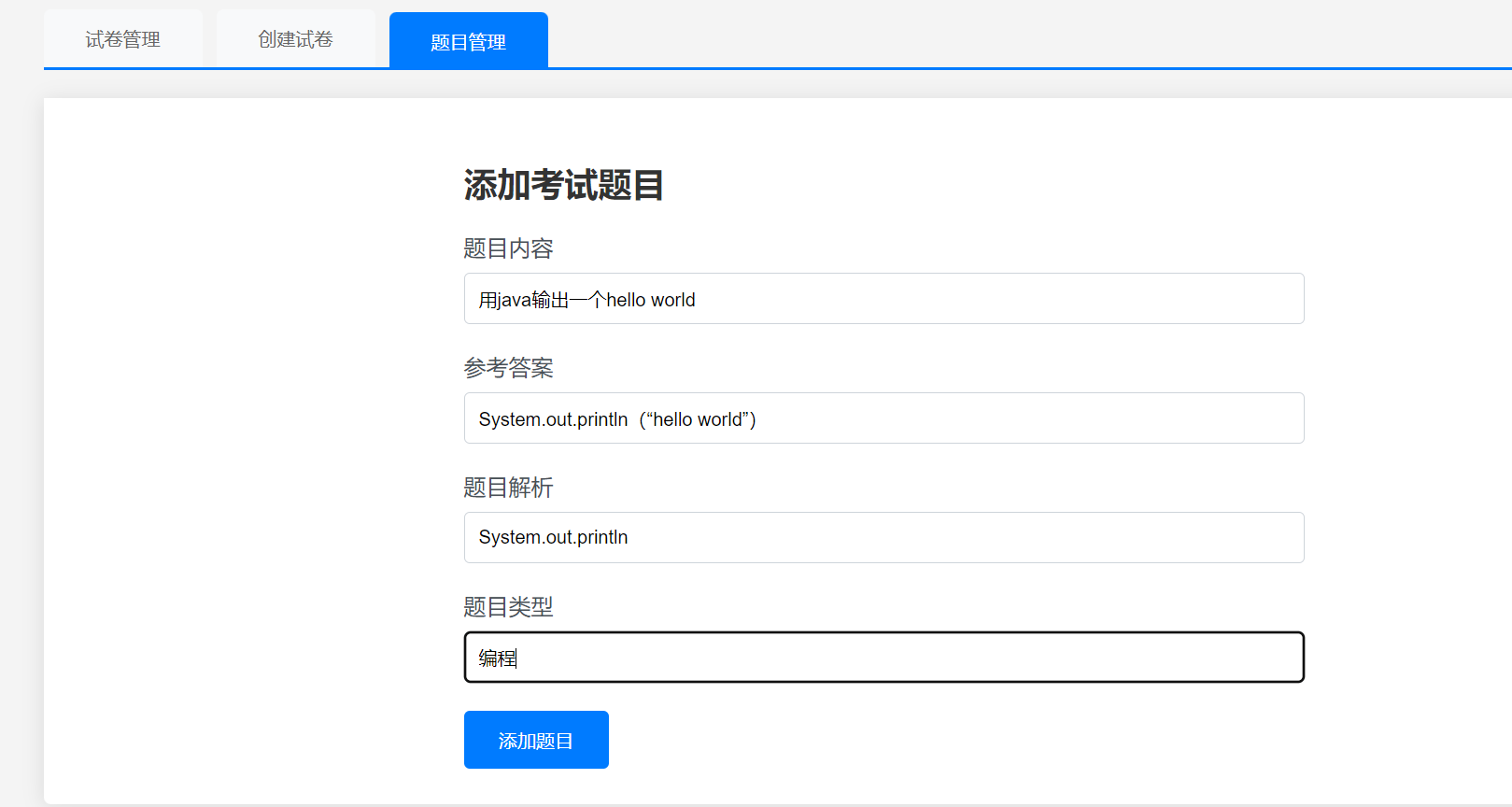
相关的试题会在考试列表里显示 就是明天的博客里会提到
代码:````plaintext
/* 选项卡样式 */
.tab-container {
max-width: 1200px;
margin: 0 auto;
}
.tab-nav {
display: flex;
gap: 10px;
margin-bottom: 20px;
border-bottom: 2px solid #007bff;
}
.tab-button {
padding: 12px 30px;
background: #f8f9fa;
border: none;
border-radius: 5px 5px 0 0;
cursor: pointer;
transition: all 0.3s ease;
font-weight: 500;
color: #666;
}
.tab-button.active {
background: #007bff;
color: white;
transform: translateY(2px);
}
.tab-content {
display: none;
background: white;
padding: 25px;
border-radius: 0 5px 5px 5px;
box-shadow: 0 2px 15px rgba(0, 0, 0, 0.1);
}
.tab-content.active {
display: block;
animation: fadeIn 0.3s ease;
}
/* 表格样式 */
table {
width: 100%;
border-collapse: collapse;
margin-top: 20px;
}
th,
td {
padding: 12px;
border: 1px solid #dee2e6;
text-align: center;
}
th {
background-color: #007bff;
color: white;
font-weight: 500;
}
tr:nth-child(even) {
background-color: #f8f9fa;
}
/* 表单样式 */
.form-section {
max-width: 600px;
margin: 0 auto;
}
.form-group {
margin-bottom: 20px;
}
label {
display: block;
margin-bottom: 8px;
color: #495057;
font-weight: 500;
}
input {
width: 100%;
padding: 10px;
border: 1px solid #ced4da;
border-radius: 4px;
box-sizing: border-box;
}
button.primary {
background-color: #007bff;
color: white;
padding: 12px 25px;
border: none;
border-radius: 4px;
cursor: pointer;
transition: background-color 0.3s;
}
button.primary:hover {
background-color: #0056b3;
}
/* 操作按钮 */
.action-buttons {
display: flex;
gap: 8px;
justify-content: center;
}
.action-btn {
padding: 6px 12px;
font-size: 0.9em;
border-radius: 3px;
cursor: pointer;
transition: all 0.2s;
border: none; /* 去掉黑边 */
}
.review-btn {
background-color: #007bff; /* 设置成蓝色 */
color: white;
}
.publish-btn {
background-color: #007bff; /* 设置成蓝色 */
color: white;
}
.delete-btn {
background-color: #dc3545;
color: white;
}
.add-question-btn {
background-color: #007bff; /* 设置成蓝色 */
color: white;
}
@keyframes fadeIn {
from {
opacity: 0;
transform: translateY(10px);
}
to {
opacity: 1;
transform: translateY(0);
}
}
试卷列表
| 试卷类型 | 考试时长 | 总分 | 审核状态 | 发布状态 | 操作 |
|---|

 浙公网安备 33010602011771号