IntelliJ IDEA 常用配置
1.CTRL + 滑动滚轮 调整窗口显示大小
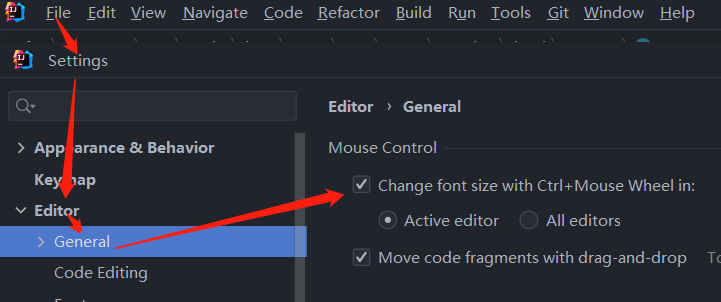
File->Settings -> Editor -> General -> Change font size with Ctrl+Mouse wheel
2.代码编辑区显示行号
Settings -> Editor -> General -> Appearance 勾选 Show Line Numbers

File->Settings -> Editor -> General -> Change font size with Ctrl+Mouse wheel
Settings -> Editor -> General -> Appearance 勾选 Show Line Numbers

 浙公网安备 33010602011771号