

Eureka开启HTTP Basic认证
Eureka Server配置
依赖配置
<dependency>
   <groupId>org.springframework.boot</groupId>
   <artifactId>spring-boot-starter-security</artifactId>
</dependency>

在配置文件中指定用户名和密码
##开启http basic验证
security.basic.enabled=true
security.user.name=admin
security.user.password=Xk38CNHigBP5jK75

由于spring-boot-starter-security默认开启了crsf校验,对于Client端这类非界面应用来说不合适,但是又没有配置文件的方式可以禁用,需要自己通过Java的配置文件禁用
@EnableWebSecurity
public class SecurityConfigurer extends WebSecurityConfigurerAdapter {
    @Override
    protected void configure(HttpSecurity http) throws Exception{
        super.configure(http);
        http.csrf().disable();
    }
}

启动Eureka Server,访问http://localhost:8001
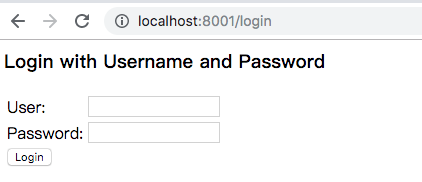
输入用户名密码进行登陆。
系统启动的过程中会生成一个默认的用户名user,随机密码将会在系统启动的日志中打印出来。
Eureka Client配置
由于eureka server开启了HTTP Basic认证,Eureka Client也需要配置相应的账号信息来传递,这里我们通过配置文件来指定。
eureka.client.security.user.name=admin
eureka.client.security.user.password=Xk38CNHigBP5jK75

eureka.client.service-url.defaultZone=http://${eureka.client.security.user.name}:${eureka.client.security.user.password}@localhost:8001/eureka
启动Eureka Client,就可以看到注册成功


 浙公网安备 33010602011771号